I am on a dedicated bare-metal server with two dedicated IPs, no one else is using the server except me, I have few virtual hosts and I have not downloaded WP in a few weeks
A work-around using webmin rather than virtualmin How to Install Wordpress via Webmin on Ubuntu 20.04 / Debian (cloudinfrastructureservices.co.uk)
Don’t do it! This is not a good work-around!
I’ve added a feature to the WordPress installation script that allows the use of a custom download server, e.g.:
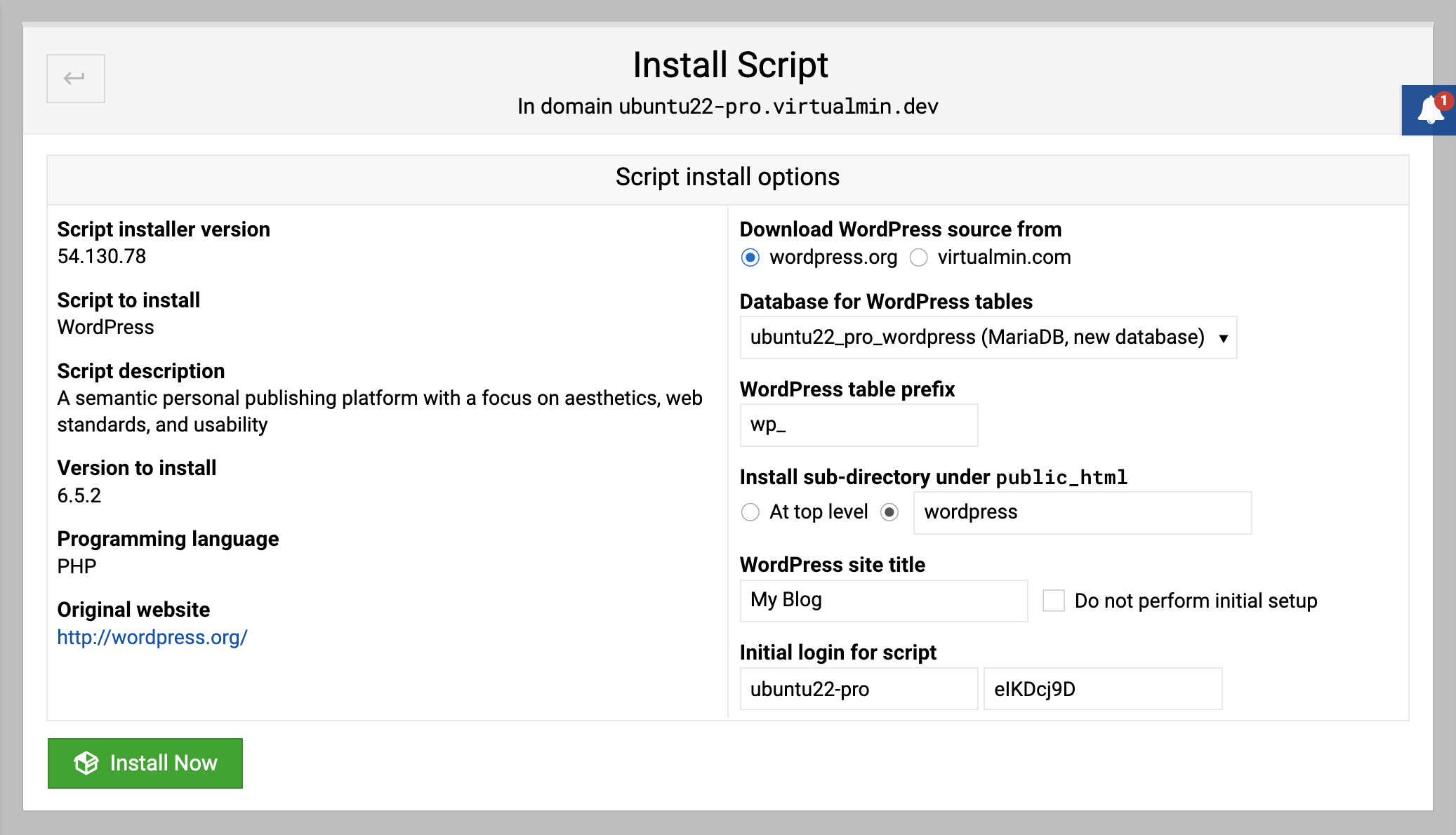
As @Jamie uploads all files to our scripts. server, anyone experiencing this issue can use virtualmin.com as a fallback download server. Additionally, users can gain more flexibility and control by adding a custom WordPress download server using the wp_download_server option in the /etc/webmin/virtual-server/config file. This will also be configurable through the upcoming WordPress Kit.
Above all, you may experience issues with downloads if the Manage Virtual Server ⇾ Edit Resource Limits page is configured incorrectly.
Thank you so much.
thank you, that’s great, is this feature going to be in the next update?
Yes, install script updates usually arrive automatically within 24 hours.
But the virtualmin script install process will already fall back to virtualmin.com if the primary download site is down … so I don’t see why we need this extra option?
This is because we’re not using Virtualmin’s download function; instead, we use wp core download. The WordPress install script isn’t an ordinary one.
That change isn’t doing things the right way … I added some comments on it explaining why.
Got it! Fixed now! Thanks!
Hello everybody
Same problem here, VPS on Contabo datacenter, can’t install any version (even older), get the 429 error, already tried refreshing available script installers (webmin config, run scriptlatest.pl) but the script installer does not display an additional server location for download and I’m stuck with two websites not installing
Can the updated script be added manually via a URL, and if so, which one can we use?
Thanks in advance
It will a little bit later, as update arrives.
The script seems to be updated now to fallback to virtualmin servers, but still fails with the following error:
Downloading from http://scripts.virtualmin.com/wordpress-6.5.2.zip … Error: Release not found. Double-check locale or version.
Please give it a try once again, as Jamie just updated the scripts’ server.
Success! Thank you for addressing the issue, it seems to be resolved now 
Excellent! I’m very happy to hear that!
I am new with virtualmin updates. Can yo navigate me how to update so i could install wordpress instances on my virtualmin server?
i have tried but nothing happens
please help
Only if you have a download issue will you need it. If so, you can go to the Webmin ⇾ Webmin Configuration: Webmin Scheduled Functions page and force-run scriptlatest.pl action.
i still hav the problem
this is the same message i have from the start . i did what you have told me and the same this message:
Now installing WordPress version 6.5.2 …
wp core download failed` : Downloading WordPress 6.5.2 (en_US)… Error: Couldn’t access download URL (HTTP code 429). : Downloading from http://scripts.virtualmin.com/wordpress-6.5.2.zip … Error: Extracting a zip file requires ZipArchive.
Installation can be continued manually at
More information on using this script can be found at
… installation was only partially complete.
Re-loading Webmin …
… done