Hello,
I’m happy to announce that after months of intensive development and testing, I’m finally ready to introduce a developer preview of the new Virtualmin Podman plugin. It’s now available for testing for all Virtualmin Pro users.
Warning
Virtualmin Podman 1.6.0 has already been released to production.
To install it on EL systems:
curl -u 'SERIAL:KEY' https://download.virtualmin.dev/webmin-virtualmin-podman-latest.rpm -o /tmp/webmin-virtualmin-podman-latest.rpm
sudo dnf install /tmp/webmin-virtualmin-podman-latest.rpm
and for Debian and its derivatives:
curl -u 'SERIAL:KEY' https://download.virtualmin.dev/webmin-virtualmin-podman-latest.deb -o /tmp/webmin-virtualmin-podman-latest.deb
sudo apt-get install /tmp/webmin-virtualmin-podman-latest.deb
After the installation is complete, the plugin should be enabled globally on the “System Settings ⇾ Features and Plugins” page. Once this is done, it should also be enabled individually for each domain using the “Edit Virtual Server” page.
I tried to make it as simple as possible, but the module config has an intimidating number of options and can enable advanced features that are disabled by default. It’s designed to be simple out of the box but powerful for advanced users.
Note that we are open to constructive suggestions, and changes can be made before the final release.
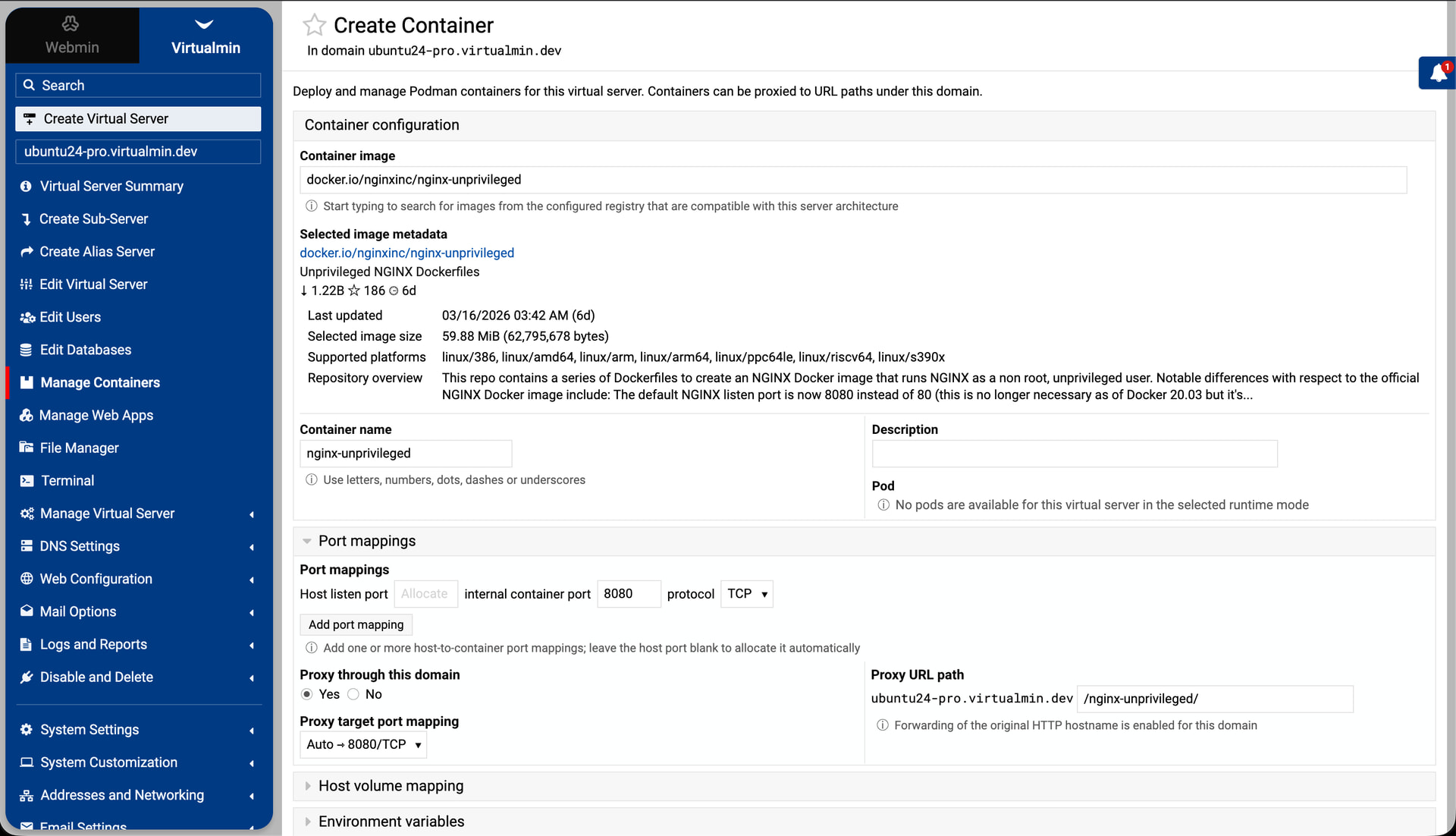
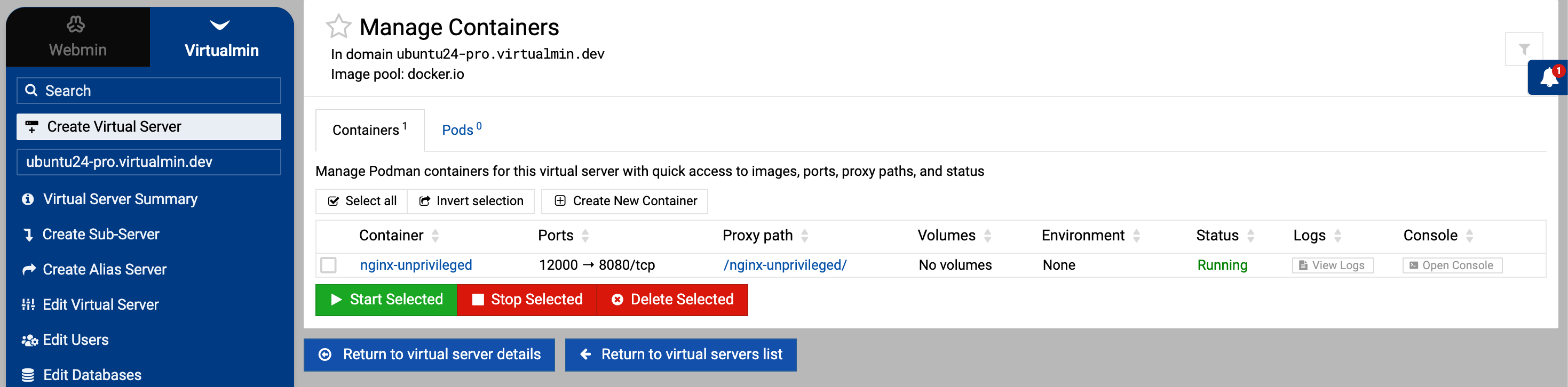
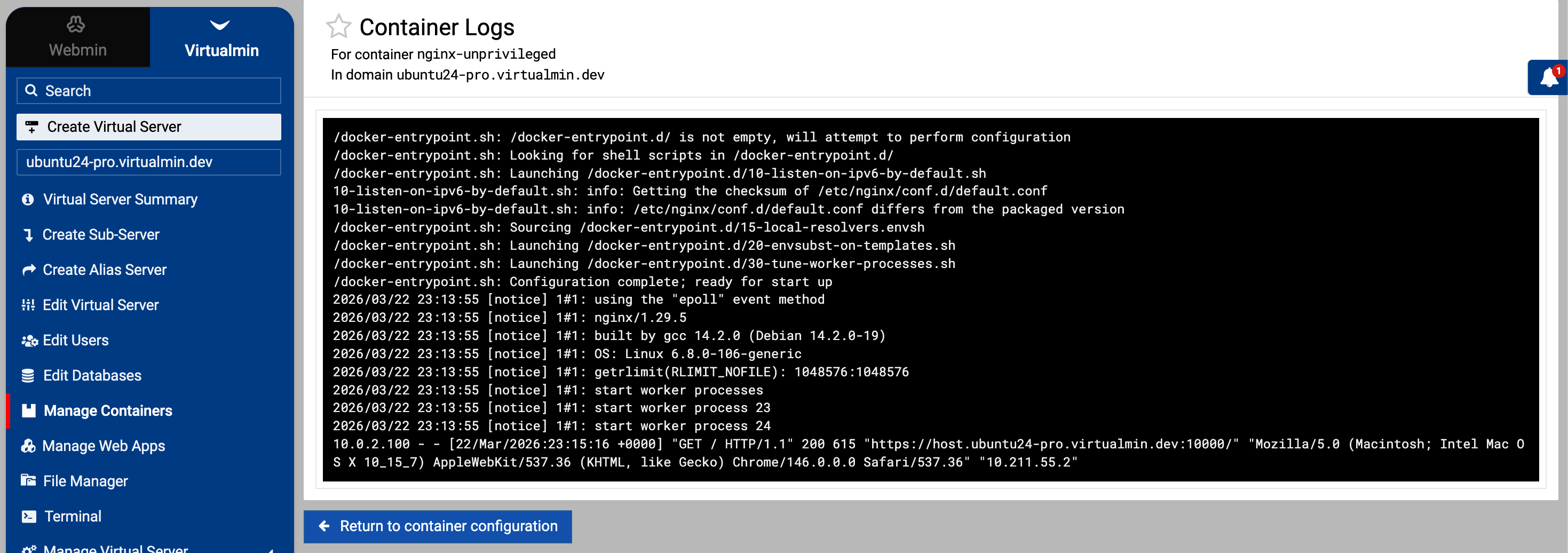
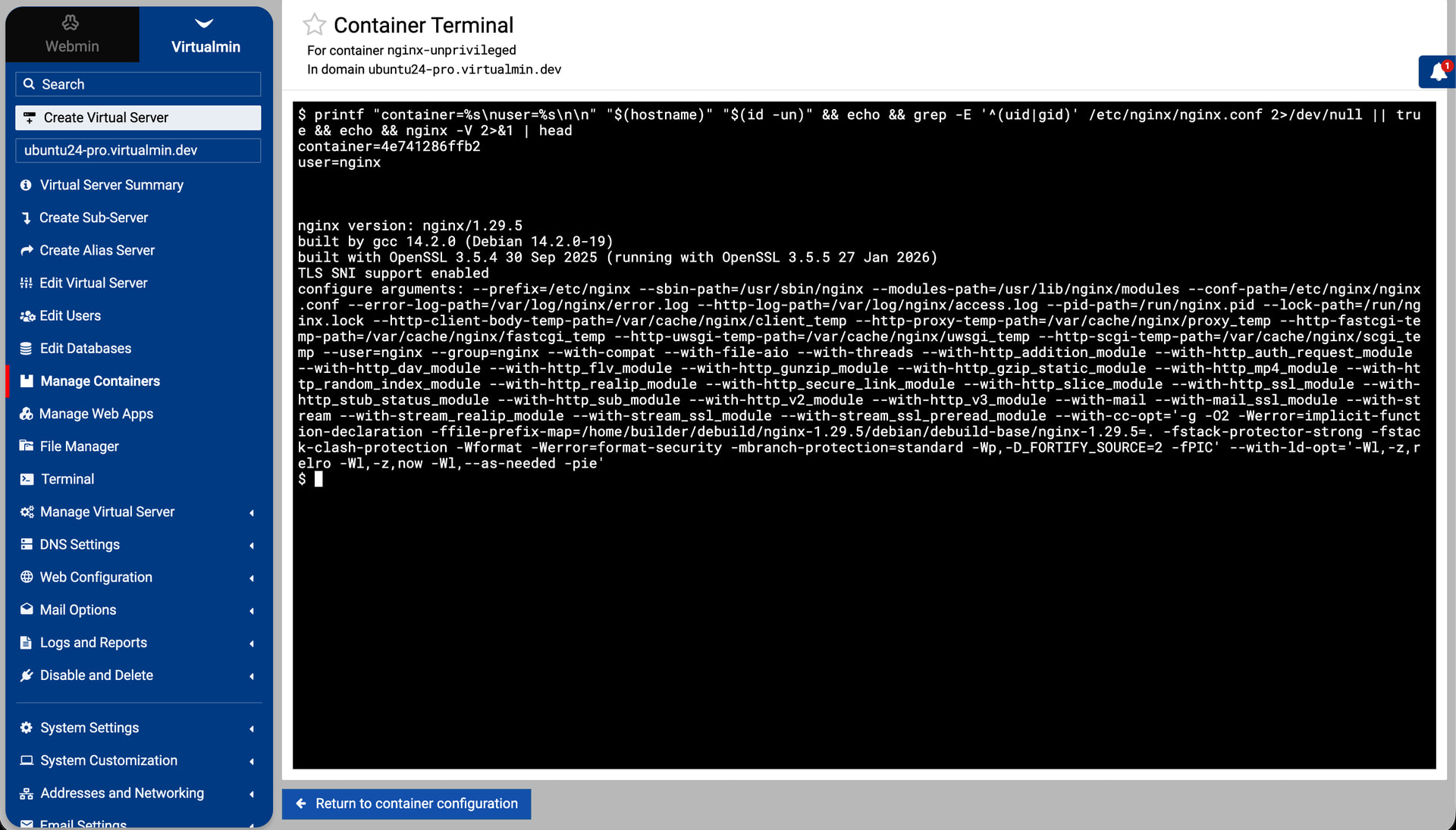

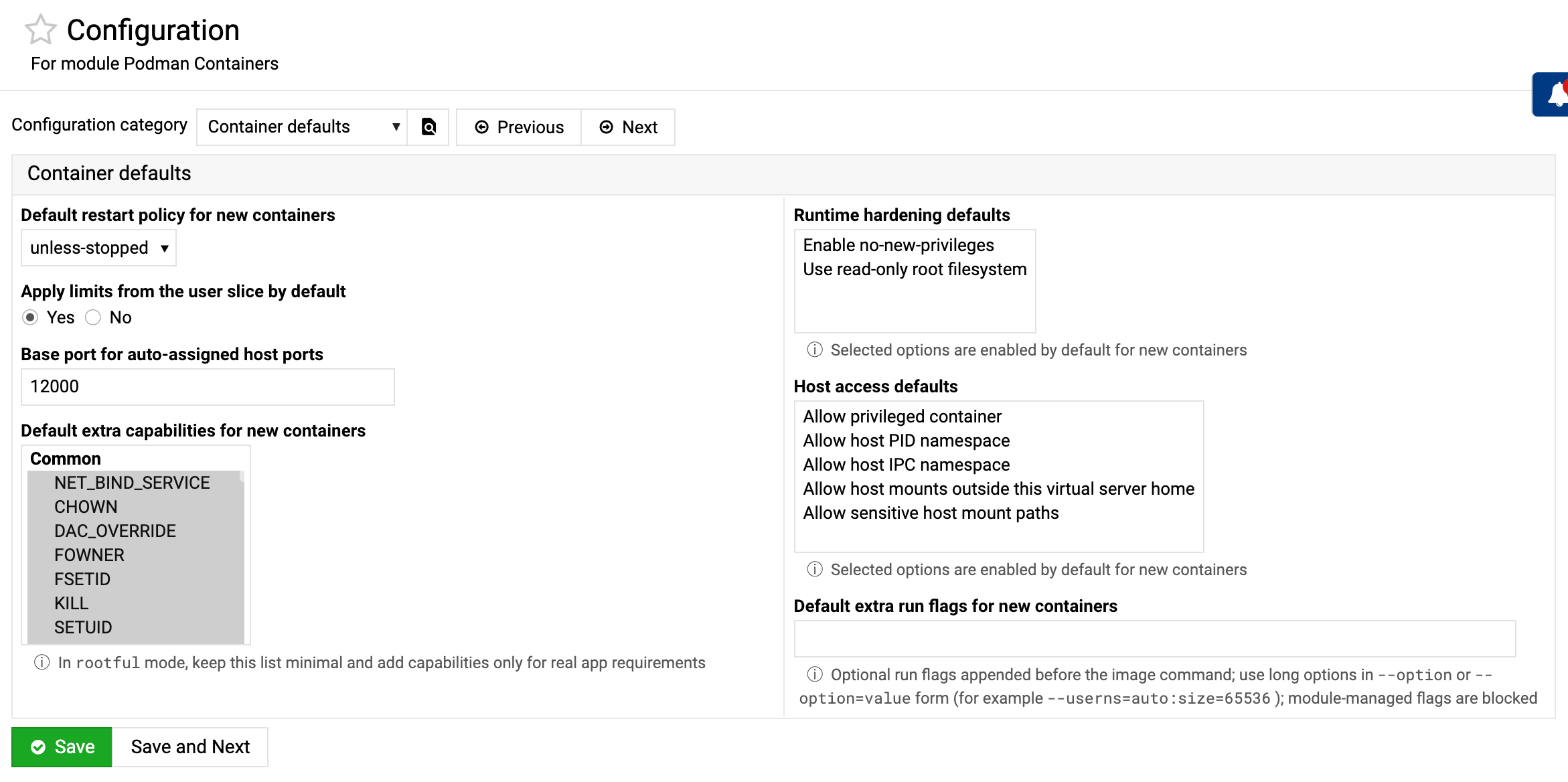
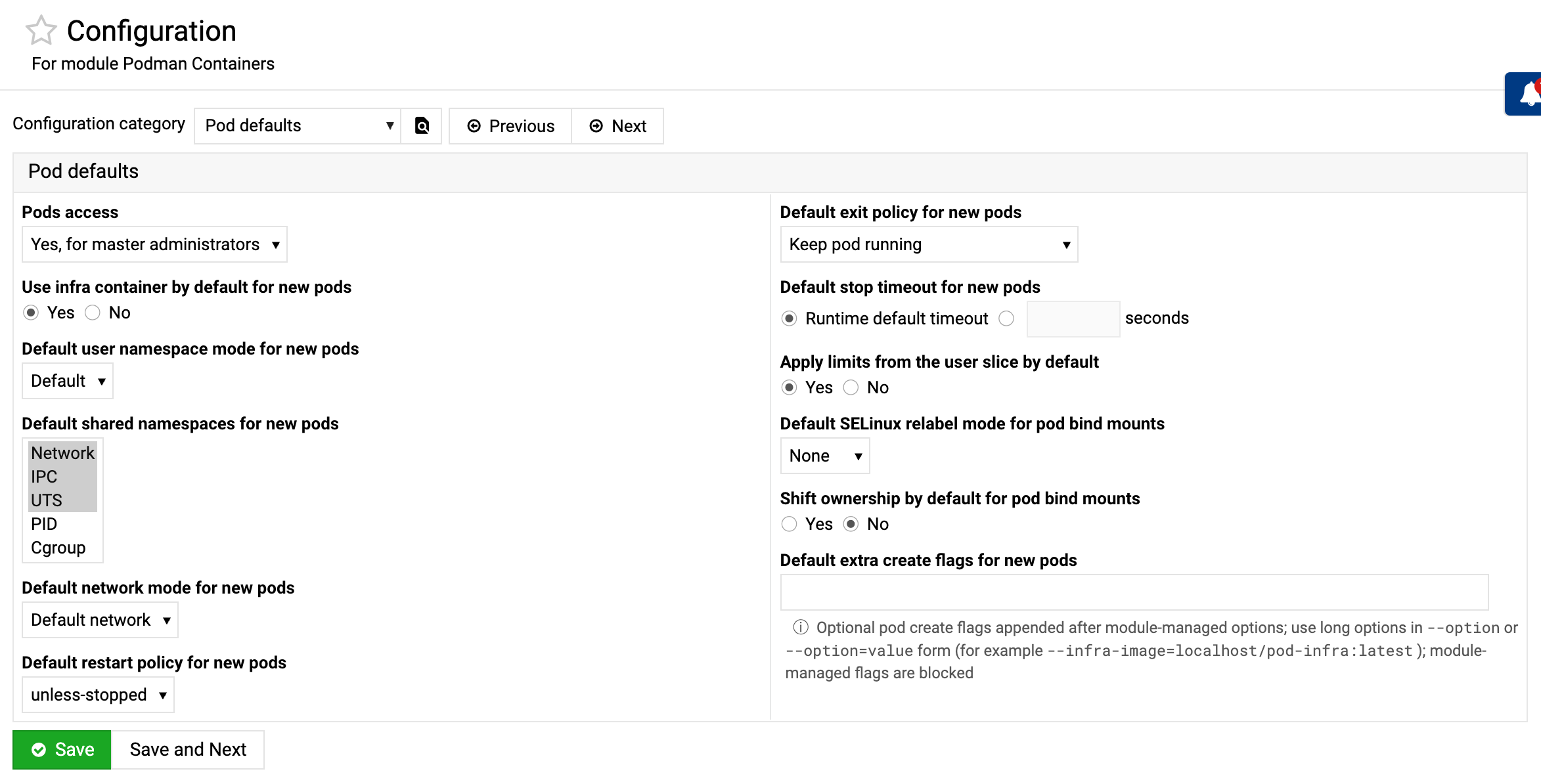
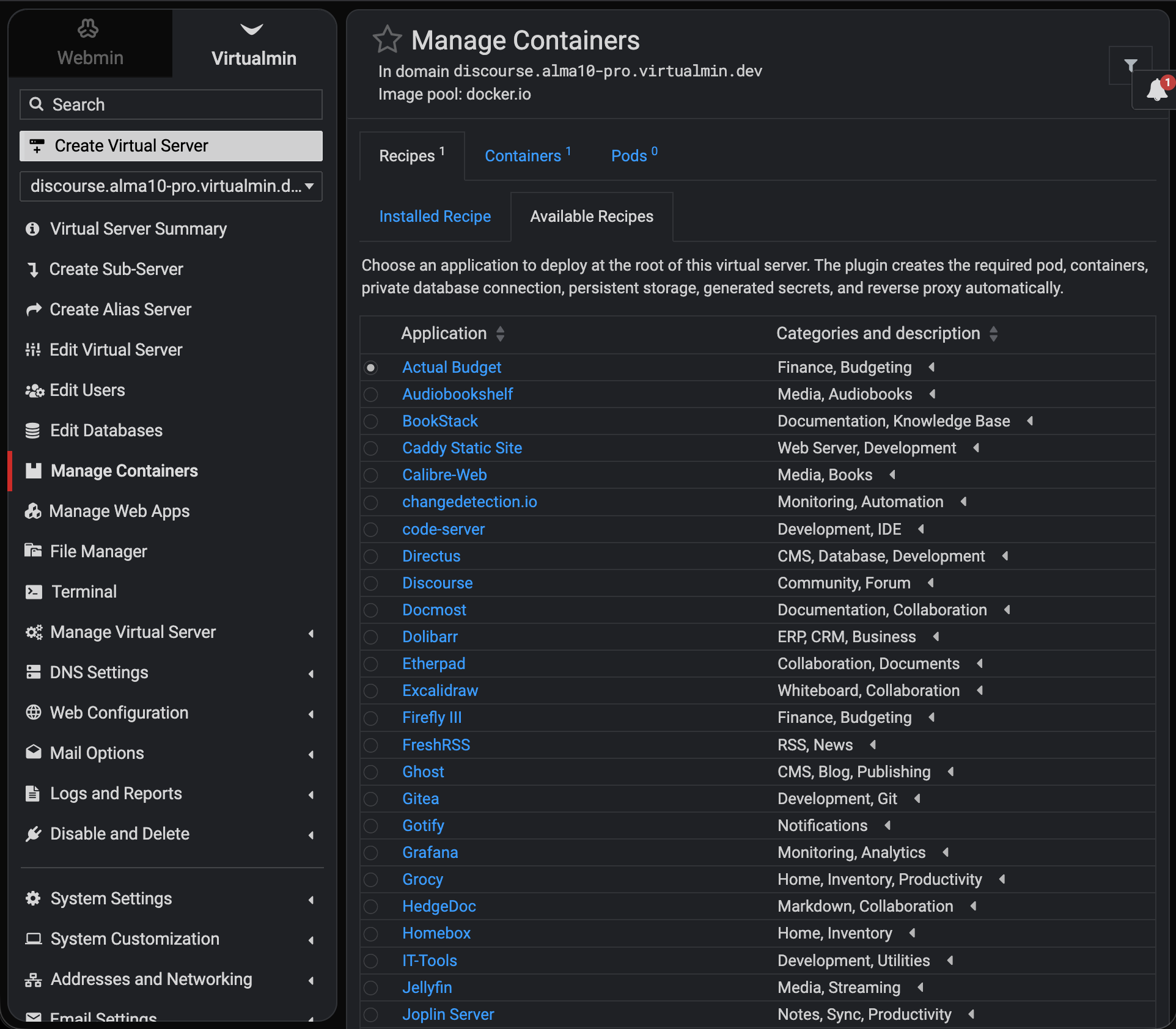
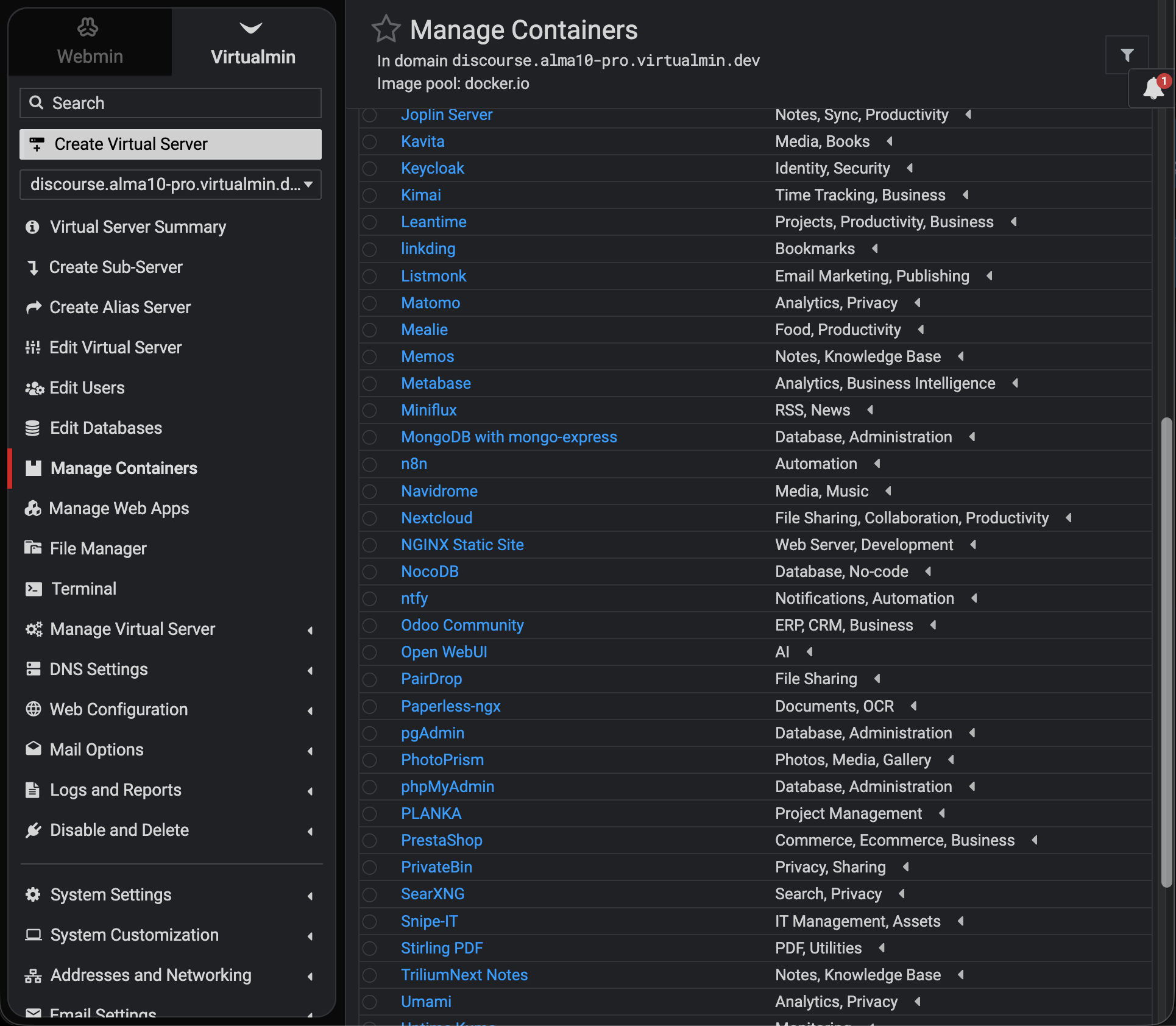
README.md
Virtualmin Podman Plugin
Virtualmin Podman plugin for deploying and managing Podman containers and pods
per virtual server, with integrated networking, proxying, runtime controls,
logs, and browser terminal access.
Overview
This module adds Podman management for virtual servers. It supports both
container and pod workflows, runtime-aware rootless and rootful execution,
reverse proxy integration, image discovery, reusable defaults, and
browser-based troubleshooting tools.
Current features
Application recipes
- Guided deployment of complete applications from the domain container page
- Automatic pods, private database/cache containers, generated secrets,
persistent storage, and published ports, with either domain-root reverse
proxying or an explicitly declared host-only loopback endpoint - Long-running worker and scheduler components, with optional deferred startup
after one-time application initialization - Selectable initial administrator credentials for applications whose images
support unattended account creation - Root-only retention and installed-recipe display of those initial login
credentials for later recovery - Preflight checks for compatible runtime mode, domain quota, free disk space,
and available memory where applications declare minimum requirements - Transactional rollback of containers, pods, proxy configuration, and newly
created storage when a deployment fails - Normal container and pod editing, lifecycle, logs, cloning, and deletion
after deployment - One strict JSON definition per built-in recipe in the module’s
recipes/
directory - Trusted local recipe additions and overrides from
/etc/webmin/virtualmin-podman/recipes/; each filename must match its recipe
ID, and a local definition with an existing ID replaces the built-in recipe
Recipe components can use the application, database, cache, service,
worker, or scheduler role. A worker or scheduler with
"start_after_initialize": 1 is created only after the application endpoint is
reachable and every earlier component has completed its optional one-time
initialize command. Deferred components must be placed last in the variant.
They remain ordinary managed containers, so pod and container lifecycle, logs,
editing, and rollback work without a separate host cron or systemd service.
A dependency component with "initialize_before_dependents": 1 completes its
declared initialize command immediately after its own readiness check and
before the next component is created. This supports services that must rotate
bootstrap credentials or finish other one-time setup before their application
consumer starts.
Recipe variants may set "exposure": "loopback" to bind published ports only
to 127.0.0.1; omitted exposure retains the compatible public-web behavior.
When one recipe offers both modes, its install form shows the access choice.
Loopback variants may override app_port and declare connection_scheme or
connection_path for the connection details shown after deployment. The
published port selected as a reverse-proxy target is automatically bound to
127.0.0.1; additional service ports retain their declared public exposure.
Multi-variant recipes that select an application stack may set
"variant_type": "stack" to label that choice as an application stack instead
of a database. Each variant may provide an optional plain-text description;
the install form shows the selected variant’s description beneath the selector.
A multi-container recipe whose public application component is only a proxy
can mark its actual application component with "version_source": 1.
Installed-recipe version reporting then uses that component’s image metadata
instead of the proxy image.
Containers
- Domain-scoped management view for each virtual server
- Global cross-domain container listing
- Fast metadata-only global status views with an explicit runtime refresh action
- Install, edit, save/reinstall, start, stop, restart, delete, and bulk
lifecycle actions - Configurable list columns for ports, paths, volumes, envs, status, logs,
console access, and optional runtime usage stats - Quick links to logs and terminal console from list and details views
- Runtime metadata and inspect summaries for troubleshooting
Compose import
- Advanced one-time import from an uploaded Docker Compose YAML file and
optional project.env - Preview of normalized services, images, published ports, bind mounts, named
volumes, networks, and dependency order before deployment - Adoption of matching existing, unmanaged Podman Compose services without
restarting them - Reuse of existing named volumes and networks so persistent data remains in
place - Fail-closed validation for unsupported Compose behavior instead of silently
importing a different stack - Imported containers become ordinary module-managed containers; later edits
to the source Compose file are not synchronized
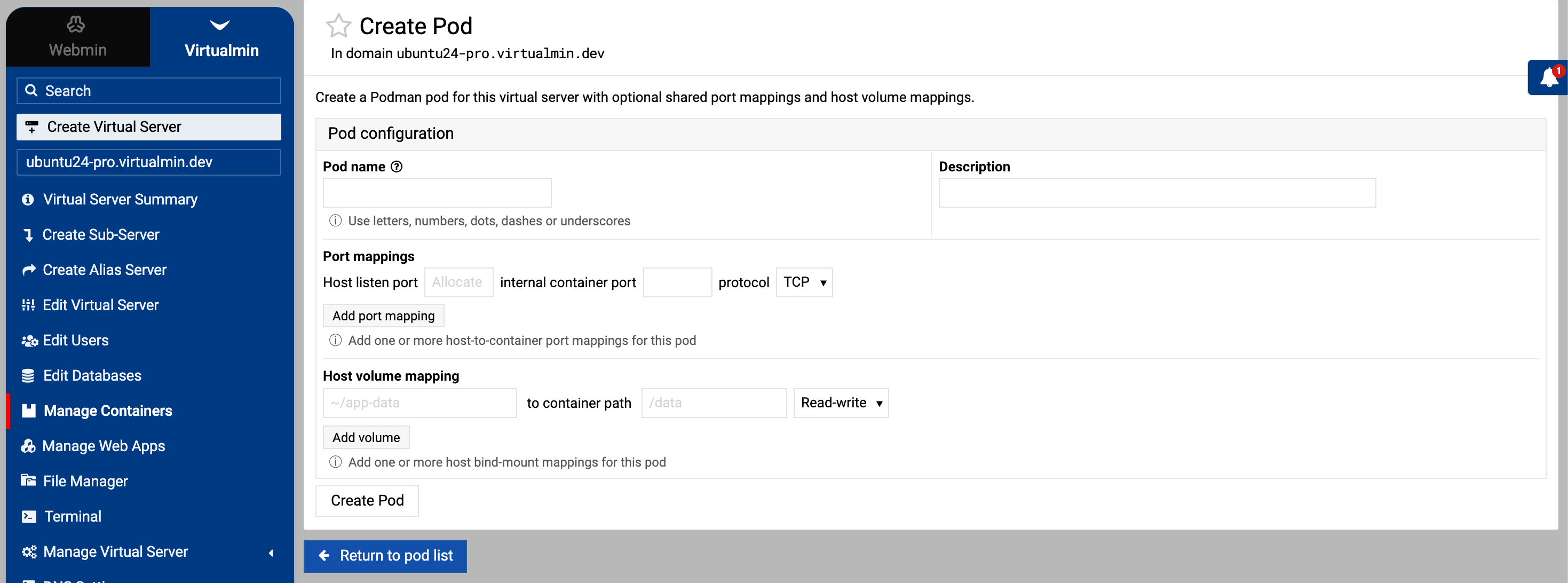
Pods
- Per-domain and global pod tabs with configurable columns
- Create, clone, view, start, stop, delete, and bulk lifecycle actions
- Pod details view with member container summaries
- Pod-level logs view plus member-container logs and console links
- Support for creating containers directly inside an existing pod in the
matching runtime context
Runtime modes
- Image user (
rootless) [default]: Podman runsrootlessas the virtual
server owner, and containers keep the image’s own user model - Domain user (
rootful): Podman runsrootful, and containers run as
the virtual server UID/GID
Runtime mode policy can be exposed as a selector, shown as a fixed note, or
kept hidden while still applying the configured default. Separate Podman
runtime contexts are respected for container discovery, pod discovery, and
network selection.
Networking and proxying
- Multi-port host-to-container mappings with TCP or UDP
- Pod-level port publishing for shared pod frontends
- Automatic host-port allocation from a configurable base
- Optional reverse proxy path mapping for containers and pods
- Proxy target port selection
- Proxy host-header forwarding policy support
- Pod network modes:
- Default network
- Specific Podman network
- Host
- None
- Inline create and delete of Podman networks in the selected runtime context
- Advanced pod network options:
- network aliases
- static IPv4, IPv6, and MAC where supported
- DNS servers, search domains, and resolver options
- extra host entries
- no-hosts and no-resolv controls
Storage, environment, and security
- Multi-volume host path mappings with
rwandro - Pod bind mounts with SELinux relabel and ownership-shift controls
- Domain-home path controls for non-admin contexts
- Environment entries as
NAME=VALUE, including dotted and dashed
image-specific names such asdiscovery.typeanddashed-name - Extra Linux capability controls
- Runtime hardening flags such as
no-new-privilegesand read-only root
filesystem - Host access controls for privileged mode, host namespaces, and sensitive or
outside-home mounts
Resource limits and health checks
rootfulruntime only for explicit container resource controls- Memory, swap, reservation, CPU, PID, cpuset, shared memory, blkio/device
throttling, and ulimits where supported - Optional cgroup-parent mode to inherit limits from the user slice
- Pod CPU, memory, and shared-memory defaults and limits
- Container health command, interval, timeout, retries, start period, and
failure policy - Container restart policy and pull behavior
- Pod restart policy, exit policy, stop timeout, infra container, user
namespace mode, and shared namespace controls
Image discovery and defaults
- Registry search UI with keyboard navigation
- Metadata fetch for selected images
- Architecture compatibility checks
- Defaults resolution from:
- local
podman image inspect - remote
skopeo inspect --config - bundled
presets.json - optional custom presets JSON from module configuration
- local
- Preset and metadata hints for ports, mounts, envs, health checks, and proxy
behavior
Logs, console access, and list views
- Container log viewer
- Pod log viewer
- In-container interactive terminal shell
- Integrated with Webmin xterm backend
- Domain and container context shown in terminal header
- Global and per-domain list views for both containers and pods
Access control and UI defaults
- Owner and reseller access controls
- Separate direct-container access policy for master administrators, all users,
or disabled; Application Recipes remain available independently - Separate pod access policy for master administrators, all users, or disabled
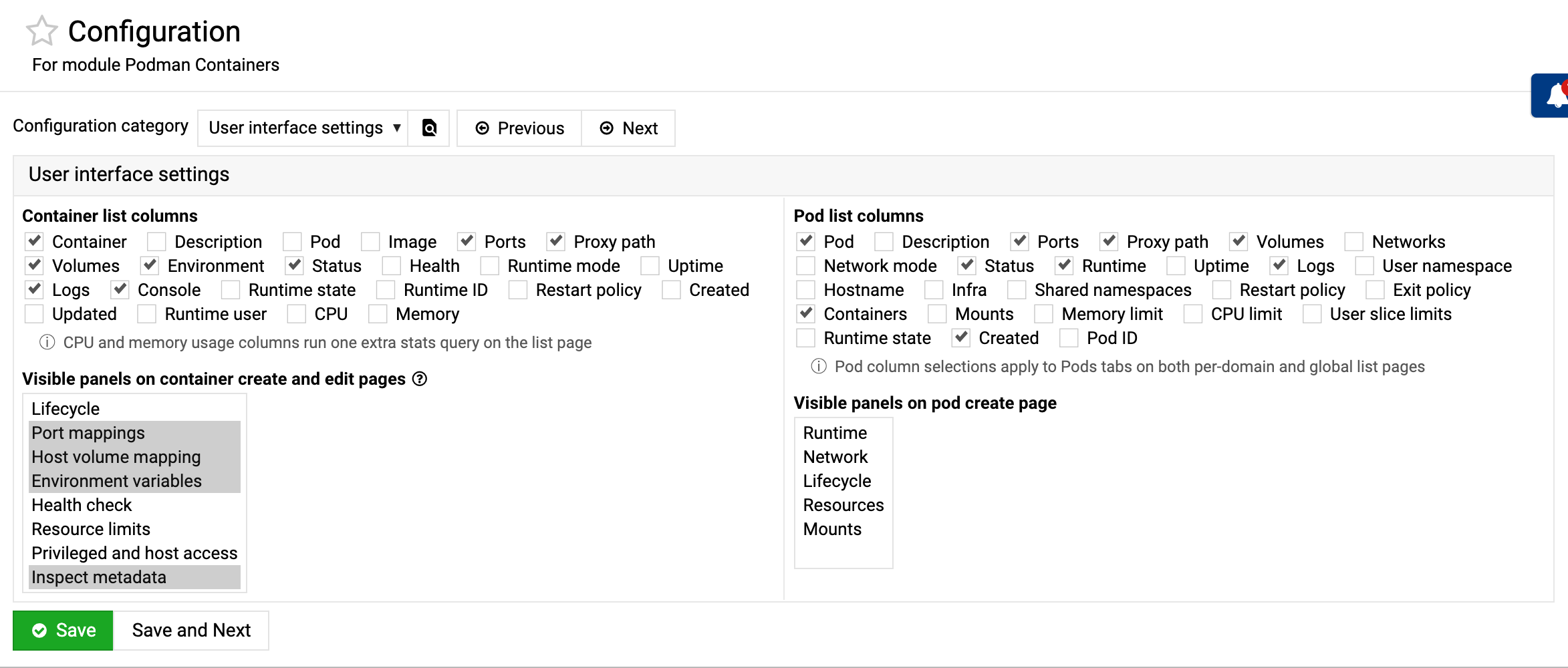
- Configurable default list columns for containers and pods
- Configurable visible panels for container and pod create workflows
- Module-level defaults for runtime mode, restart behavior, networking,
security, mounts, extra Podman flags, and other create-time behavior
Module configuration
Config is organized into:
- General settings
- Podman command path
- owner and reseller access
- default runtime mode
- runtime mode selector display
- proxy host-header policy
- default log lines
- User interface settings
- default container list columns
- default pod list columns
- visible container panels
- visible pod panels
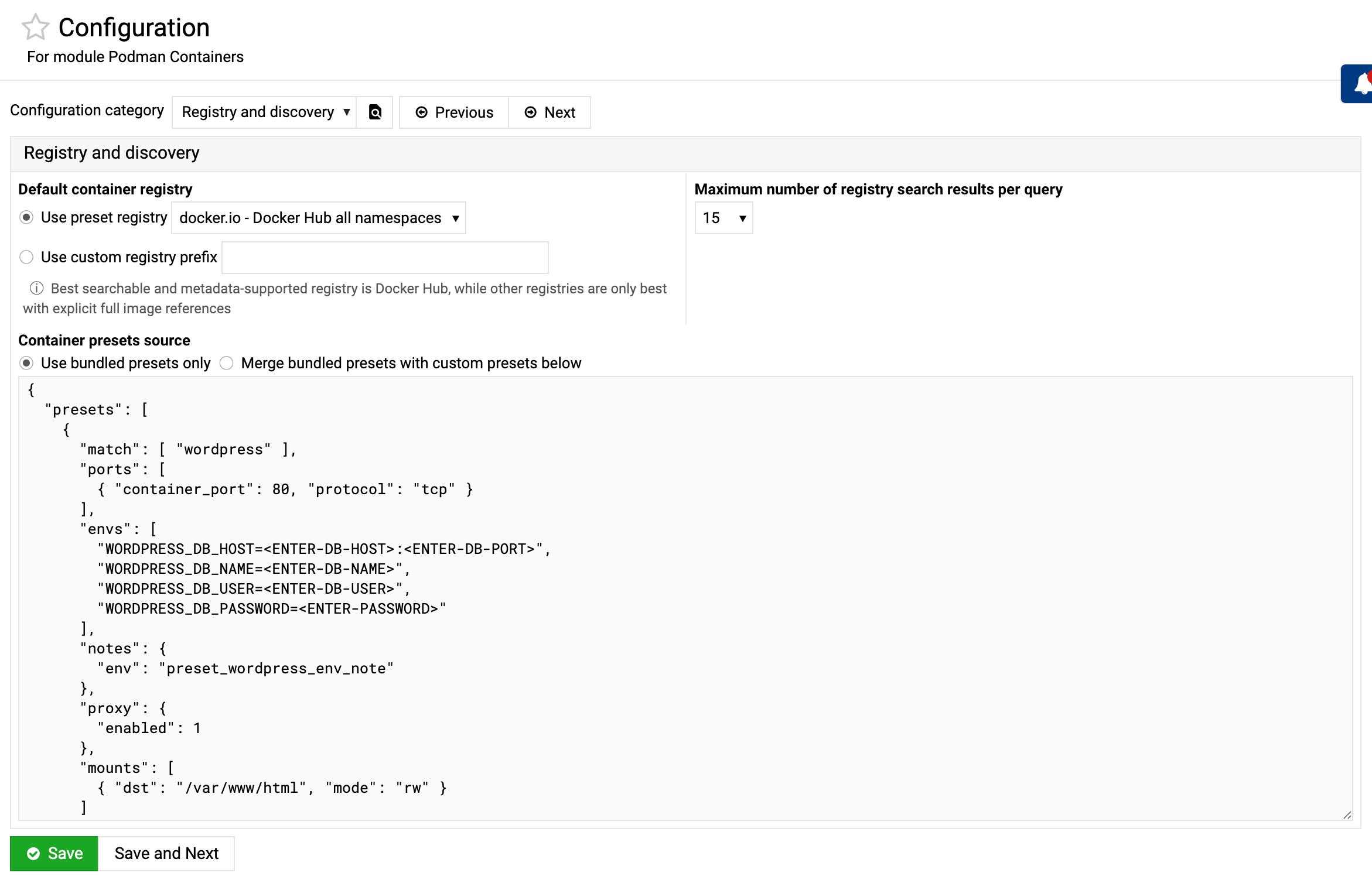
- Registry and discovery
- default registry pool
- search result limit
- presets source mode:
- use bundled presets only
- merge bundled presets with custom presets JSON
- Recipe defaults
- root web app conflict check before deployment
- Container defaults
- direct container access policy
- restart policy
- base auto-port
- user-slice cgroup-parent behavior
- default extra run flags
- default capabilities
- default hardening options
- default host access options
- Pod defaults
- pod access policy
- infra container and user namespace mode
- shared namespaces and network mode
- restart, exit, and stop-timeout policy
- user-slice limits, CPU, memory, and shared memory defaults
- mount SELinux and ownership-shift defaults
- default extra create flags
Presets
presets.json supports curated defaults for known images, including:
- recommended volume targets
- recommended env variables
- recommended port and proxy hints
- optional notes shown in the UI
Custom presets entered in module configuration are saved in:
/etc/webmin/virtualmin-podman/presets.json
When custom mode is enabled, bundled and custom presets are merged and custom
rules take precedence over bundled rules for matching entries.
If the custom file is empty or invalid, bundled presets are used.
Command-line API
Application recipes and container, pod, image, and network management are also
available through the virtualmin command, so they can be scripted. Each
command is a self-contained script in the module directory, discovered
automatically by the virtualmin wrapper.
Domain-scoped commands take --domain to select the virtual server and support
the standard --multiline, --json, --xml and --name-only output flags
where listings are produced. Runtime-store image commands and network commands
may omit --domain only when the master administrator explicitly selects the
host-global --runtime-mode rootful context. Run any command with --help for
its full option list.
Containers
create-container— deploy a container (rich--port,--volume,--env,
proxy, resource-limit, health-check and security options)modify-container— change settings and recreate the runtime when requireddelete-container— remove a container (--container nameor--all)start-container/stop-container/restart-container— lifecycle
(single, repeated--container, or--all)reinstall-container— force recreation from saved settings, optionally
overriding the image-pull policylist-containers— list containers, with status and portsget-container-logs— print recent logs (--tail n)exec-container— run a command (--command) or open an interactive shell
Pods
create-pod— create a pod (networking, namespace and resource options)clone-pod— copy an existing pod’s configuration into a new poddelete-pod/start-pod/stop-pod— lifecycle (single, repeated
--pod, or--all)list-pods— list pods, with status and member countsget-pod-logs— print recent pod logs (--tail n)
Application recipes
list-application-recipes— list the recipe catalog with current
availability and installed deployment details; use--installedor
--availableto filter itdeploy-application-recipe— deploy a recipe for a virtual server,
optionally selecting its deployment variant, deployment name and initial
logindelete-application-recipe— delete an installed recipe and its pod or
containers; persistent application data is deleted by default but can be
retained with--keep-data, while downloaded images are always kept
Images
list-container-images— with a domain, list that owner’s rootless images
together with visible host-global rootful images; select one store with an
explicit runtime mode, or omit the domain for explicit host-global rootful
outputpull-container-image— download an image into the selected domain runtime
context, or use--runtime-mode rootfulwithout a domain for host-global
storage; native Podman progress is shown on an interactive terminal and can
be suppressed with--quietdelete-container-image— remove an image from one selected runtime store
(--forceremoves containers in that store first); as with pull/list, an
explicit rootful target does not require a domainsearch-container-images— search the configured registry
Networks
list-container-networks— list domain-context networks, or use
--runtime-mode rootfulwithout a domain for host-global networkscreate-container-network— create a network (subnet, gateway, IPv6, DNS),
including in the explicit host-global rootful contextdelete-container-network— remove a network from the selected context
Examples
The recipe API can deploy the same tested WordPress and MariaDB application
shown in the web interface, including generated internal database secrets and
the reverse proxy:
virtualmin deploy-application-recipe --domain blog.example.com \
    --recipe wordpress --login-username admin \
    --login-password CHANGE_ME_ADMIN_PASSWORD

virtualmin list-application-recipes --domain blog.example.com \
    --installed --json

virtualmin delete-application-recipe --domain blog.example.com \
    --recipe wordpress
The following example deploys WordPress and MariaDB in one pod for a dedicated
HTTPS-enabled blog.example.com virtual server. Run these commands as root,
replace both passwords, and adjust the host paths if that domain uses a
different home directory. The example explicitly uses rootful mode because the
plugin then runs both containers as the virtual server’s host UID, matching
the ownership of the bind-mounted directories it creates.
virtualmin create-pod --domain blog.example.com \
    --name wordpress --runtime-mode rootful \
    --port :80/tcp --proxy --proxy-path /

virtualmin create-container --domain blog.example.com \
    --name wordpress-db --pod wordpress --runtime-mode rootful \
    --image docker.io/library/mariadb:11 \
    --volume /home/blog/containers/wordpress/database:/var/lib/mysql:rw \
    --env MARIADB_DATABASE=wordpress --env MARIADB_USER=wordpress \
    --env MARIADB_PASSWORD=CHANGE_ME_DB_PASSWORD \
    --env MARIADB_ROOT_PASSWORD=CHANGE_ME_ROOT_PASSWORD

virtualmin create-container --domain blog.example.com \
    --name wordpress-web --pod wordpress --runtime-mode rootful \
    --image docker.io/library/wordpress:latest \
    --volume /home/blog/containers/wordpress/files:/var/www/html:rw \
    --env WORDPRESS_DB_HOST=127.0.0.1:3306 \
    --env WORDPRESS_DB_USER=wordpress \
    --env WORDPRESS_DB_PASSWORD=CHANGE_ME_DB_PASSWORD \
    --env WORDPRESS_DB_NAME=wordpress \
    --env 'WORDPRESS_CONFIG_EXTRA=$_SERVER["HTTPS"] = "on"; define("WP_HOME", "https://blog.example.com"); define("WP_SITEURL", "https://blog.example.com");'

# Complete the WordPress installer at https://blog.example.com/

virtualmin list-containers --domain blog.example.com --json
virtualmin get-container-logs --domain blog.example.com \
    --container wordpress-web --tail 100
virtualmin exec-container --domain blog.example.com \
    --container wordpress-web --command "php -v"

virtualmin pull-container-image --runtime-mode rootful \
    --image docker.io/library/wordpress:latest
virtualmin list-container-images --runtime-mode rootful --json
Remote API
The same commands can be called through Virtualmin’s authenticated remote API.
Pass command options as query parameters and select structured output with
json=1 or xml=1:
curl --user domain-owner \
  'https://host.example:10000/virtual-server/remote.cgi?program=list-containers&domain=example.com&json=1'
Remote access is authenticated and authorized by Virtualmin. Use HTTPS, URL-
encode parameter values, and supply credentials through the caller’s normal
secret-management mechanism rather than embedding them in scripts.
Access control
The master administrator can use every command through the remote API. The
plugin also registers its domain-scoped application recipe, container and pod
commands, plus read-only registry search, for authenticated domain owners and
resellers. Those commands independently enforce the module policy, Virtualmin’s
per-domain edit permission, the module’s allowed-domain ACL, and the separate
direct-container or pod access policy before they access runtime objects.
Recipe commands remain available when direct container management is restricted.
In the image-user (rootless) runtime mode, container operations run as the
virtual server owner.
Rootful and rootless workloads follow the module’s configured runtime policy.
Explicit --runtime-mode selection is master-only. For CLI automation it is
available regardless of whether the corresponding selector is shown in web
forms. For runtime-store image and network commands, an explicit rootful mode
selects host-global Podman storage and therefore does not require --domain;
rootless mode always requires a domain to identify the Unix user’s storage.
Runtime-store image and network commands remain master-only because one store
can be shared by multiple domains, including rootless subservers with the same
Unix owner. The module masks environment values, initial-login passwords and
command-like arguments in Virtualmin’s command audit log.
Mutating commands run any deferred Virtualmin post-actions before reporting
success. A failed web-server or service reload produces a non-zero command
result, including when JSON or XML output conversion is requested.
Requirements
- Virtualmin Pro with this plugin installed and enabled
- Podman installed on the host and reachable by the configured command path
skopeorecommended for remote image metadata lookups- Webmin
xtermmodule access for browser console access - Reverse proxy feature enabled on domains that need proxied container or pod
paths
Notes
rootlessbehavior depends on host capabilities and user-session or systemd
setup- Runtime capability and cgroup behavior can differ between
rootfuland
rootlessmodes - Some static network addressing and resource controls are only available in
supported runtime or network combinations - Downloaded image listings, pods, and Podman network choices are runtime-
context aware - Enabling CPU and memory list columns adds an extra runtime stats query
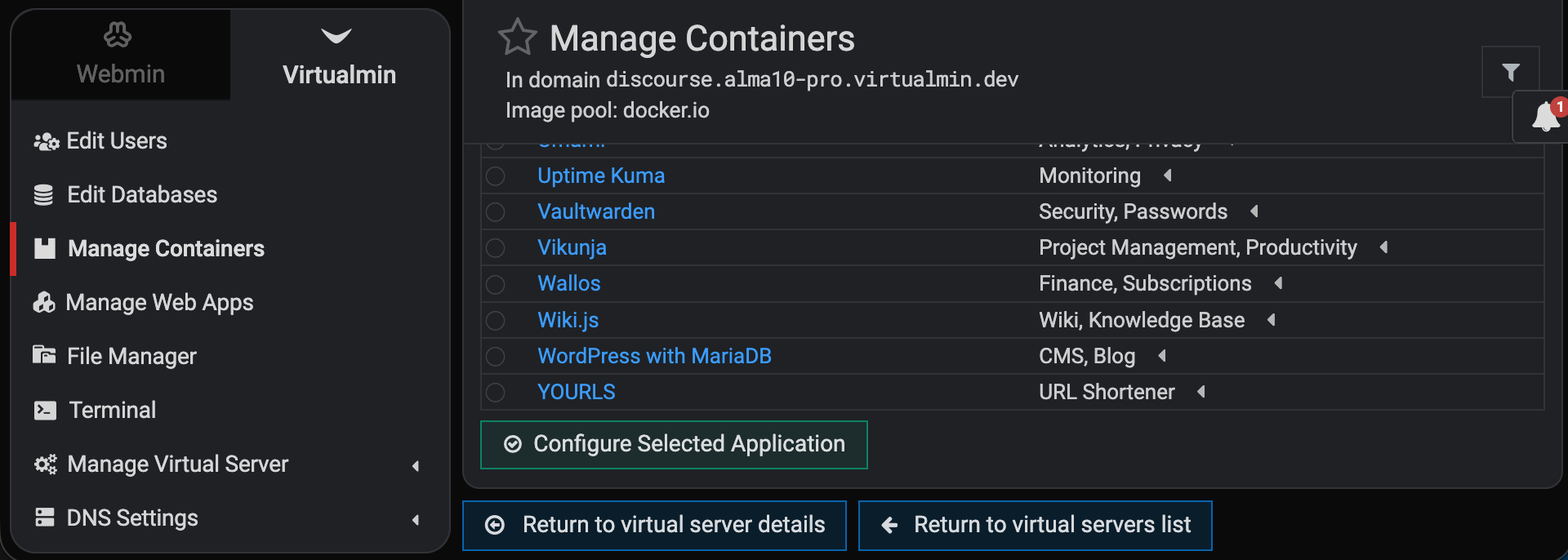
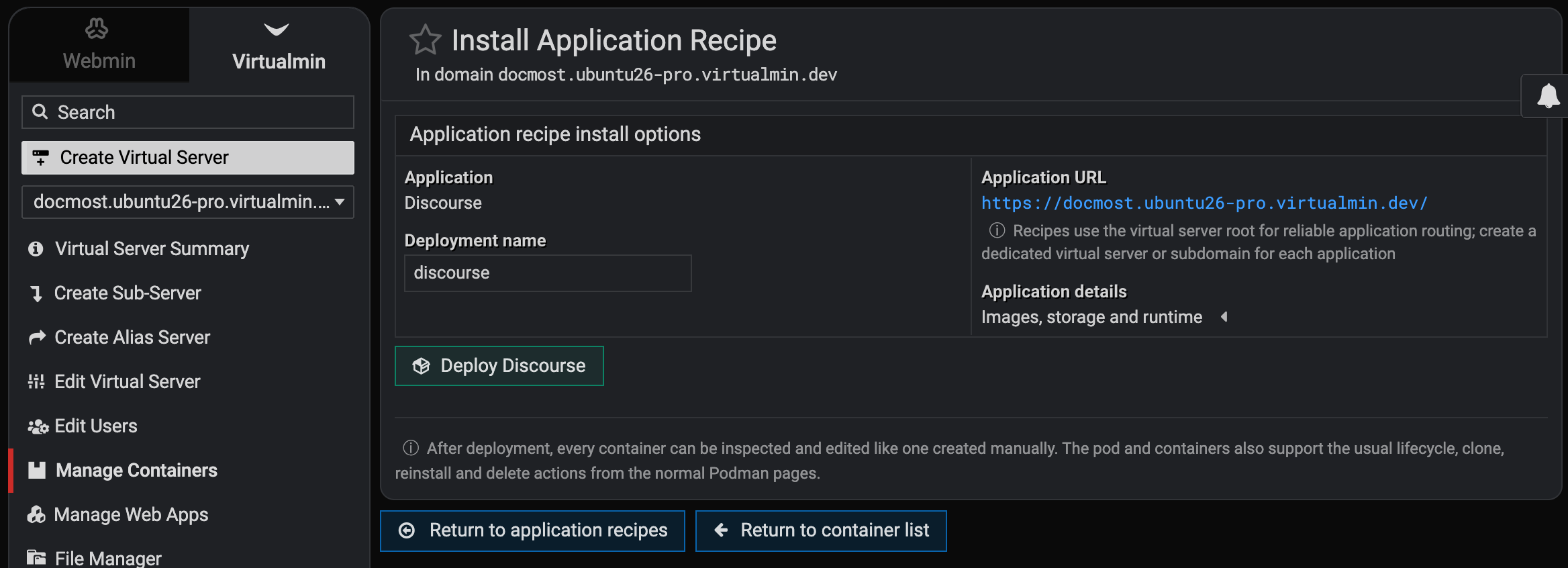
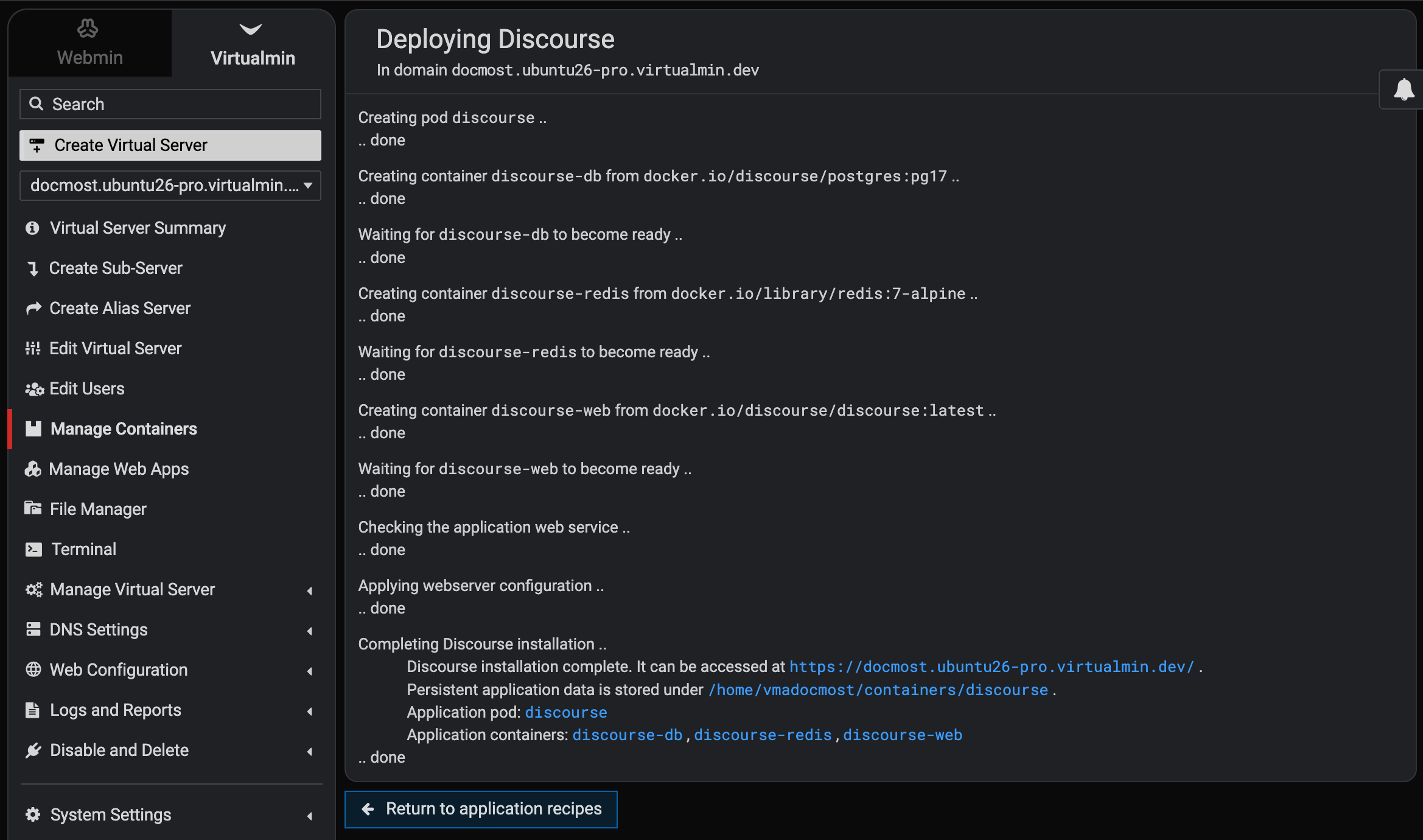
Virtualmin Podman 1.3.0, will introduce Application Recipes. These recipes provide an easy way to deploy popular containerized applications with just a few clicks.
The new web interface is shown in the screenshots below, and full CLI support will also be included.
For now, we will support the following installable Docker/Podman applications:
- Actual Budget
- Adminer
- Apache Tomcat
- Audiobookshelf
- BookOrbit
- BookStack
- Caddy Static Site
- Calibre-Web
- ChangeDetection.io
- Chatwoot
- Code Server
- Collabora Online
- Directus
- Discourse
- Django
- Docmost
- Dolibarr
- Draw.io
- ejabberd
- EspoCRM
- Etherpad
- Excalidraw
- FastAPI
- Firefly III
- Flask
- FrankenPHP
- FreeScout
- FreshRSS
- Ghost
- Gitea
- GLPI
- Go
- Gotify
- Grafana
- Grafana OpenTelemetry LGTM
- Grocy
- HedgeDoc
- Homebox
- Homer
- Immich
- InfluxDB
- Invoice Ninja
- IT-Tools
- Jellyfin
- Joplin Server
- Kanboard
- Karakeep
- Kavita
- Keycloak
- Kimai
- Leantime
- linkding
- Listmonk
- Mailpit
- Matomo
- Mattermost
- Mautic
- Mealie
- Memos
- Metabase
- Miniflux
- MongoDB with mongo-express
- n8n
- Navidrome
- Nextcloud
- NGINX Static Site
- NocoDB
- Node-RED
- Node.js
- ntfy
- Odoo Community
- Open WebUI
- OpenSearch
- PairDrop
- Paperless-ngx
- Penpot
- pgAdmin
- PhotoPrism
- phpMyAdmin
- PLANKA
- Pocket ID
- PrestaShop
- PrivateBin
- Prometheus
- RabbitMQ
- Redmine
- Ruby
- SearXNG
- SFTPGo
- Snipe-IT
- Stirling PDF
- Tandoor Recipes
- Trilium Notes
- Twenty CRM
- Umami
- Uptime Kuma
- Vaultwarden
- Vikunja
- Wallos
- Wiki.js
- WordPress
- YOURLS
Anyone with a Virtualmin Pro subscription is welcome to give the latest development builds a shot!
