Thank you sir.
I’m late to the game but I’ve arrived and will offer up feedback soon, as I’m pulling this into a lab environment shortly.
Actually, there’s a question already I just realized I need answered. I have a single Virtualmin Pro license, am I correct in thinking that I cannot spin up a lab instance and test this Podman plugin and test it there, isolated in the lab instead of having to install it on a live production system? The lab would be the obviously preferred method, but I will understand if it cannot be done this way, for the commercial interests involved in keeping keys from being misused in multiple locations.
But, if it is possible to create a separate installation in my lab without the need for a second key or for shutting down my production Virtualmin installation, please enlighten me, and I’ll get that podman plugin tested and feedback submitted ASAP 
It can be done, but the test lab server should be taken down in a little over two weeks to ensure the license won’t be locked as being used on multiple servers.
Righto, thank you for the info!
Thanks, fixed now!
1 Like
I’ve finished and wrapped up CLI and remote API support for the Virtualmin Podman plugin.
@Jamie, the complete CLI documentation is available here:
@Joe, I’ve also updated the examples with a more useful real-world app deployment: WordPress and MariaDB running together in a pod.
1 Like
Excellent thanks! I’ll check it out … which distros do you recommend I try it on?
I used Rocky 9 for running all-round tests. Yet any Virtualmin-supported system should work just fine.
Nice! Is there a documented install process for the new plugin?
Yes, it’s also in the same Virtualmin Podman docs:
And when the new Virtualmin 8.2.0 is out, I will update the instructions.
Virtualmin Pro 8.2.0 will include a new release of Virtualmin Podman 1.2.0, which introduces Application Recipes. These recipes provide an easy way to deploy popular containerized applications with just a few clicks.
The new web interface is shown in the screenshots below, and full CLI support will also be included.
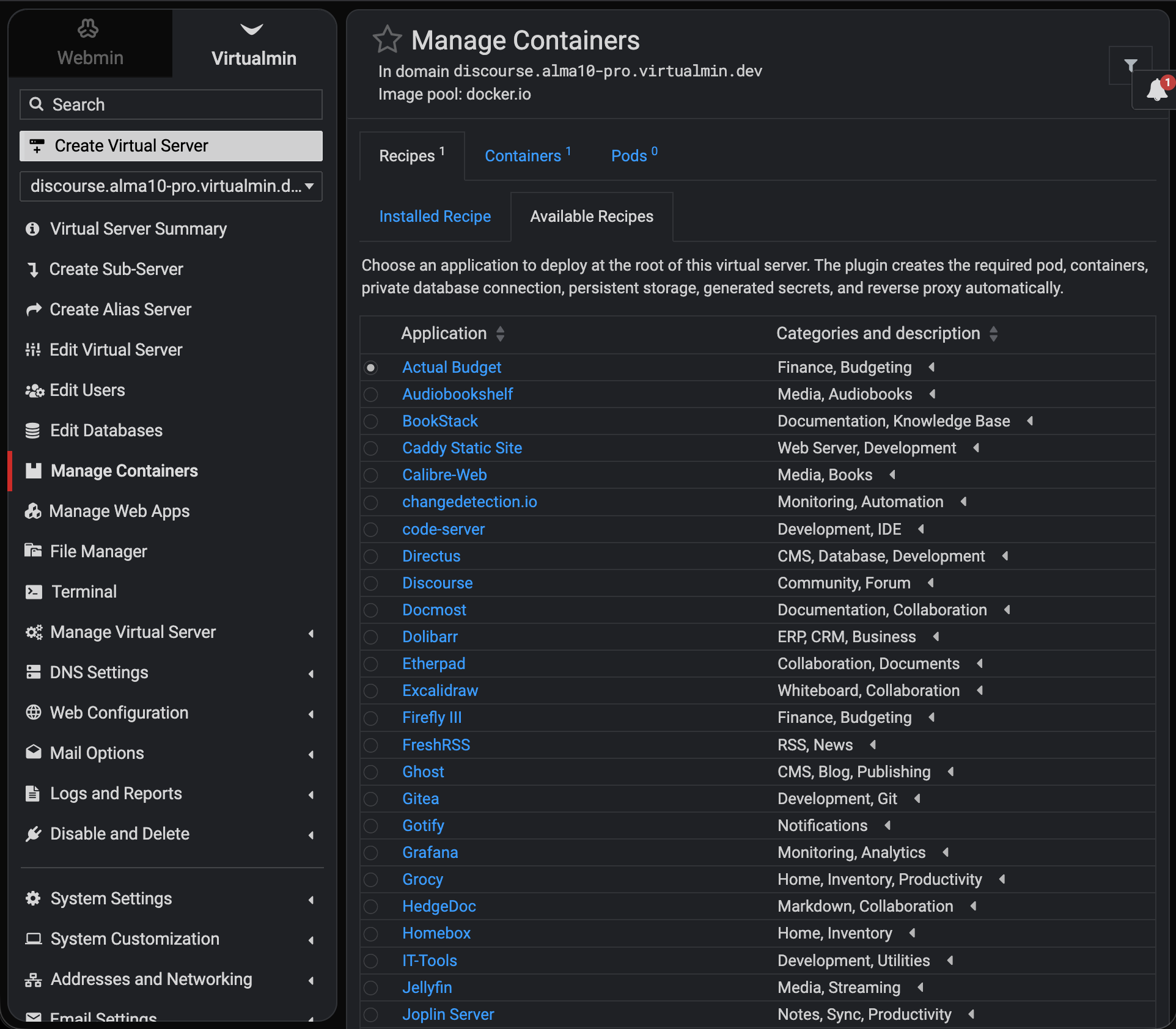
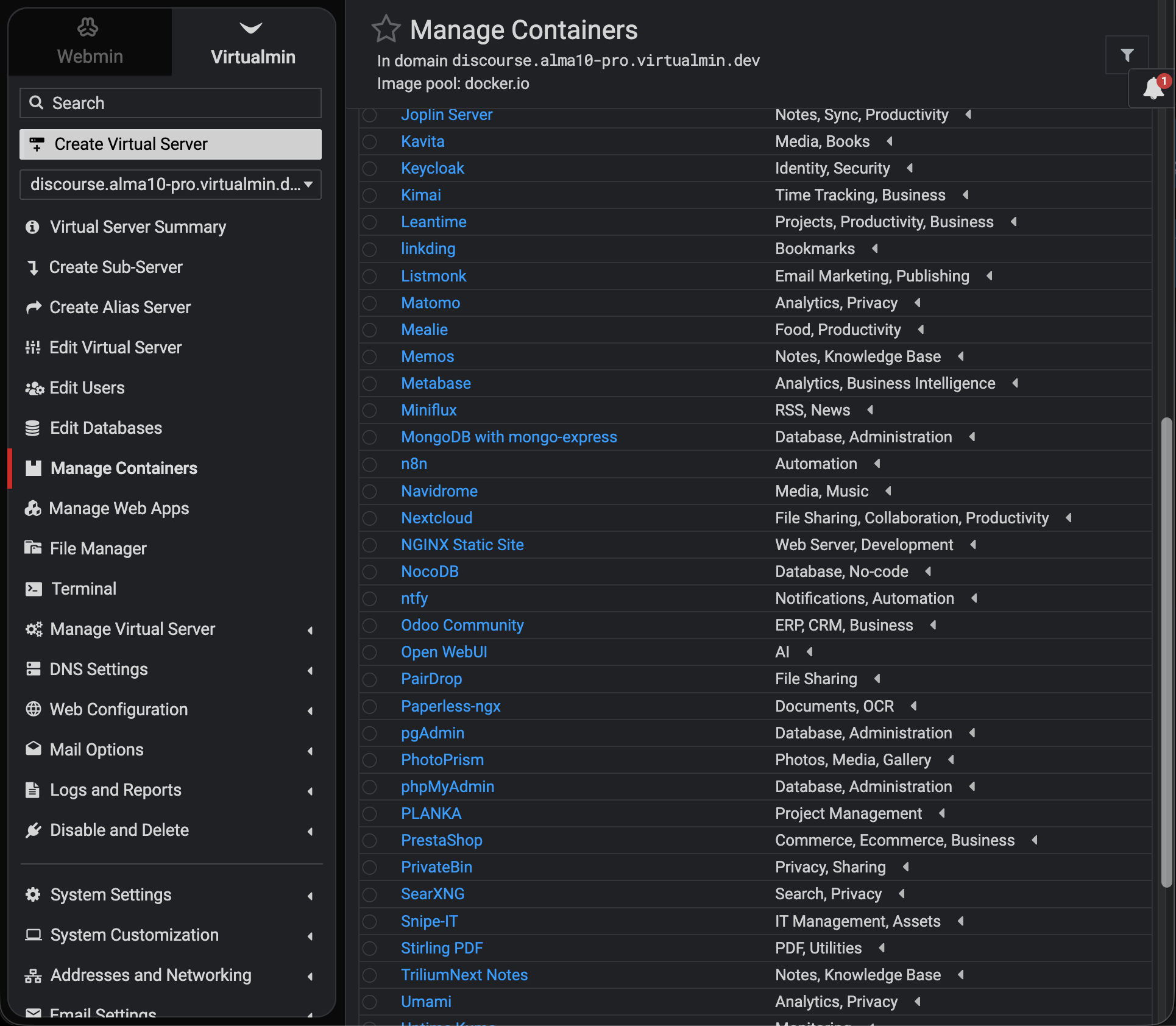
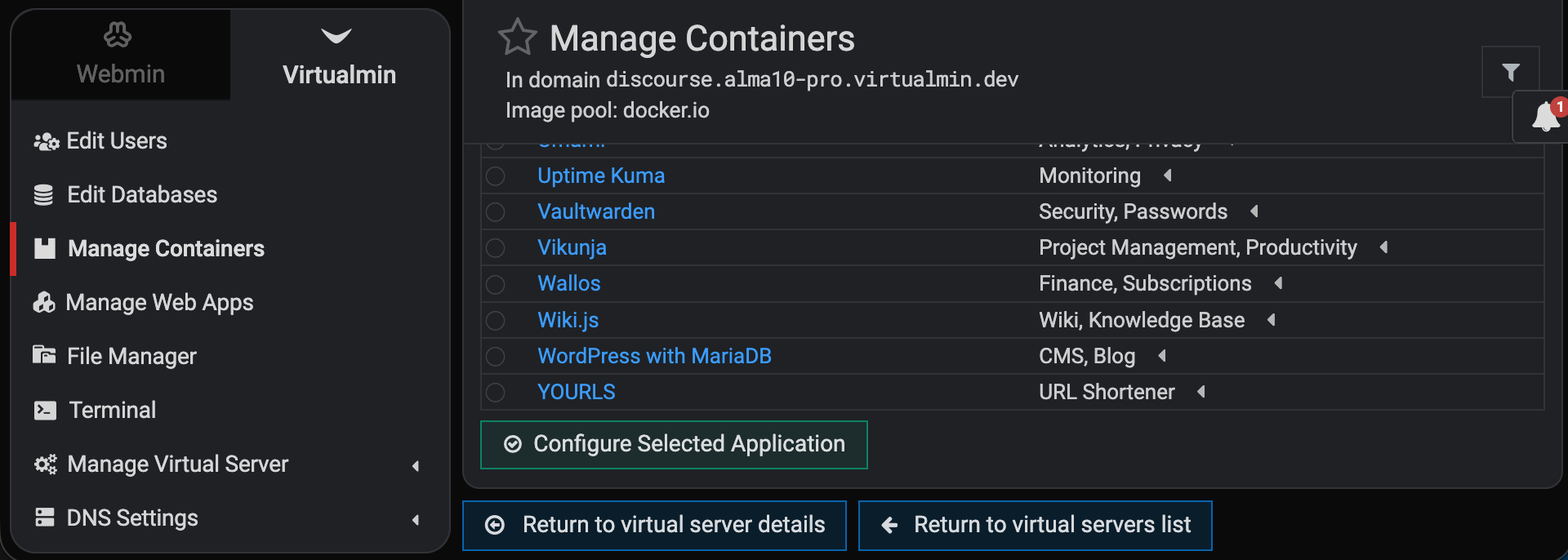
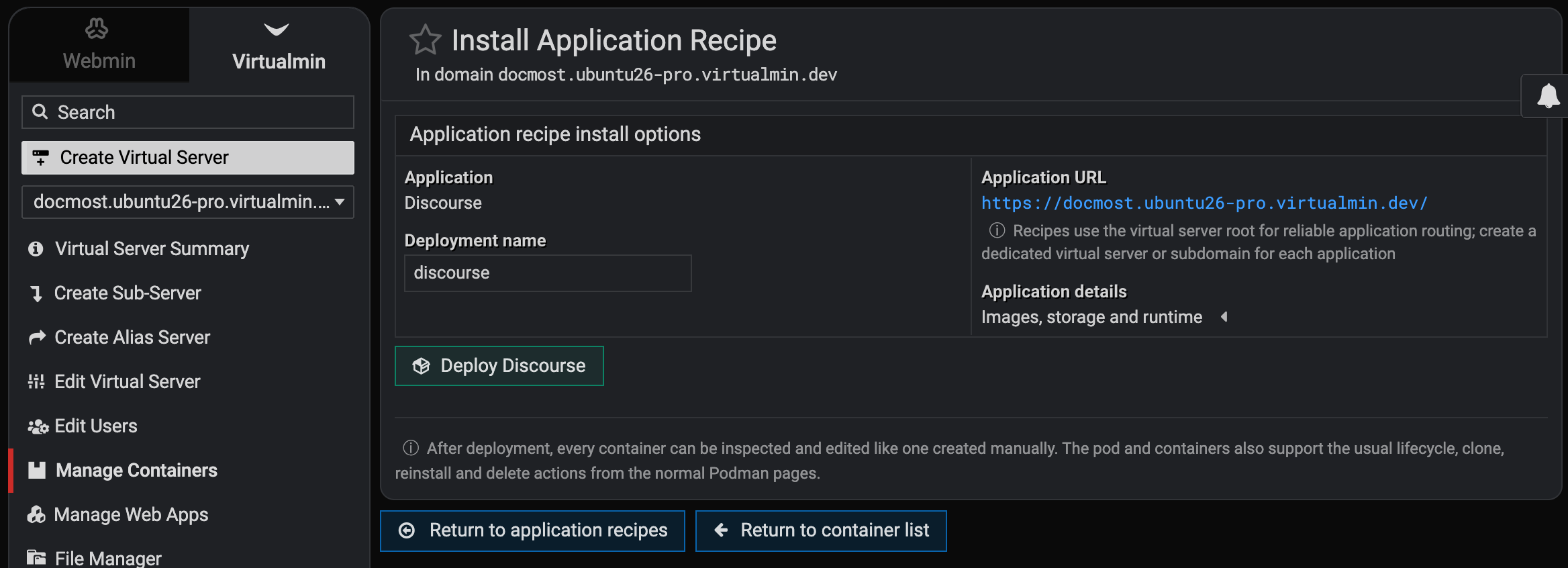
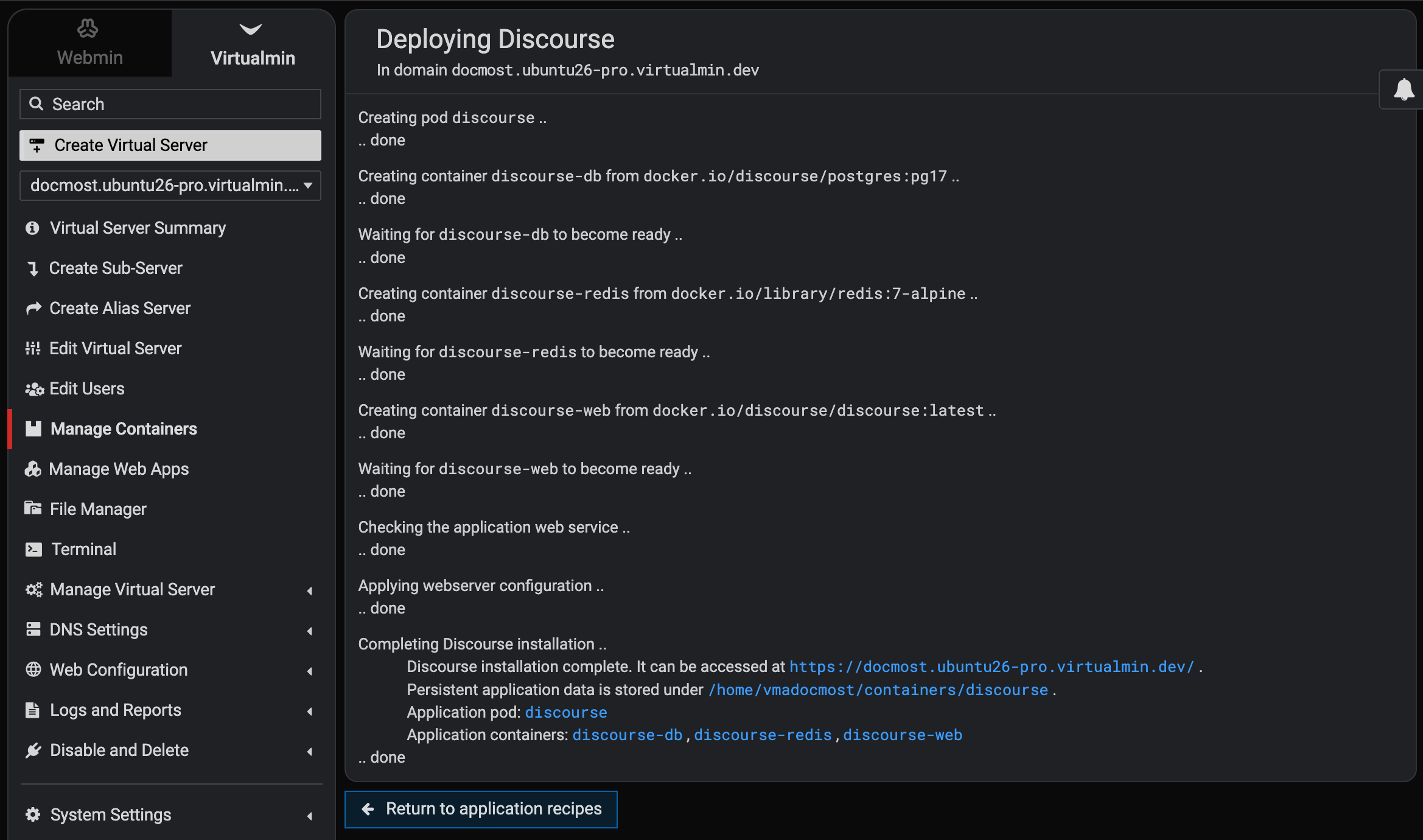
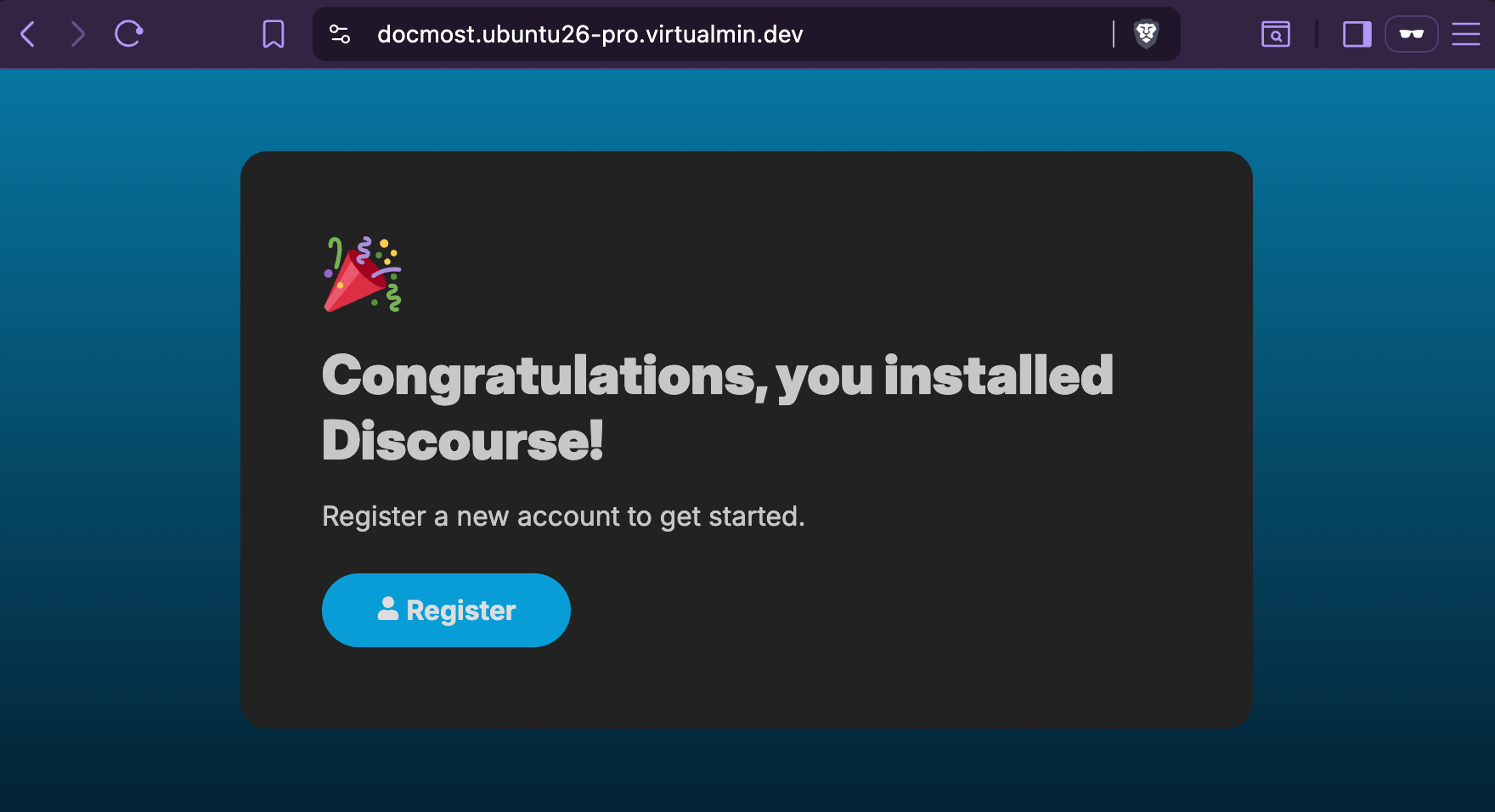
For now, we will support 65 installable Docker/Podman applications:
- Actual Budget
- Audiobookshelf
- BookStack
- Caddy Static Site
- Calibre-Web
- changedetection.io
- code-server
- Directus
- Discourse
- Docmost
- Dolibarr
- Etherpad
- Excalidraw
- Firefly III
- FreshRSS
- Ghost
- Gitea
- Gotify
- Grafana
- Grocy
- HedgeDoc
- Homebox
- IT-Tools
- Jellyfin
- Joplin Server
- Kavita
- Keycloak
- Kimai
- Leantime
- linkding
- Listmonk
- Matomo
- Mealie
- Memos
- Metabase
- Miniflux
- MongoDB with mongo-express
- n8n
- Navidrome
- Nextcloud
- NGINX Static Site
- NocoDB
- ntfy
- Odoo Community
- Open WebUI
- PairDrop
- Paperless-ngx
- pgAdmin
- PhotoPrism
- phpMyAdmin
- PLANKA
- PrestaShop
- PrivateBin
- SearXNG
- Snipe-IT
- Stirling PDF
- TriliumNext Notes
- Umami
- Uptime Kuma
- Vaultwarden
- Vikunja
- Wallos
- Wiki.js
- WordPress
- YOURLS
Anyone with a Virtualmin Pro subscription is welcome to give the latest development builds a shot!
6 Likes
Wow, nice job.
1 Like
Superb work @Ilia - this is such a useful feature!!
1 Like
Out of interest, how are the ‘recipes’ created?
It’s just a bunch of .json files in the module’s recipes/ directory that can be overridden, or new custom recipes can be added via drop-ins to /etc/webmin/virtualmin-podman/recipes if needed.
Example of a recipe:
{
   "app_port" : 80,
   "categories" : [
      "security",
      "passwords"
   ],
   "default_variant" : "default",
   "description" : "A lightweight Bitwarden-compatible password vault with persistent encrypted data.",
   "id" : "vaultwarden",
   "name" : "Vaultwarden",
   "required_runtime" : "uid",
   "secrets" : [],
   "variants" : [
      {
         "components" : [
            {
               "envs" : [
                  "DOMAIN={{url_no_trailing}}"
               ],
               "image" : "docker.io/vaultwarden/server:latest",
               "role" : "application",
               "volumes" : [
                  [
                     "data",
                     "/data"
                  ]
               ]
            }
         ],
         "id" : "default"
      }
   ]
}
1 Like
Hi @Ilia - I’ve run into a case where I need to pass an environment variable, but it is a slightly different format to KEY=VALUE.
When trying to install opensearch3, I need to pass:
-e discovery.type=single.node
Would I be able to do that with this plugin?
I could set it in the opensearch.yml file, but again, I’m not quite sure how I would go about this.
Thanks!
Paul
Hey Paul! I’m happy to hear your feedback! Thank you! 
Yeah, I have just made it possible in the latest development build. And, I’ve also added OpenSearch recipe to make it simpler to deploy.
To be clear, the recipe system currently assumes every recipe is a public web app. Since OpenSearch has a substantially fun web UI that anyone can benefit from, we don’t need to justify this path this time.
Nevertheless, in the future, I will add a first-class service-only recipe support to offer local only services.
Do not do it. Even though you could mount a host file over the config with a volume mapping like /home/username/opensearch.yml:/usr/share/opensearch/config/opensearch.yml:ro, which our Podman plugin already supports.
Instead, please install the latest Virtualmin Podman package from the development repo and give it a shot with the new OpenSearch recipe.
Please let me know how it feels!
It should be possible to use containers we don’t have a specific recipe for. It’s usually just what port to forward and maybe what files to mount, maybe some environment variables for secrets or whatever. Don’t make everyone dependent on you to add specific support for every container they ever want to use.
Maybe you could make it a extra paid service of virtualmin if the customer needs that done. Just a thought.