Debian Linux 12 kernel Linux 6.1.0-52-amd64 on x86_64
Webmin version
2.660
My Let’s Encrypt certificate for Webmin expired this morning. The automatic renewal didn’t happen or succeed. My “Automatic Renewal Interval” is set to 2 months.
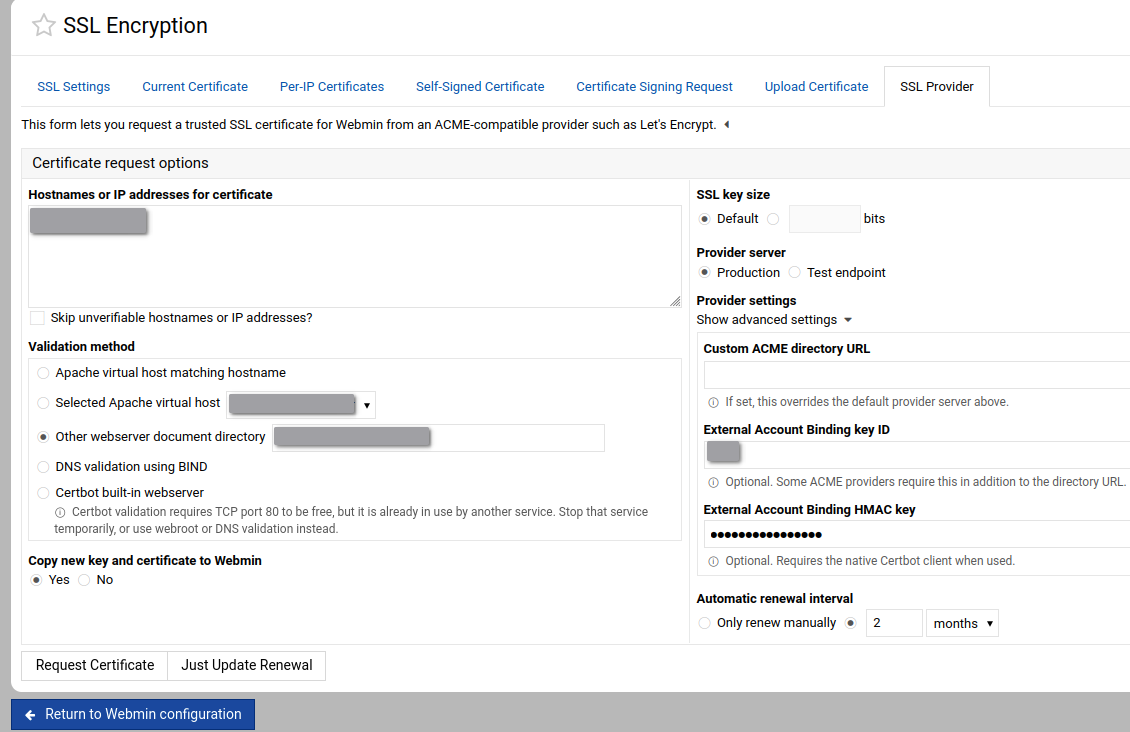
Going to “Webmin > Webmin Configuration > SSL Encryption > SSL Provider”, I tried to “Request Certificate”.
I fails with the error message “Failed to request certificate : An ACME directory URL must be entered when using External Account Binding”.
As far as i remember, I didn’t change Webmin’s SSL settings since months…
Reading this previous post, I discovered the existence of “Provider setting > Show Advanced Settings”. I don’t know what it’s used for and how some settings where set…
Thanks @Ilia !
Unsetting “advanced settings” opened the way to the solution.
“Request Certificate” started but failed with an usefull message :
Requesting a new certificate for <my-host> using the website directory <Other webserver document directory>..
.. request failed :

Saving debug log to /var/log/letsencrypt/letsencrypt.log
Renewing an existing certificate for <my-host>
Unable to change the --rsa-key-size of this certificate because --reuse-key is set. To stop reusing the private key, specify --no-reuse-key. To change the private key this one time and then reuse it in future, add --new-key.
Ask for help or search for solutions at https://community.letsencrypt.org. See the logfile /var/log/letsencrypt/letsencrypt.log or re-run Certbot with -v for more details.
In Webmin > Webmin Configuration > Module Config > ACME provider configuration, " Re-use existing certificate keys?" was set to “yes”. I changed it to “no”.
Back to SSL Provider, I cleared the advanced settings (they were back) and made a Request Certificate. Request succeeded !
Next
Can I safely set " Re-use existing certificate keys?" back to “yes” ?