SYSTEM INFORMATION
OS type and version
EL10
Webmin version
2.641
Just noticed LE not auto renewing on Webmin only system.
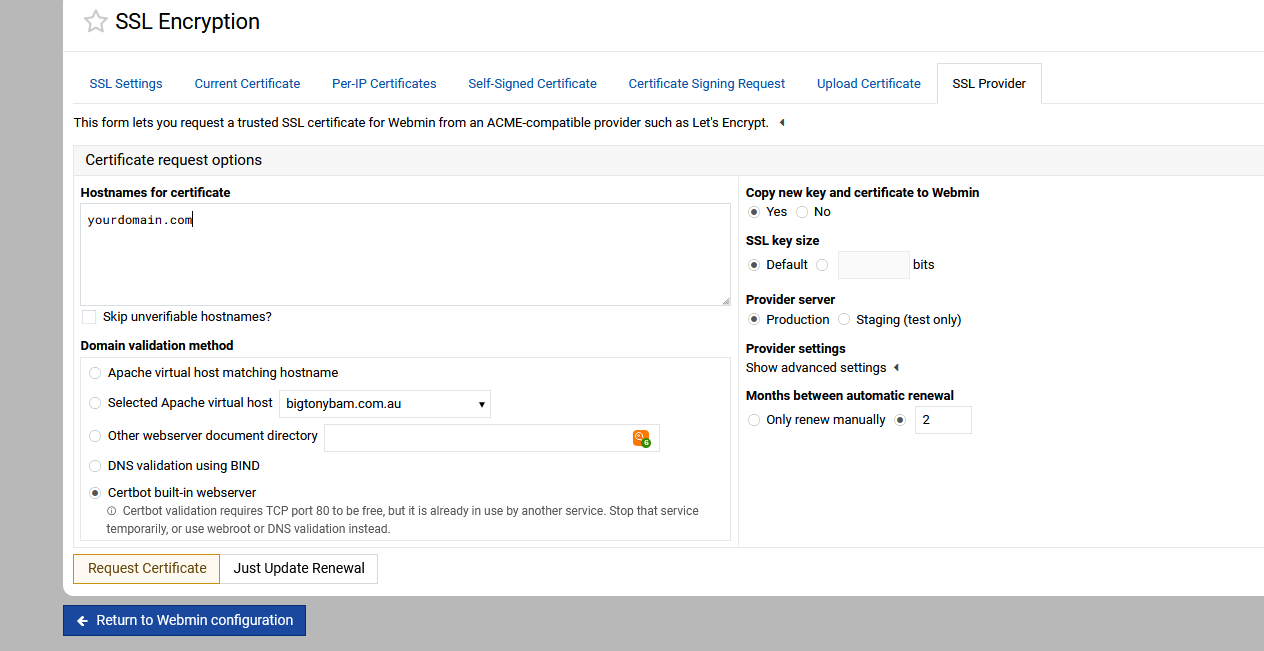
Setting Months to renew to 2 then either Request Certificate or Just update renewal gets this:
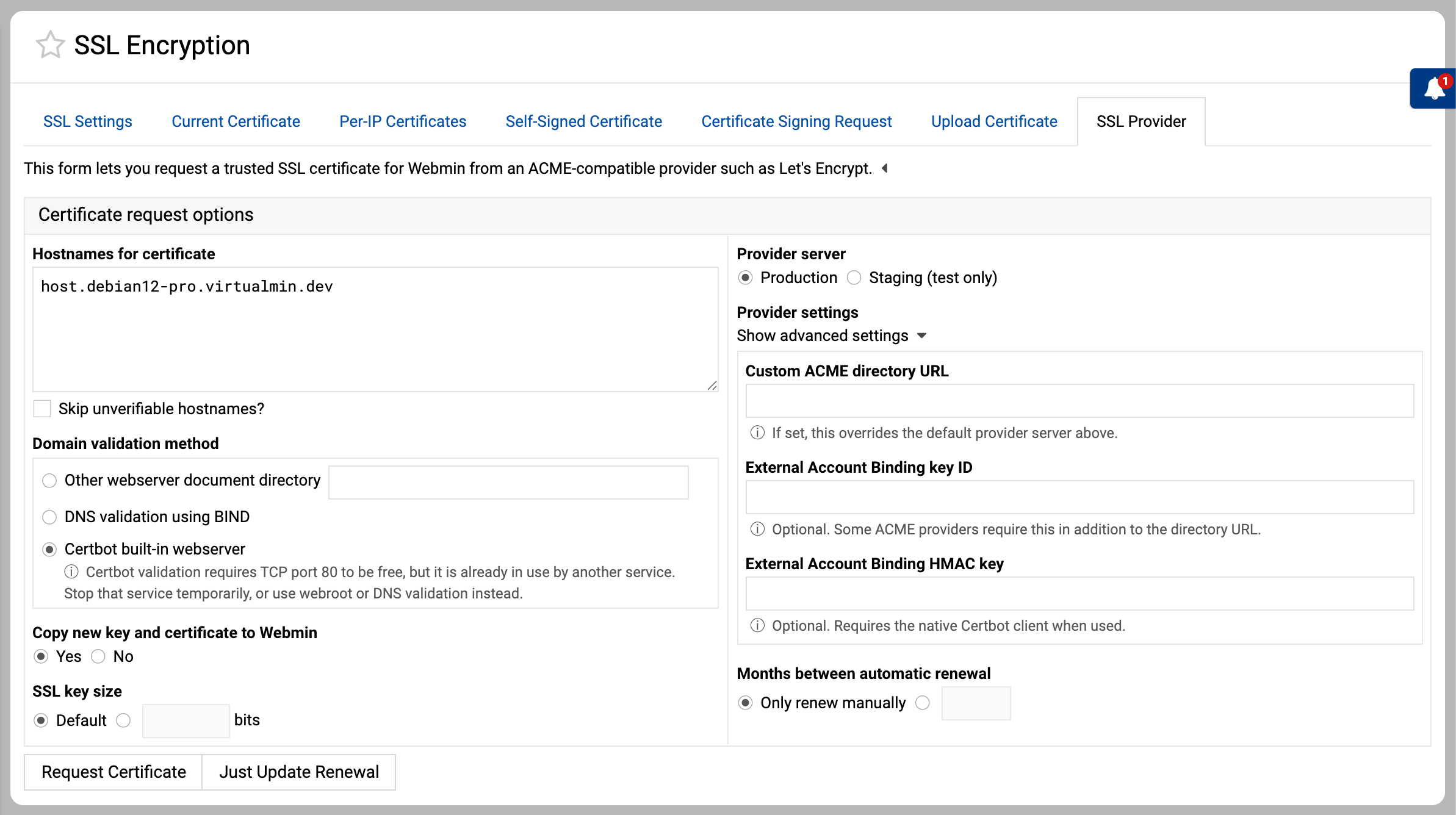
Failed to request certificate : An ACME directory URL must be entered when using External Account Binding
Previous threads on this topic went unanswered.
ID10T
June 4, 2026, 3:26am
2
I don’t have plain Webmin so I’m not sure if I see the same thing you do. Are you running a webserver? I seem to recall there was a code fix to allow for the cert even if not running one. Though if this is a renewal…
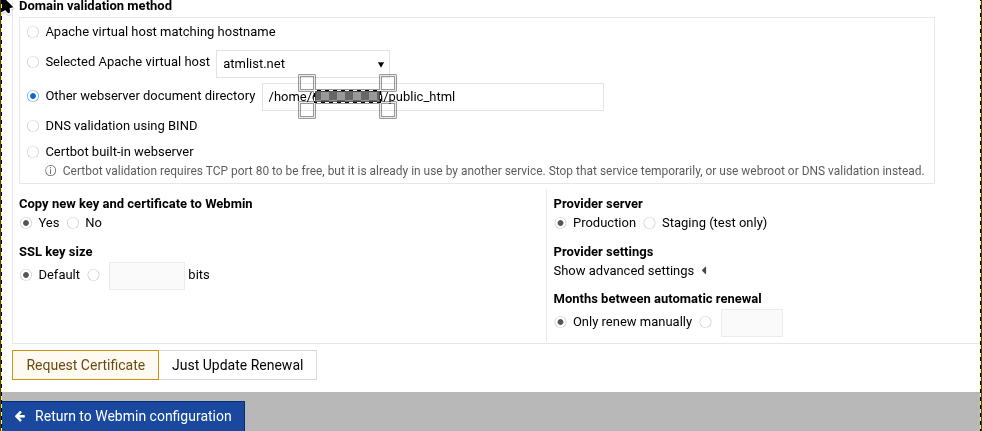
What options are you using, I would think last option would work fine.
Webmin only can use certbot standalone. And does, But the auto -renew is stuffed.
You can see the option “Certbot built-in server” It’s already selected as in Stefan’s post below yours.
If last option is the “Months between automatic renewal” - that is what causes the error message.
ID10T
June 4, 2026, 2:43pm
6
The " External Account Binding" puzzled me. I did a little research and the AI generated summary seemed to make sense. But, I scrolled down and found ‘the source’ as it were.
Don’t have time to read all that, I just reported an issue that I am having.
Will it get fixed? No idea.
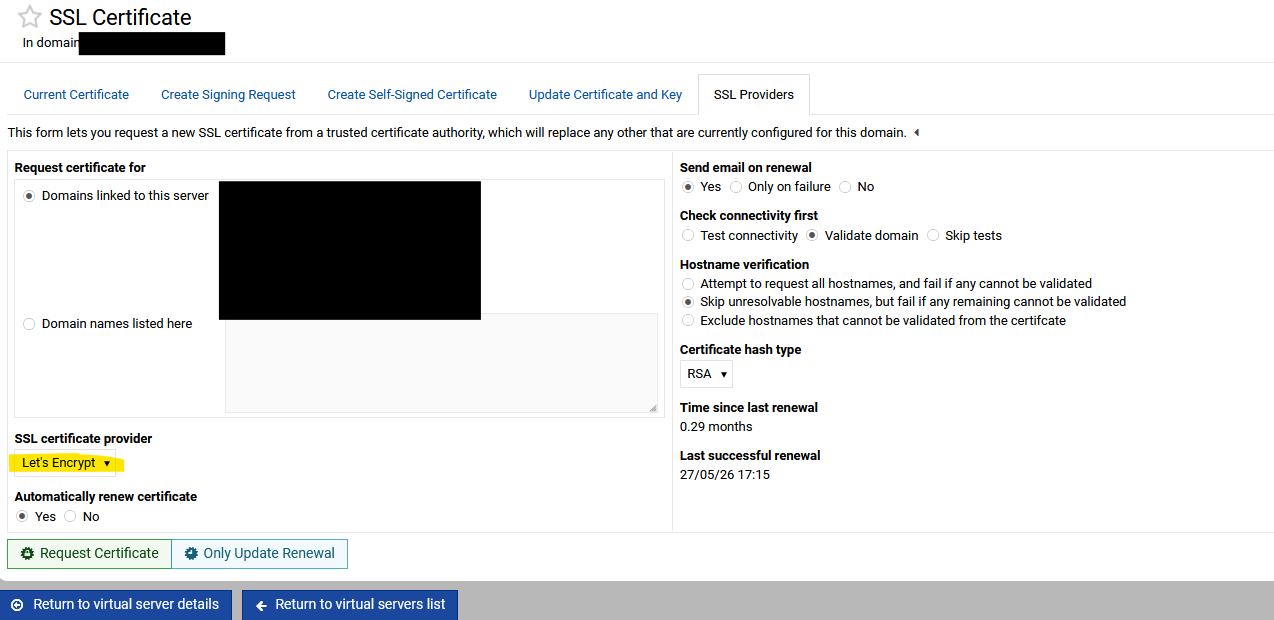
Ok, I just noticed that you can’t select a SSL Provider, LetsEncrpyt is not mentions in the form unlike Virtualmin, @Jamie or @Ilia is this a bug?
Webmin
Virtualmin option
Jamie
June 5, 2026, 2:30am
9
More like a missing feature - only Virtualmin supports multiple SSL providers, Webmin only supports Let’s Encrypt.
Right, OP error indicates the letsencrypt url directory is not being used automatically.
Ilia
June 5, 2026, 11:32am
11
Yes, however, the latest versions of Webmin should include a way to configure any other ACME-compatible provider.
It’s not as simple or as flexible on a per-domain basis as Virtualmin Pro, but it still works.
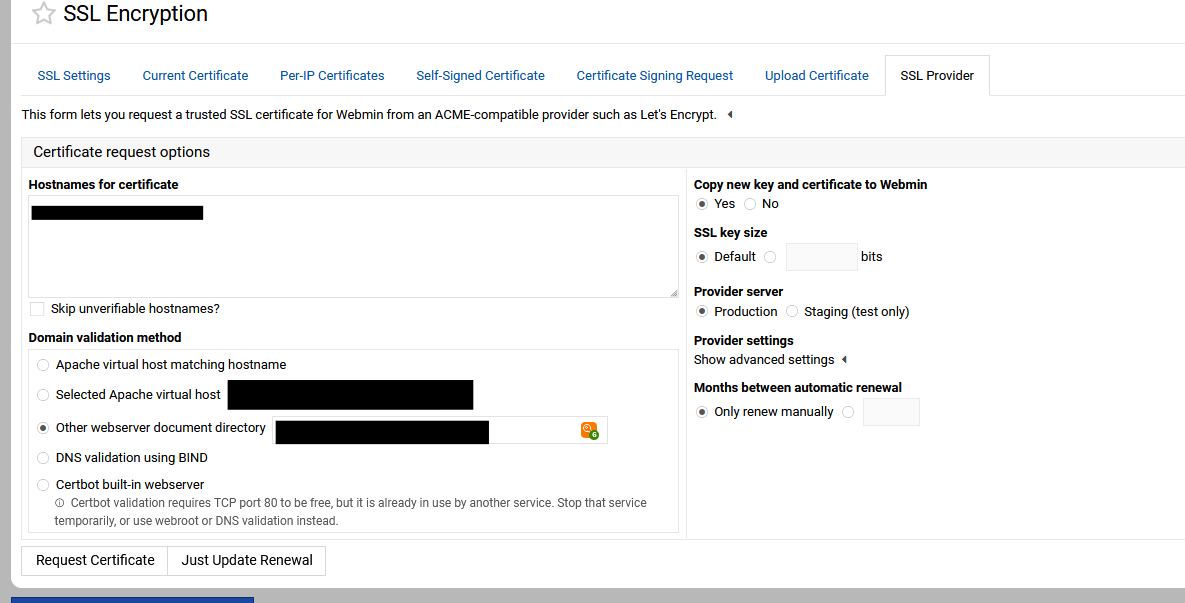
I added this feature after a user requested it. See the advances “Provider settings” in the screenshot below:
Have you tested putting a number in “Months between automatic renewal”?
Ilia
June 5, 2026, 10:27pm
13
Ugh, gosh! You’re right—there was a bug. It’s really surprising how long it was there! Thanks for the tip! Fixed in this PR:
master ← dev/fix-broken-renewals
opened 10:24PM - 05 Jun 26 UTC
Howdy, Jamie!
This turned out to be a bug after [this](https://forum.virtualmin… .com/t/letsencrypt-auto-renew-in-webmin/137371/12?u=ilia) comment on the Virtualmin forum.
The Webmin SSL LE renewal setting is labeled as "Months between automatic renewal", but it was previously saved as a calendar-style cron month expression like `*/N`.
That is not the same as an elapsed renewal interval. Webmin’s cron matcher evaluates month schedules against calendar month numbers, so values like `*/5`, `*/12`, or values above `12` do not reliably mean “renew every N months”. This could cause uneven or dangerously late renewal timing.
This changes the renewal job to use Webmin cron’s elapsed `interval` support instead of calendar-month matching.
- Saves automatic renewal as `renew * 30 * 24 * 60 * 60` seconds.
- Clears the cron time fields so the scheduler uses the interval path only.
- Keeps `months => '*/N'` so the SSL UI can continue to display the saved renewal value.
- Resets the renewal timer only after a newly issued certificate.
- Preserves the existing renewal timer for settings-only saves.
- Migrates existing month-based Let's Encrypt renewal jobs during postinstall.