Virtualmin Webserver to Virtualmin Mailserver - Everything ok, except for Sending Email (unknown in virtual alias table)

SYSTEM INFORMATION
OS type and version Debian 12
Webmin version 2.610
Virtualmin version 7.50.2 GPL
Webserver version Nginx version 1.22.1
Related packages Nginx, FastCGI, Postfix, Mailserver, Webserver

Hello everybody from Virtualmin,

I have been reading your topics for years. Thank you for this amazing product/project.

I been using a VPS to host Virtualmin websites and mail for a long time. But after I see some websites in this server need to scale, I decide to move all the websites to another Virtualmin server and keep this original virtual mail server to be the Mail server.

My VPS servers have Nginx with FastCGI Cache + PHP-FPM setup. They are using Debian 12 OS.

(Detail to understand: I have the servers hostname called host.webserver.com and host.mailserver.com, and both have a virtual server website like webserver.com and mailserver.com respectively created to represent their website)

I already migrated all the websites (recreated all the servers with the same website domains) on this new webserver.

  • So, websites are already in the new webserver and working just fine.
  • Every mail account can receive emails normally. It’s working properly.
  • But no email account can send emails. Something is very wrong here. I get the following error: RCPT TO <xxx@destination-email.com> failed: <xxx@destination-email.com>: Recipient address rejected: User unknown in virtual alias table

I read a lot of topics about webserver connection with mailservers and this reject issue, but I never understood the whole setup. I feel like I’m missing something that is not making it to work properly. I’m into this a week and couldn’t figure out how to fix it. I’m not a specialist, but I try do my best to sort the things.

So I have some basic checklists I would like to understand if possible before to make this topic more complex (at least for me).


Virtualmin Config:

Feature and Plugins Enabled:

Mailserver: DNS for domain, Mail for domai, Spam filtering, Virus filtering, Log file rotation, Webmin login

Webserver: DNS for domain, Nginx website, nginx SSL website, mariaDB database, Log, file rotation, Webmin login, AWStats report

Users Accounts:

Besides I recreated the Virtual Server from MAIL server into the WEB server (all websites are here) I didn’t recreated the user accounts and email accounts, since I understand only the MAIL server need to do this, while the WEB server should focus only on “public_html” website space.

Conclusion: I think this is the best setup for make one VPS a webserver and another VPS a mailserver. What makes me confuse is that even the webserver (with mail server disabled) still has Postfix working, what makes me a little confuse about it.

Is it correct? I understand that we need a basic postfix to make the webserver send the data info to mailserver I guess…


DNS questions:

There are 2 DNS situations that I still have some questions:

1) Communication between the Webserver and Mailserver (remember they have their own main-website/virtual-server created with same domain)

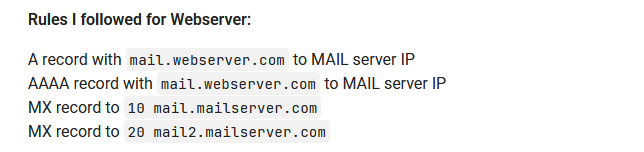
Rules I followed for Webserver:

A record with mail.webserver.com to MAIL server IP
AAAA record with mail.webserver.com to MAIL server IP
MX record to 10 mail.mailserver.com
MX record to 20 mail2.mailserver.com

Question: Do I need to point “webmail.webserver.com” to MAIL server IP?

Rules I followed for Mailserver:

Changed A record with mailserver.com to WEB server IP
Changed AAAA record with mailserver.com to WEB server IP

Question: Do I need to point “www.mailserver.com” to WEB server IP as well?

2) A website (virtual server) communication between the Webserver and Mailserver

Using as example the website (virtual server) “super.com” I replicated the same DNS config from the servers:

Webserver:

A record with mail.super.com to MAIL server IP
AAAA record with mail.super.com to MAIL server IP
MX record to 10 mail.mailserver.com
MX record to 20 mail2.mailserver.com

Question: I didn’t changed webmail.super.com to MAIL server IP. Should I do this?

Mailserver:

Changed A record with super.com to WEB server IP
Changed AAAA record with super.com to WEB server IP

Domain DNS:

I point the domain DNS to the WEB server IP. SO the WEB server IP will point the MX and “mail.” subdomain to the MAIL server.


Jumping from the basic understanding (where I have a lot of questions), now I’ll post Postfix configs from both servers (MAIL server and WEB servers).

WEB SERVER

# See /usr/share/postfix/main.cf.dist for a commented, more complete version


# Debian specific:  Specifying a file name will cause the first
# line of that file to be used as the name.  The Debian default
# is /etc/mailname.
#myorigin = /etc/mailname

smtpd_banner = $myhostname ESMTP $mail_name (Debian/GNU)
biff = no

# appending .domain is the MUA's job.
append_dot_mydomain = no

# Uncomment the next line to generate "delayed mail" warnings
#delay_warning_time = 4h

readme_directory = no

# See http://www.postfix.org/COMPATIBILITY_README.html -- default to 3.6 on
# fresh installs.
compatibility_level = 3.6


# TLS parameters
smtpd_tls_cert_file = /etc/ssl/certs/ssl-cert-snakeoil.pem
smtpd_tls_key_file = /etc/ssl/private/ssl-cert-snakeoil.key
smtpd_tls_security_level = may

smtp_tls_CApath=/etc/ssl/certs
smtp_tls_security_level = dane
smtp_tls_session_cache_database = btree:${data_directory}/smtp_scache


smtpd_relay_restrictions = defer_unauth_destination permit_sasl_authenticated permit_mynetworks
myhostname = host.webserver.com
alias_maps = hash:/etc/aliases
alias_database = hash:/etc/aliases
myorigin = /etc/mailname
mydestination = $myhostname, host.mailserver.com, localhost.mailserver.com, localhost
##mydestination = host.mailserver.com, localhost.mailserver.com, localhost.$mydomain, localhost, $mydomain
#mydestination = $myhostname, host.webserver.com, localhost.webserver.com, localhost
#mydestination = $myhostname, localhost.$mydomain, localhost, $mydomain
#local_recipient_maps = proxy:unix:passwd.byname $alias_maps
#local_transport = virtual
#local_recipient_maps = $virtual_mailbox_maps
mynetworks = 127.0.0.0/8 [::ffff:127.0.0.0]/104 [::1]/128 MAIL-SERVER-IP
mailbox_command = /usr/bin/procmail-wrapper -o -a $DOMAIN -d $LOGNAME
mailbox_size_limit = 0
recipient_delimiter = +
inet_interfaces = all
inet_protocols = all
#virtual_mailbox_domains = hash:/etc/postfix/virtual-mailbox-domains
#virtual_mailbox_maps = hash:/etc/postfix/virtual-mailbox-users
sender_bcc_maps = hash:/etc/postfix/bcc
sender_dependent_default_transport_maps = hash:/etc/postfix/dependent
home_mailbox = Maildir/
smtpd_sasl_auth_enable = yes
broken_sasl_auth_clients = yes
smtpd_recipient_restrictions = permit_sasl_authenticated permit_mynetworks
smtp_dns_support_level = dnssec
smtp_host_lookup = dns
allow_percent_hack = no
resolve_dequoted_address = no
tls_server_sni_maps = hash:/etc/postfix/sni_map

#smtpd_sasl_type = dovecot
#smtpd_sasl_path = private/auth
#milter_default_action = accept
#smtpd_milters = inet:127.0.0.1:8891
#non_smtpd_milters = inet:127.0.0.1:8891
relayhost = host.mailserver.com
virtual_alias_maps = hash:/etc/postfix/virtual
smtp_sasl_auth_enable = yes

MAIL SERVER

# See /usr/share/postfix/main.cf.dist for a commented, more complete version


# Debian specific:  Specifying a file name will cause the first
# line of that file to be used as the name.  The Debian default
# is /etc/mailname.
#myorigin = /etc/mailname

smtpd_banner = $myhostname ESMTP $mail_name (Debian/GNU)
biff = no

# appending .domain is the MUA's job.
append_dot_mydomain = no

# Uncomment the next line to generate "delayed mail" warnings
#delay_warning_time = 4h

readme_directory = no

# See http://www.postfix.org/COMPATIBILITY_README.html -- default to 3.6 on
# fresh installs.
compatibility_level = 3.6


# TLS parameters
smtpd_tls_cert_file = /etc/ssl/certs/ssl-cert-snakeoil.pem
smtpd_tls_key_file = /etc/ssl/private/ssl-cert-snakeoil.key
smtpd_tls_security_level = may

smtp_tls_CApath=/etc/ssl/certs
smtp_tls_security_level = dane
smtp_tls_session_cache_database = btree:${data_directory}/smtp_scache


smtpd_relay_restrictions = permit_sasl_authenticated defer_unauth_destination permit_mynetworks
myhostname = host.mailserver.com
alias_maps = hash:/etc/aliases
alias_database = hash:/etc/aliases
myorigin = /etc/mailname
mydestination = $myhostname, host.mailserver.com, localhost.mailserver.com, localhost
##mydestination = $myhostname, localhost.$mydomain, localhost, $mydomain
#local_recipient_maps = proxy:unix:passwd.byname $alias_maps
#local_transport = virtual
#local_recipient_maps = $virtual_mailbox_maps
mynetworks = 127.0.0.0/8 [::ffff:127.0.0.0]/104 [::1]/128
mailbox_command = /usr/bin/procmail-wrapper -o -a $DOMAIN -d $LOGNAME
mailbox_size_limit = 0
recipient_delimiter = +
inet_interfaces = all
inet_protocols = all
virtual_alias_maps = hash:/etc/postfix/virtual
#virtual_mailbox_domains = hash:/etc/postfix/virtual-mailbox-domains
#virtual_mailbox_maps = hash:/etc/postfix/virtual-mailbox-users
sender_bcc_maps = hash:/etc/postfix/bcc
sender_dependent_default_transport_maps = hash:/etc/postfix/dependent
home_mailbox = Maildir/
smtpd_sasl_auth_enable = yes
broken_sasl_auth_clients = yes
smtpd_recipient_restrictions = permit_sasl_authenticated permit_mynetworks
smtp_dns_support_level = dnssec
smtp_host_lookup = dns
allow_percent_hack = no
resolve_dequoted_address = no
tls_server_sni_maps = hash:/etc/postfix/sni_map

smtpd_sasl_type = dovecot
smtpd_sasl_path = private/auth
milter_default_action = accept
smtpd_milters = inet:127.0.0.1:8891
non_smtpd_milters = inet:127.0.0.1:8891
smtp_sasl_auth_enable = yes


That’s it. I’m tired of changing so much things. Sometimes in the basics, sometime in the “advanced” part of the setup, that is hard to find a clue of this case.

I have tried a lot of solutions that I find in the internet but no success. Is this a DNS setup issue, a Postfix setup issue, any other reason?

What should I do to make the website (in this case focusing on “super.com”) to send email properly?

All the best.
1 Like

Please use non-existent names in your posts where you make up example domain names (e.g. example.tld or domain.tld or sub.example.tld, note tld is not a real top-level domain, so it will never resolve as long as no .tld TLD exists). Of course, you may post your own domain names as long as your wrap them, real other otherwise, in backticks (`) or triple backticks (``` for multline blocks) so they won’t turn into links. This will prevent the spam filter from quarantining your post as likely spam. FAQ - Virtualmin Community

You’ve posted a bunch of links to real websites, not wrapped in backticks. A very spammy trait, and every one of our spam filters flagged it and quarantined it.

I’m sorry about that. I edited with (`) between the links.

1 Like

All MX record will need a A record to resolve the IP number. The names your using indicate they are don’t

But in this case, mail.mailserver.com and mail2.mailserver.com are MX of the Mail Server (where the emails should be come from).
The “mail.” subdomain is pointing to the IP of the Mail Server.

While the webserver.com is the domain of the WEB Server.

An example we have out of here is the Zoho mail.

If a WEBserver would like to use their mail server the MX records will not be mail.webserver.com but:

10 mx.zoho.com
20 mx2.zoho.com
50 mx3.zoho.com

Is that right, or am I thinking wrong?


By the way, I created a mailserver.com domain in the WEB server as well, and so I created the webserver.com domain in the MAIL server as well.

At least for the webserver.com domain, the DNS will follow the same DNS fluxe of the website super.com:

Domain → Webserver → Mailserver (only MX and “mail.” subdomain)

While for the mailserver.com is doing a different fluxe because it’s hostname and main domain are into this server:

Domain → Mailserver → Webserver (only main domain A and AAAA records, pointed from the Mailserver)

This one I don’t know if this is the correct way, or if I need to repeat the same fluxe of the other, even this been the main domain and part of the hostname of the MAIL server.

Hard to understand for me… maybe I’m complicating the things.


And again, “webmail.” subdomain should be pointed to MAIL server or WEB server?

Your MX records should point to whatever mail servers you want to receive mail for your domain. If you want mail for your domain to be received by Zoho, then you need your MX records to match the ones they tell you to use. MX records have nothing to do with sending mail, only receiving (though it’s possible to fuck up the local server sending to your domain, if you want mail delivered elsewhere and you have local records that are wrong and pointing to the server itself…this often comes up when people are not hosting DNS locally but don’t configure their server correctly for that, so they have DNS running locally but only the server itself is using it for resolving those names).

I don’t understand the word “fluxe”, which I think is making me not understand the rest of your questions.

Hello Joe, thank you for the answer.

About the “fluxe” I had the intention to say the “flow” (fluxe was a bad translation from my head). The flow the DNS was propagating for the Webserver. In this case, starting from Domain DNS (internet.bs) - that point to Virtualmin WebServer (VPS) - that point to Virtualmin MailServer (only “mail.” subdomain and MX records) (another VPS).

My most important question is how to make the website super.com to receive and send email properly on mailserver.com(hostname: host.mailserver.com) having your website hosted at webserver.com(hostname: host.webserver.com).

But I assume that to super.com to work email properly, probably the VPS main domain servers DNS’s should be pointing properly.

So, let me allow to post super.com website virtual server DNS in MAIL Server and in WEB Server:

NOTE:
WEB Server ipv4: 11.11.11.11
WEB Server ipv6: 11aa:11aa:11aa:11aa
MAIL Server ipv4: 22.22.22.22
MAIL Server ipv6: 22bb:22bb:22bb:22bb

super.com DNS on WEB Server

$ttl 3600
super.com.	IN	SOA	ns1.webserver.com. root.ns1.webserver.com. (
			2026011201
			3600
			600
			1209600
			3600 )
@	IN	NS	ns1.webserver.com.
@	IN	NS	ns2.webserver.com.
super.com.	IN	A	11.11.11.11
www.super.com.	IN	A	11.11.11.11
ftp.super.com.	IN	A	11.11.11.11
webmail.super.com.	IN	A	11.11.11.11
admin.super.com.	IN	A	11.11.11.11
super.com.	IN	TXT	"v=spf1 a mx ip4:22.22.22.22 ip6:22bb:22bb:22bb:22bb include:gullis.mailserver.com include:mailserver.com ~all"
_dmarc.super.com.	IN	TXT	"v=DMARC1; p=quarantine; pct=100; ruf=mailto:postmaster@super.com; rua=mailto:postmaster@super.com; adkim=r; aspf=r"
202512._domainkey.super.com.	IN	TXT	( "v=DKIM1; k=rsa; t=s; p= ****code****" )
super.com.	IN	AAAA	11aa:11aa:11aa:11aa
www.super.com.	IN	AAAA	11aa:11aa:11aa:11aa
ftp.super.com.	IN	AAAA	11aa:11aa:11aa:11aa
webmail.super.com.	IN	AAAA	11aa:11aa:11aa:11aa
admin.super.com.	IN	AAAA	11aa:11aa:11aa:11aa
@	IN	CAA	0 issuewild letsencrypt.org
super.com.	IN	MX	10 mail.mailserver.com.
super.com.	IN	MX	20 mail2.mailserver.com.
mail.super.com.	IN	A	22.22.22.22
mail.super.com.	IN	AAAA	22bb:22bb:22bb:22bb

super.com DNS on MAIL Server

$ttl 300
@	IN	SOA	ns1.mailserver.com. root.ns1.mailserver.com. (
			2026010800
			3600
			600
			1209600
			3600 )
super.com.	IN	A	11.11.11.11
www.super.com.	IN	A	22.22.22.22
webmail.super.com.	IN	A	22.22.22.22
admin.super.com.	IN	A	22.22.22.22
autoconfig.super.com.	IN	A	22.22.22.22
autodiscover.super.com.	IN	A	22.22.22.22
super.com.	IN	AAAA	11aa:11aa:11aa:11aa
www.super.com.	IN	AAAA	22bb:22bb:22bb:22bb
webmail.super.com.	IN	AAAA	22bb:22bb:22bb:22bb
admin.super.com.	IN	AAAA	22bb:22bb:22bb:22bb
autoconfig.super.com.	IN	AAAA	22bb:22bb:22bb:22bb
autodiscover.super.com.	IN	AAAA	22bb:22bb:22bb:22bb
super.com.	IN	TXT	( "v=spf1 a mx ip4:22.22.22.22 ip6:22bb:22bb:22bb:22bb include:host.webserver.com ~all" )
_dmarc.super.com.	IN	TXT	"v=DMARC1; p=quarantine; pct=100; ruf=mailto:postmaster@super.com; rua=mailto:postmaster@super.com; adkim=r; aspf=r"
mail.super.com.	IN	A	22.22.22.22
mail.super.com.	IN	AAAA	22bb:22bb:22bb:22bb
super.com.	IN	MX	5 mail.super.com.
super.com.	IN	CAA	0 issuewild letsencrypt.org
super.com.	IN	NS	ns1.mailserver.com.
super.com.	IN	NS	ns2.mailserver.com.
202512._domainkey.super.com.	IN	TXT	( "v=DKIM1; k=rsa; t=s; p= *** code *** " )
_443._tcp.super.com.	3600	IN	TLSA	3 0 1 *** code ***
_443._tcp.www.super.com.	3600	IN	TLSA	3 0 1 *** code ***
_443._tcp.mail.super.com.	3600	IN	TLSA	3 0 1 *** code ***
_443._tcp.admin.super.com.	3600	IN	TLSA	3 0 1 *** code ***
_443._tcp.webmail.super.com.	3600	IN	TLSA	3 0 1 *** code ***
_443._tcp.autoconfig.super.com.	3600	IN	TLSA	3 0 1 *** code ***
_443._tcp.autodiscover.super.com.	3600	IN	TLSA	3 0 1 *** code ***
_17100._tcp.admin.super.com.	3600	IN	TLSA	3 0 1 *** code ***
_17100._tcp.super.com.	3600	IN	TLSA	3 0 1 *** code ***
_27100._tcp.webmail.super.com.	3600	IN	TLSA	3 0 1 *** code ***
_27100._tcp.super.com.	3600	IN	TLSA	3 0 1 *** code ***
_993._tcp.mail.super.com.	3600	IN	TLSA	3 0 1 *** code ***
_993._tcp.super.com.	3600	IN	TLSA	3 0 1 *** code ***
_995._tcp.mail.super.com.	3600	IN	TLSA	3 0 1 *** code ***
_995._tcp.super.com.	3600	IN	TLSA	3 0 1 *** code ***
_587._tcp.mail.super.com.	3600	IN	TLSA	3 0 1 *** code ***
_587._tcp.super.com.	3600	IN	TLSA	3 0 1 *** code ***
_25._tcp.mail.super.com.	3600	IN	TLSA	3 0 1 *** code ***
_25._tcp.super.com.	3600	IN	TLSA	3 0 1 *** code ***
_990._tcp.ftp.super.com.	3600	IN	TLSA	3 0 1 *** code ***
_990._tcp.super.com.	3600	IN	TLSA	3 0 1 *** code ***
super.com.	IN	SSHFP	1 1 *** code ***
www.super.com.	IN	SSHFP	1 1 *** code ***
super.com.	IN	SSHFP	2 1 *** code ***
www.super.com.	IN	SSHFP	2 1 *** code ***
super.com.	IN	SSHFP	3 1 *** code ***
www.super.com.	IN	SSHFP	3 1 *** code ***
super.com.	IN	SSHFP	4 1 *** code ***
www.super.com.	IN	SSHFP	4 1 *** code ***

Now I’ll post the WEB Server main domain DNS (webserver.com, a virtual server created with the same domain of the server, without the “host” subdomain):

$ttl 3600
webserver.com.	IN	SOA	ns1.webserver.com. root.ns1.webserver.com. (
			2026011201
			3600
			600
			1209600
			3600 )
@	IN	NS	ns1.webserver.com.
@	IN	NS	ns2.webserver.com.
webserver.com.	IN	A	11.11.11.11
www.webserver.com.	IN	A	11.11.11.11
ftp.webserver.com.	IN	A	11.11.11.11
ns1.webserver.com.	IN	A	11.11.11.11
ns2.webserver.com.	IN	A	11.11.11.11
host.webserver.com.	IN	A	11.11.11.11
webmail.webserver.com.	IN	A	11.11.11.11
admin.webserver.com.	IN	A	11.11.11.11
webserver.com.	IN	TXT	"v=spf1 a mx ip4:22.22.22.22 ip6:22bb:22bb:22bb:22bb include:host.mailserver.com ~all"
_dmarc.webserver.com.	IN	TXT	"v=DMARC1; p=quarantine; pct=100; ruf=mailto:postmaster@mailserver.com; rua=mailto:postmaster@mailserver.com"
202512._domainkey.webserver.com.	IN	TXT	( "v=DKIM1; k=rsa; t=s; p= *** code ***" )
webserver.com.	IN	AAAA	11aa:11aa:11aa:11aa
www.webserver.com.	IN	AAAA	11aa:11aa:11aa:11aa
ftp.webserver.com.	IN	AAAA	11aa:11aa:11aa:11aa
ns1.webserver.com.	IN	AAAA	11aa:11aa:11aa:11aa
ns2.webserver.com.	IN	AAAA	11aa:11aa:11aa:11aa
webmail.webserver.com.	IN	AAAA	11aa:11aa:11aa:11aa
admin.webserver.com.	IN	AAAA	11aa:11aa:11aa:11aa
mail.webserver.com.	IN	A	22.22.22.22
mail.webserver.com.	IN	AAAA	22bb:22bb:22bb:22bb
webserver.com.	IN	MX	10 mail.mailserver.com.
webserver.com.	IN	MX	20 mail2.mailserver.com.
host.webserver.com.	IN	AAAA	11aa:11aa:11aa:11aa

Now I’ll post the MAIL Servers main domain DNS (mailserver.com):

$ttl 300
@	IN	SOA	ns1.mailserver.com. root.ns1.mailserver.com. (
			2026011401
			3600
			600
			1209600
			3600 )
mailserver.com.	IN	A	22.22.22.22
www.mailserver.com.	IN	A	22.22.22.22
ftp.mailserver.com.	IN	A	22.22.22.22
m.mailserver.com.	IN	A	22.22.22.22
host.mailserver.com.	IN	A	22.22.22.22
ns1.mailserver.com.	IN	A	22.22.22.22
ns2.mailserver.com.	IN	A	22.22.22.22
localhost.mailserver.com.	IN	A	127.0.0.1
webmail.mailserver.com.	IN	A	22.22.22.22
admin.mailserver.com.	IN	A	22.22.22.22
autoconfig.mailserver.com.	IN	A	22.22.22.22
autodiscover.mailserver.com.	IN	A	22.22.22.22
mailserver.com.	IN	TXT	"v=spf1 a mx ip4:22.22.22.22 ip6:22bb:22bb:22bb:22bb include:host.webserver.com ~all"
_dmarc.mailserver.com.	IN	TXT	"v=DMARC1; p=quarantine; pct=100; ruf=mailto:postmaster@mailserver.com; rua=mailto:postmaster@mailserver.com"
mailserver.com.	IN	AAAA	22bb:22bb:22bb:22bb
www.mailserver.com.	IN	AAAA	22bb:22bb:22bb:22bb
ftp.mailserver.com.	IN	AAAA	22bb:22bb:22bb:22bb
m.mailserver.com.	IN	AAAA	22bb:22bb:22bb:22bb
host.mailserver.com.	IN	AAAA	22bb:22bb:22bb:22bb
ns1.mailserver.com.	IN	AAAA	22bb:22bb:22bb:22bb
ns2.mailserver.com.	IN	AAAA	22bb:22bb:22bb:22bb
webmail.mailserver.com.	IN	AAAA	22bb:22bb:22bb:22bb
admin.mailserver.com.	IN	AAAA	22bb:22bb:22bb:22bb
autoconfig.mailserver.com.	IN	AAAA	22bb:22bb:22bb:22bb
autodiscover.mailserver.com.	IN	AAAA	22bb:22bb:22bb:22bb
mail.mailserver.com.	IN	A	22.22.22.22
mail.mailserver.com.	IN	AAAA	22bb:22bb:22bb:22bb
mail2.mailserver.com.	IN	A	22.22.22.22
mail2.mailserver.com.	IN	AAAA	22bb:22bb:22bb:22bb
mailserver.com.	IN	MX	10 mail.mailserver.com.
mailserver.com.	IN	MX	20 mail2.mailserver.com.
mailserver.com.	IN	CAA	0 issuewild letsencrypt.org
mailserver.com.	IN	NS	ns1.mailserver.com.
mailserver.com.	IN	NS	ns2.mailserver.com.
202512._domainkey.mailserver.com.	IN	TXT	( "v=DKIM1; k=rsa; t=s; p= *** code *** " )
_443._tcp.mailserver.com.	3600	IN	TLSA	3 0 1 *** code ***
_443._tcp.www.mailserver.com.	3600	IN	TLSA	3 0 1 *** code ***
_443._tcp.mail.mailserver.com.	3600	IN	TLSA	3 0 1 *** code ***
_443._tcp.admin.mailserver.com.	3600	IN	TLSA	3 0 1 *** code ***
_443._tcp.webmail.mailserver.com.	3600	IN	TLSA	3 0 1 *** code ***
_443._tcp.autoconfig.mailserver.com.	3600	IN	TLSA	3 0 1 *** code ***
_443._tcp.autodiscover.mailserver.com.	3600	IN	TLSA	3 0 1 *** code ***
_17100._tcp.admin.mailserver.com.	3600	IN	TLSA	3 0 1 *** code ***
_17100._tcp.mailserver.com.	3600	IN	TLSA	3 0 1 *** code ***
_27100._tcp.webmail.mailserver.com.	3600	IN	TLSA	3 0 1 *** code ***
_27100._tcp.mailserver.com.	3600	IN	TLSA	3 0 1 *** code ***
_993._tcp.mail.mailserver.com.	3600	IN	TLSA	3 0 1 *** code ***
_993._tcp.mailserver.com.	3600	IN	TLSA	3 0 1 *** code ***
_995._tcp.mail.mailserver.com.	3600	IN	TLSA	3 0 1 *** code ***
_995._tcp.mailserver.com.	3600	IN	TLSA	3 0 1 *** code ***
_587._tcp.mail.mailserver.com.	3600	IN	TLSA	3 0 1 *** code ***
_587._tcp.mailserver.com.	3600	IN	TLSA	3 0 1 *** code ***
_25._tcp.mail.mailserver.com.	3600	IN	TLSA	3 0 1 *** code ***
_25._tcp.mailserver.com.	3600	IN	TLSA	3 0 1 *** code ***
_990._tcp.ftp.mailserver.com.	3600	IN	TLSA	3 0 1 *** code ***
_990._tcp.mailserver.com.	3600	IN	TLSA	3 0 1 *** code ***
mailserver.com.	IN	SSHFP	1 1 *** code ***
www.mailserver.com.	IN	SSHFP	1 1 *** code ***
mailserver.com.	IN	SSHFP	2 1 *** code ***
www.mailserver.com.	IN	SSHFP	2 1 *** code ***
mailserver.com.	IN	SSHFP	3 1 *** code ***
www.mailserver.com.	IN	SSHFP	3 1 *** code ***
mailserver.com.	IN	SSHFP	4 1 *** code ***
www.mailserver.com.	IN	SSHFP	4 1 *** code ***

What should I fix to sort the following issue?

RCPT TO <xxx@destination-email.com> failed: <xxx@destination-email.com>: Recipient address rejected: User unknown in virtual alias table

I get this when I send emails using super.com

You’re either asking two different questions, or you’re misunderstanding something.

You asked how to use Zoho for mail, but you’re now saying:

That’s not Zoho. If you want mail for your domain to be delivered to Zoho, you need your MX records to point to their mail servers, not your web server.

If you’re asking a different question about receiving mail on your local server for a different domain, I’m happy to try to help with that, too, but I need that to be in another topic. I can’t follow when there are too many things going on in a thread, and there are too many things going on in this thread. This is my failing, but if you want me to be able to help, I need to not be confused about what we’re trying to accomplish. You’re showing me details in your configuration that seem to conflict with what you’ve said you’re trying to do.

This. Not Zoho.

Also not Zoho!

Sorry, you understood wrong. This topic is not about Zoho.

I was only answering “stefan1959” that said my DNS has 2 different domains names webserver.com and mailserver.com, and (as I understood) I should have the same name on it.

So I just used Zoho mail as a far example (not related to this topic) where we put their MX with their domain name zoho.com in our DNS setting for MX records. Was just an example.

As I said in the first topic, on the topic header and on the last post as well, I want super.com that is hosted in webserver.com to work properly with its emails in the MAIL server mailserver.com.

Both, WEB server and MAIL server are Virtualmin installation.

  • The super.com website is working properly.
  • Emails to super.com is arriving properly.
  • But super.com can’t send email.

You said something about to be configured locally, so it will not send email. Seeing my postfix configs (super.com from both servers) and the DNS records of super.com on both servers, can you help me to understand what I did wrong that makes super.com to have this message when sending emails?

RCPT TO <xxx@destination-email.com> failed: <xxx@destination-email.com>: Recipient address rejected: User unknown in virtual alias table

Does the user exist on your mail server ? It looks not if the user does exist and is setup to receive mail correctly just add the user to the virtual alias table correctly and recompile the virtual alias table, if not alias the email address to a user that is setup correctly

Yes. It exists.

The user/email is showing in /etc/postfix/virtual :

super@super.com   super
super.com        super.com
info@super.com   info\@super.com
finance@super.com        finance\@super.com
crazy@super.com  crazy\@super.com
postmaster@super.com     info@super.com
abuse@super.com  info@super.com

And is important to say that it was working fine when this MAIL server was hosting the websites, before I bought the second VPS to became the WEB server. But I never could make the emails to be sent after I connected the MAIL server to the new WEB server.

I already did the following commands in both servers:

postmap /etc/postfix/virtual
systemctl restart postfix dovecot

And did the “Re-Check Configuration” in both servers as well.

But I keep with the same results.

does the user exist `finance@super.com’ on the email server, you have shown it does in the virtual table but is it a real system user ?

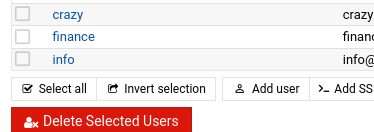
Yes. They exist (in the MAIL server). And the emails was working fine before the server migration. See the image attached.

In WEB server they don’t exist, since I’m just using it to host the websites.

Are 100% sure the DNS records are correct ? without both real domains it is very difficult to know if the rest of the internet sees the same as you

And, no, I’m not sure if the issue is DNS, Postfix, Dovecot or even user permission. That’s why I’m here to ask for help.

so the mail server ip is 0.0.0.0
and the web server is 0.0.0.1
or is it the other way around ?

If finance@ is not your main email user, in your main email address which is hopefully working, you can add other names like webmaster, abuse, info, and whatever you like, paypal, whatever you like they will come to your main address. It is what I do. You can then setup identities to respond with that particular email address in your chosen client, Roundcube for eg.