in this case “finance” was just a single user I created for a particular case with Amazon marketplace… now is just a useless user without use that I’ll probably delete later. The main user email is the default created by the Virtualmin. I didn’t change it.
Well in my poor opinion you have to add a user other than the main, then when all is tickety boo it is then I add others under that working mail user other than the domain owner, best leave him as it is I would have thought.
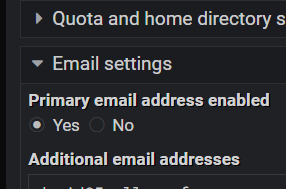
Put what you like in the additional email address, one per-line, I believe a @ will make it catchall.
All those emails was working fine when the first VPS was the Mail and Web.
When I created the second VPS to became the WEB Only, while I changed the first VPS to became MAIL only, was when I started to get issues to send email.
But I’m doing changes in DNS, Postfix, everything I can and I don’t find out what I’m doing wrong.
I think when all is setup nicely in the beginning, especially initial DNS then the rest usually works fine.
The main domain has exactly the setup you showed before.
I’m sure If I point the websites domains DNS to the mail server again, email will back to work properly again. But I need to make it to work in the new way where in one server is just email and the other server is just website.
Is it too late to do a fresh install of the server, I would suggest Ubuntu or Rocky.
I would be happy to help you with an initial setup.
Not here though, no charge, just would like to see you up and running well.
LG
1 Like
To be honest, I’m traumatized just thinking about changing servers. My VPSs were all Centos OS. After it was discontinued in its free version, I had to change all my servers; at that time, the only option I had was Debian (because it was considered the most stable). Just thinking about changing everything again makes me want to cry… haha. I’d like to try and resolve this in this installation, initially. Thanks you.
No prob, always go for a good EOL. Debian, not the best.
1 Like
wind everything back to that point
take each step and every small step as a test point and document - if it continues to work make that the new return point
there are too many steps here for most of us to unravel. do not go changing anything until you understand fully what the last change actually did to the system
most thing can be explained understanding them is the difficult bit
2 Likes
Have you looked at the logs? I don’t see a description of what specific thing doesn’t work and what log entries occur when you try to do whatever isn’t working. Saying “mail doesn’t work” doesn’t narrow things down much, as that involves at least DNS, Postfix, Dovecot, saslauthd, procmail, and optionally SpamAssassin, ClamAV, greylist-milter, and maybe some other stuff. Narrowing down the problem and finding the actual errors is table stakes for solving a problem.
We have docs for what logs to look at (the journal on modern systems, usually the postfix unit for mail related issues, though dovecot may also come up).
This sounds like super.com has bogus MX records, at least locally. Are you running DNS for super.com zone on the super.com server? Is it actually authoritative for that zone? If it’s not authoritative, you should not be running a DNS server or DNS should not be enabled for that domain in Virtualmin.
If your actual name servers are somewhere else, maybe at your registrar, then you shouldn’t let Virtualmin believe it is managing your DNS and you shouldn’t have DNS setup locally.
If I’m still misunderstanding what’s going on, it’s because this thread is way too verbose. I can’t keep up. You need to narrow down the problem to a specific thing and focus on solving that specific thing. Don’t post the entire zone file (with made up information) for three different zones. Please focus, so I can understand what specific problem I’m trying to help you solve. FAQ - Virtualmin Community
Again, this is a limitation I have, entirely my problem…but, I am the person best able to help solve your problem. So, if you want to solve your problem, accommodating me with a clear, concise, focused problem description and the actual errors you find in the logs, will allow me to help you solve your problem.
Sorry about that. I had some mix of technical issues with theoretical questions, so I opened it up more than normal.
The super.com has its authoritative DNS into its virtual server on the WEB server (Virtualmin). The domain registrar (in my case “internet bs”) only has a ns1.webserver.com and ns2.webserver.com on it.
I’ll take a look on the rest of the info you provided me. Thanks.
Hello again.
Thank you everybody who gave me tips. That helped me a lot.
I’ll show the follow up of the steps I did after our last conversation (to provide you some info data and to help people with similar questions):
Main DNS Issues
When Joe talked about authoritative DNS, made me think more about it (and to research more about it). As I (all this time) only used 1 server to be MAIL, WEB and DNS in just one, I never had to understand some knowledge I was obligated to understand a little more when creating the separated VPS servers (web and mail).
First was the mailserver and webserver (domain VS hostname) concept. I thought I should create a virtual server for the host.webserver.com domain (webserver.com) and host.mailserver.com domain (mailserver.com) to have access to the main server DNS in Virtualmin.
I was wrong. The main server DNS is in Webmin with a very simple records structure.
The first thing I did was to fix that servers structure:
- deleted the
webserver.comvirtual server (in both VPS) - deleted the
mailserver.comvirtual server (in both VPS)
Changed the domain registrar point for both VPS domains:
Web Server:
domain registrar (internet.bs) → VPS 1 provider as the Authoritative ( contabo ) → Virtualmin Web Server
Mail Server:
domain registrar (internet.bs) → VPS 2 provider as the Authoritative ( contabo ) → Virtualmin Mail Server
So I understand I sorted the main structure this way.
But the issues with super.com mails was still there:
Recipient address rejected: User unknown in virtual alias table
So I followed the Virtualmin SMTP Troubleshooting as recommended.
telnet mail.super.com 25– gave me: “connected to the smtp”testsaslauthd -u info@super.com -p '*******' -f /var/spool/postfix/var/run/saslauthd/mux -s smtp– gave me: "0: OK "Success."- Doing
journalctl -ufor postfix, saslauthd and for dovecot, I got a lot of lines (for dovecot) like:
pam_unix(dovecot:auth): check pass; user unknown * auth[1177964]: pam_unix(dovecot:auth): authentication failure;
So, using my new VPS (for webserver) fresh installed as base, I changed all the old mail configurations from the mailserver VPS to the Virtualmin default setup.
But the sending error was still there:
Recipient address rejected: User unknown in virtual alias table
I had notice another issue as well, when trying to re-certificate the SSL for the super.com in Mail Server I got this fail:
virtualmin nginx NXDOMAIN looking up TXT for _acme-challenge. Subdomain is not found. To resolve this, ensure that you have correctly set up the DNS TXT record for _acme-challenge.super.com ...
After that I remembered that this old Mail Server VPS was once an Apache server, and so I converted it to Nginx using this Virtualmin guideline
Thinking on that I started to guess this could be some kind of bug created from all these process (apache to nginx; websites migration; DNS setup changes; etc.)
That made me backup and full format this VPS.
After reinstall everything, setup as Mail Server and to recreate the super.com virtual server, the emails back to work like a charm (receiving and sending emails).
The only thing I still had to fix was the SSL for the mail.super.com domain in Mail Server, that I got fail again with:
virtualmin nginx NXDOMAIN looking up TXT for _acme-challenge. Subdomain is not found. To resolve this, ensure that you have correctly set up the DNS TXT record for _acme-challenge.super.com ...
The DNS pointing setup for super.com was:
domain registrar (internet.bs) → Virtualmin Web Server (authoritative) → Virtualmin Mail Server (through MX and “mail.” subdomain pointing to this IP)
I was using this setup in domain regitrar:
ns1.webserver.com
ns2.webserver.com
What I did to fix the issue above:
Changed the DNS pointing flow to both servers at the same time:
domain registrar (internet.bs)
→ Virtualmin Web Server
→ Virtualmin Mail Server
This is the new domain registrar:
ns1.webserver.com
ns2.webserver.com
ns1.mailserver.com
ns2.mailserver.com
With that, after some propagation time and some tries, I could certificate with SSL the domain mail.super.com (in the Mail Server)
Results:
No issues in email client anymore (I use Evolution in my Linux) and this:

I hope I did everything right. At least I have no issues anymore.
1 Like
Sorry to post here again. But I found out the real reason I get:
RCPT TO <xxx@destination-email.com> failed: <xxx@destination-email.com>: Recipient address rejected: User unknown in virtual alias table
Was simple. For the external emails I was using for test the super.com, I already had created a virtual server of all of them (but didn’t pointed the DNS because I was migrating each website at a time, to test it and to be safe).
So with the virtual server not in use (but active) of these websites had misconfigured the Mail Clients to think all those destiny recipients are locally, but they were not.
When I formatted the VPS I lost all these pre-virtual servers I created for the future. So emails back to work normally.
Yesterday I created them again, and so the issue of this topic started again.
What I did to fix it (while I didn’t migrated all these websites/virtual servers to this VPS yet): I just Disabled these Virtual Servers, so email clients back to send emails again.
1 Like
This topic was automatically closed 8 days after the last reply. New replies are no longer allowed.