No Jim, Virtualmin no. longer installs firewalld as the default.
Joe/Ilia
Before I go and blast Ionos can you read this and let me know if there is any reason why it should happen from the Virtualmin side?
I have just (once again) deleted the server and rebuilt it using ubuntu 26.04 (no Docker).
I immediately rebooted and it was fine so the server itself appears not to be the problem.
I then did a clean install of virtualmin which pulled in package updates automatically. I did the post install wizard accepting the default values, did not add any more DNS servers and simply changed the email address and database password. I then checked the configuration and it was all OK. Virtualmin was flagging up a further 6 packages for renewal but I ignored them.
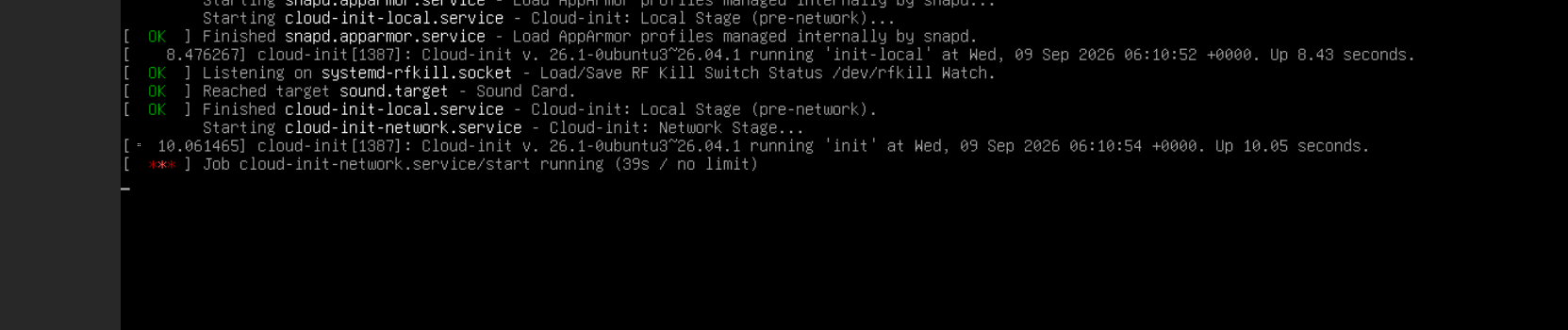
I then rebooted and it collapsed once again. It stuck on journal services which is immediately before it usually gives the logon. So something in the Virtualmin installation is creating an issue with the Ionos settings (init-cloud?).
I am happy to ask them to look into it but I just want to make sure we are confident it is not a possible issue with Virtualmin, especially as 26.04 is still registered as a class B (approved) installation.
Are there any other staging tests I can try? Can I force virtualmin to install without upgrading packages to see if it is one of those causing the issue?
Let me know if you are aware of anything, meanwhile I will gently bring it to the attention of the Ionos technical team.
Reinstalled 26.04 bare. Rebooted OK.
Installed virtualmin using the -x flag to prevent upgrades or updates (which it skipped). Did the configuration wizard as before. Rebooted and it froze. So even the bare 26.04 is clashing with the Ionos setup.
Is no one else experiencing this issue?
The simple solution would be to revert to 24.04 LTS but although some of the install scripts show 26.04 as a class B at least one of the scripts I have used accepted it as a class A OS so it needs to be made to work.
I will now contact Ionos to ask them to look into it.
Did you reboot after “upgraded all packages”? I don’t think there’s anything in Virtualmin that can prevent booting. (Though it’s possible we install a package that conflicts with something the Ionos automation requires. We were surprised by the cloud-init vs. firewalld conflict, for example, and I remain annoyed that Debian/Ubuntu decided that was a reasonable packaging decision.)
Package updates remain the most likely culprit.
But, as Randomz notes, you need to be rebooting between each step to figure out when it actually fails so you can narrow it down. If the system won’t boot after you do all the steps to get it into service, then literally everything you do needs to be focused on narrowing the possible cause of that failure, and doing one isolated step at a time is the way to do that. If you see the failure after the package updates, you then narrow the list of packages to update to try to figure out which package is a problem; cut it in half, update one half, test, then update the other half. And, so on.
No one else has reported a similar issue, but also not many people are using 26.04, as it is early.
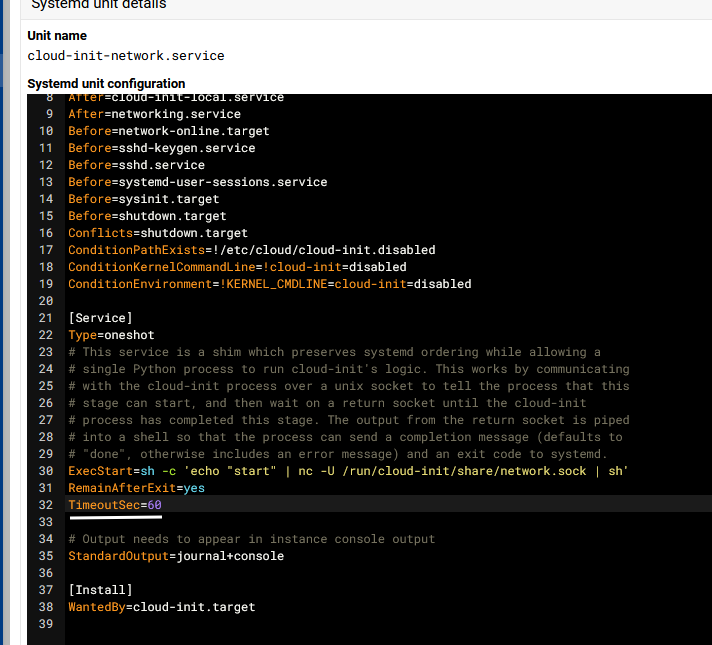
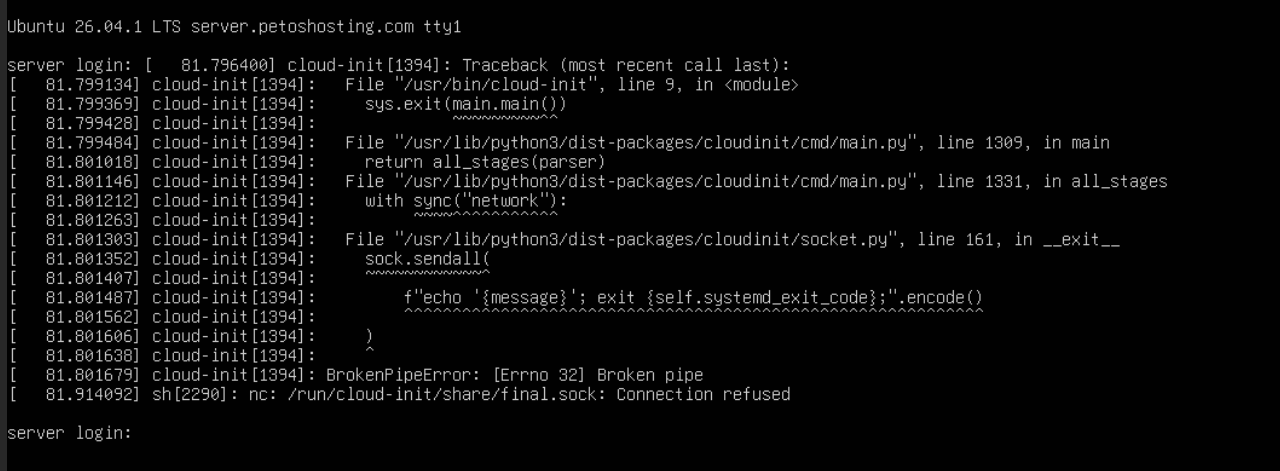
If there is a problem, it seems most likely something conflicting with the cloud-init config or whatever automation Ionos uses for network configuration.
I have rebooted at every step which is why I know that the base installation of the server (Ubuntu) is fine and it is only when I load Virtualmin (without any packages upgraded) that the problem occurs. I have tried to be forensic in finding the issue. I did intend to add the packages one at a time (there were 25 listed) to see if I could find the problem package but as it crashed with no package updates there was no need to.
I have just spoken with Ionos and the Ubuntu image is one that they have tweaked so it is possible they have tweaked something that clashes with Virtualmin. They also told me that my DVD drive has an option to load Ubuntu from the original iso file so that is my next task.
Can you look at the virtualmin install log and apt and dpkg logs before you reboot to see what package(s) were removed (if any) while installing Virtualmin?
In the past, the conflict with firewalld baked into cloud-init on Debian and Ubuntu was the cause of trouble (led to network not getting configured, because installing firewalld removed cloud-init, and if network was configured by cloud-init, then you wouldn’t have network after a reboot). I assume there must be something similar happening here, but I don’t have any guesses about what.
Just did an install using virtualbox and there were no errors and the system rebooted fine after the virtualmin install. I do have the logs if you want them but I doubt they will help as I had a clean reboot. So maybe there is something odd with some providers deployments of Ubuntu 26.04.1
I used the Ubuntu 26.04 iso via a virtual dvd drive provided by IONOS and installed Ubuntu. I allowed updates and upgrades, completed the installation and (after fiddling to get ssh server working properly) rebooted and it came back up.
Then did a full install of Virtualmin including setup wizard and updating some packages and rebooted and once again it came up fine.
Have not yet had time to reinstall the virtual servers but will do so tonight. I do not think they will cause a problem.
I have to conclude that the IONOS image clashes with Virtualmin for some reason but I do not know how to find out why. I will let IONOS know. At least any other IONOS customers will be able view this post to find a solution if they also get stuck.
If your host is using it to configure network (as is pretty common), yes, there would be notable harm (you wouldn’t have network).
I am having a hard time coming up with anything we could be doing that would cause cloud-init to freak out. We don’t mess around with the things it configures, unless the user explicitly tries to configure network or something (which people on VMs absolutely should never do, since that’s the business of the hosting provider, you have no control over network IPs, etc. in a VM hosting environment).
When we depended on firewalld, that led to cloud-init being removed during install due to packaging bullshit in Debian/Ubuntu. But, we dropped firewalld so that wouldn’t be an issue.
So, I dunno. I don’t know why cloud-init seems so bound and determined to break so readily.
Have you by any chance run virtualmin-config-system -i Quotas on the old system? A fresh Virtualmin installation also runs this automatically.
If Ubuntu’s quota module is missing, there is a step that installs extra kernel-module packages. That should be harmless, but a custom kernel or an error rebuilding the initramfs could be relevant.
Could you check for any kernel or initramfs errors from /var/log/apt/term.log?