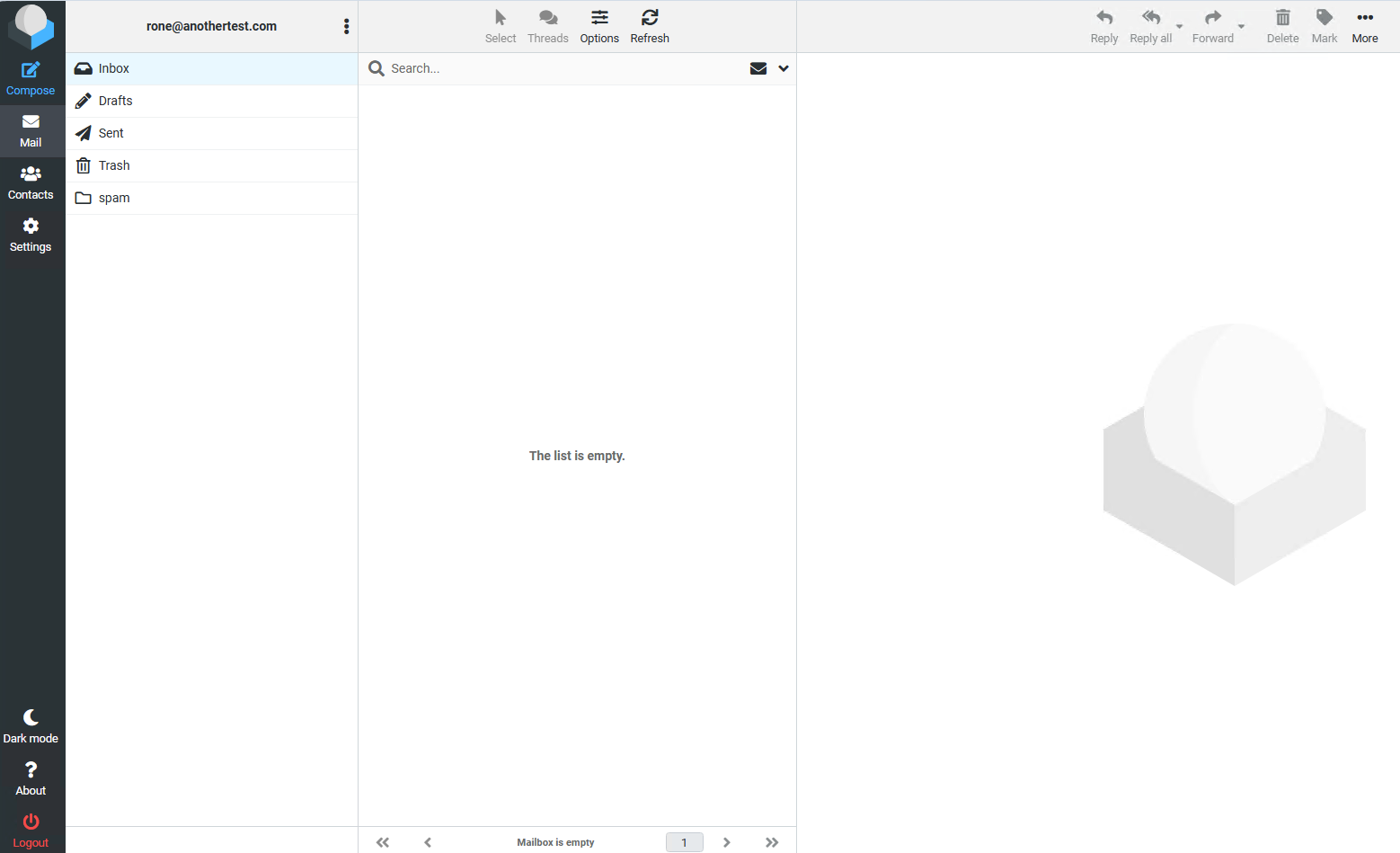
Roundcube Password (reset) Button for Virtualmin Setup Steps Ubuntu 24.04

The main thing for my use is being able to hit something from inside of Roundcube (which my curl- response scraping, slightly-adjusted LeeWells Roundcube–Virtualmin-Plugin–Driver, does).

Personally I have never thought much of password confirmation to change passwords in general (I get it that someone might hit the back button but I see that as an overkill provision for most things) and I am generally annoyed when I run into them (especially in the age of ‘my browser/OS makes up and stores my passwords for me’)… and I always think “Haven’t I already proven that I know my password, I’m looking at this page aren’t I?” (and my auto-password-filler never seems to recognize that it needs to fill this one so I have to go look it up, etc…)

If I had the time and expertise I might even try to hack out that confirmation bit from my current thing. I notice that enabling the “Password” button in Roundcube doesn’t automatically have it, so it must be a provision of the Roundcube driver.

In general though, yes. “Reset your password” links seem common enough that everyday civilians understand what they are and what to do about them. If there were a way to send something like that from inside of Roundcube I would probably lean toward that if only because it seems likely to be faster than waiting around for curl to login as the user and less likely to blow-up with a Virtualmin update.

An innate solution might also be superior to my current “forgot password” hack which combines Roundcube with another thread (Webmin Virtualmin Password Recovery) and involves the webmin-virtualmin-password-recovery plugin, which itself puts an always-present “Forgot Your Password?” button on the Webmin/Usermin login page. You now get “Login Failed: Forgot your password?” and if you click its link you are taken to the virtualmin-password-recovery plugin page (or rather a stripped down version of that which only offers to send you a password reset link).
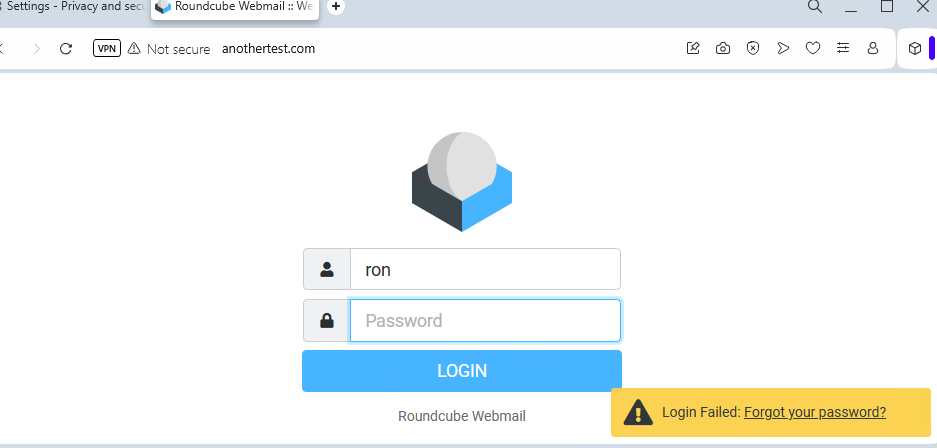
(Clicking "Forgot your password:)
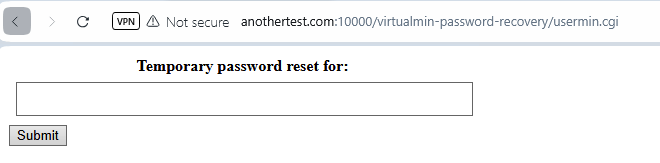
Something a little prettier, maybe that knows what domain you are and has it hard-filled so that the user only has to enter their login, and the page only accepts requests for its own domain’s users (currently I can visit anothertest.com’s virtualmin password recovery and ask it to send someone@changepasswordtest.com a password recovery link, which is minor but still), like:

Password reset for: [LOGIN-BOX] @anothertest.com

(With that @anothertest.com being unchangeable and culled from the site you are at, would be nice.)

Some kind of “must have been redirected from here” list/technology would be nice as well. The current plugin version can be visited from anywhere by anyone who knows the path so it seems plausible that some miscreant will eventually abuse this and send new password links to as many email addresses as he can guess rightly.

(I plan to add a “How to Add A Forgot Your Password Link to Roundcube” thread in case it ever comes in handy for anyone, or I don’t remember well enough to easily replicate it later on… since this one involves altering Roundcube’s index.php, which seems likely to change over versions. You have mentioned working on building password resetting into Usermin in that other thread so I was waiting to see what that version looks like before writing it up.)
So just to summarize—if I got it right, you’d prefer having a password reset link sent directly from within Roundcube?

If that’s the case, I doubt we could implement that since Roundcube isn’t our product. However, we can support password resets for mailbox users using the standard method through either Webmin or Usermin login pages.

Yes, though I am hopeful that an “official” replacement for the virtualmin-usermin-password-recovery plugin will be accessible to me via Roundcube if only through curl scraping like I am doing now. (A right-proper token-exchanging API would be the best of course but I get why there’s not a huge demand for that.)

That is until Usermin gets a make-over as a mail-client anyway. Usermin is better in general because it’s more powerful and doesn’t rely on php (and it’s working in-line so whatever changes you make that break something you will presumably be all over it, instead of me trying to suss out what changed with either product or php update etc), and I would prefer to use it (if only because it’s a more direct line to postfix and so on, so any other admins would automatically have a pretty good idea what various boxes and checks actually mean files-wise).

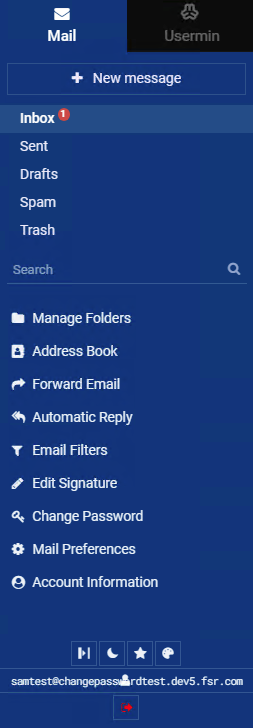
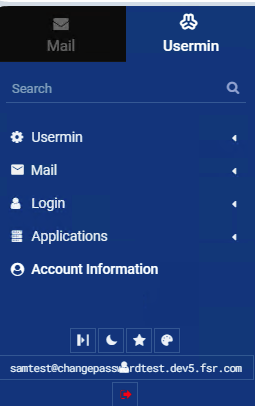
My users would be instantly confused by the tabs at the top though (those lists should be combined, and most of them hidden or folded up as a “Settings” button somewhere, and that top corner should really have nothing, save maybe a logo), the Search button that searches settings not mail will confuse users no matter where it is, so will the Folders which name their type (which users won’t understand) (“Auto-Clearing” is awesome, “Copy” seems dangerous), only the amount of space and maybe system time is appropriate under “Account Information” (but the rest of this list looks pretty good (if more “adminy” than “warm fluffy usery”, but again most of these should really be under a not-usually-looked-at “Settings” thing in my view).

The Usermin tab contains that same “Account Information”, duplicates of the filtering and auto-replies but with different label names, it adds scheduling emails which is kind of cool, but gives users access to SpamAssassin which I am included to not want them to have (we handle that 3rd-party on the way in now), has the same password change (named differently) and has only one Application, “GnuPG Encryption” which I don’t understand myself so don’t relish trying to correct some thing a user broke in theirs. I would be willing to sacrifice “Scheduled Emails” not to see the tab at all.

You helped me before with obscuring some of the things I am listing, but the tabs just won’t make sense to civilians in my imagination (they will only know the address to go for webmail, the rest they have to intuit and while any admin can intuit this, users used to gmail.com and outlook.com will not).

Out of the box Roundcube is not a bad template:

And as a totally informal and admittedly unscientific test, I logged into a test account which has a single email in it using the 20000 address, and counted to “1-Mississippi, 2-Mississippi, 3-Mississippi, 4-Miss” before I was authenticated and looking at mail. I counted to “1-Mississip” using Roundcube on the same account.

This was using Opera. I deleted the browser history, cookies, and settings and then closed and opened the browser between tries, and I repeated the test with the same result (ruling out server cache).

My Roundcube is on :80 (no SSL) so that might account for it, and of course just those couple of seconds don’t necessarily translate to a significantly slower user experience, but it is worth noting.

Why would you want any of that complexity when you could simply reset the mailbox user password (if implemented) using the login page, e.g.:

I agree—we should definitely set aside more time to work on Usermin, and we will after Virtualmin 8 is released along with all the new plugins we’re planning.

The tricky part is that Usermin isn’t just a mail client—it also has modules like File Manager, Terminal, and others that aren’t mail-related. So, what do we do about those?

@Jamie @Joe, maybe we should completely separate Usermin and Mail and create a standalone product like Mailmin? :grinning_face_with_smiling_eyes:

1 Like

As long as that does not involve too much work - reinventing the wheel! :ferris_wheel:

after all there are enough web based client solutions out there!

I have been using RoundCube for ages and following this topic with interest but still cannot understand ehy. :pleading_face:

Yeah, it’d take a lot of effort to budge the existing web-based mail clients.

Generally just because I don’t want users to think about Virtualmin/Usermin/Webmin since they won’t know what that is (they’ll just know https://mail.my-domain.com is where I go for my webmail). So basically there are two views of simplicity… simple for me vs simple for my users.

If what you are presenting here is something I can link to from Roundcube directly it might be the right choice for me (I’m new to Roundcube). The present (plugin) button is part of logging into Usermin, which is whole 'nuther can of beans. Once someone does that they are likely to then login there and then become confused because this doesn’t look like the thing they’ve always used, and why did you change it, and all of my contacts are gone, and ever since you changed it Hulu asks me for my login all the time and Excel won’t save to my OneDrive (and all kinds of completely unrelated random support stuff that they will associate with “ever since you changed your server”, and no one will know what they’re talking about).

To me the tricky part is more about obscuring the view of than actually making substantial functional changes. Making webmail available on port 80 (if that’s not already and option) disappearing the Usermin tab and refining what can be shown and obscured under each of the menu’s items would go a very long way.

I would really like a “Mailmin” that is only the webmail client stuff and only really includes “Change password” and “Disk Quotas” from what I would think of as Usermin functions.

The issue with Roundcube (and likely the rest of the webmail clients from what I know of them) for me is that I have to add so much complexity on the backend to mimic the functions that are built right in to Usermin. If “Mailmin” were a bit more luddite-friendly (like Roundcube) and less “for admins who have a pretty good idea what they’re looking at”, then I probably wouldn’t bother with Roundcube.

For your Roundcube users, how do you handle:

disk quota management (ie: displaying to the user)
mail forwarding
automatic replies
email filters
creating/editing signatures
changing passwords
forgotten passwords

?

Most of these look like webs of fragile ancient plugins like my password solutions (which pulls me further toward Usermin and makes “Mailmin” sound so good). If you have advice on what plugins and addons work best for these I’d appreciate the pointers.

Adding password changing was not simple, nor do I feel great about my solution surviving future updates, and my forgotten passwords solution is workable but ugly… the “password reset link” that the usermin-webmin-password-recovery plugin sends actually resets the password for the user to something long and random, which I feel good about but they often won’t… compared to just asking them what they would like the new one to be (for example).

May I ask, why would your users choose a custom mail setup over something like Proton Mail, Google Workspace, or Apple Mail—just curious?

If what you are presenting here is something I can link to from Roundcube directly it might be the right choice for me (I’m new to Roundcube). The present (plugin) button is part of logging into Usermin, which is whole 'nuther can of beans.

Why would users even need the option to change the password in the first place? What is the actual use case?

We’re cheap (for vanity domain-mail). (If we’re designing or hosting your website, we can throw-in unlimited free email accounts, etc… If they (or we) have to pay a third-party for mail then it’s not cheap anymore. Most domain clients move off to 365 eventually but a few recognize the value case… if you have 75 people in your organization, that $6 a month adds up… and my high website hosting price [compared to godaddy] becomes a value.)

Users need to change their passwords often (when I showed mail-test to the head of tech-support he said "I don’t know what you’re talking about with Roundcubes and Usermins but I’ll take a look… and then later said “Users really need a way to change their own password so they’re not calling us about it all the time”).

Users sometimes think their mail password has been guessed or their mail password has definitely been guessed and my server is being abused by spammers or they reuse that password and their browser mentioned that it was found on the dark web because some website they used it on was hacked, someone left the company so they want “salesguy@” to be checked by a new person (and I can either do it for them or teach them how to do it), they got a new device and don’t remember the old password that’s stored in their browser (and I can either figure out which browser they have, which they’re not in front of right now because that’s at home, and get instructions for how to get into its password locker, or just tell them to click “Settings” or enter the wrong one on the website and it will send them a reset link), etc…

1 Like

@Jamie, that’s good enough reason for me! What are your thoughts?

This topic was automatically closed 60 days after the last reply. New replies are no longer allowed.