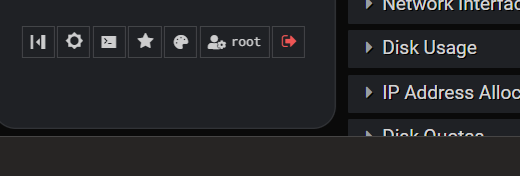
Hi. Anychance of a reboot icon down at the bottom left of nav area. I know there are ways like in the term or putty and also webmin/system/etc but a button down there would be so handy. What think ye?
That feels out of place for a server, to me. Servers ideally run forever, only rebooting when scheduled for a kernel upgrade (and even that’s becoming optional, as live kernel patching
is becoming more common).
And, it’s pretty easy to mark Bootup and Shutdown as a favorite, and then you can reboot in a few clicks (sidebar, favorites, bootup and shutdown, reboot).
Yeah, I guess so, I have live patch and still need to reboot at times, also I like to reboot from time to time, hate it when you need to reboot and the server does not come back up because of something your were not aware of and it catches you at an awkward time. Yes add favourite is another option but still an extra click or so
Also I presume some servers need booting more than others? Webservers, game servers, email servers, etc etc.
I have made suggestions to the reboot part of things, but having a reboot icon in the menu and easily accessible is dangerous as a standard setup. I woul dnever recommend it. This feature needs to be a little hidden die to its nature.
I would suggestion adding reboot and shutdown as a searchable terms in the search box.
Sub-pages are supported too, so they could add a “System ⇾ Bootup and Shutdown: Reboot” page to go there directly there, or they could use custom link shortcuts in the theme configuration on the “Theme Configuration: Custom Links Shortcuts” page to add a custom shortcut for /init/reboot.cgi and use Alt+1 or ⌥ 1 to call it.
But I actually checked it, and there is a bug in the theme that won’t let you use /init/reboot.cgi alone. You need to add the xnavigation=1 parameter, so for now you should use /init/reboot.cgi?xnavigation=1 to make it work. I’ll fix that though.
! has been used in UNIX tools to run commands for longer than many of us have been alive. It is true of vim, Neovim, all vi variants, such as mg and nvi, and ed/ex from whence vi came. It’s also true of Sam and Acme (Plan 9 editors), and even Emacs (via Meta-!) and some SQL clients (psql and sqlite3, at least).
I don’t know what went into VS Code’s decision, but I’m unaware of anything using the convention you’ve mentioned, and I know where our ! usage comes from, and I assume most UNIX/Linux admins are comfortable with it or at least find it an easy leap to make from editor to web app.
And, it’s in the search box, because that’s where you can type on any Virtualmin/Webmin page. We decided several years back to make it more of a “smart” box, like found on Duck Duck Go (and several other web apps) that can do more than just search. And, it also feels pretty intuitive for vi/vim users, as the search and command prompts are very closely related and located in the same place in the UI.


 But I actually checked it, and there is a bug in the theme that won’t let you use