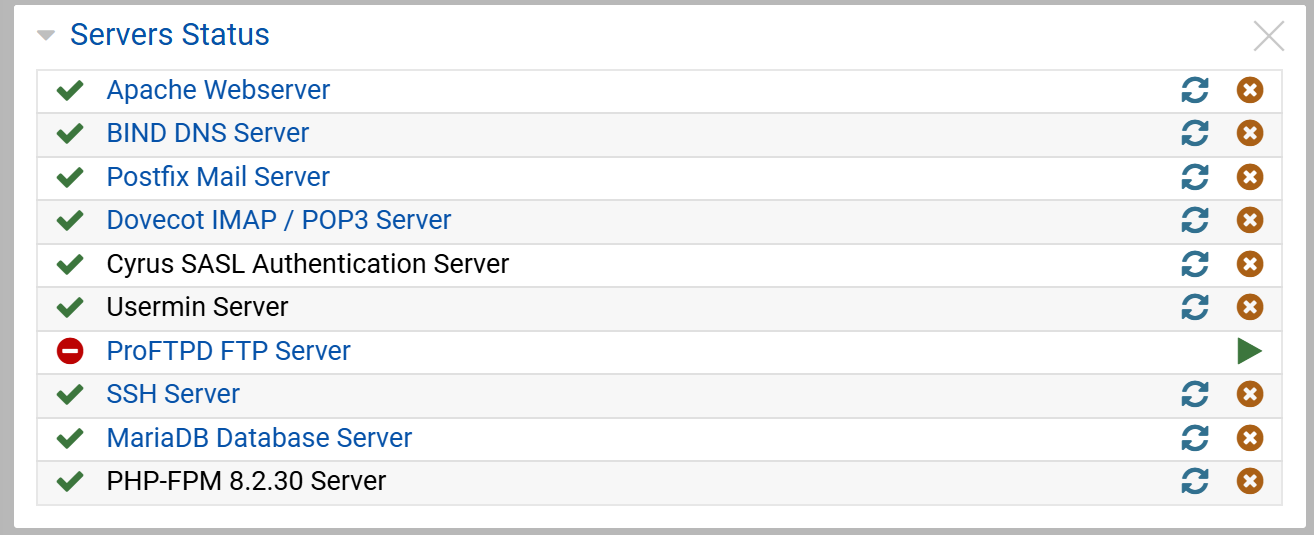
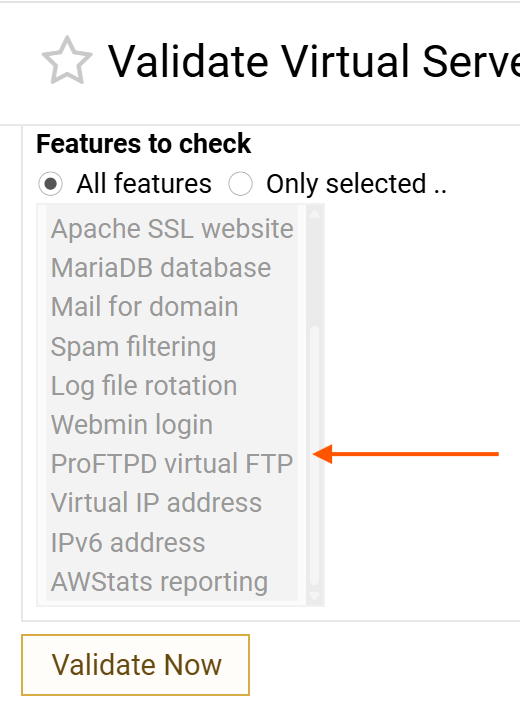
which may have been stopped for days without notice.
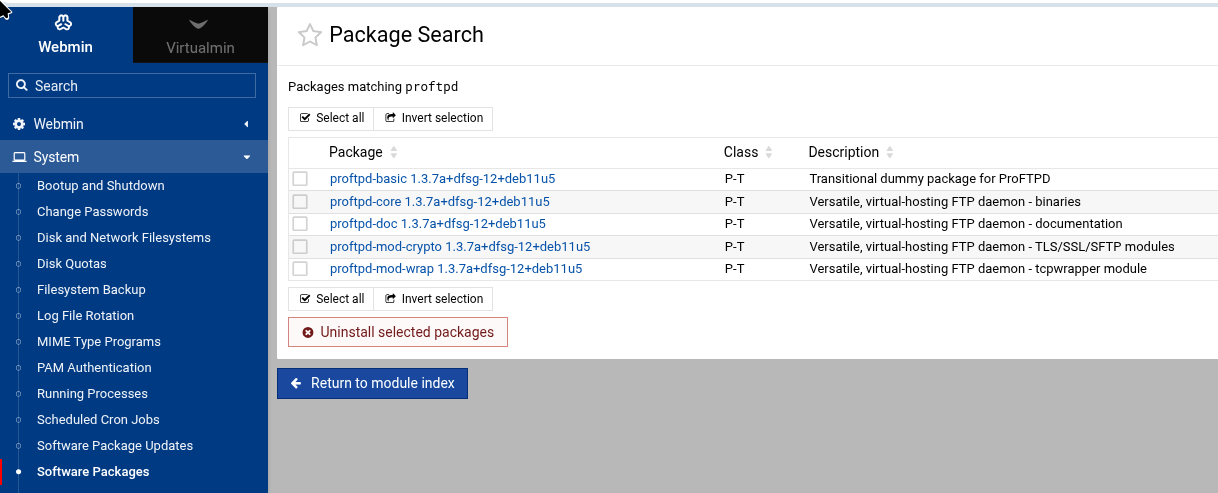
i did not think it was even installed or even used by any VS on this VM and cannot find why it is.
i have tried unticking “ProFTPD virtual server configuration” from “Features to backup” but it still fails.
also as far as i can see “IP-based virtual FTP” is not selected on any VS.
I’ve had problems with ProFTPD getting turned on after I KNOW I turned it off in Debian 11. I think I moved it to /usr/sbin/proftpd.bak instead of removing it just in case I wanted to use it for some reason.
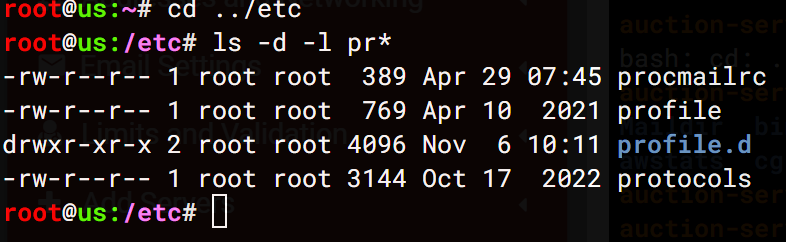
hmm… it is trying to look in /etc/proftpd to change proftpd.conf but there is nothing there and why the proftpd is not even listed in “bootup and shutdown” so it should not even be an option anywhere until it is needed called for,
It isn’t required if they’re not using ProFTPd and it should be safe to uninstall ProFTPd. If it’s not safe and caused problems with backups, we should fix that.
I do not know where it came from in the first place. I am sure I could dig around in the backups that worked to find it but would rather not restore from them as they are at least OLD (and for what - just to get something i do not need)
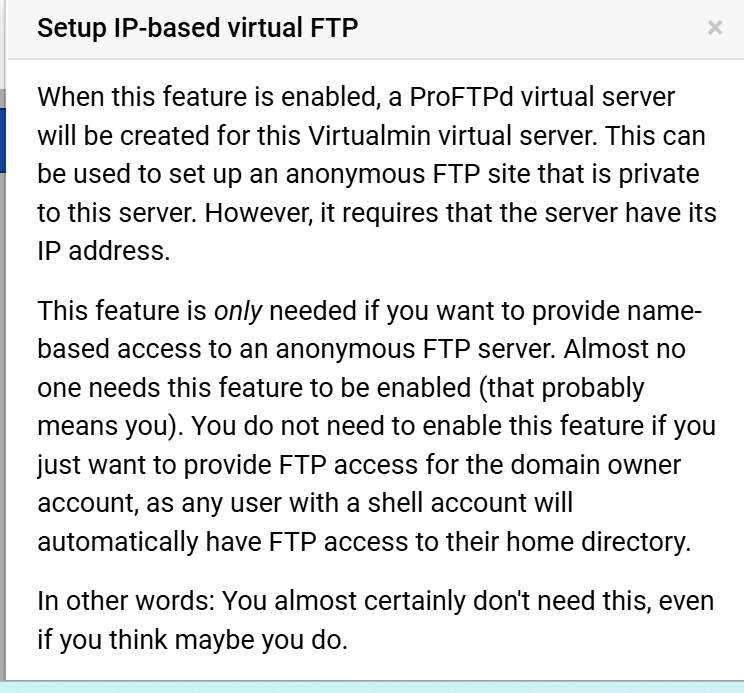
from what i can see there is a warning help message given if you attempt to set up “IP-based virtual FTP” which is pretty clear “you almost certainly don’t need this, even if you think you do”
presumably at some point in the past it must have been. but do not know why or how (during a regular package update perhaps - i admit that sometimes i just scan the list taking many of them for granted)
I am a bit surprised this is not a specific module like ‘Squid’ et al. and has to be added in Webmin for those who really need it.
Are you sure the ProFTPd virtual feature is not enabled for the domain you are trying to backup? (It never should be. And, it looks like it is, based on the error.)
It isn’t even needed for the vanishingly rare case where you actually need virtual FTP. ProFTPd has name-based virtual hosting. It’s been there for 10 or 15 years. The IP-based virtual host feature was always confusing because people thought it was for turning on FTP (so it needed a better UI and description), but now it’s just a vestigial thing that should not exist, at all.
I honestly thought we’d agreed to hide it unless it was already enabled (or restored a backup that had it enabled).
But, I think the whole thing should be removed. It just shouldn’t be in the UI, at all, anymore.
Name-based virtual hosts are fine, if we want to support virtual hosting in ProFTPd. But, we’d need UI for it. Something clear and mirroring the similar Apache virtual host features.
IP-based Virtual Hosts in ProFTPd should not be a separate plugin. It should not exist.
If you want virtual hosts in ProFTPd, name-based virtual hosts exist and have existed for many years. But, that also isn’t useful in the modern world. If you’re offering anonymous file service (the only time you need virtual hosts), you should use HTTPS. It’s where all development takes place, it is more efficient.
Actually, I’ve talked myself out of the suggestion of supporting name-based virtual hosts in ProFTPd. We shouldn’t do that either.
It encourages users to do something suboptimal. If you need to allow downloads, allow them via HTTP/HTTPS. FTP is a worse protocol with far less development effort going into it. It should not be used for offering file downloads. FTP still makes sense for authenticated access for uploading/downloading files, since it can be restricted in ways that are difficult and full of compromises with ssh (jailkit is messier/riskier than the restrictions ProFTPd offers).
I am trying to do a full backup (all) VS (it is a once a week routine) I cannot see it selected on any of the VS yet the box is still available yet the package is not installed.