| SYSTEM INFORMATION | |
|---|---|
| OS type and version | Debian 13 |
| Virtualmin version | 8.1.0 |
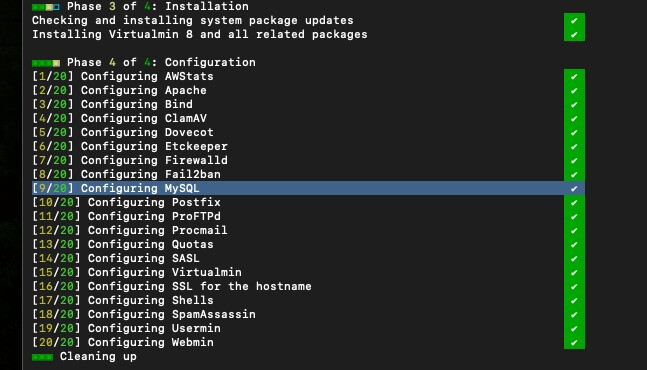
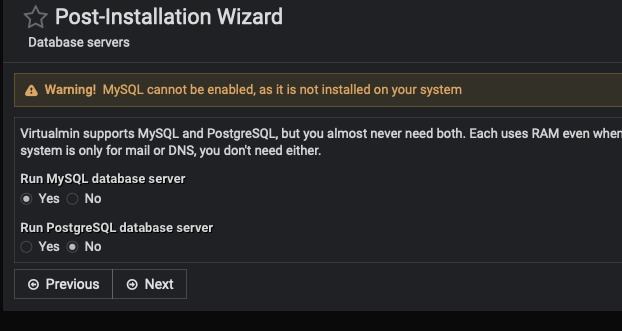
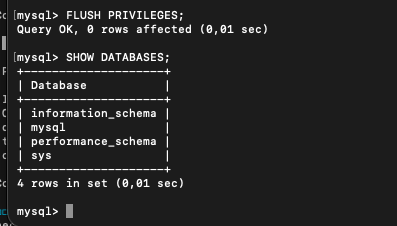
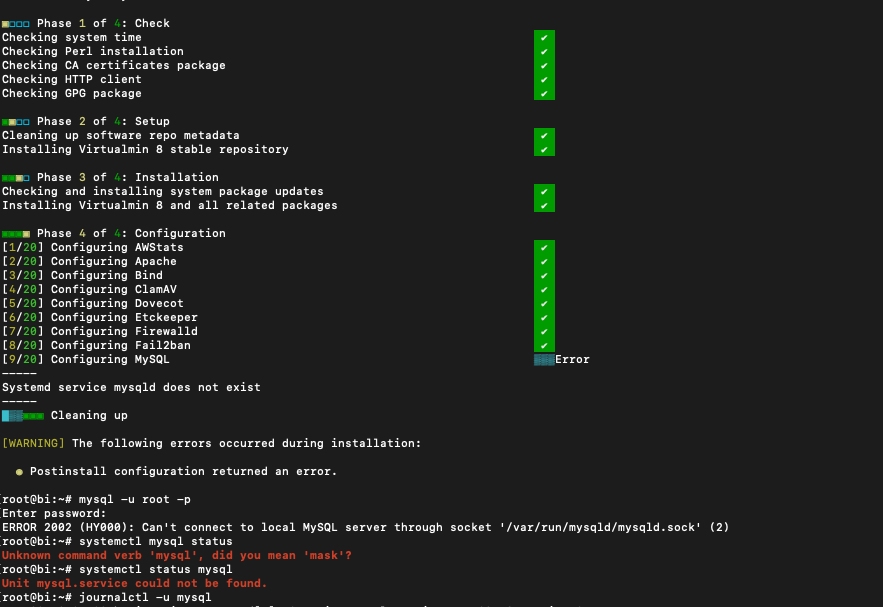
I am trying to install Virtualmin on a new machine but I am stuck on this problem. MySQL is not install, although it is and is configured.
is this a new install on a clean OS or was MySQL already there?
i know you said ‘new machine’ but not all providers make the distinction.
Clean install on a new purchased machine. I have installed only the OS and mysql server as I did on the other machines.
Did you install MySQL with the Debian Apt package?
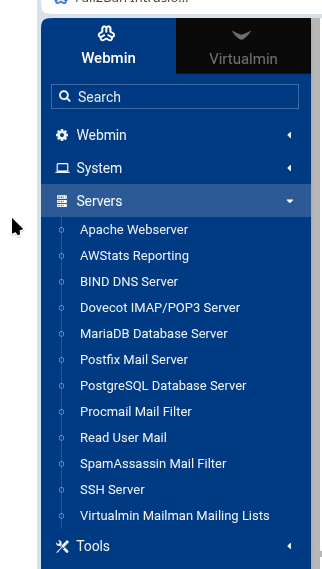
Does it show up under the servers tab?
Maybe some config file is in a place not recognized, though, you do show it being configured so I’m wondering if the post install Wizard needs attention for Debian 13. Not sure if anything changed in the newest release. You did install MySQL server? Not just core?
Yes, I have installed it with APT from the latest mysql Debian/ubuntu repositories full server.
No, it doesn’t show.
What actually intrigues me is that Virtualmin detects it and set it up during install, but fails to see it afterwards so it clearly happens something between those 2 points.
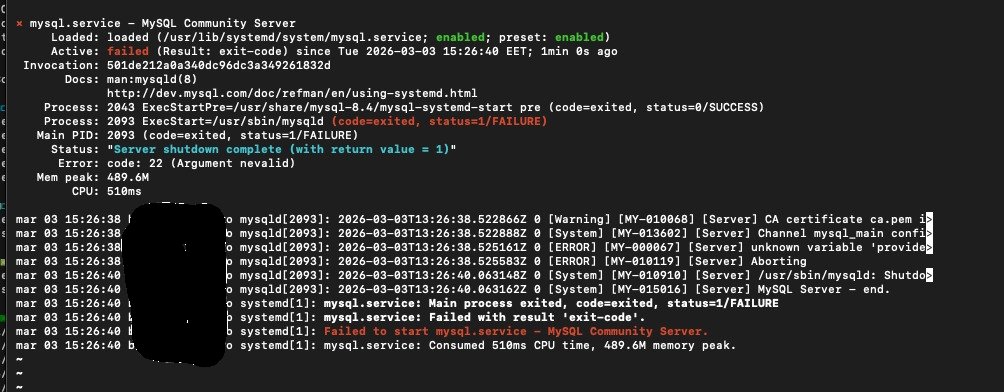
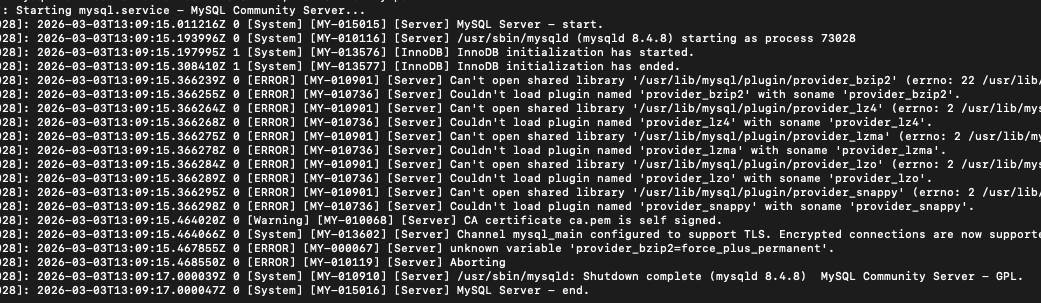
Ok, I have made some tests and definitely Virtualmin breaks something in mysql on Debian 13. I have uninstalled Virtualmin, played with mysql for a while, everything works fine. After installing Virtualmin, mysql breaks and cannot be restarted.
That’s why after it configures mysql reports that no mysql server exists, because it actually not active and cannot be started.
Just tested on Vultr with Debian 13 and installed fine.
Your provider might pre install software like mysql.
MySQL is not MariaDb, I think you are confusing Virtualmin by putting MySQL in before Virtualmin.
I think that were the instructions at a certain point when I started with Virtualmin, to install the db of choice before Virtualmin. I did the same thing on 3 machines before, but they were with Debian 12, this is first Debian 13.
No provider, own machine, brand new. I have installed myself Debian 13 and MySQL.
But install Mysql will break the install, VM install script normally does a MariaDB download and install.
So not a clean OS.
Forget MySQL and install MariaDb (which Virtualmin will do for you)
See above. Probably posted the same time.
i cannot remember how - but i seem to recall there is a command to clean out all old virtualmin installs before reinstalling. i only use VM from providers. so have no need for it. (i just spin up a new VM)
Do you prefer to have MySQL over MariaDB? Did you pre-install MySQL before running Virtualmin installer?
If so, how exactly did you install MySQL on Debian 13? Did it exist in standard repos?
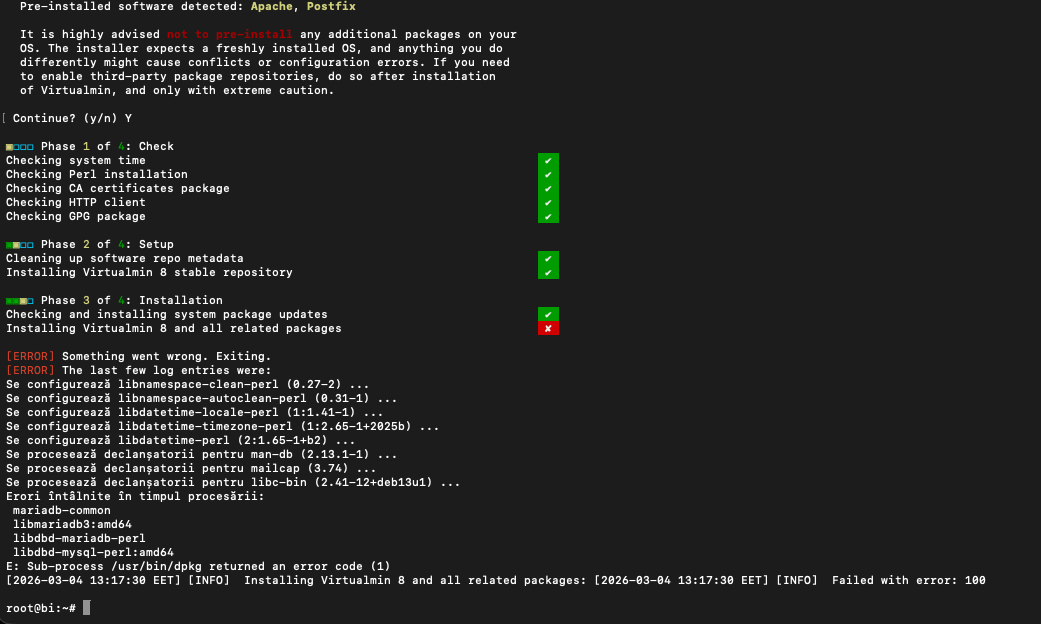
That a different issue to OP. did you run updates/upgrade before running the script?