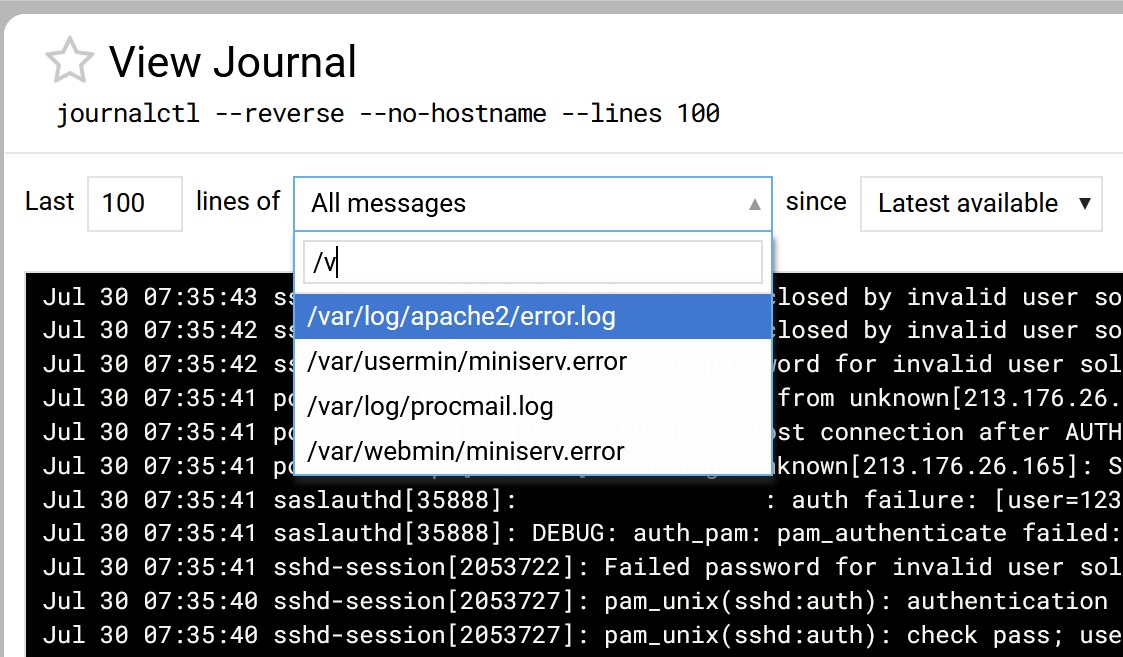
This is the first time I installed Debian 13 on a bare-metal server. Subsequently, I found out that there were missing logs and thus Webmin > System > System logs couldn’t filter on a specific log.
So I installed rsyslog and the system logs were created. [I don’t know if it’s within the scope of the Virtualmin migration documentation to mention this, or whether newbies like me just have to find out the hard way.]
I tried signing out and in of Webmin but that didn’t seem to to pick up the new logs when I specified /var/log as a filter.
Anyone have thoughts on how I can get Webmin’s filter to pick up those newly added system logs?
Hmmm, I’m not sure how to implement what you’re suggesting.
With the Webmin graphical interface, I do see a “journalctl --reverse --no-hostname --lines 100” as a command.
It’s just that I’d like to have the pulldown menu show the newly added logs now that rsyslog has been installed (especially mail.log which I usually use this panel for).
I did try to add ‘Extra log files to show’ and added the mail.log. Restarted Webmin and tried again. But still not showing the extra logs as options in the filter box.