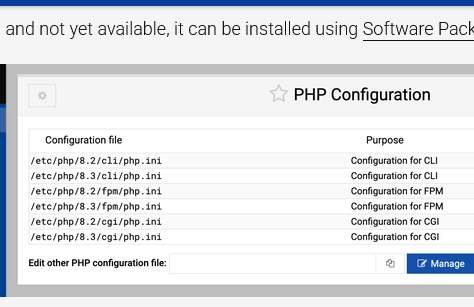
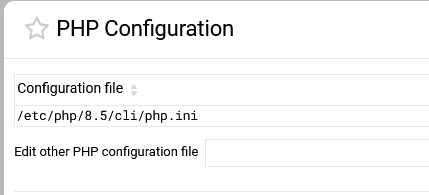
PHP-FMP is not available on my newly installed system. All I have is the CLI version. The files are on the server. I just need to know how to tell Webmin to use them. Attaching a SS to show current status. Also attaching a cropped image found in the manual. I don’t really need all those but would like to know how to do it
The fix was simple once I knew what I needed. Using terminal you need to install:
libapache2-mod-php
php-mysql
Then you have a working web-server that can serve PHP pages.
I’m don’t know if this was an error or my part or the install script. I will add I did not install AMP before I installed Webmin. The much older versions want to install that from the installer and wanted only a fresh OS install to work with.
I also want to thank the developers. This system manager has progressed a lot since I last used it.
To be clear, no one should ever use mod_php for anything ever. It is a security risk, especially on a shared hosting system.
You need to remove that package and figure out what’s actually wrong with PHP-FPM, as that’s the recommended way to run PHP apps (not just in Virtualmin, it’s the recommended way to run PHP by upstream). Generally, all necessary packages are installed when you use the Virtualmin installer.
I totally agree however it’s difficult to post a reply via opening a new thread, unless you know a way of doing it, as a user I don’t have the ability to split a topic/thread
nginx vs Apache is off-topic, and the kind of holy war topic that is discouraged. There are cases where nginx is preferable and vice versa. We don’t know anything about OPs deployment other than PHP-FPM not working, so we’re not in any position to make recommendations about which web server to use. For most people it simply doesn’t matter at all.

 however it’s difficult to post a reply via opening a new thread, unless you know a way of doing it, as a user I don’t have the ability to split a topic/thread