Gpg encryption in usermin

SYSTEM INFORMATION
OS type and version Debian Linux 12
Webmin version 2.621
Usermin version 2.521
Virtualmin version 8.0.1 GPL
Theme version 26.22
Nginx version 1.22.1
Package updates 1 package update is available

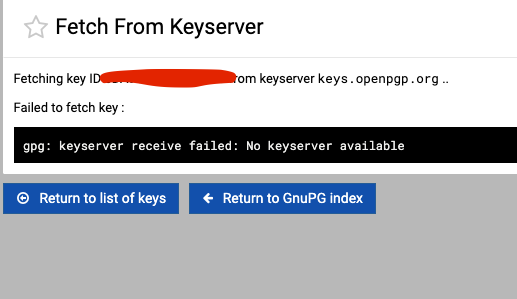
users cannot enc emails, the key server is not responding, but from the server console all is ok but not from usermin modul, i have also try to change the key server domain in the modul config, but dit not help
when i try
#gpg --keyserver https://keys.openpgp.org --search-keys (keyid)
then he founds the key


also is there a error with the decryption

I don’t use this but just check usermin it uses a different server

and a search on that server, it seems to be decommissioned.

would this be the bug?

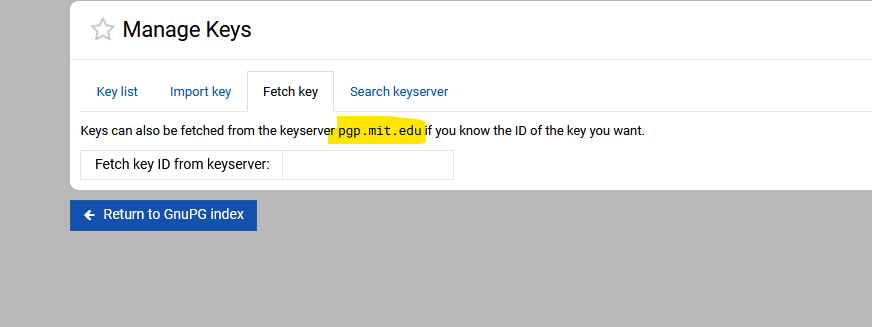
i have changed to openpgp

Looks hard coded, how did you do that?

usermin - module config - gpg

Still seems like a bug if you need to use cli, would a client know how to do that.

please can you check this @Joe @Jamie i have a few users they will use this option in usermin

SYSTEM INFORMATION
OS type and version Debian Linux 12
Webmin version 2.621
Usermin version 2.521
Virtualmin version 8.1.0 Professional
Theme version 26.22
Nginx version 1.22.1
Package updates 9 package updates are available

why not raise a ticket? it is more likely to get a direct response

i don’t think many use/trust gpg (in these days of government control).

there is a open ticket, the issue is not only in the gpl version also in the pro version

but this could be why it is receiving no real attention?

i wonder if it is handled better/different by other client apps (Roundcube, Milersend, GMail, NodeMailer,etc) this afterall is a client-to-client problem

Use hkps://keys.openpgp.org instead in the “Keyserver to send and receive keys from” field in “Configurable options for GnuPG Encryption” page.

The “No keyserver available” error happens when GPG doesn’t recognize the keyserver URL format, and without a protocol prefix like hkps://, newer GPG versions don’t know how to connect.

Lastly, the test command you try should use the --recv-key flag instead of --search-keys:

gpg --keyserver hkps://keys.openpgp.org --recv-key KEY_ID

openpgp is not working for me when i try keyserver.ubuntu.com like this
gpg --keyserver hkps://keyserver.ubuntu.com --recv-keys 0x8916F2A2 then i have 1 result, but when i will send emails using usermin and pgp then i have still the:

gpg: public key decryption failed: Screen or window too small
i have send a enc mail to my own email

so i have created a new key using the pgp in usermin, uploaded them to the keyserver.ubuntu.com and send a test mail to myself, then i have the gpg: public key decryption failed: Screen or window too small

Why did you suddenly use the hkps://keyserver.ubuntu.com server instead of the one we discussed earlier? Did hkps://keys.openpgp.org work for you?

And what does “not working” actually mean?

What about the following command output—does it work for you?

gpg --keyserver hkps://keyserver.ubuntu.com --recv-keys 1719003ACE3E5A41E2DE70DFD97A3AE911F63C51

ok this was my fault with the openpgp.com but openpgp.org was correct

gpg --keyserver hkps://keyserver.ubuntu.com --recv-keys 1719003ACE3E5A41E2DE70DFD97A3AE911F63C51
gpg: Schlüssel D97A3AE911F63C51: 1 doppelte Signatur entfernt
gpg: Schlüssel D97A3AE911F63C51: “Jamie Cameron jcameron@webmin.com” nicht geändert
gpg: Anzahl insgesamt bearbeiteter Schlüssel: 1
gpg: unverändert: 1

now i have startet over again new email and new keys both publickeys uploadet to keyserver, send test emails and on the server wehn i try to open a email i have
gpg: public key decryption failed: Screen or window too small

but the keys are importet to the user, i can encrypt and send emails with this user but not decrypt emails

Why exactly doesn’t the description work for you? Do you see any error messages?

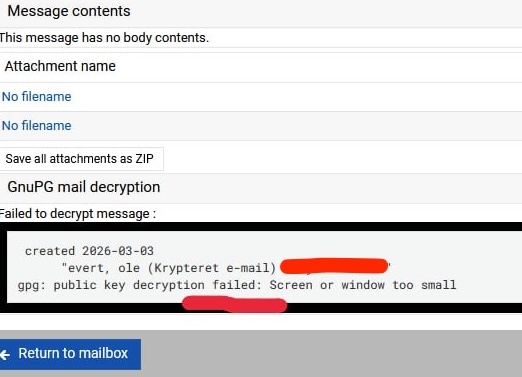
there is the one message:
gpg: public key decryption failed: Screen or window too small
and the email is not decryptet, i cannot read the messages in the email body
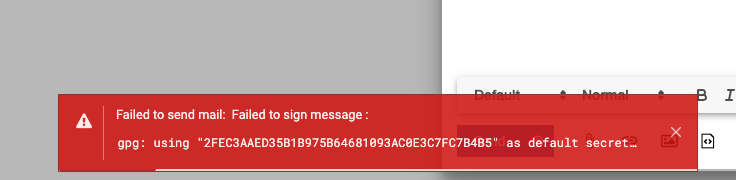
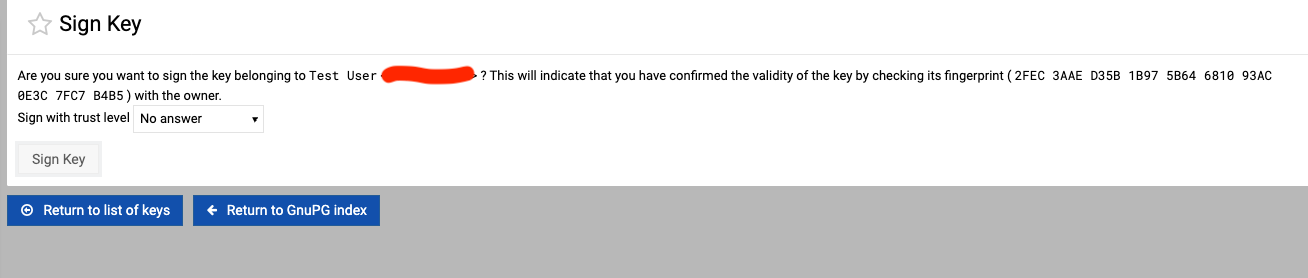
there is also a error when i will sign the email and encrypt

when i will sign a key, itakes very long time, never ends

To fix the warning about the screen or window being too small, run this command:

sudo sed -i.bak '/^sub decrypt_data$/,/pty_process_exec/ s|\$gpgpath \$pflag --output |\$gpgpath --pinentry-mode loopback \$pflag --output |' /usr/share/usermin/gnupg/gnupg-lib.pl
sudo systemctl restart usermin

Please let me know if it solves the issue for you.