Error On Alibaba VPS Installation

SYSTEM INFORMATION
OS type and version: REQUIRED

debian 10.5 fresh install alibaba cloud

|Webmin version:| REQUIRED |
|Virtualmin version:| REQUIRED |
|Related products version:| RECOMMENDED |
|||
vm pro 50

Whenever I try to install virtualmin pro via the script, it ends a warning and finally is -not- able to resolve on the actual chosen hostname for the server, however if I enter the panel address using my -private- ip address the control panel is visible. If I try to replace the private IP address with my server’s public address it will not resolve and the panel can not be reached.

NOTE: Alibaba uses private ip vs private structure for vps

Here’s the installation error / warning:

Which is wrong because eth0 does exist. This is my /etc/network/interfaces file:

# cat /etc/network/interfaces
auto lo
iface lo inet loopback
auto eth0
iface eth0 inet dhcp

Also, my /etc/hosts file config is correct (no errors or warning before installation)

root@admin:~# cat /etc/hosts
127.0.0.1	localhost
127.0.1.1       admin. example .com admin

Can someone help me solve this issue? Does vm need a static ip?

If memory serves, you have to specify the hostname in the Alibaba control panel for it to apply.

What a horrible interface they have!

I already did that… seems to be a different problem… :-/

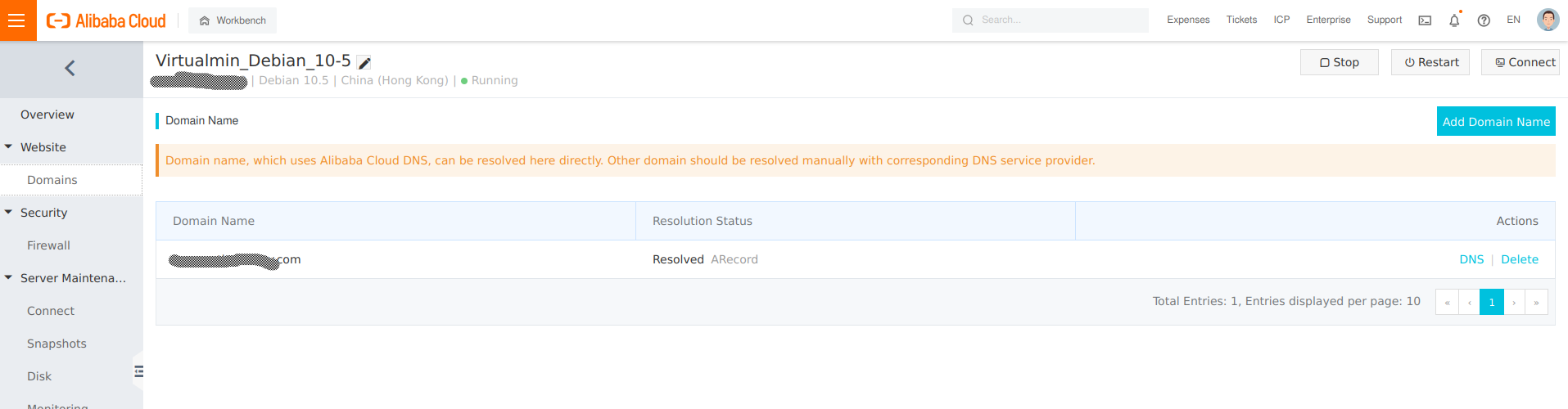
Screenshot

Also www.intodns.com says that my domain is resolving correctly with exception of the mx record.

I also have these DNS records with alibaba

my panel is on admin.example.com

I found this thread:

So I tried to run:

#ifup eth0 when the warning appeared… no luck same problem

Is this bug only in Debian, if I switch to ubuntu can I get rid of it?

Will a static ip solve the problem?

Can you post the output of:

/sbin/ip -f inet -o -d addr show dev eth0

Actually, I guess we want to even go earlier (though there appears to be a bug in that fallback code). The first failure is that it can’t figure out that what the default route device is.

So, I need to see:

ip ro ls

# /sbin/ip -f inet -o -d addr show dev eth0
2: eth0    inet 172.XX.XX.XX/18 brd 172.XX.XX.XXX scope global dynamic eth0\       valid_lft 315339549sec preferred_lft 315339549sec

and

# ip ro ls
default via 172.XX.XX.XXX dev eth0 
default via 172.XX.XX.XXX dev eth0 proto dhcp src 172.XX.XX.XXX metric 1024 
172.XX.0.0/18 dev eth0 proto kernel scope link src 172.XX.XX.XXX 
172.XX.XX.XXX dev eth0 proto dhcp scope link src 172.XX.XX.XXX metric 1024
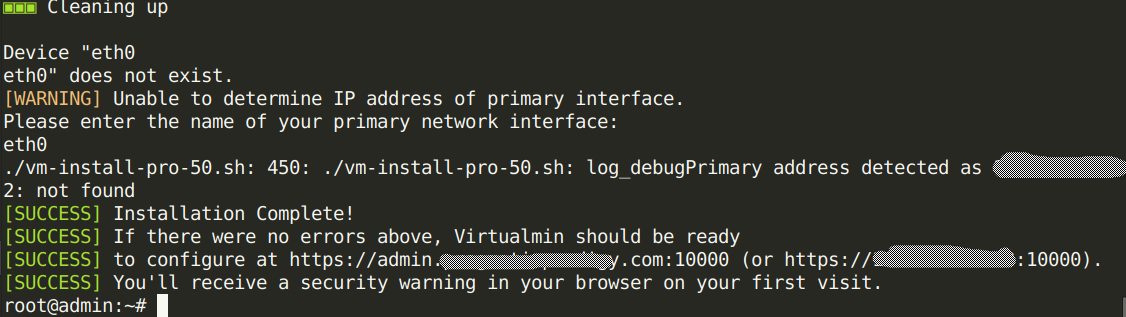
The redacted is all private ip stuff