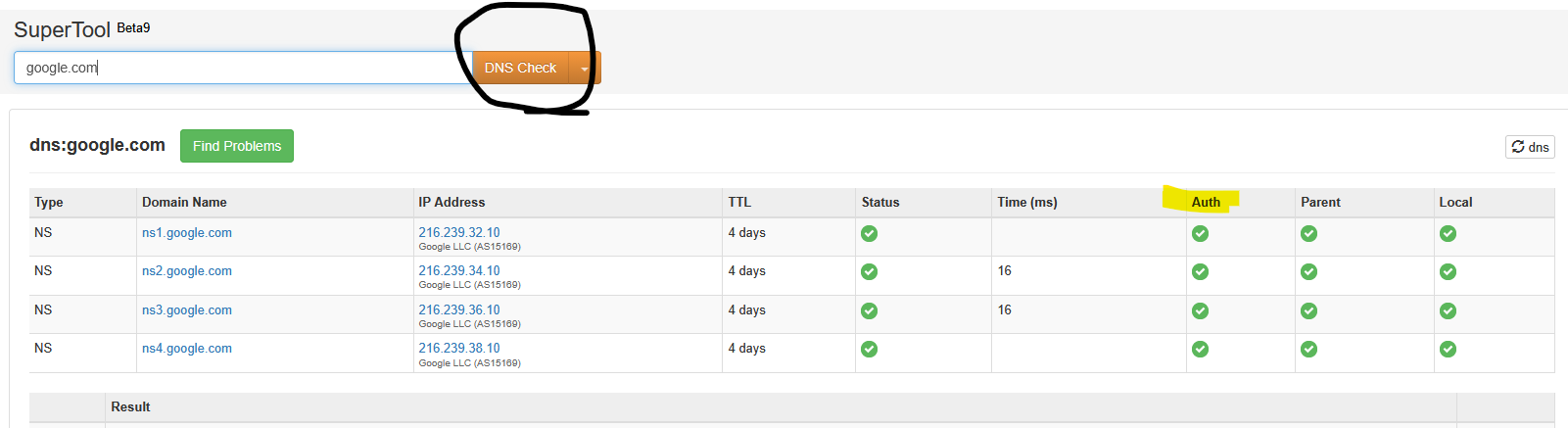
I am trying to add a DMARC to DNS since my emails continue to bounce from Yahoo. However, whenever I do a test on any platform it shows there is no DMARC record. Below is the record I added a week ago and I would think it would’ve been propagated by now but not showing up in any tests (I’ve done several websites including MXTools). Can anyone help me with this because Yahoo refuses to deliver/receive any of our emails.
Propagation time isn’t a thing for a record like this. Total “propagation time” for any correctly configured resolver for a record like this would be the TTL, probably five minutes, at maximum. If DNS is broken after five minutes, it’s misconfigured.
Where did you add that record? And, is the server you added the record to actually the authoritative DNS server for your domain?
Joe,
Thanks for your help here. I added the record to the virtualmin under DNS records for the domain.. It’s forwarding the nameserver from godaddy to the debian webserver that runs virtualmin. (NS1, NS2) What other information would you need to help properly? I’m trying not post the actual server name for privacy/security. But what would be considered the authoriative DNS server for a domain? I use a different name for the webserver than the domain name affected here. IE webserver, then loading ‘domain’ on that server.
“Forwarding” isn’t generally the right term for having the glue records pointed to the right DNS servers. Sounds like maybe that’s the problem.
You can check whois for your domain to see authoritative name servers:
$ whois virtualmin.com | grep -i 'name server'
   Name Server: NS1.VIRTUALMIN.COM
   Name Server: NS2.VIRTUALMIN.COM
The actual output of whois varies depending on the TLD and registrar. But usually there will be a name server field of some sort.
If the names you see there are not your Virtualmin server and your secondary DNS server (setup according to our docs for a secondary server), then your Virtualmin server is no authoritative and you’re adding records in the wrong place.
I’ll note that if you don’t have two DNS servers being managed by Virtualmin, you shouldn’t let Virtualmin manage your DNS, you should turn off the DNS feature and host your DNS at your registrar or one of the many cloud DNS providers. (Virtualmin has Route 53 support in GPL and Pro, and a few others in Pro).
If you turn off the DNS feature in Virtualmin a new “Suggested DNS Records” page will appear that shows you all the records you need to add to the actual DNS servers for your zone. You don’t need Virtualmin to support your DNS provider to be able to use it…the suggested records can be copied by hand.
If you want it to be managed automatically and at a cloud provider instead of locally, you’ll have to use one of the supported options.
If this is a publicly available server then this shouldn’t be an issue. You can post it until the issue is solved and then delete it if it makes you feel better.
Yes the nameserver is the ‘webserver’ I was referencing. So then I would add the record to that DNS rather than the ‘domains’ DNS records it sounds like? Or set up a second ‘DNS server’ for such. I do have a second DNS but that was used for a different security reason for another domain.
I don’t use it for this webserver it has its own DNS for other domains. I do prefer to use the primary virtualmin if possible.
That’s what’s on godaddy as the glue records. Obviously I’m not understanding the proper flow for the DNS or where the ‘authoritative’ records are located. Chappyis.com is the webserver and the websites and emails have worked until I try to introduce the DMARC component.
That’s not relevant. That’s a different name than ns1.chappyis.com and ns2.chappyis.com. That does exist.
$ host chappyis.com
chappyis.com has address 50.43.63.174
chappyis.com mail is handled by 5 mail.chappyis.com.
But, its existence has nothing to say about ns1 and ns2.
$ dig +trace chappyis.com

; <<>> DiG 9.18.43 <<>> +trace chappyis.com
;; global options: +cmd
.                       517062  IN      NS      c.root-servers.net.
.                       517062  IN      NS      b.root-servers.net.
.                       517062  IN      NS      h.root-servers.net.
.                       517062  IN      NS      d.root-servers.net.
.                       517062  IN      NS      e.root-servers.net.
.                       517062  IN      NS      f.root-servers.net.
.                       517062  IN      NS      g.root-servers.net.
.                       517062  IN      NS      i.root-servers.net.
.                       517062  IN      NS      a.root-servers.net.
.                       517062  IN      NS      m.root-servers.net.
.                       517062  IN      NS      l.root-servers.net.
.                       517062  IN      NS      j.root-servers.net.
.                       517062  IN      NS      k.root-servers.net.
;; Received 367 bytes from 127.0.0.53#53(127.0.0.53) in 36 ms

;; UDP setup with 2801:1b8:10::b#53(2801:1b8:10::b) for chappyis.com failed: network unreachable.
;; no servers could be reached
;; UDP setup with 2801:1b8:10::b#53(2801:1b8:10::b) for chappyis.com failed: network unreachable.
;; no servers could be reached
;; UDP setup with 2801:1b8:10::b#53(2801:1b8:10::b) for chappyis.com failed: network unreachable.
;; UDP setup with 2001:500:2d::d#53(2001:500:2d::d) for chappyis.com failed: network unreachable.
com.                    172800  IN      NS      a.gtld-servers.net.
com.                    172800  IN      NS      b.gtld-servers.net.
com.                    172800  IN      NS      c.gtld-servers.net.
com.                    172800  IN      NS      d.gtld-servers.net.
com.                    172800  IN      NS      e.gtld-servers.net.
com.                    172800  IN      NS      f.gtld-servers.net.
com.                    172800  IN      NS      g.gtld-servers.net.
com.                    172800  IN      NS      h.gtld-servers.net.
com.                    172800  IN      NS      i.gtld-servers.net.
com.                    172800  IN      NS      j.gtld-servers.net.
com.                    172800  IN      NS      k.gtld-servers.net.
com.                    172800  IN      NS      l.gtld-servers.net.
com.                    172800  IN      NS      m.gtld-servers.net.
com.                    86400   IN      DS      19718 13 2 8ACBB0CD28F41250A80A491389424D341522D946B0DA0C0291F2D3D7 71D7805A
com.                    86400   IN      RRSIG   DS 8 1 86400 20260118170000 20260105160000 21831 . gHmxR3F4OD1J0m0ilu+v1yZ3hh78xEWPrmYqaF9iYm3rBwrakygm8Ox/ eY3CpIOGTuMZfBH1NOyPPCE19dLk06OIg+NPFMM+YiQnqHQPjWHR80Ze JpIq4UeOTJ1FcL52mKc67xQZaonBNSQKO+aC1fUYjz7T99C3dn8Z8Gc/ Kn0X4BBwyTxk4tHi/qM4bEUQEXgR4mjO221nLX978vwStFtmz3nKeO1d iU0Nw8heGi3LLKxKjLMDunBeuv7guYcolbYD9pLYqh/2iq9lRonNEmka DaVMLJPQY6XeUAfRFEKhJdk9Y/UVZJ32VqaV3iwu3Cl+oJjo3Ry35UYT JT+iEQ==
;; Received 1172 bytes from 192.58.128.30#53(j.root-servers.net) in 21 ms

;; UDP setup with 2001:503:a83e::2:30#53(2001:503:a83e::2:30) for chappyis.com failed: network unreachable.
chappyis.com.           172800  IN      NS      ns1.chappyis.com.
chappyis.com.           172800  IN      NS      ns2.chappyis.com.
chappyis.com.           172800  IN      NS      ns3.chappyis.com.
chappyis.com.           172800  IN      NS      ns4.chappyis.com.
CK0POJMG874LJREF7EFN8430QVIT8BSM.com. 900 IN NSEC3 1 1 0 - CK0Q3UDG8CEKKAE7RUKPGCT1DVSSH8LL NS SOA RRSIG DNSKEY NSEC3PARAM
CK0POJMG874LJREF7EFN8430QVIT8BSM.com. 900 IN RRSIG NSEC3 13 2 900 20260110002713 20260102231713 46539 com. n/vjt39mMXFzOpXrOa9GAjzrUoGuviq+Ublv62XLsufCgXG30Ao7i5Au H/DEpktxVb016lNYDwBBkVW/smqHRg==
VE3N2TIOI5H6O0T2KAHAMM3ESGUGSFNA.com. 900 IN NSEC3 1 1 0 - VE3N9SV58O7N5T8OI2A9I0PP1QQTV8Q6 NS DS RRSIG
VE3N2TIOI5H6O0T2KAHAMM3ESGUGSFNA.com. 900 IN RRSIG NSEC3 13 2 900 20260109011009 20260102000009 46539 com. wkcw58skJ6jhMHb86bT8YzNwKq+yeatf8/KNmk0a9zVvrk0LlN9abXuv rlKJOUwKXw8oJgWtbuv92pGhZzcg6w==
couldn't get address for 'ns1.chappyis.com': not found
couldn't get address for 'ns2.chappyis.com': not found
couldn't get address for 'ns3.chappyis.com': not found
couldn't get address for 'ns4.chappyis.com': not found
dig: couldn't get address for 'ns1.chappyis.com': no more
And:
$ host ns1.chappyis.com chappyis.com
;; communications error to 50.43.63.174#53: timed out
;; communications error to 50.43.63.174#53: timed out
;; no servers could be reached
$ host ns2.chappyis.com chappyis.com
;; communications error to 50.43.63.174#53: timed out
;; communications error to 50.43.63.174#53: timed out
;; no servers could be reached
Many problems here.
You’re either not running BIND on chappyis.com (I’m guessing from what you said above that this is the Virtualmin server and that is actually its address) or you have a firewall blocking access to it.
I’m not sure what’s happening with the connection failures on the IPv6 addresses in the dig +trace, I guess there’s some records somewhere leading to querying of IPv6 addresses (which are also failing, but network unreachable is a different problem from the timeout on IPv4).
chappyis.com shows up under bind. I would assume the websites wouldn’t show up if I didn’t have port 53 forwarded on the firewall which they are.
Under bind DNS server:
Zone Type
Well, you fixed the firewall or BIND not running issue:
$ host chappyis.com chappyis.com
Using domain server:
Name: chappyis.com
Address: 50.43.63.174#53
Aliases:

chappyis.com has address 50.43.63.174
chappyis.com mail is handled by 5 mail.chappyis.com.
But, you don’t have A records for your name servers:
$ host ns1.chappyis.com chappyis.com
Using domain server:
Name: chappyis.com
Address: 50.43.63.174#53
Aliases:

Host ns1.chappyis.com not found: 3(NXDOMAIN)
$ host ns2.chappyis.com chappyis.com
Using domain server:
Name: chappyis.com
Address: 50.43.63.174#53
Aliases:

Host ns2.chappyis.com not found: 3(NXDOMAIN)