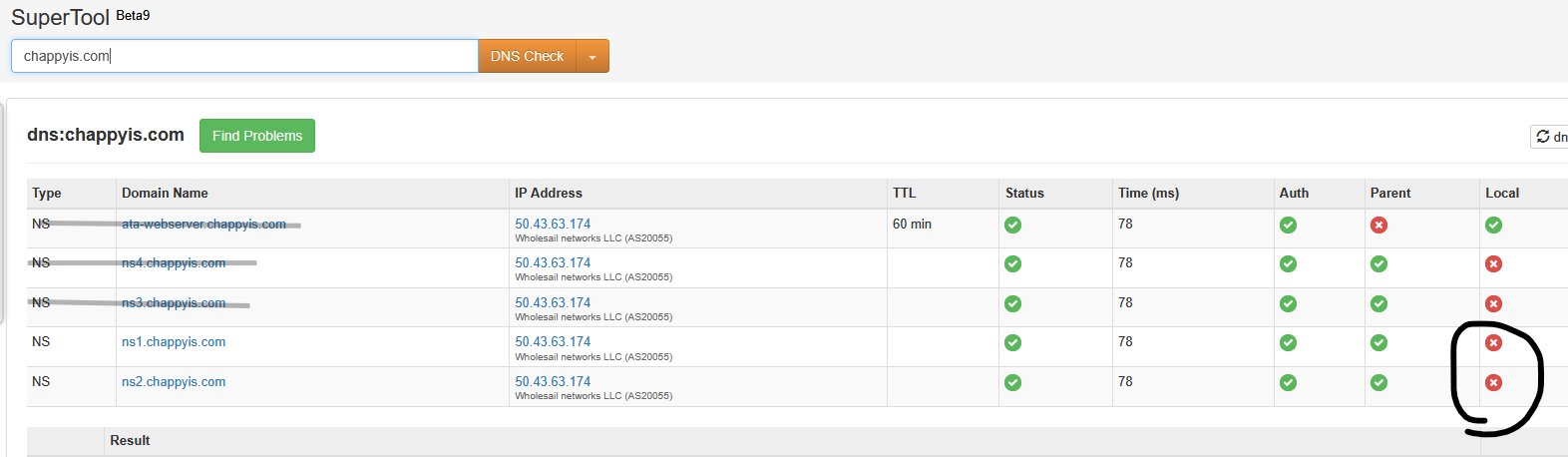
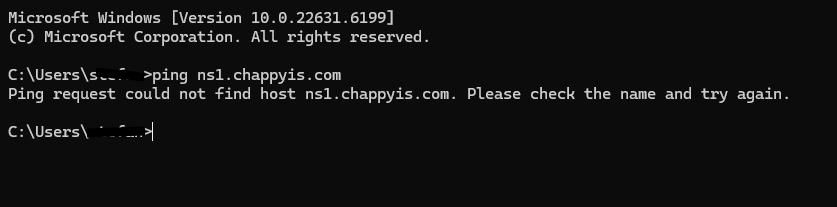
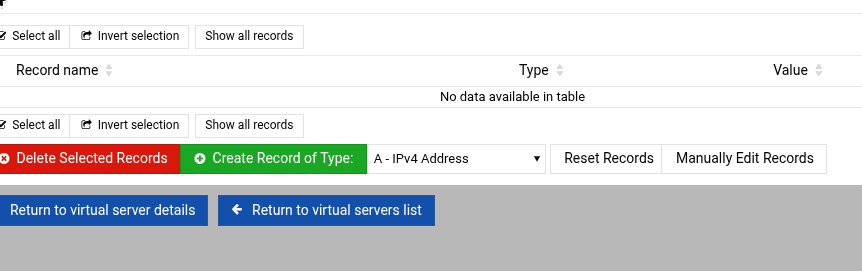
As for the A records, I’m not following.. I thought the A records were the ‘IN A’ above.. If not what option and where do I put them. I don’t see any option for anything besides what’s there. How should it look?
I know I had the NS records or the glue wouldn’t work I thought. Let me see what is up with that.
If you want ns1 and ns2 to be your name servers for the zone (chappyis.com), you need:
chappyis.com. IN SOA ...
...
                NS ns1.chappyis.com.
                NS ns2.chappyis.com.
Edit: changed it to show the way it’ll look in the zone file on a Virtualmin system, generally speaking. The NS records for the zone usually appear near the top just below the SOA section.
And, you should have no NS records pointing to ata-webserver.chappyis.com. (I mean, you can name your name servers anything you want, but you said above you wanted ns1 and ns2, so do that.)
That’s how virtualmin set it up when I installed it I guess it’s using the hostname there? Does that mean I should change the hostname of the server as well?
Yep, it defaults to the hostname (because that’s a name that has a decent chance of existing and resolving). But during setup you also had the option to choose other names for NS records and not use that one.
$ttl 3600
@	IN	SOA	ns0.bogusdomain.tld. root.ns0.bogusdomain.tld. (
			2025111305
			3600
			600
			1209600
			3600 )
@	IN	NS	ns0.bogusdomain.tld.
@	IN	NS	ns1.bogusdomain.tld.
bogusdomain.tld.	IN	A	x.x.x.x
www.bogusdomain.tld.	IN	A	x.x.x.x
ftp.bogusdomain.tld.	IN	A	x.x.x.x
localhost.bogusdomain.tld.	IN	A	127.0.0.1
webmail.bogusdomain.tld.	IN	A	x.x.x.x
admin.bogusdomain.tld.	IN	A	x.x.x.x
mail.bogusdomain.tld.	IN	A	x.x.x.x
bogusdomain.tld.	IN	MX	5 mail.bogusdomain.tld.
bogusdomain.tld.	IN	TXT	"v=spf1 a mx a:bogusdomain.tld ip4:x.x.x.x ip4:x.x.x.x ?all"
202301._domainkey.bogusdomain.tld.	IN	TXT	( "v=DKIM1; k=rsa; t=s; p=MIIBIjANBgkqhkiG9w0BAQEFAAOCAQ8AMIIBCgKCAQEAuUeXH+2zWuKUz" xxxxw2CdGatAXVIwGPf91+sBRkNc7WR47xxxkHacYI0+BLdz+QVKYmb" "r1H1Tbm1GBxxxxspkPLDalH+BSBbwQFuyMTVEf8ZGjAAPgKNSkLcl7OJFM/KAlL5mPPQTRPtL" "xxxxxxEk/qlQQQOAUSGSittZBYNlcspLzxxxxq8YdB2WRCIIxBu8jCptVPu/fsOtT" "NHHPeAuYp8rrj+XIkVsyLDo62oOXdD+y7Aoxxxxxmme8F4eHyy2+FldjVrjYQUxxxxwaDJo" "OmOTkZeaQIDAQAB" )
autoconfig.bogusdomain.tld.	IN	A	x.x.x.x
autodiscover.bogusdomain.tld.	IN	A	x.x.x.x
@	IN	CAA	0 issuewild letsencrypt.org
jabber.bogusdomain.tld.	IN	A	x.x.x.x
forum.bogusdomain.tld.	IN	A	x.x.x.x
www.forum.bogusdomain.tld.	IN	A	x.x.x.x
ftp.forum.bogusdomain.tld.	IN	A	x.x.x.x
localhost.forum.bogusdomain.tld.	IN	A	127.0.0.1
webmail.forum.bogusdomain.tld.	IN	A	x.x.x.x
admin.forum.bogusdomain.tld.	IN	A	x.x.x.x
Sorry, late and I’m tired so I kinda had second thoughts. Restore if you think it helps. Since this isn’t the record for the name server I wasn’t sure.
These are my actual name server records
ns0.example.tld.	IN	A	x.x.x.x
ns0.example.tld.	IN	AAAA	x:x
ns1.example.tld.	IN	A	x.x.x.x
ns1.example.tld.	IN	AAAA	x:x
@ is a short-hand for “origin” or “apex” of the zone (which would be chappyis.com in this case, and that’s what we want name servers for in this case).
This says: “There is a zone named chappyis.com.chappyis.com. and the name server for that zone is chappyis.com”
This says: “There is a zone named NS2.chappyis.com.chappyis.com. and the name server for that zone is chappyis.com”
Unless you removed the dots from the end of the names on the left, for some reason (a . period is significant in a BIND hosts file…it means “this is the whole name”, if you leave it off, it means “append the zone name”).
And, you’re still reversing the name server and the zone the name server is for.
Once again, you want:
@ IN NS ns1.chappyis.com
Which says there is a zone named @ (shortcut for chappyis.com) and the name server for that zone is ns1.chappyis.com. Which is what you want.
Whatever gets you to the proper address. Originally only larger entities ran things like DNS and they were on different machines. Preferably with one in a remote location. Naming conventions formed and allowed you to move the processes from machine to machine, location to location.
I did a quick search and still can’t tell if an A record is needed in the local records. I use one. Best I can tell from a cursory search, it depends.