Disk quota ... has been reached. procmail: Program failure (73) of "/etc/webmin/virtual-server/lookup-domain.pl"

SYSTEM INFORMATION
OS type and version Ubuntu 24.04.5 LTS (GNU/Linux 6.8.0-139-generic x86_64)
Usermin version 2.570
Webmin version 2.670
Virtualmin version 8.2.0 GPL
Webserver version nginx/1.24.0 (Ubuntu)
Related packages postconf mail_version = 3.8.6
SpamAssassin version 4.0.0
running on Perl version 5.38.2

Hello there,

I hit an issue with quota, arising with an e-mail account that has Unlimited quota, which is puzzling:

/var/log/procmail.log reports:

Time:1790338283 From:xxxxxxx@xxxxxxx.org To:yyyyyyyy@yyyyy.com User:yyyyyyyy@yyyyy.com Size:832279 Dest:/dev/null Mode:None
Disk quota for yyyyyyyy@yyyyy.com has been reached.
procmail: Program failure (73) of "/etc/webmin/virtual-server/lookup-domain.pl"
From xxxxxxx@xxxxxxx.org  Fri Sep 25 22:11:46 2026
 Subject: zzzzzzzzzzz
  Folder: /dev/null                                                     4479700

The server is in production so I’m wary to fiddle to reproduce, but here’s as much detail I can think of for now, for background:

xxxxxxx@xxxxxxx.org is a CCTV NVR sending alert messages which can be quite large. Sometimes up to 10MB.

Previously, xxxxxxx@xxxxxxx.org was whitelisted in /etc/spamassassin/local.cf under welcomelist_from but I removed that line, and placed the address instead under the yyyyyyyy Virtualmin user for the yyyyy.com domain.

I’m not at all sure, but maybe this change caused a temporary backlog of some kind (?), because I could see a list of files in /home/chroot/nnnnnnnnnnnnnn/./home/yyyyy.com/users/yyyyyyyy/Maildir/new/, but asking to fetch them over POP3 would return “No new messages.” The files just seemed to sit there.

The total size of the files in that path was about 60MB – not larger than the parent domain’s quota of 12GB, and also weird because the e-mail account is set to Unlimted quota. So not sure how that’s tripping the error in procmail log.

The settings I have in Virtualmin → Email Settings → Spam and Virus Scanning are like so:
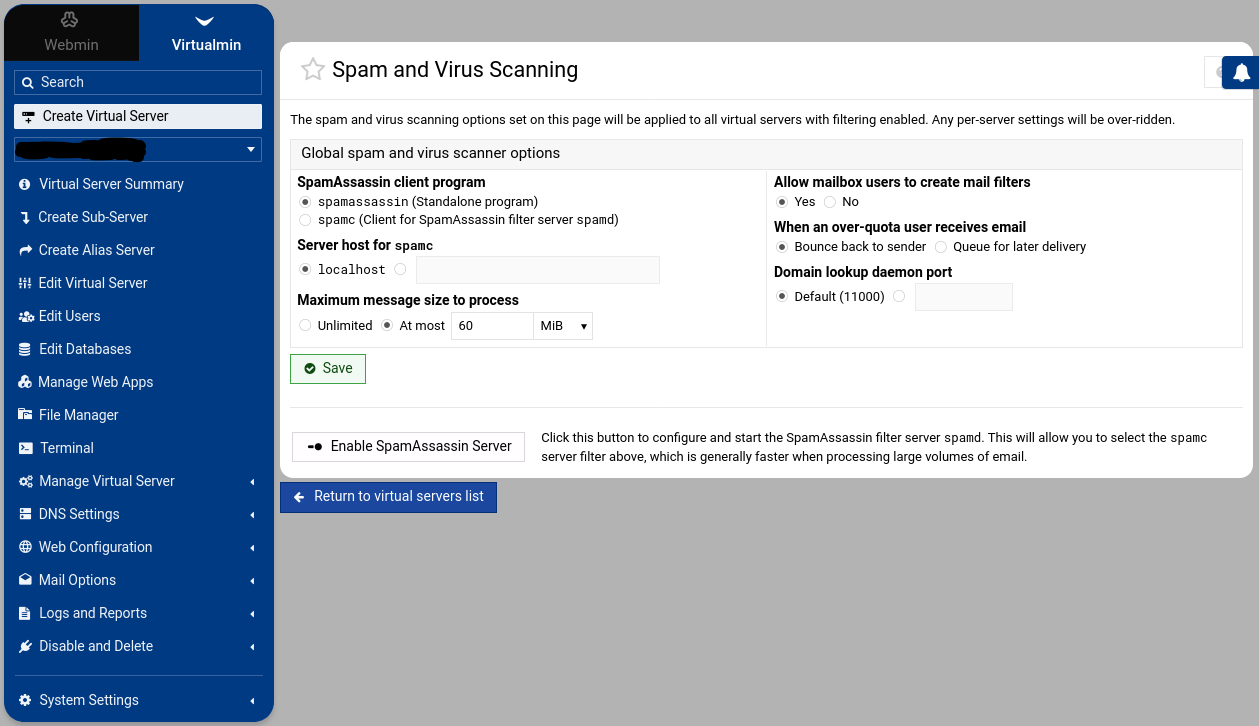
which blackhole the messages (/dev/null) – but I’m puzzled on the error mesage in /var/log/procmail.log

Testing the configured port that was listening and responded fine:

$ nc -v -w 3 127.0.0.1 11000
Connection to 127.0.0.1 11000 port [tcp/*] succeeded!

Double checked mailbox quotas, like so:
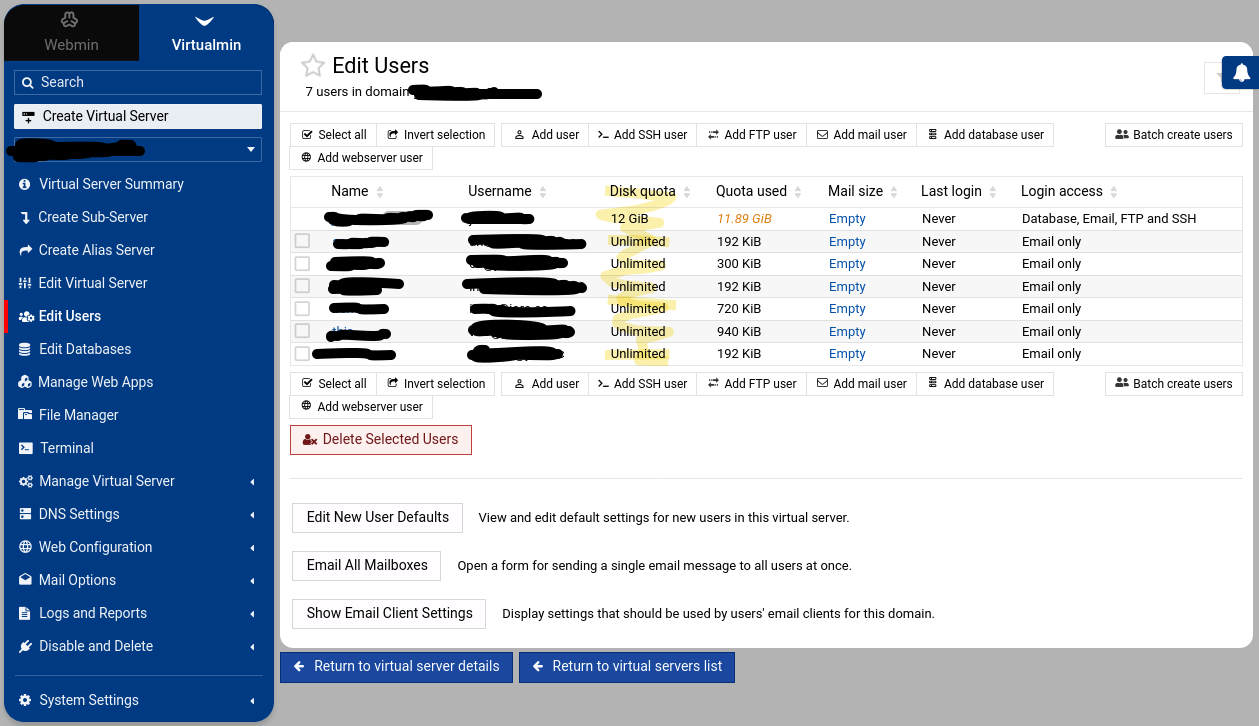
I was concerned to miss pending alerts, so to get around the problem, I manually cleared out /home/chroot/nnnnnnnnnnnnnn/./home/yyyyy.com/users/yyyyyyyy/Maildir/new/ which seemed to restore normal workings… Just reporting in case this is a weird edge case bug with quota, or some such!
Ooop, this is still an issue. Woke up this morning to another mail account on the same domain now crashing.

This in /var/log/mail.log:

2026-09-26T09:06:43.521129+10:00 xyzhost dovecot: pop3(yyyyyyyy@yyyyy.com)<284894><KqH5xFZclCBzRvCh>: Disconnected: Storage error during logout. top=0/0, retr=5/7819424, del=0/5, size=7819328
2026-09-26T09:06:43.521811+10:00 xyzhost dovecot: pop3(yyyyyyyy@yyyyy.com)<284894><KqH5xFZclCBzRvCh>: Error: Mailbox INBOX: write(/home/chroot/nnnnnnnnnnnnnn/./home/yyyyy.com/users/yyyyyyyy/Maildir/dovecot-uidlist.tmp) failed: Disk quota exceeded
2026-09-26T09:06:56.506428+10:00 xyzhost dovecot: pop3(aaaa@yyyyy.com)<284941><5i7XxVZccxNzRvCh>: Error: Mailbox INBOX: write(/home/chroot/nnnnnnnnnnnnnn/./home/yyyyy.com/users/aaaa/Maildir/dovecot-uidlist.tmp) failed: Disk quota exceeded
2026-09-26T09:06:56.509925+10:00 xyzhost dovecot: pop3(aaaa@yyyyy.com)<284941><5i7XxVZccxNzRvCh>: Error: Couldn't init INBOX: Mailbox INBOX: write(/home/chroot/nnnnnnnnnnnnnn/./home/yyyyy.com/users/aaaa/Maildir/dovecot-uidlist.tmp) failed: Disk quota exceeded
2026-09-26T09:06:56.510106+10:00 xyzhost dovecot: pop3(aaaa@yyyyy.com)<284941><5i7XxVZccxNzRvCh>: Disconnected: Couldn't init INBOX: Mailbox INBOX: write(/home/chroot/nnnnnnnnnnnnnn/./home/yyyyy.com/users/aaaa/Maildir/dovecot-uidlist.tmp) failed: Disk quota exceeded top=0/0, retr=0/0, del=0/0, size=0
...
2026-09-26T09:07:24.089560+10:00 xyzhost dovecot: pop3(yyyyyyyy@yyyyy.com)<285061><ZCN7x1ZcRytzRvCh>: Error: Mailbox INBOX: write(/home/chroot/nnnnnnnnnnnnnn/./home/yyyyy.com/users/yyyyyyyy/Maildir/dovecot-uidlist.tmp) failed: Disk quota exceeded
2026-09-26T09:07:24.091950+10:00 xyzhost dovecot: pop3(yyyyyyyy@yyyyy.com)<285061><ZCN7x1ZcRytzRvCh>: Error: Mailbox INBOX: write(/home/chroot/nnnnnnnnnnnnnn/./home/yyyyy.com/users/yyyyyyyy/Maildir/dovecot-uidlist.tmp) failed: Disk quota exceeded
2026-09-26T09:07:24.123350+10:00 xyzhost dovecot: pop3(yyyyyyyy@yyyyy.com)<285061><ZCN7x1ZcRytzRvCh>: Error: Mailbox INBOX: write(/home/chroot/nnnnnnnnnnnnnn/./home/yyyyy.com/users/yyyyyyyy/Maildir/dovecot-uidlist.tmp) failed: Disk quota exceeded

What should I do here?

First off, edit the virtual server’s quota (not email quota) to unlimited to stop and crashing.
A command like du should help find the Disk Usage issue.

Thanks for the engagement.

I don’t have unlimited disk, so I’ve temporarily increased the quota on the parent domain yyyyy.com to 15GB. The issue has stopped for now. But as posted above, it appears mail was being rejected before the quota for the parent domain was exceeded? i.e. yyyyy.com was previously set to 12GB but mail was rejected at 11.89GB? It’s unlikely any incoming mail was anywhere near 100MB. And the quotas for the e-mail accounts set to Unlimited.

$ df -h
Filesystem      Size  Used Avail Use% Mounted on
tmpfs           197M  1.3M  196M   1% /run
/dev/vda1        48G   29G   20G  60% /
tmpfs           984M     0  984M   0% /dev/shm
tmpfs           5.0M     0  5.0M   0% /run/lock
/dev/vda16      881M  213M  607M  26% /boot
/dev/vda15      105M  6.2M   99M   6% /boot/efi
tmpfs           197M   20K  197M   1% /run/user/1000

Is this potentially another quota bug, or am I doing something wrong?

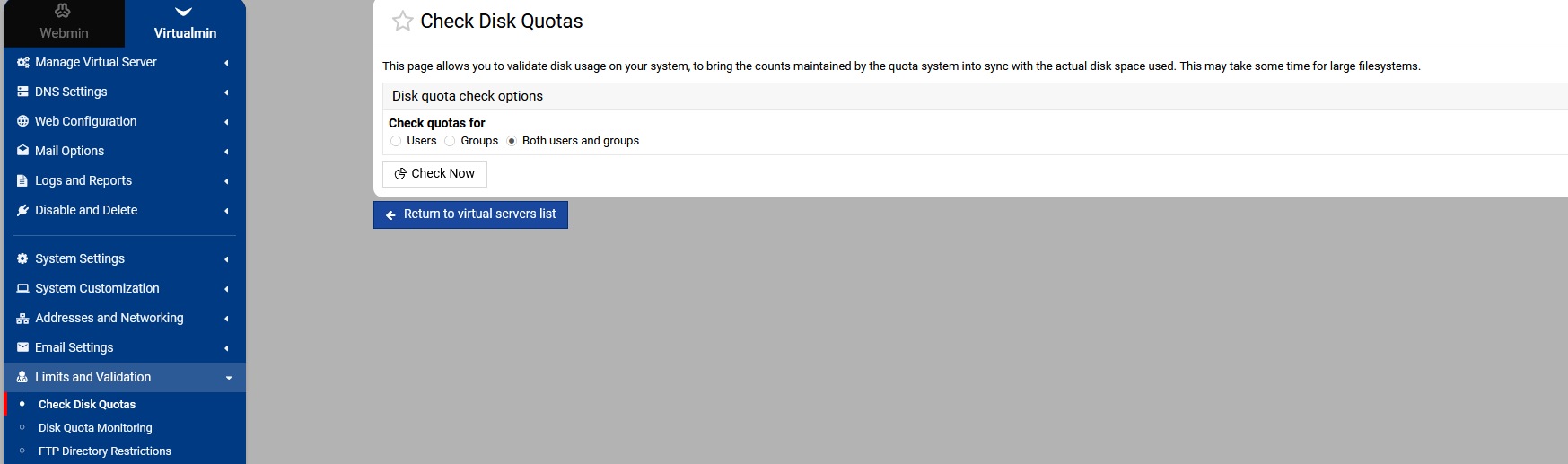
Try the Disk Quota Check

du command

The system sometimes needs extra room to work with.

Checking disk quotas for both:

Checking user quotas on / ..
.. done
Check group quotas on / ..
.. done

And here’s a snippet of the disk used solely by mail:

$ sudo find /home/chroot -type d -name Maildir -exec du -sh {} + | sort -h
72K	/home/chroot/.../homes/yyy/Maildir
84K	/home/chroot/.../homes/yyy/users/alice/Maildir
84K	/home/chroot/.../homes/yyy/users/bob/Maildir
136K	/home/chroot/.../homes/yyy/users/foo/Maildir
212K	/home/chroot/.../homes/yyy/users/bar/Maildir

The ~12GB of disk used by yyyyy.com is in public_html:

$ sudo find /home/chroot/nnnnnnnnnnnnnn/homes/yyyyy.com -type d -name public_html -exec du -sh {} + | sort -h
2.6M	/home/chroot/nnnnnnnnnnnnnn/homes/yyyyy.com/domains/.../public_html
2.6G	/home/chroot/nnnnnnnnnnnnnn/homes/yyyyy.com/public_html
8.0G	/home/chroot/nnnnnnnnnnnnnn/homes/yyyyy.com/domains/.../public_html

I understand the system needs some room to work with, I’m just trying to understand why quota tripped here, on an e-mail account that as far as I know didn’t handle a large file, and parent domain user account was as far as I know still under disk quota, while email account is Unlimited quota.

This means allow the server to use all available disk space, this will be limited to the size of the disk that quota is working with

Yes, I don’t want that. But I do want no restrictions on mail, hence Unlimited mail accounts, but a cap on the primary domain.

The OP is about the primary domain having 12GB disk quota that it did not exceed (as far as I know) and the e-mail accounts set to Unlimited quota, but still quota being tripped and mail refused.

The domain group quota applies to the users within the domain, as the email users are all in the same group as the domain. In the UI, I believe you’d want to set Total server quota to something larger, and Server administrator’s quota to whatever you want the website and such to be limited to.

That’s really tight. Mail delivery involves some temporary files during processing, and again, the group quota is shared by everyone in the group (the domain), so all mail users and the domain owner account.

Thank you for that.

I accept that perhaps a few hundred MB of additional processing/files put the user account over which blocked the mail. :smiley:

In the meantime, I’ll see if I can reproduce this issue on a non-production server and report back with some better logging, in case there is indeed a problem somewhere with this type of set-up.

Thanks for the engagement.