| SYSTEM INFORMATION | |
|---|---|
| OS type and version | Ubuntu 24.04.4 LTS (GNU/Linux 6.8.0-138-generic x86_64) |
| Webmin version | 2.660 |
Hi there. I’m on a fresh Ubuntu install.
$ uname -a
Linux s1.servername.com 6.8.0-138-generic #138-Ubuntu SMP PREEMPT_DYNAMIC Fri Jul 31 22:41:49 UTC 2026 x86_64 x86_64 x86_64 GNU/Linux
I have a problem trying to get disk quotas to work.
On “re-check configuration” under Virtualmin → System Settings, it’s reporting:
[...]
Quotas are not enabled on the filesystem /home which contains home directories under /home and email files under /home. Quota editing has been disabled
[...]
Disks are like so:
$ lsblk
NAME    MAJ:MIN RM  SIZE RO TYPE MOUNTPOINTS
sda       8:0    0   20G  0 disk
└─sda1    8:1    0   20G  0 part /home/chroot/<NUMBERS>/home/user1
                                 /home/chroot/<NUMBERS>/home/user2
                                 /home
vda     253:0    0   50G  0 disk
├─vda1  253:1    0   49G  0 part /
├─vda14 253:14   0    4M  0 part
├─vda15 253:15   0  106M  0 part /boot/efi
└─vda16 259:0    0  913M  0 part /boot
My /etc/fstab looks like this:
$ cat /etc/fstab
LABEL=ROOT	/	ext4	discard,commit=30,usrquota,relatime,rw,grpquota,errors=remount-ro,quota	0	1
LABEL=BOOT	/boot	ext4	defaults	0	2
LABEL=UEFI	/boot/efi	vfat	umask=0077	0 1

/swapfile none swap sw 0 0

LABEL=WEBDATA	/home	ext4	usrquota,grpquota	0	2

/home/user1	/home/chroot/<NUMBERS>/home/user1	bind	defaults,bind	0
/home/user2	/home/chroot/<NUMBERS>/home/user2	bind	defaults,bind	0
[...]
Quota appears available for the disk:
$ sudo tune2fs -l /dev/sda1 | grep -i quota
Filesystem features:      has_journal ext_attr resize_inode dir_index filetype needs_recovery extent 64bit flex_bg sparse_super large_file huge_file dir_nlink extra_isize quota metadata_csum
User quota inode:         3
Group quota inode:        4
$ sudo dmesg | grep -i 'quota'
[    0.641116] VFS: Disk quotas dquot_6.6.0
[    2.528076] EXT4-fs (vda1): mounted filesystem XXX ro with ordered data mode. Quota mode: none.
[    4.483987] EXT4-fs (vda16): mounted filesystem YYY r/w with ordered data mode. Quota mode: none.
[    5.145285] EXT4-fs (sda1): mounted filesystem ZZZ r/w with ordered data mode. Quota mode: journalled.
And quotaon reports:
$ sudo quotaon -vug /home
quotaon: using . on /dev/sda1 [/home]: File exists
quotaon: using . on /dev/sda1 [/home]: File exists
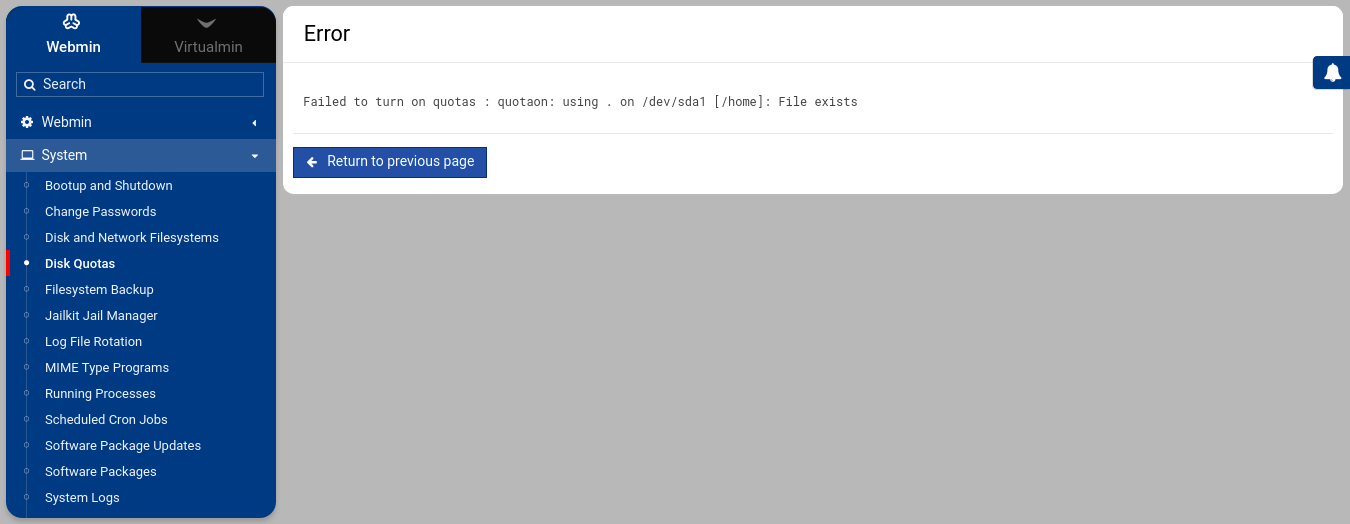
which is the same error I get on the Webmin GUI under System → Disk Quotas when clicking “Enable Quotas”.
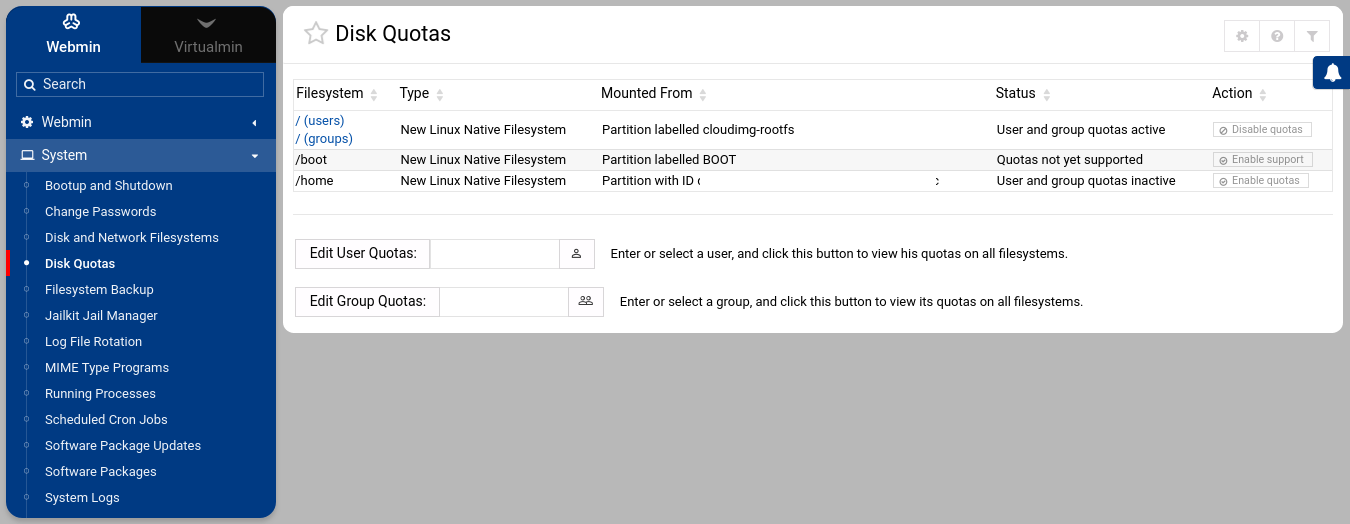
I’ve seen other posts here suggest installing linux-image-extra-virtual, so I did that, and a server reboot, but still the same error appears when trying to ‘enable’ and on re-check of the config.

What am I doing wrong?

