You can search for webmin-*
Not a new install. Yes the module ‘custom commands’ has been completely removed from my servers following the recent update. Used to exist in webmin > tools, but now it’s no longer there.
I also searched for it and found nothing. I’ll reboot and try again. Maybe it’s a cache thing?
Yes, but not the point. Also I need to be careful not go off topic. 
Unless you know this you have to be told this either by a notification or filter option. There are still new users for webmin, and are virtualmin plugins prefixed?
Easy, when people go to the packages page they clearly see that this is where you add new webmin packages because there is a checkbox advertising it.
I would prefer a sperate page that handled webmin and virtualmin modules in an almost catalogue layout.
I’m good with what makes it easy for new and advanced users of webmin/virtualmin
For months I have seen posts of new and advanced users asking this exact question.
As a user I would like to see something user friendly . I think for webmin/usermin to keep users and gain users the focus as has been is functionality plus user friendliness.
Thank you - it appears in neither of those places (neither in Webmin > Tools, nor in Modules > Delete)
However if we check in command line:
dnf list available | grep webmin-
shows me the following:
webmin-custom.noarch2.641-3 virtualmin-stable
Seeing it listed under dnf list available means the system package manager sees it as an uninstalled package. This explains why the module vanished from my sidebar ??
But I can’t understand why a module would have been uninstalled - I most certainly did not uninstall it.
Do I need to undertake a full server audit now - to check if anything else is missing? Is this something only happened to me or are others finding this ?
Perhaps it’s time to open a support ticket 
Mine hasn’t changed, I did notice you have a different version. why would that be??
| SYSTEM INFORMATION | |
|---|---|
| OS type and version | Rocky Linux 9.8 |
| Webmin version | 2.641 |
| Usermin version | 2.540 |
| Virtualmin version | 8.1.0 Professional |
| Theme version | 26.41 |
| Apache version | 2.4.62 |
| Package updates | All installed packages are up to date |
I’ve just checked again and here’s mine again - I think the same? Not sure where that -3 came from.
| Operating system | Rocky Linux 9.8 | ||
|---|---|---|---|
| Webmin version | 2.641 | Usermin version | 2.540 |
| Virtualmin version | 8.1.0 Professional | Authentic theme version | 26.41.1 |
You changed repos. There’s no reason to do that. The Virtualmin 7 repos will continue to see updates until sometime after Virtualmin 9 arrives.
We didn’t change your production environment, you did. 
Same happened to mewith pro and not my gpl, spent the day reinstalling modules that had dissappeared but if say that can not happen, it would appear the OP and I have something else causing the modules to dissappear, any ideas ?
Here’s a post with a discussion of the implications of switching repos: Virtuamin 7.5 --> 8.x - Have all upgrade bugs been addressed? - #4 by Joe
Switching from one major version repo to another can cause changes, even breaking/disruptive. That’s why the major version changes, so we can make major changes without messing with your production system.
So, when switching from one repo to a new one, you should expect things to change.
If you want everything to stay the same, and just get regular updates (including virtual-server module version 8, and everything else…the old repo is maintained and has all the latest packages) don’t change to another major version repo.
The change is harmless in this case, just install the modules you want. But, if you don’t want surprises, don’t make big changes..
Did you change repos? I don’t have any other theories. The repo doesn’t change automatically.
Ahh ok - I see what happened here.
Just to be completely clear on my end: I didn’t manually change any repo, nor did I get any advanced notification that a major repo shift or module removal was going to happen (if there was one - I did not see it. As I am fairly new here, I will make a habit of reviewing update notices prior… - If I can see them in the News section).
What I did was run a standard yum -y update. It looks like that update automatically transitioned my Rocky 9 prod to the new virtualmin-stable repository stream - my bad I guess I won’t be using -y anymore!
Like jimr1 mentioned, it seems this automated transition is hitting existing upgrading users rather than just fresh installs - but understand the changes are reversible.
For anyone else who runs into this and finds their modules suddenly missing out of nowhere, you just have to manually reinstall the package via SSH:
dnf install webmin-custom -y systemctl restart webmin
I just ran those commands and the custom command module is now there, so everything is back to normal now. Thanks again!
That doesn’t change repos.
There is a command to change repos, though. virtualmin setup-repos can switch repos. setup-repos | Virtualmin — Open Source Web Hosting Control Panel
But, no one is recommending folks change repos at this time.
And, to be clear, you should continue to regularly update your software via dnf update or using the GUI. Updating your software using dnf (or the yum alias of dnf for systems that have it) will not alter the repos, it just installs new packages as they become available in the repos you have configured.
yum did not do this. It requires some step to change to the Virtualmin 8 repos and then yum/dnf could do this.
Hmm. Well I did neither of those, so it must be something else.
Anyway, now I know what happened I was able to resolve it.

I never bother to change repros once I install webmin as it may break something, but looking at the file date the repro changed a couple of months later
to bear this out here is the gpl servers

the contents of the pro server virtualmin.stable.list (why stable idk) is
deb [signed-by=/usr/share/keyrings/ubuntu-virtualmin-developers.gpg] https://download.virtualmin.com virtualmin main
where as the contents of virtual.list on the gpl install is
deb [signed-by=/usr/share/keyrings/ubuntu-virtualmin-7.gpg] https://software.virtualmin.com/vm/7/gpl/apt virtualmin main
two reasons I can think of the pro server was installed after you started tinkering with the repros or at some software update the repro was changed
looking at the git history for the date/time in question this happend
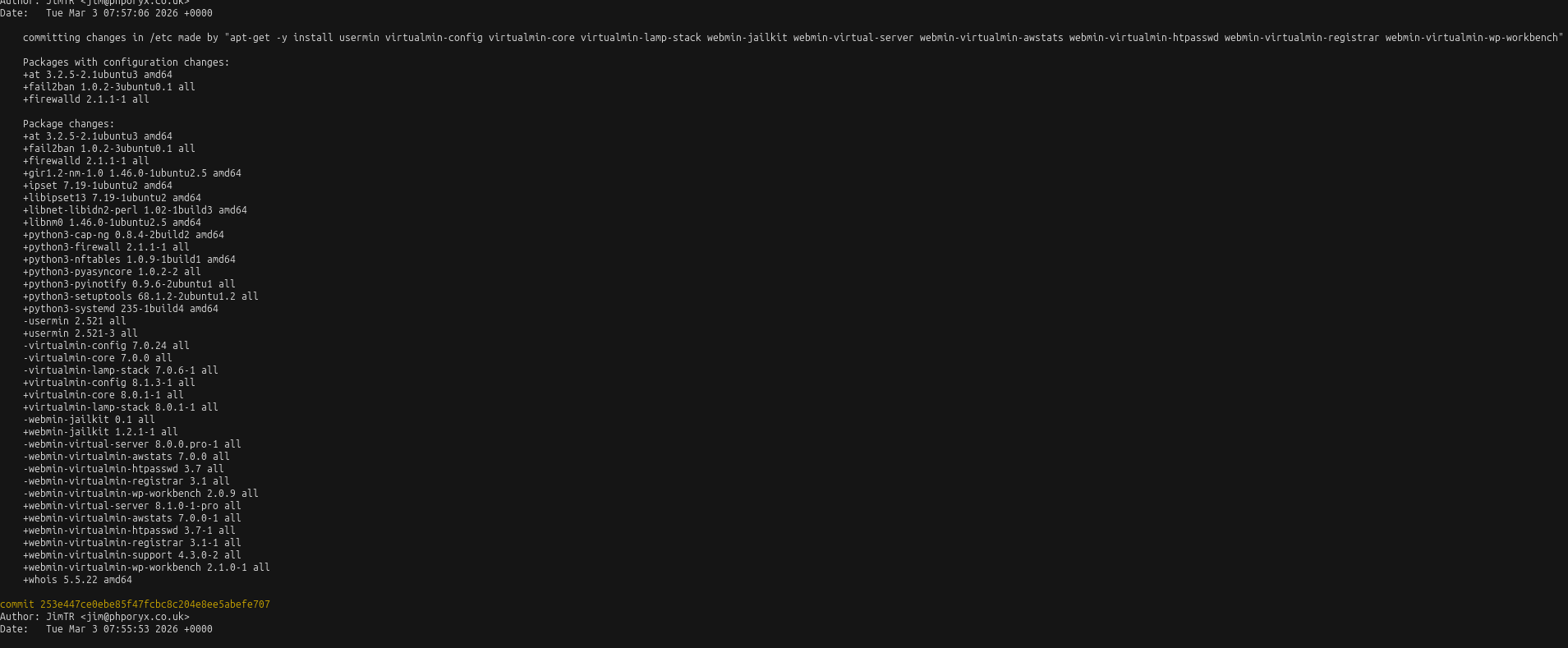
any ideas ?
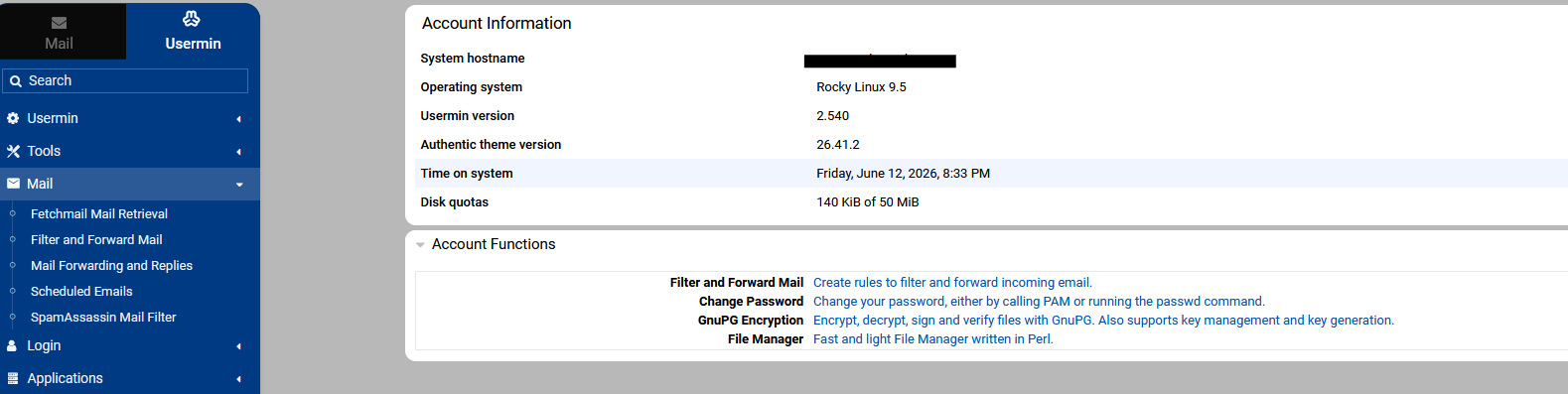
Usermin under Virtualmin no longer has:
Forward Email
Automatic Reply
Both of which are clearly visible in Usermin running under Webmin only.
Are those features enabled for those users and that domain? That’s configurable.