Cannot connect to the mail server using Outlook

SYSTEM INFORMATION
OS type and version Ubuntu Linux 24.04.2
Subscription: Ubuntu Pro - free personal subscription
Virtualmin version 8.2.0 GPL
Webmin version 2.660
Usermin version 2.560
Authentic theme version 26.60
Kernel and CPU Linux 6.8.0-60-generic on x86_64
Processor information 12th Gen Intel(R) Core™ i5-12500, 12 cores.
Running in it’s own subdomain outside the the local network.

Hello everyone,

A bit of an odd question / weird situation.
I’ve setup an new server and are moving domains to it, with both mail, SSL, the works.

Everything seems to be okay but, I’m running into an odd problem;

Server , let’s call this ‘A’ is running smoothly, no problem whatsoever, SMTP connects POP and IMAP are working normally.

And there is server ‘B’ it seems to be working normally, but..
I can’t connect to it by IMAP or POP from the internal network and when testing the SMTP from outside I get an error :" Connection attempt #1 - Unable to connect after 15 seconds. \[15.05 sec\]".
However I think it did work before once or twice, but not anymore.

Weirdest thing, I can connect with my phone from the internet and can connect to IMAP.
SMTP is still a bit yes and no.. ( not exactly clear if it is working or not) something with SLL doesn’t add up..
But that’s not the main reason I write this..

The thing that is puzzling me and doing my head in is:

Another server : ‘C’ , Like server ‘A’ also is running perfectly and testing using mxtoolbox says it works perfectly, like server A.

All server are tested using mxtoolbox from the internet( outside) and only server B is giving problems.

I just put this here to get some idea’s of what could be the problem.

This server is fully updated, installed updaters last night while troubleshooting.
My local computer, on my home network, can’t connect to server B.
Server A and C are not a problem.

I’ve now put it on it’s own dedicated IP address to see if this solved the problem, and to eliminatie any misalignment with SSL certificates etc. (it did see the wrong cert, when trying to connect on IP address only)
it did not solve the issue :frowning:

I checked configuration and everything seems to be okay, according to the check:

"  Your system has 7.45 GiB of memory, which is at or above the Virtualmin recommended minimum of 256 MiB

  BIND DNS server is installed

  Mail server Postfix is installed and configured

  Postfix is configured to support per-domain outgoing IP addresses
..
removed private/tracable information 
..

 Both user and group quotas are enabled for home and email directories
  All commands needed to create and restore backups are installed
  The selected package management and update systems are installed
  Chroot jails are available
  The Virtualmin GPL stable repository is configured correctly
.. your system is ready for use by Virtualmin"

So now I’ve run out of idea’s
Do one of you have any idea’s ?
Thank you.

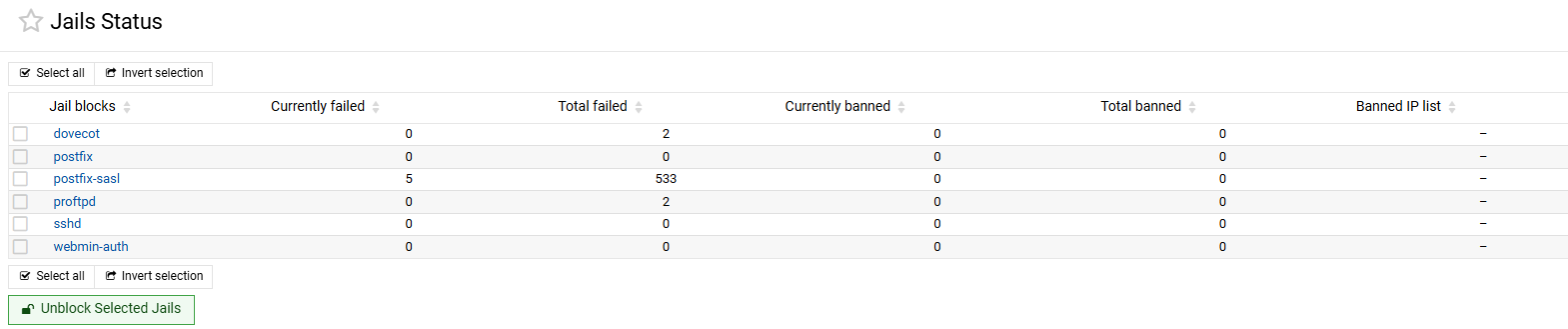
I’d check if fail2ban has banned your home IP.

Thanks for replying.

I haven’t done that, but how do you explain the other domains on the same sever don’t have any issues connection wise.?

I’m at work right now so can’t check this right now.

However I will check once I’m home, this might not be the issue, but I like your thinking :+1:

I have checked, and there is nothing in Jail, so save to say I’m not blocked.


But a good idea to check :wink:

check firewall ports, check DNS records and pointing to correct IP. check mail logs.

Thank you.

I’ve already done that and it doesn’t show errors as far as I can see the logs.

anyway, I’m posting an update, as I’ve reversed the server back to it’s old l.ocation.

Update:

I went a step back.
I made a backup and returned to the old server.
Restored it and voila, all is well..
well maybe not everything I suppose but from what I can see it is much better.

Testing is again with MXtoolbox gives a lot more green ticks and mail is arriving again.

So I’m checking everything on the new server because this is very weird indeed.

So I’ll give another update when things settle down.

Thank you for your interest :sparkling_heart:

This will continue…

Do you mean you returned to the old Virtualmin 8.1.0?

If so, what is the output of the following command:

grep -Rsi ssl_cert /etc/webmin/virtual-server/domains/ | grep combined

No, it’s MY “old server” I’m referring to. :wink:
It’s a system I’ve used for a long time and it is starting to break down,
it is however also fully updated to the latest versions and still up and running.
most of the times that is.

The problem with this system is
I get outages more and more, so i think it’s time to replace the hardware.
Of what I am in the middel of the process here :wink:

FYI the old server specs:

Operating system Ubuntu Linux 24.04.4
Webmin version 2.660 Usermin version 2.560
Virtualmin version 8.2.0 GPL Authentic theme version 26.60
Kernel and CPU Linux 6.8.0-138-generic on x86_64
Processor information Intel(R) Core™ i5-2400 CPU @ 3.10GHz, 4 cores
This one is running inside of my local network

I’ve tried and run the command anyways, but got nothing back..
Should I get something back ? :thinking:

Anyways, the main difference is that the NEW server is in a different network and newer Hardware.
OS is exactly the same, however is been setup as new (No backup from the “old server” OS)

Recap:
Everything worked on the old server.

  • I’m moving domains from old to new server:
    Full backup/ full restore,
    Disabling server on old server,
    Restoring to new sever,
    Updating domain settings (server IP-addresses etc.)
    Check settings on new server with online tools like Mxtoolbox (if all green)
    Deleting the old domain/old server.
    Done.

First 3 domains with mail moves to new server from old and work right away.
Do note: I’ve moved several other domains without mail, that also worked.
The last domain with mail, the domain I have the issues with however, did not.

I’ve moved it back to the old server and restored the original settings for the domain.
and checking it with Mxtoolbox: it’s all green, everything seems to be fine again..

What Am I missing?

Still on this, for now I have a temporary solution that works.
it’s not solved yet but it’s manageable for now..

But, wait.. there’s more -lol-

I haven’t figured this one out
Maybe someone has a tip how I can do this.

I’m unable to connect with outlook, IMAP doesn’t connect.
And I need outlook to put back the mail I’ve downloaded that I have In my outlook.
It’s for another account I’ve made a back-up for.

I’ve tested it, all is green and I can connect using my cellphones, IOS and Android.
So it should work..

for some reason I can’t enter in the login username?

I can give the email address but that’s somewhat different from the login usernames, most have a dot in the middle with no extension..

I can see account names on completed settings but now while I’m setting up one (WHY?)

Any thoughts on that?

Try going to the “Email Settings ⇾ Mail Client Configuration” page, disable it, and then enable it again? Does that fix the Outlook problem?

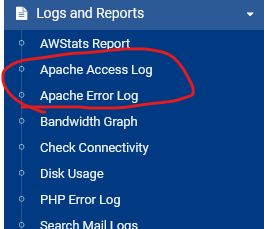
If it doesn’t, check the Apache/Nginx access log when trying to set up the Outlook account to see which URLs it probes, if any.

Good tips :wink:

But unfortunately it didn’t do anything as far as I can see :frowning:
The logs are empty, or have something not relevent to these actions.

Not sure what I can do at the moment to connect to outlook.

Phone is working flawlessly, why does Outlook have to be a pain in the behind ?

Do you know where I might find and access the /mail/config-v1.1.xml ?
I got this from the mail configuration page:

This page allows you to enable the automatic configuration URL /mail/config-v1.1.xml for all Virtual servers, which is used by mail clients like Thunderbird and Outlook.

Might be something I could (mis)use to get outlook to connect? -thinking out loud-

Mind you; if this is correct:

This lets users configure the IMAP and SMTP settings in their mail clients based on only an email address.

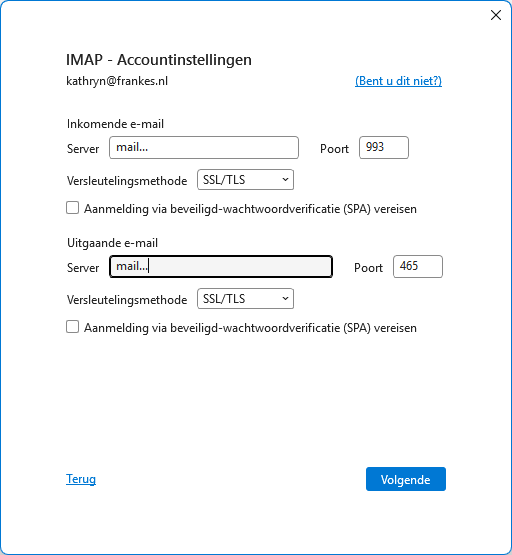
this might be the problem because the setting in outlook is different than what this info says it should be:

IMAP server hostname mail…
IMAP server port 993
Use SSL for IMAP Yes
IMAP password encryption type Plaintext

POP3 server hostname mail…
POP3 server port 995
Use SSL for POP3 Yes

SMTP server hostname mail…
SMTP server port 587
Use SSL for SMTP No
SMTP password encryption type Plaintext
SMTP encryption type STARTTLS

This is what outlook makes of it:

So I think it doesn’t work, but how to check ?

Does the same domain work with Thunderbird or also returns an error?

It is hard to tell, there are a few moving parts. I personally would never use Outlook. There are much better and safer mail clients.

Does Outlook return an error? Does it fail during auto-configuration, or does it also fail when the correct server configuration is set manually? Do you know which configuration is correct and which one is not?

Yes, this is a relative link to your domain. It should be like https://example.tld/mail/config-v1.1.xml.

For SMTP try port 587 and STARTTLS instead of SSL/TLS.

Also, try using just your domain name instead of mail. Or try opening mail.your-dom.tld in a browser and make sure the SSL certificate is correct. If it is, make sure you are not behind a DNS cloud proxy that does not forward mail ports.

I tested outlook 2019 and outlook new both connected ok.
Same setting as you.
apache logs show HTTP/1.1" 200 so good connection

Do you have autoconfig.yourdomain.com and autodiscover.yourdomain.com in your dns,
they may help, but from what I’ve read it should fall over to mail.yourdomain.com

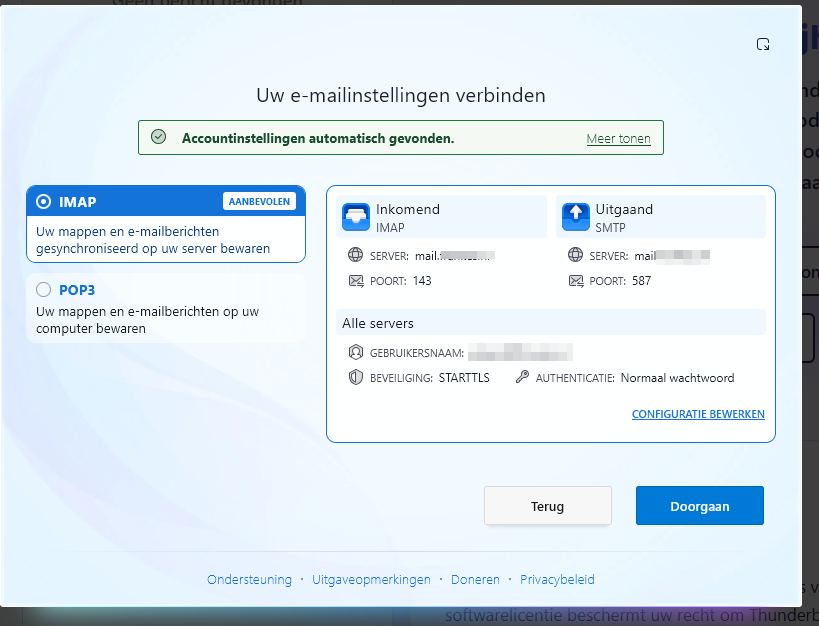
it does, and It does not give an error:
even the settings are correct.:


Right out of the box, it works..
only the username isn’t correct, but I can adjust this configuration / setting, which is great so I can correct errors…
Wow that was refreshing :slight_smile:

Okay, but still nothing in the logs..

It is hard to tell, there are a few moving parts. I personally would never use Outlook. There are much better and safer mail clients.

Does Outlook return an error? Does it fail during auto-configuration, or does it also fail when the correct server configuration is set manually? Do you know which configuration is correct and which one is not?

Well it just throws up the “unable to connect” error, over and over again.. whatever I try.
So there’s no telling if this is an failed to connect to the IMAP or SMTP server. :man_shrugging:

Yes, this is a relative link to your domain. It should be like https://example.tld/mail/config-v1.1.xml.
[/quote]
I’m getting a Missing emailaddress parameter so it is there..

For SMTP try port 587 and STARTTLS instead of SSL/TLS.

Also, try using just your domain name instead of mail. Or try opening mail.your-dom.tld in a browser and make sure the SSL certificate is correct. If it is, make sure you are not behind a DNS cloud proxy that does not forward mail ports.
[/quote]

I’ve tried all that, Outlooks just gives the same error.. always :cry:

so this is getting very tiresome..
but the thunderbird is a big boost :smiley:

Thanks you for that tip. :+1:

Hi Stefan,

I don’t have anything in my logs.
I have autoconfig and autodiscover in my DNS with the correct settings.
I set it all manual after the first error I get.
It doesn’t do it automatically.
But I just tested Thunderbird, and that just does it right away..
but also nothing in the logs, as far as I can see..

so that’s still a bit weird.. :thinking:

There are applications out there that will show you the handshake commands (HELO and so on) and it can show you what the client sees. No more guessing.

If it does not talk to your server then it is infrastructure otherwise it should show you an error in the conversation between the client and server.

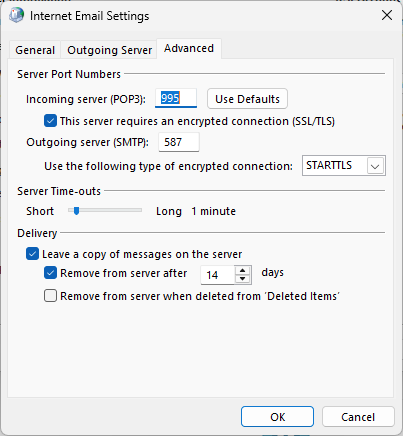
My Outlook settings

Are you looking in the apache logs for that domain?

I would check

/var/log/maillog

but i am on alma maybe it is different for ubuntu.