Here is the screenshot for the lists:
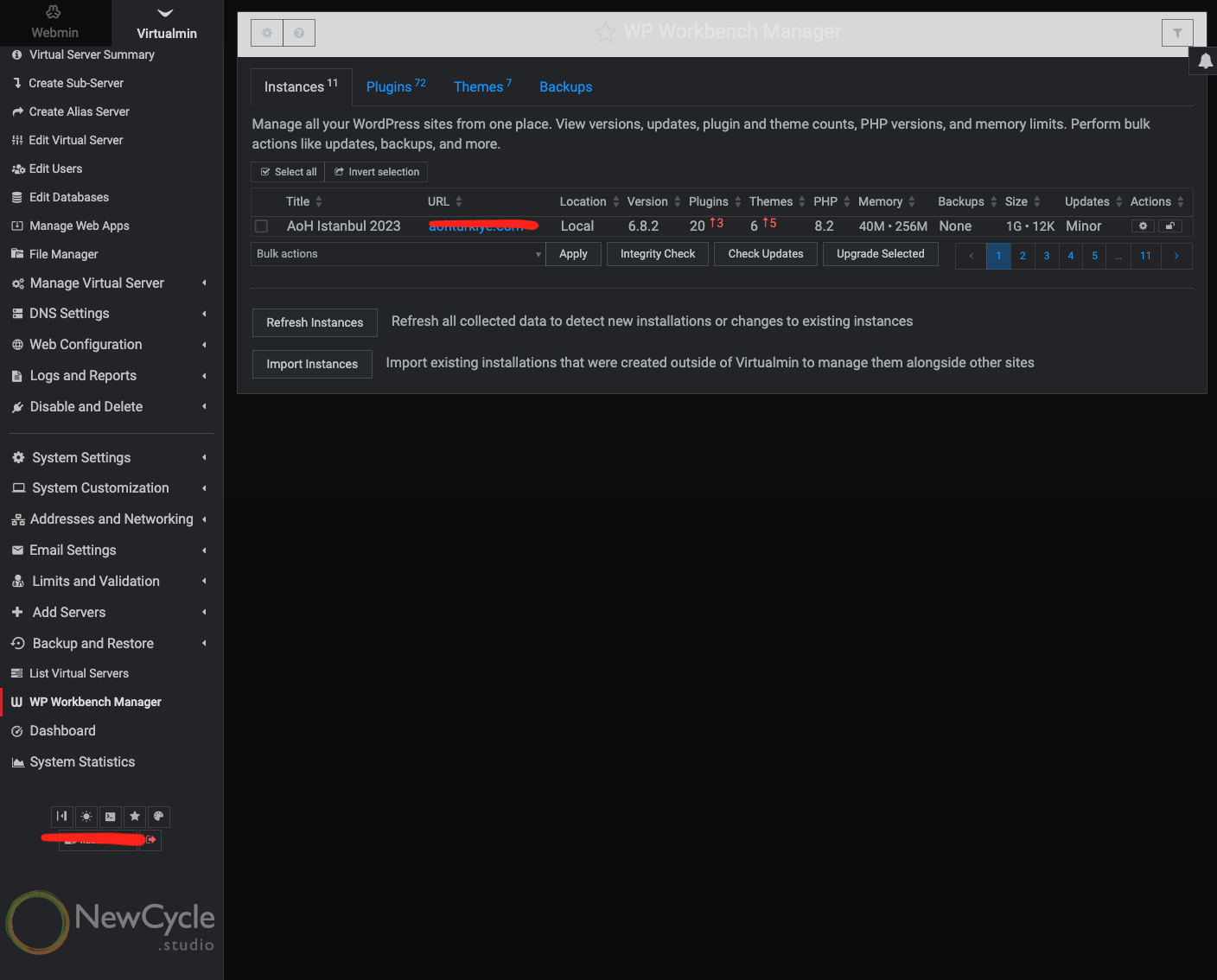
For the updates, I recorded a screen capture, tried it again with two other instances. How can I share with you the screen capture video. It is in MP4 format.
Thank you for looking into it.
To my knowledge, this only could happen if you first set the window height to a very small size, then load the page, and then maximize the window.
To fix it, just reload the page using the Alt+R or Options+R shortkey, or just reload the whole window. Yet, you can disable this behavior by opening the browser’s console and executing:
settings_table_auto_datatables = false;
theme.config.save();
You can either drag and drop it into this forum or share it through cloud services. However, I don’t see why it wouldn’t work. I’d recommend double-checking what you’re doing, just in case.
The impossible is looking pretty common, seems like pagination is off somehow/somewhere. WP Workbench v2, how do I have more then one WP per page
Yeah, thanks! We’re talking about it now… Can you reproduce it too?
When I tried a different browser it worked fine. My original browser is Arc. It works ok in Safari, Firefox and Chrome. Maybe because I have been using the Virtualmin in Arc and there is something like cache, although I tried cleaning the whole cache and this issue presisted.
The browser isn’t the issue you mentioned earlier, which was about plugins not being updated correctly while appearing as such in the WP Workbench Manager. That’s not possible by design.
Maybe because I have been using the Virtualmin in Arc and there is something like cache, although I tried cleaning the whole cache and this issue presisted.
I just tried Arc on Windows 11 and didn’t see this issue either.
I had same issue with Safari browser after update,
code paste to console:
settings_table_auto_datatables = false;
theme.config.save();
resolved the problem for now 
thx
For anyone seeing the issue where only one element in the table is displayed per page, what is the output of the following commands when run in the browser’s console?
parseFloat(window.devicePixelRatio.toFixed(1));
and
datatable_content_filler_height(1210);
Not an issue I need resolving, however I did have manual backups for Wordpress sites through the WP Workbench, when I upgraded (unknowingly) to V2 the backups didnt show in the console. I found them still in the backup directory and removed them as they were taking up space unnecessarily.
Did you try refresh instances? I Virtualmin Backup and restore, so I don’t use the backup in WP Workbench.
Yes, sorry about that. It was a breaking change in WP Workbench 2.0.0 version, and was mentioned in the changelog. The new default directory for backups was changed to ~/wp-workbench-backups.
no drama, just an FYI thats all. But while i’m here I was having reservations about purchasing WP Workbench, and many of the things I thought were major issues such as no over arching dashboard, and poor backups (IMO backups significantly let down Virtualmin), the ability to now backup to other targets is excellent.
Ideally for backups I should have the ability to select “all” or individual hosts. It should be able to store FTP (or other settings) and incremental. If a customer has an issue I should be able to look at that host alone (other backups are very slow as it shows all), and I should be able to see the versions.
I dont ask for much !
Thanks.
Matt.
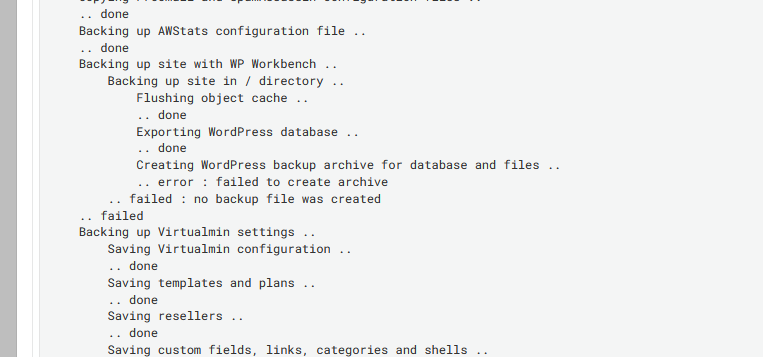
To not start a new topic, for 3 days now my daily backup fails and I see this:
Backing up site with WP Workbench ..
    Backing up site in / directory ..
        Flushing object cache ..
        .. done
        Exporting WordPress database ..
        .. done
        Creating WordPress backup archive for database and files ..
        .. error : failed to create archive
    .. failed : no backup file was created
.. failed
I do not understand the fix.
You can still do it from the general “Backup Virtual Servers” or “Scheduled Backups” pages by selecting “WP Workbench” as the feature to backup. There, you’ll be able to choose domains individually and choose incremental backups too.
Hmm, this is really mysterious indeed! Maybe you ran out of disk space/quota?
Local disk space 447.29 GiB used / 1.52 TiB free / 1.96 TiB total
Total server quota [Unlimited]
So the space is not the issue.
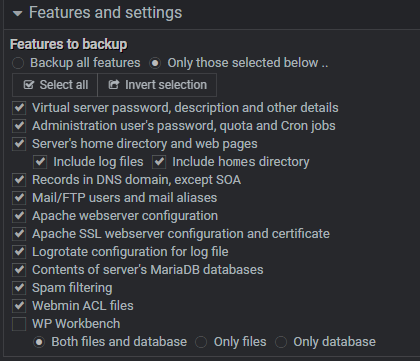
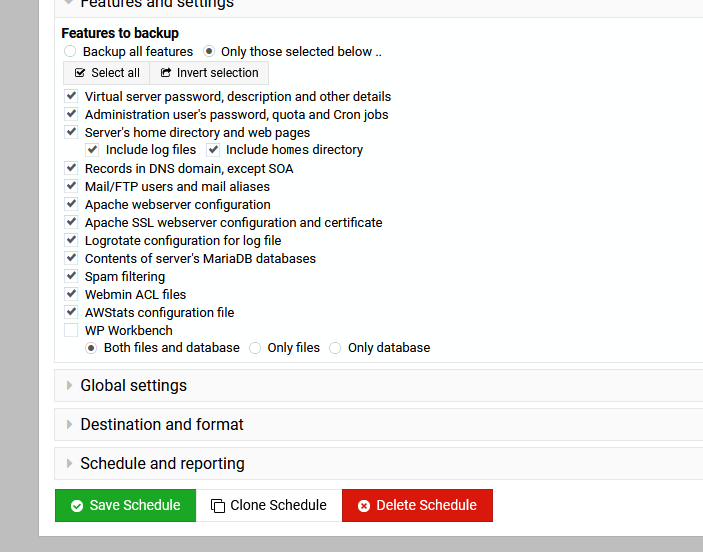
I had to change my scheduled backups like so to actually complete them.
I need to mentioned I have not changed anything regarding backups for quite some time.
But since 3-4 days ago, my daily backups started failing and showing the wp workbench phase as the culprit.
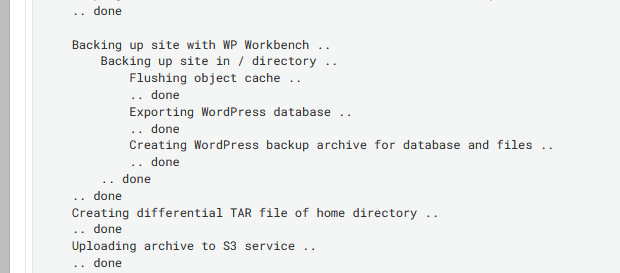
I had the same in the scheduled backups, just in incremental, the full worked fine. I untick WP Workbench and that fixed the incremental, the database gets backup anyway.
It’s quite surprising that they’re failing in this unusual way. It shouldn’t happen like this; they should always display an error. Maybe there’s something interesting logged in /var/webmin/miniserv.error?
Now I see—WP Workbench is always included automatically if all features are enabled—this isn’t very good, actually!
I’ll do something about it if @Jamie doesn’t mind. I’m thinking now of making WP WB excluded by default if the option to back up all features is used. That way, the WP WB feature would always be excluded from all backups by default. It should be, as dir and db backups would overlap with it. So, for WP WB to work, it would need to be selected explicitly.
There is no support for differential backups in WP Workbench right now. However, what do you mean they failed? They shouldn’t fail at all.
And, do you really think differential backups support should be implemented for WP WB too? I thought for our use case it would be easier to create more frequent database backups since they don’t support differential state anyway, and make full backups, or only files backup once a week, because we don’t expect files in WordPress to change in any way that cannot be easily fixed by simply upgrading the core or plugins. This would reduce complexity and always provide simple and working tar balls on stand-alone basis. With differential backups, you need one full backup and the latest one, which makes disaster recovery more complicated and time-consuming.
Jamie, what’s your opinion on it too?
Yeah, it should have been excluded—I will fix it as soon as possible.
Yet I’m confused that it’s failing. Do you have the full log output of the failed backup?