There should be a better error message in the ~/domain.tld/logs/wp_cli_log file. I really want to know what is causing it. Could you check please!?
Found one:
Failed to execute '/bin/tar cf /home/petos/wp-workbench-backups/petos.net.au_20250912-040457_full.tar --transform=flags=r;s|^[^/]*/|files/| -C /home/petos/public_html . --transform=s,^db\-28f1Q486Ak9676VJ3H1mLW4xpG5ZcXtK\.sql,db.sql, -C /home/petos/wp-workbench-backups db-28f1Q486Ak9676VJ3H1mLW4xpG5ZcXtK.sql --warning=no-file-changed' command - failed to create archive
Does /home/petos/wp-workbench-backups directory exist?
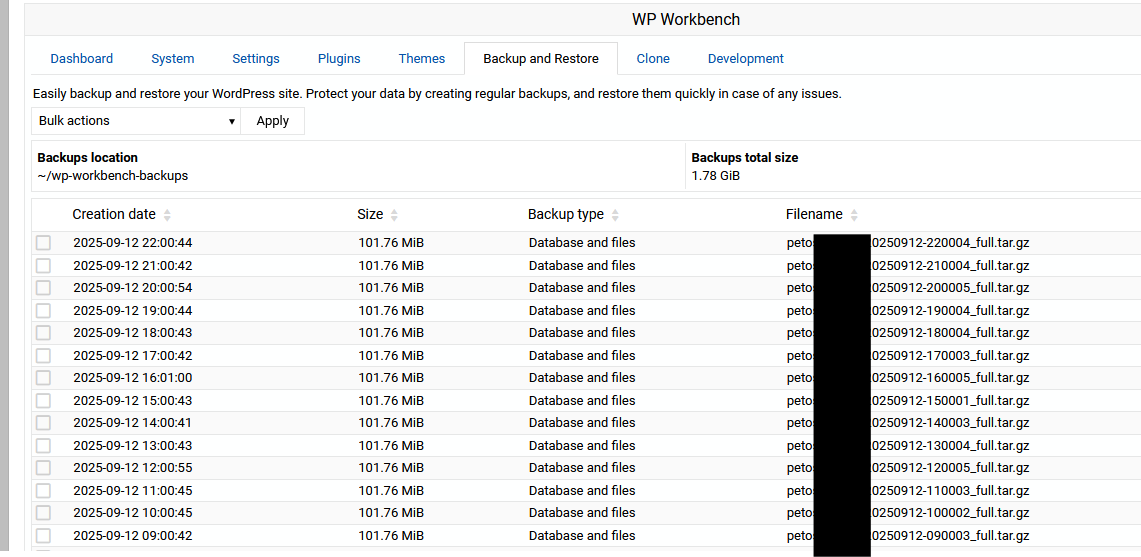
Is that all it says? Is there anything above or below this line?
Yep.
Warning: Undefined variable $admin_user in phar:///home/petos/public_html/wp-cli.phar/vendor/wp-cli/eval-command/src/Eval_Command.php(39) : eval()'d code on line 1
PHP Warning:  Undefined variable $admin_user in phar:///home/petos/public_html/wp-cli.phar/vendor/wp-cli/eval-command/src/Eval_Command.php(39) : eval()'d code on line 1
Warning: Undefined variable $admin_user in phar:///home/petos/public_html/wp-cli.phar/vendor/wp-cli/eval-command/src/Eval_Command.php(39) : eval()'d code on line 1
Failed to execute '/bin/tar cf /home/petos/wp-workbench-backups/petos.net.au_20250911-080634_full.tar --transform=flags=r;s|^[^/]*/|files/| -C /home/petos/public_html . --transform=s,^db\-FcQn0J6BGZsHOOWNjCUaEUXLMKmRFTXY\.sql,db.sql, -C /home/petos/wp-workbench-backups db-FcQn0J6BGZsHOOWNjCUaEUXLMKmRFTXY.sql --warning=no-file-changed' command - failed to create archive
PHP Warning:  Undefined variable $admin_user in phar:///home/petos/public_html/wp-cli.phar/vendor/wp-cli/eval-command/src/Eval_Command.php(39) : eval()'d code on line 1
Warning: Undefined variable $admin_user in phar:///home/petos/public_html/wp-cli.phar/vendor/wp-cli/eval-command/src/Eval_Command.php(39) : eval()'d code on line 1
Does it still fail if you go to the schedule backup page and run the backup now?
I don’t think this is the right approach unless there’s some architectural reason why WP backups shouldn’t be included. Better to just fix whatever the issue is in this case.
The issue is clearly architectural. We are basically backing up content twice—files in public_html and databases.
Not exactly though, even if a backup contains both the admin could still make use of those to do a selective restore of just the WP files.
Yes, yet we’re kind of sneaking into existing scheduled backups and making them contain almost twice as many files+database, right?
True true. That said, even if we are duplicating data in the backup, it should still work right?
Yes, of course. I’m not trying to mask the issue. And, backups and restore work for me. Some users reported odd failures, but I haven’t figured out what the problem is. It doesn’t happen on my end.
Back to my original question—should we keep it as is, or exclude it by default to avoid unintentional data duplication?
The only thing we don’t support in WP Workbench is differential backups—should we support them?
Let’s fork these onto a separate ticket so we keep this ticket for discussing the original bug.
One problem we are running into which could be related is that virtual servers are exceeding their disk quotas causing backups to fail…
I thought backups were executed by the root user and therefore not under quota restrictions, but I may be wrong
This was how it was happening, however I am now seeing backups, where Workbench is enabled, using the user folder under ~/wp-workbench-backups
Backing up site with WP Workbench ..
        Backing up site in / directory ..
            Flushing object cache ..
            .. done
            Exporting WordPress database ..
            .. done
            Creating WordPress backup archive for database and files ..
            .. error : failed to create archive
        .. failed : no backup file was created
    .. failed
As backups are configured at the master admin level, they should not be using the virtual server’s quota.
Did you configure it through Virtualmin or the WP Workbench Manager page?
And, I think, we chmod files to always match domain user.
oh imagine that? a breaking change in workbench??? Interesting isn’t it?