Operating system | Rocky Linux 9.8 |
| Webmin version | 2.660 | Usermin version | 2.560 |
| Virtualmin version | 8.2.0 Professional | Authentic theme version | 26.60 |
WP Workbench is great (congratulations and Thank you for making this so good)-
And I wonder if you have time / space / energy to make a few improvements? I am not saying you need to be the same, but the Wordpress manager in cPanel UI and layout is quite evolved… just food for thought and only suggestions 
Only suggestions so take or leave as you wish
-
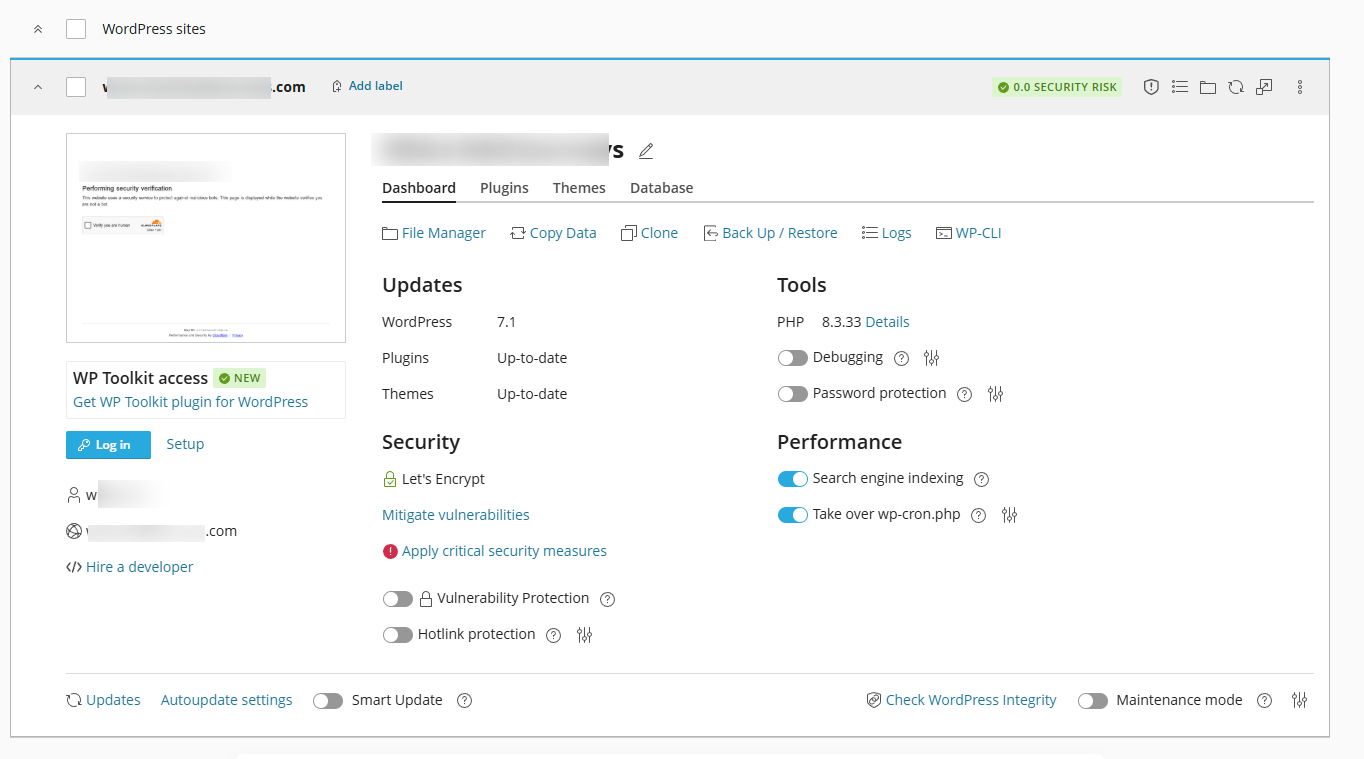
Take Over WP Cron
In cPanel, there is a quick option to select this - it then automatically creates a cron job for wp cron - settings can be modified e.g. 05, 35 minutes. I don’t see a way to do this workbench. -
Add a “Database” tab ?
Database credentials are contained on the front page, but would be better to have them in a separate Database tab, also provide more info e.g.
Database
Database name: user_wpnew [button with ability to open in phpMyAdmin < if installed]
Database table prefix: wper
Database user name: usern_wpnew_123 [change]
Database server: localhost:3306
Database size: 10mb
-
Admin dashboard login credentials
If these get updated in the database, the change does not seem to show on the toolkit dashboard -
Updates
| Plugins | 6 updates available |
| Themes | 1 update available |
These do not reflect the correct number shown in the site dashboard. They do when “update cache” is used - but maybe the cache can be automatically after a server cache clear out.
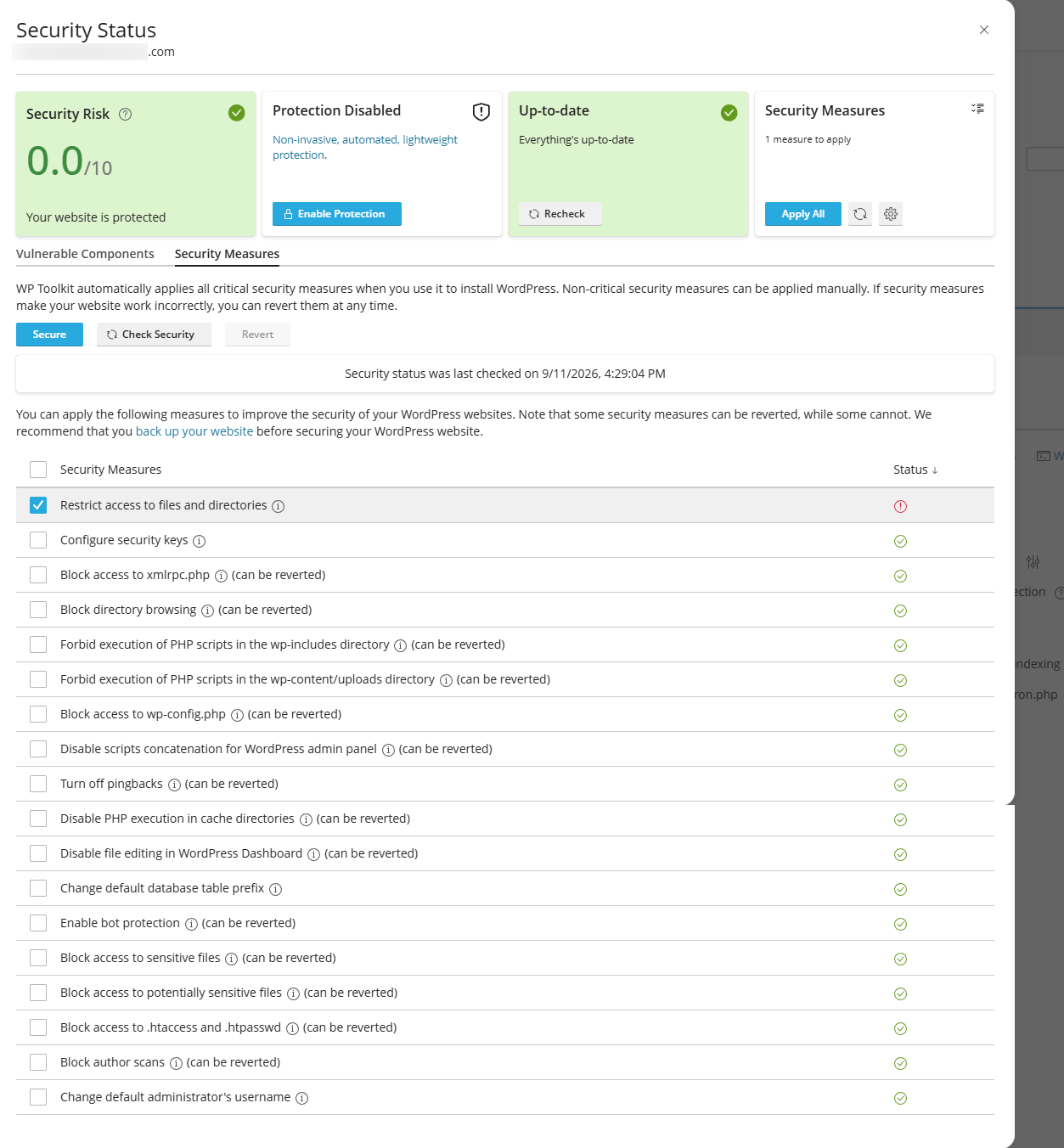
- Security Panel
Wp toolkit seems to have quite a decent security panel - I don’t know how hard this would be to implement something similar… but I do find that to be quote a nice UI with several useful options.
See screenshot attached