I am running latest versions of webmin/virtualmin, and wp workbench
I have multiple migrated sites from cPanel. All with Wordpress installed.
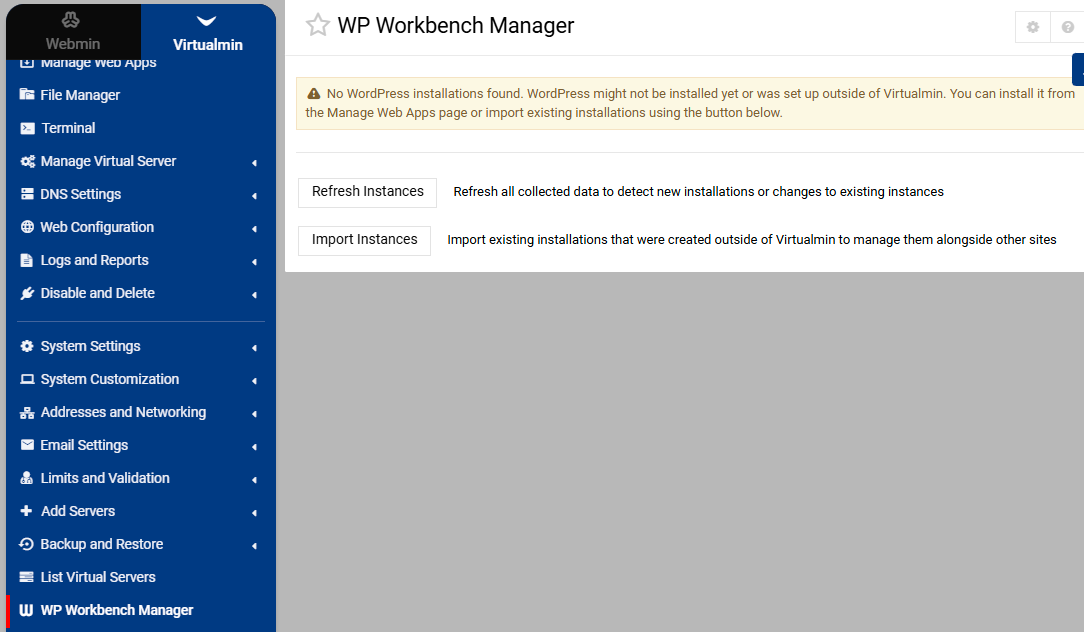
When I run the WP Workbench Manager
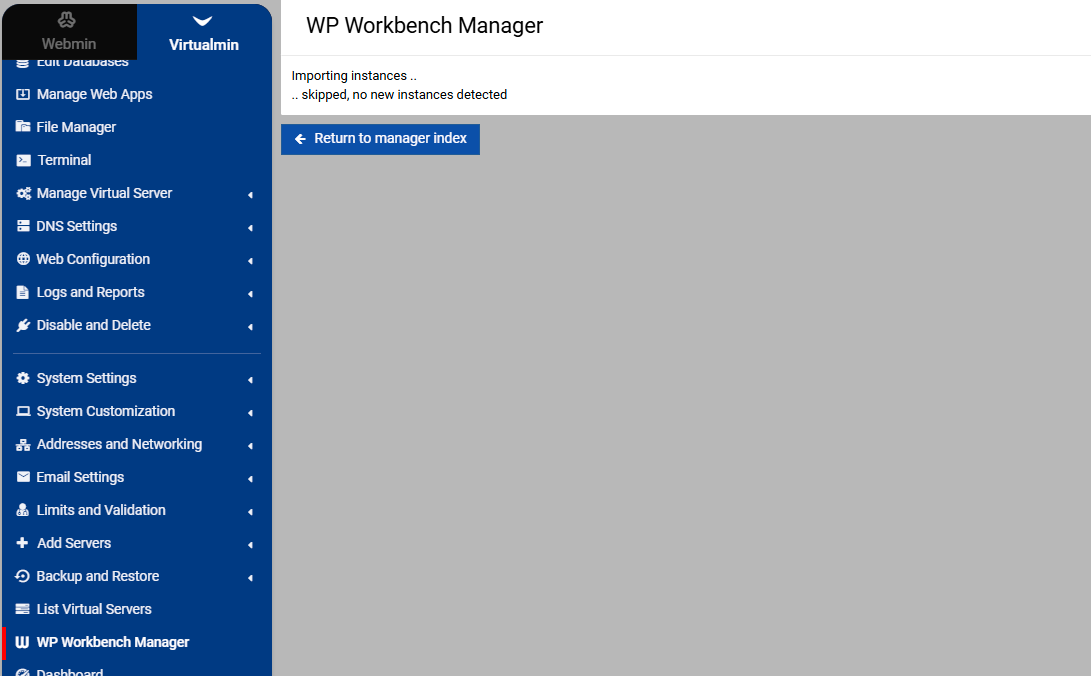
Importing instances ..
.. skipped, no new instances detected
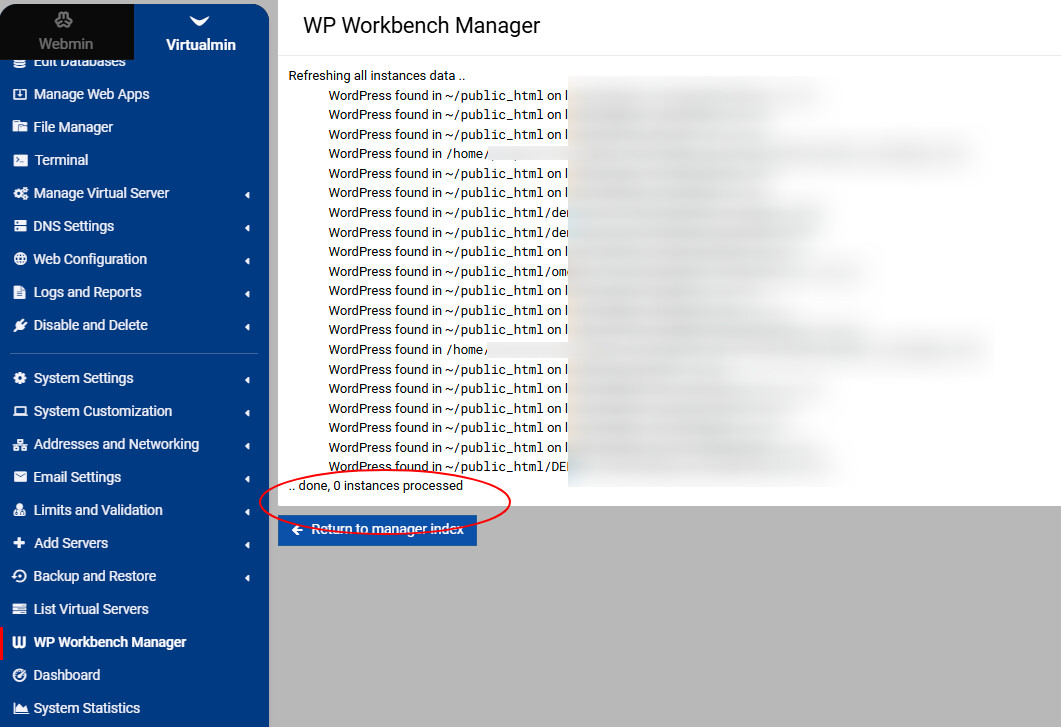
WP Workbench Manager
Refreshing all instances data ..
WordPress found in `~/public_html` on local instance **example1.com**
WordPress found in `~/public_html` on local instance **example2.com**
WordPress found in `~/public_html` on local instance **example3.com**
WordPress found in `/home/example4/public_html/demo/wp` on local instance **example4.com**
WordPress found in `~/public_html` on local instance **example5.com**

.. done, 0 instances processed
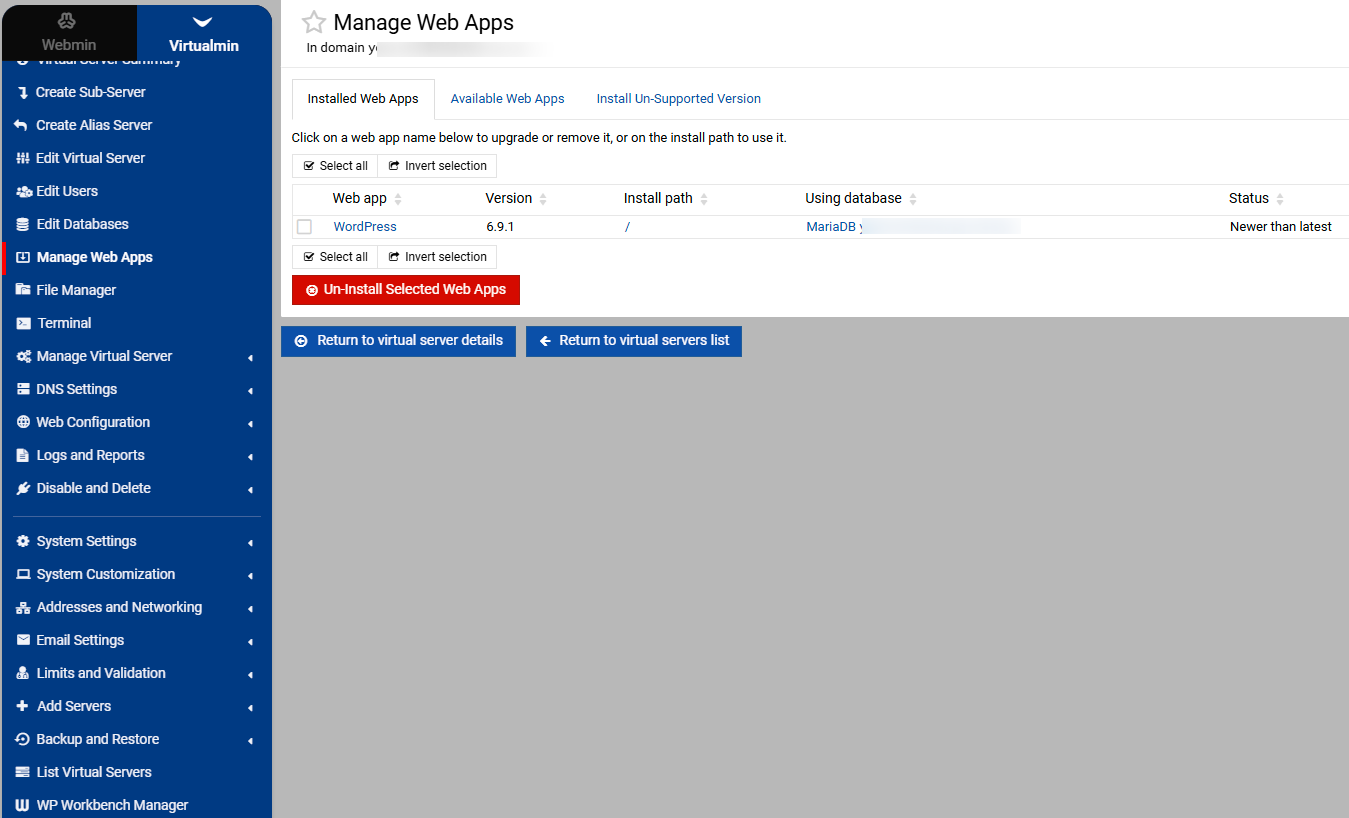
In webapps, there is Wordpress showing in the Installed Apps, but no other management tools.
How do i get virtualmin to recognise the WP installations?
You shouldn’t do this manually, but there’s a virtualmin detect-scripts CLI command.
Also, is there anything useful logged under ~/logs/?
You should fill it out for each new post at the very top so any future reader can see the version and OS. Latest doesn’t say much in a couple of months or years.
Are you logged in as the domain owner or a master administrator?
I will update your original post for you to fill it for this ticket as well.
Can you show a screenshot of the “Manage Web Apps” page and the “WP Workbench Manager” page after clicking the “Refresh Instances” and “Import Instances” buttons?
On the last screenshot, what are getting when you click on wordpress as that where WP workbench is. Ignore, just notice the top one is saying no WP installations. Bit weird.
Can you check the logs at ~/logs/wp_cli_log? Do you see anything useful there?
Also, as @stefan1959 suggested—what happens when you click on WordPress in the last screenshot? I suspect there’s something wrong with the WP-CLI command.
I’ll need to take a closer look and try to reproduce it. Based on what you’re reporting, the migrated WordPress site fails to import when WP-CLI is not available. Though, I would expect it to work.
OK I discovered that under Manage Webapps, If i select the visible WP installation and click on the blue “upgrade selected webapp” it returns me to the WP workbench - while I am under the Manage Webapp menu, but then if I navigate somewhere else and come back the WP workbench interface is gone.
Do you mean that when only one web app (i.e. WordPress) is selected for an upgrade, after the successful upgrade, the page shows three blue buttons at the end of the page, and clicking the first one takes you to the WP Workbench of the upgraded WordPress instance?
I’m sorry for my slow reply - I have been deep in a project!
Coming back to this - so here is what I did;
import website with wordpress to virtualmin server
go to manage web apps under “installed” tab, Wordpress shows.
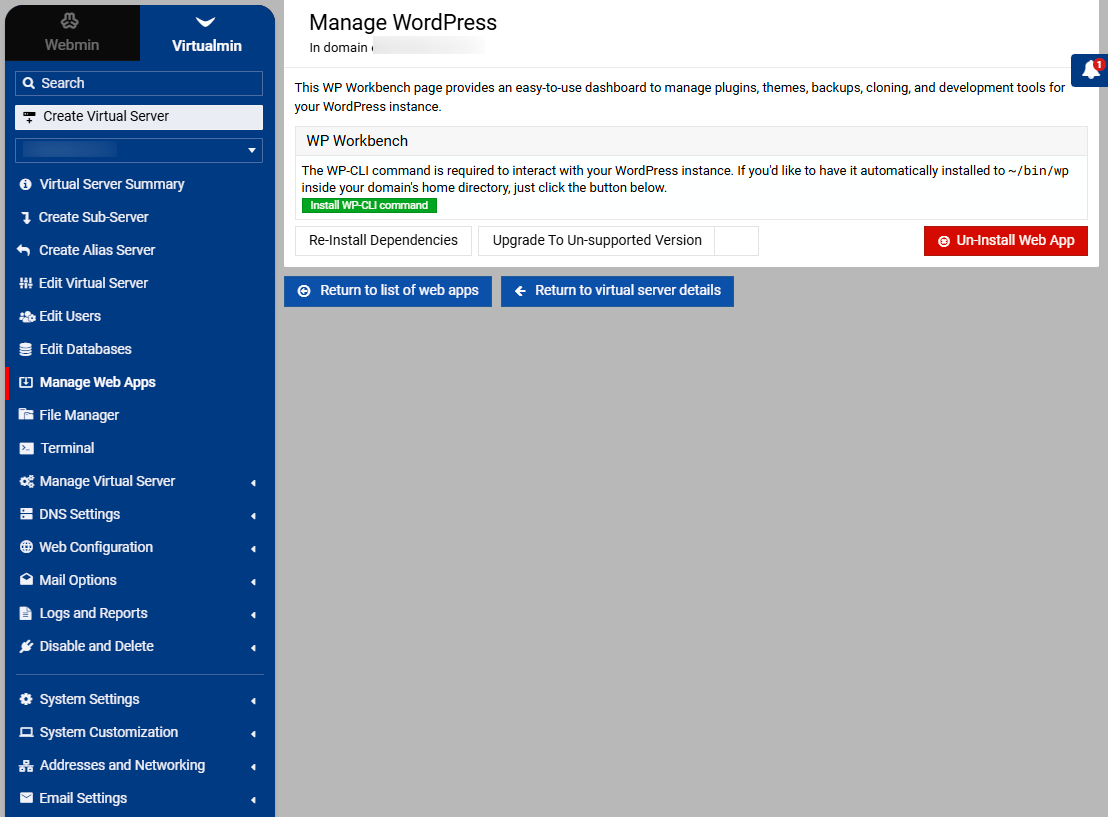
When I click on that, I see the message “The WP-CLI command is required to interact with your WordPress instance. If you’d like to have it automatically installed to ~/bin/wp inside your domain’s home directory, just click the button below.”
click green button and now wp workbench shows ! So - all good
How to “mass enable” the wp-cli for all the virtual server imported WordPress installations? When I try to use the WP Workbench Manager - it does not recognise / see the WordPress instances, although there are over 30 accounts with them… I’m guessing this feature could somehow be enhanced to “see” the imported instances and ask if you want WP-CLI to be installed in them (to enable WP workbench)
Question: I have not installed WP CLI into the server. If i install WP-CLI globally on the server as root, would that solve this for all existing and future wp installs needing wp-cli ? Or does it need wp-cli to be installed in each account’s ~/bin/ folder?
I just wanted to let you know that today i did a “refresh instances” and it successfully scanned and “saw” all the sites and now I am happily to report they are all “imported” to workbench.
Thank you for your committed work.
Some additional feedback - I will post separately.