SYSTEM INFORMATION
OS type and version
Rocky Linux 9.4
Webmin version
7.20.2
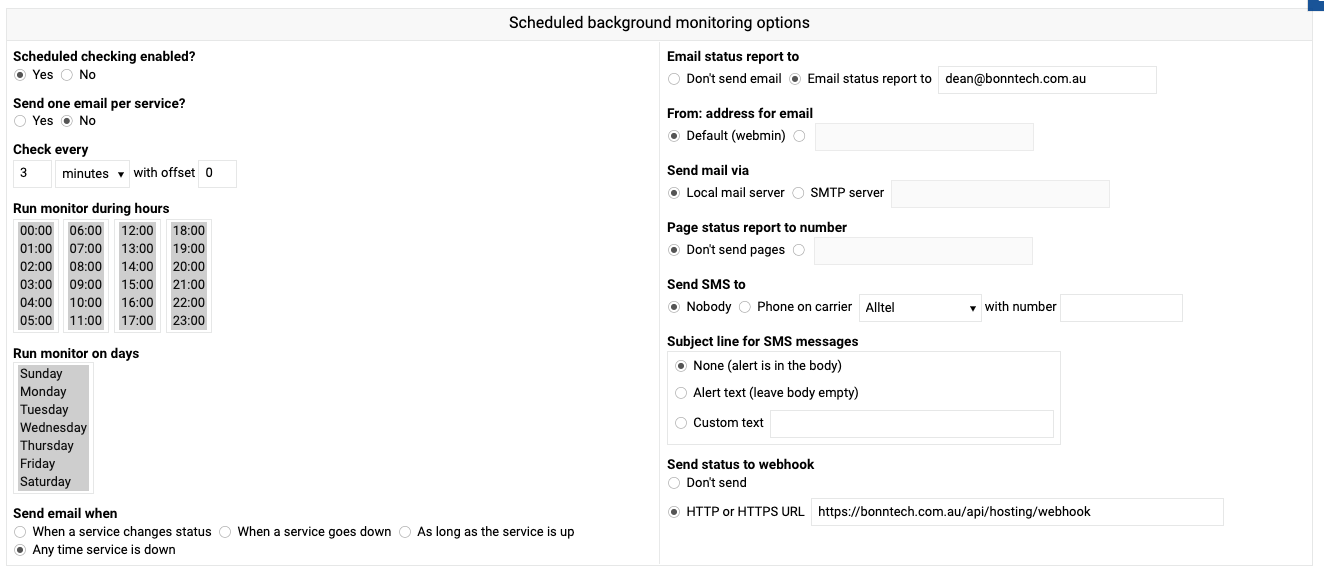
Hi Team. Some quick help please.
I get the email from the server with the appropriate notification, but I never receive the webhook hit. I have confirmed by ssh on the box that the destination can be resolved. Would appreciate any advice here.
Thank you
Joe
October 11, 2024, 1:35am
2
There’s probably something about it in the miniserv.error or Webmin Actions log.
Hi Joe
Not seeing anything in either log.
I have confirmed I can hit the url from the box and we are getting the email notifications.
But no hit to the webhook endpoint.
regards
Hi Joe
Just going for an update on this ticket, we are looking to roll out web hook feature on all servers for monitoring
Thanks
Joe
October 14, 2024, 5:51pm
5
I’ll ask @Jamie to chime in. I don’t know why the webhook wouldn’t fire, and I’ve never used that feature.
1 Like
Jamie
October 15, 2024, 2:29am
6
So I just tested this, and the webhook feature seems to work fine on my test system…
Thanks Jamie
Is there any logging I can check? Definately seems to not trigger on our production system. Might be an error occurring? Not sure where to look.
Jamie
October 15, 2024, 3:09am
8
Unfortunately there is no debug output so it’s not easy to see why the webhook request failed. I should add that …
@Jamie where you configure the web hook, can you add a test button which will show the response?
I am guessing this will be something like 403,404 or maybe some simple text (not used webhooks so I am guessing)
is there a journal tail command that could be run to look for the webhook?
Jamie
October 15, 2024, 11:08pm
10
I’ll work on improving debug-ability and let you know when it’s ready for testing
1 Like
Jamie
October 17, 2024, 3:49am
11
Ok I’ve checked in a fix to add more debug info here : Add debug mode · webmin/webmin@06fe239 · GitHub
Once applied you can run /etc/webmin/status/monitor.pl --debug