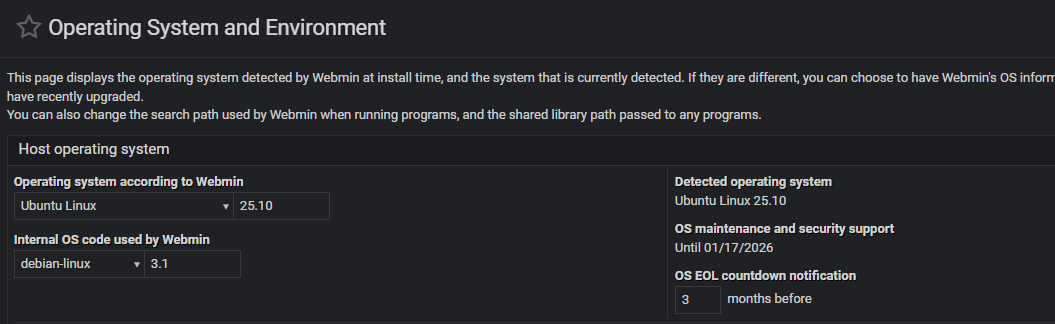
Webmin shows errenous EOL

SYSTEM INFORMATION
OS type and version Ubuntu 25.10
Webmin version 2.621

I just upgraded from Ubuntu 25.04 because EOL was reached in Jan 2026. I am now on Ubuntu 25.10 which has an EOL of July 2026. Yet, Webmin shows this version as also EOL.

How can i make it display correctly?
My concern is that Webmin will not show necessary package updates.

Not sure but maybe because 25.10 is a short term OS?
Webmin lists LTS OS’s such as 24.04 LTS as grade A supported systems.

It handled 25.04 correctly when it came to EOL, and I know it’s not LTS. At this point, Im just nursing it along until the next LTS, rather than downgrade.

Understood, I’m not saying it is a bad thing :grin:
Have you tried restarting webmin?

Yes, and rebooted the vm as well. :slight_smile:

Try going to “Webmin ⇾ Webmin Configuration: Operating System and Environment” page and click “Save” button to update EOL information.

Yet, before you do it, what is the output of:

grep -Rsi eol_ /etc/webmin

ubuntu@ip-172-31-20-232:~$ grep -Rsi eol_ /etc/webmin
/etc/webmin/config:os_eol_db=2.621
/etc/webmin/config:os_eol_about=2
/etc/webmin/config:os_eol_expired=EOL reached
/etc/webmin/config:os_eol_in=1 week
ubuntu@ip-172-31-20-232:~$

After the Save:

The main screen shows correctly now, No EOL tag.

1 Like