Virtualmin Nginx configuration breaks existing hosts

SYSTEM INFORMATION
OS type and version Ubuntu 24.04.2 LTS
Virtualmin version 7.30.8

Whenever I create a new virtual (sub) server in virtualmin it makes changes to the Virtualmin Nginx config. This causes proxy websites created outside of Virtualmin to cease functioning. I have no idea why this is happening. I hope someone here might know more about the issue.

Thanks in advance

Why and how?

I use Nginx almost exclusively and have several “sub servers” all set up through Virtualmin and all appear to be operating (so no issue with their configuration)

The issue is, I have other Nginx configurations that I have outside of Virtualmin (For example webmin and a software panel application) and all of them stop being accessible when the Virtualmin configuration is applied.

I never import configurations from “outside” virtualmin - only altering from within virtualmin
ditto for “proxy sites” Web Configuration -> Edit Proxy Website and Web Configuration -> Proxy Paths

Apologies, I made myself unclear, I think. I am not sure how to explain my problem because I myself have no idea what is going on. I created some Nginx sites before I installed Virtualmin. And these websites that I made prior to using Virtualmin don’t work anymore when a virtual server is configured (Or more specifically, when the Nginx configuration is created and applied). There are some services that I don’t wanna associate with my Virtualmin user, that is why I don’t just make all of the subdomains using Virtualmin.

Virtualmin is an integrated solution. It will know nothing of things you create outside it.

If you didn’t install on a clean system using the install script then you are pretty much on your own. VM doesn’t ‘backwards incorporate’ other existing configurations.

VM is highly configurable so it is possible you can still do what you want from withing VM. Can you give an example of what services you are talking about?

Documentation tells you not to do that. Documentation very clearly says to start with a freshly installed supported OS.

It’s pretty easy to have virtual hosts other than those managed by Virtualmin, but I guess it’s also easy to configure it wrong…in a way that nginx will never choose it over a Virtualmin-created virtual host. You should probably show us what configuration you made that isn’t working, so we can tell you how to make it work.

That’s not true at all. Virtualmin parses config files directly, it does not work from a separate set of configuration (except where necessary for extra metadata about how separate services work together). You can edit config files outside of Virtualmin without problem.

OP just got the configuration wrong. No big deal. If they’ll show us the configuration that’s not working, we can help them fix it.

Thank you very much for your reply. This is one of the external Nginx configurations that I am using:

server {
  server_name webmin.mysite.net;
  listen 443 ssl;
  access_log off;
  error_log off;


  location /RequestDenied {
    return 418;
  }

  location / {

    proxy_pass      https://127.0.0.1:10000;
    proxy_redirect  off;

    #Proxy Settings
    proxy_set_header   Host             $host:$server_port;
    proxy_set_header   X-Real-IP        $remote_addr;
    proxy_set_header   X-Forwarded-For  $proxy_add_x_forwarded_for;

    proxy_max_temp_file_size 0;
    proxy_connect_timeout      90;
    proxy_send_timeout         90;
    proxy_read_timeout         90;
    proxy_buffer_size          128k;
    proxy_buffers              32 32k;
    proxy_busy_buffers_size    256k;
    proxy_temp_file_write_size 256k;
    proxy_http_version 1.1;
    proxy_set_header Upgrade $http_upgrade;
    proxy_set_header Connection Upgrade;

    # Disable buffering to make progressive
    # output work as expected
    proxy_buffering off;
    proxy_request_buffering off;

    # Enable large file uploads
    client_max_body_size 64g;
  }
    ssl_certificate REDACTED;
    ssl_certificate_key REDACTED;
	}

Not sure if that matters since I am new to Nginx, but all of the other configs that stop working use the proxy_pass directive. Really sorry, I am a complete noob regarding Nginx.

And, what happens when you browse to that name?

Also, why turn off logs, the one thing that can help troubleshoot problems?

Also, why turn off logs, the one thing that can help troubleshoot problems?

Wait, what? I… Don’t remember doing this. Maybe my partner disabled it for something and forgot to re-enable it. I didn’t notice that to be honest. I have re-enabled it now.

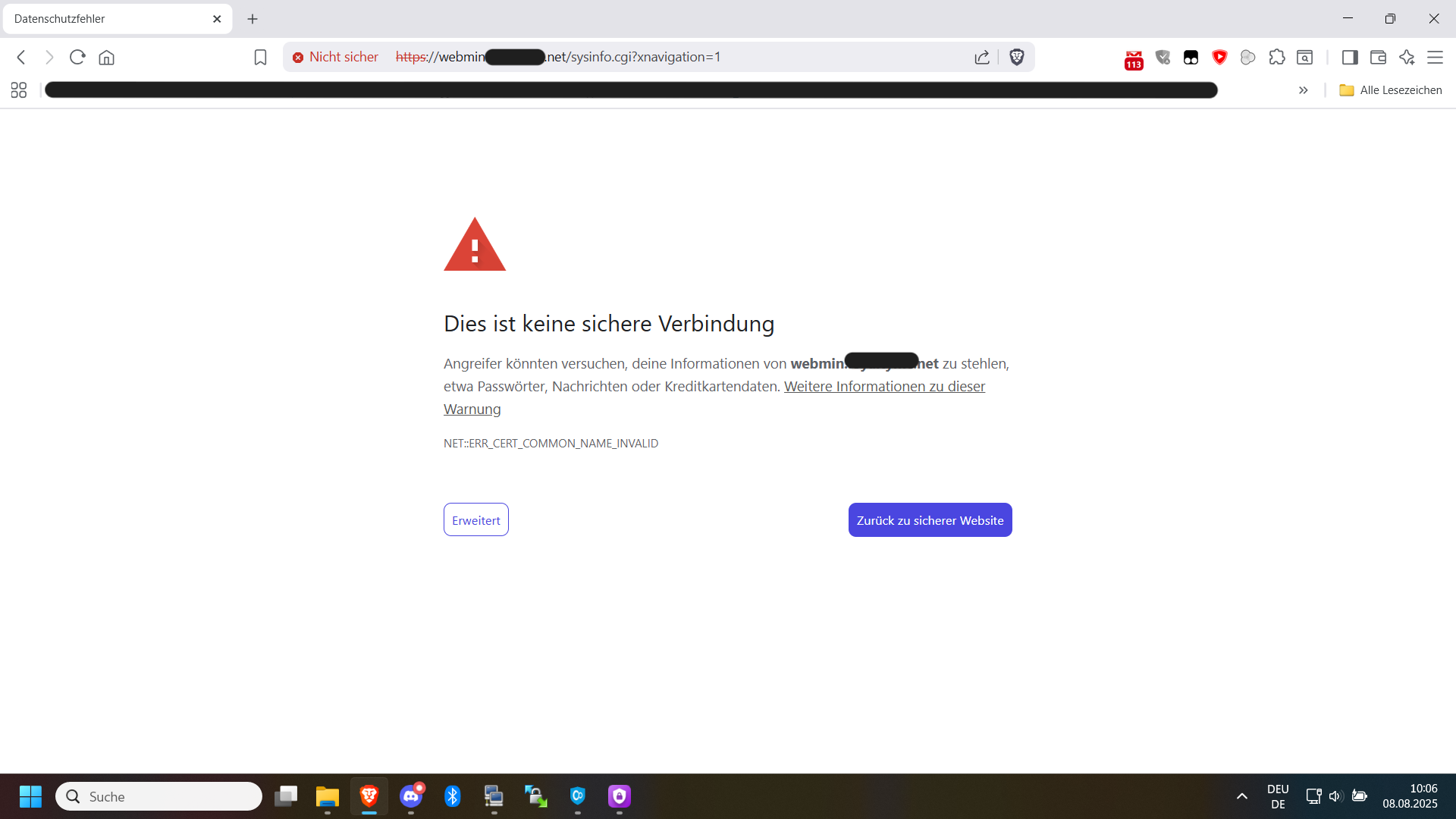
As for what happens, it says that the certificate is invalid and instead of bringing me to the Webmin dashboard like it should do, it redirects me to the main website on port 80.

This is how the config looks that was generated by Virtualmin, by the way. I forgot to include it above.

server {
	server_name mysite.net www.mysite.net mail.mysite.net webmail.mysite.net admin.mysite.net;
	listen [My public IPV4 here];
	listen [My public IPV6 here];
	root /home/mysite/public_html;
	index index.php index.htm index.html;
	access_log /var/log/virtualmin/mysite.net_access_log;
	error_log /var/log/virtualmin/mysite.net_error_log;
	fastcgi_param GATEWAY_INTERFACE CGI/1.1;
	fastcgi_param SERVER_SOFTWARE nginx;
	fastcgi_param QUERY_STRING $query_string;
	fastcgi_param REQUEST_METHOD $request_method;
	fastcgi_param CONTENT_TYPE $content_type;
	fastcgi_param CONTENT_LENGTH $content_length;
	fastcgi_param SCRIPT_FILENAME "/home/mysite/public_html$fastcgi_script_name";
	fastcgi_param SCRIPT_NAME $fastcgi_script_name;
	fastcgi_param REQUEST_URI $request_uri;
	fastcgi_param DOCUMENT_URI $document_uri;
	fastcgi_param DOCUMENT_ROOT /home/mysite/public_html;
	fastcgi_param SERVER_PROTOCOL $server_protocol;
	fastcgi_param REMOTE_ADDR $remote_addr;
	fastcgi_param REMOTE_PORT $remote_port;
	fastcgi_param SERVER_ADDR $server_addr;
	fastcgi_param SERVER_PORT $server_port;
	fastcgi_param SERVER_NAME $server_name;
	fastcgi_param PATH_INFO $fastcgi_path_info;
	fastcgi_param HTTPS $https;
	location ^~ /.well-known/ {
		try_files $uri /;
	}
	location ~ "\.php(/|$)" {
		try_files $uri $fastcgi_script_name =404;
		default_type application/x-httpd-php;
		fastcgi_pass unix:/run/php/xxx.sock;
	}
	fastcgi_split_path_info "^(.+\.php)(/.+)$";
	if ($host = webmail.mysite.net) {
		rewrite "^/(.*)$" "https://mysite.net:20000/$1" redirect;
	}
	if ($host = admin.mysite .net) {
		rewrite "^/(.*)$" "https://mysite.net:443/$1" redirect;
	}
	listen [My public IPV4 here] ssl;
	listen [My public IPV6 here]:443 ssl;
	ssl_certificate /etc/ssl/virtualmin/xxx/ssl.combined;
	ssl_certificate_key /etc/ssl/virtualmin/xxx/ssl.key;
}

server {
    listen 80;
    server_name mysite.net www.mysite.net;

    location ^~ /.well-known/acme-challenge/ {
        root /home/mysite/public_html;
        allow all;
    }

}
server {

    if ($host = mysite.net) {
        return 301 https://$host$request_uri;
    } # managed by Certbot


	server_name mysite.net www.mysite.net webmail.mysite.net admin.mysite.net;
    listen 80;
    return 404; # managed by Certbot


}

I would expect the cert to not be able to renew, because you haven’t excluded .well-known from your proxy rule…so the name webmin.domain.tld can never get a Let’s Encrypt cert (you could also use a commercial cert with a longer expiry which doesn’t require validation in the way Let’s Encrypt validates).

Being specific would be helpful here, though. A cert can be “invalid” in many ways. Is it expired? Is it for another domain?

Also, if Webmin has not been setup to be proxied, it won’t work through a proxy. FAQs | Webmin

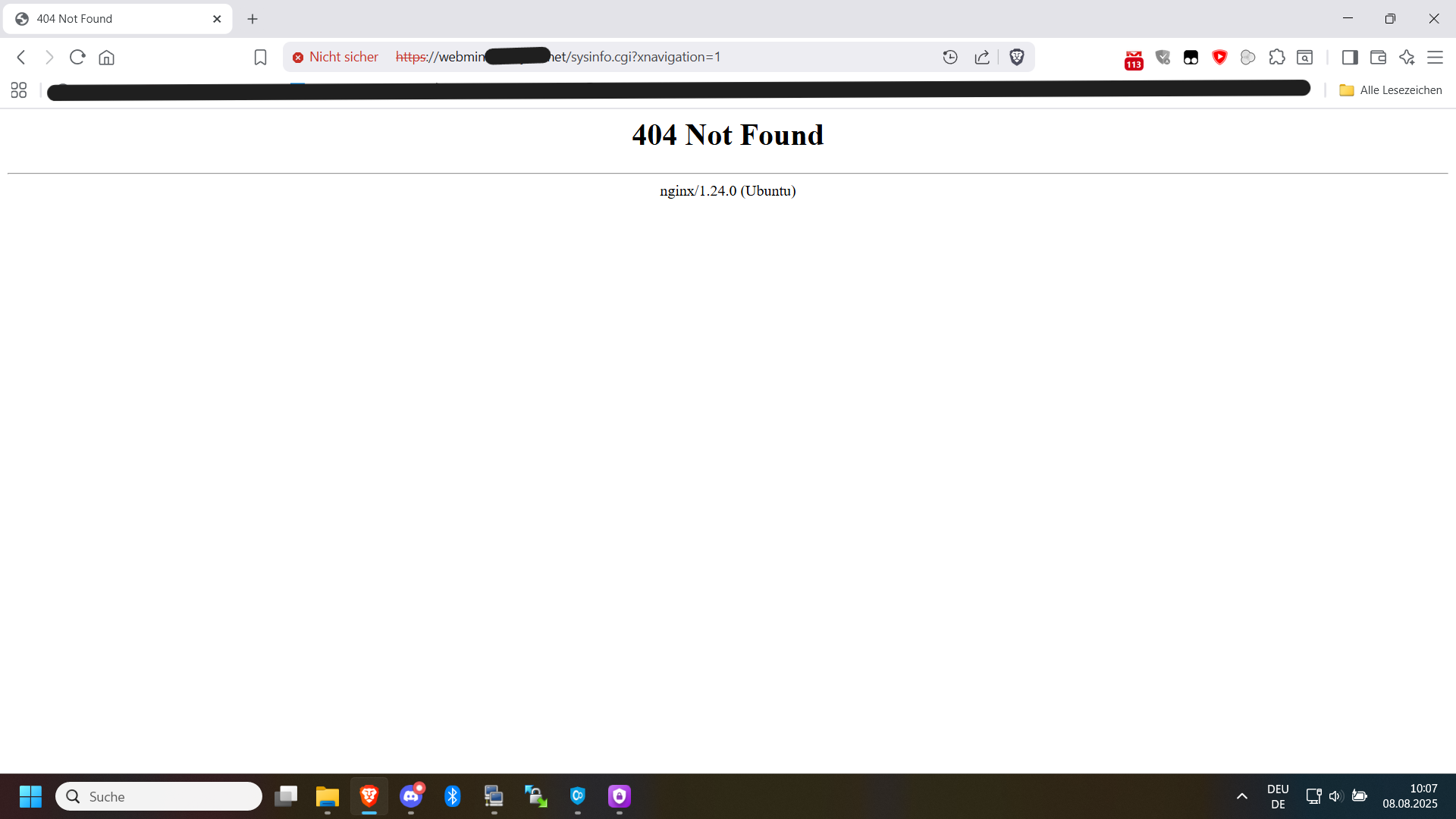
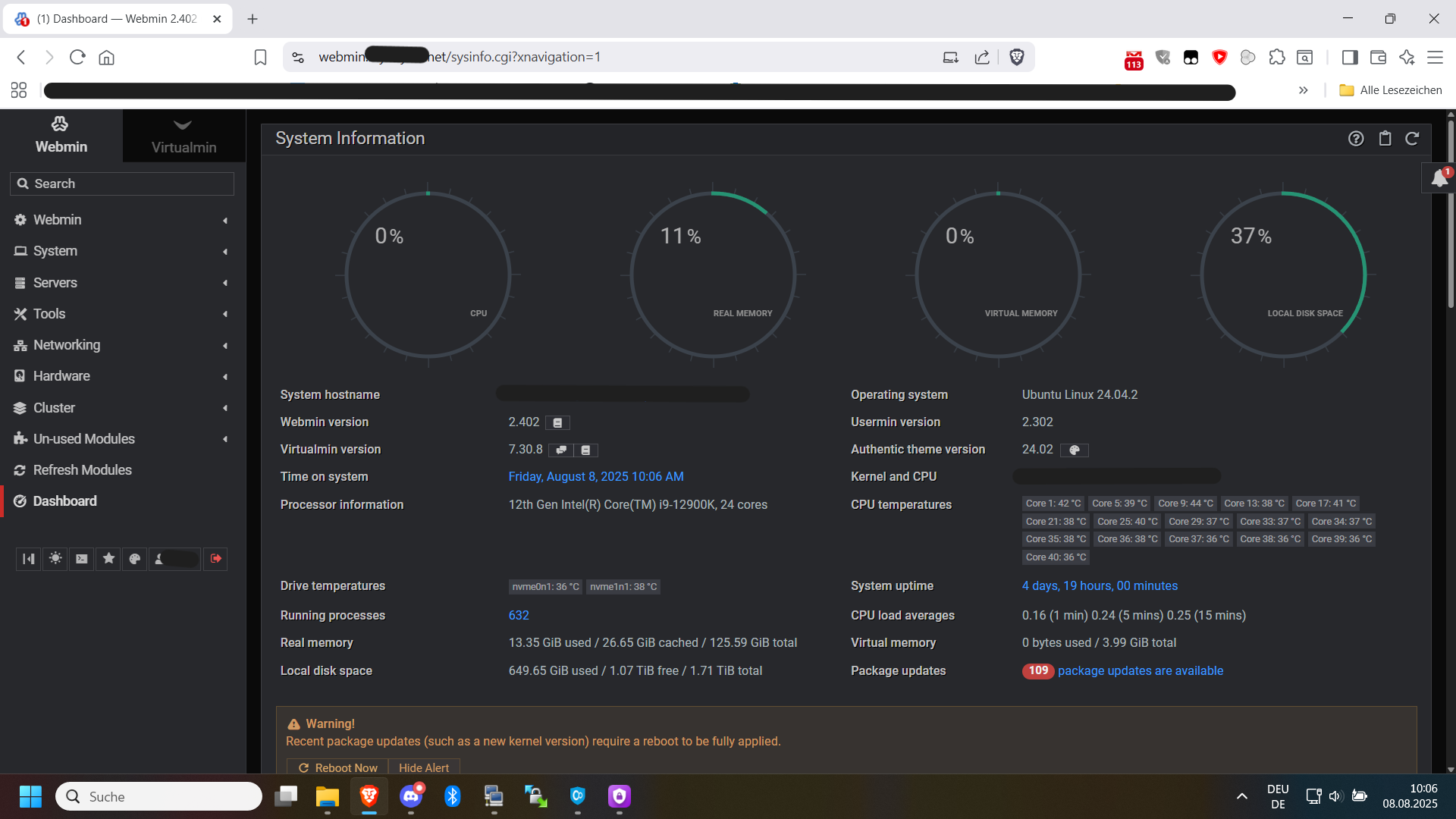
My apologies for the delay. I have been busy the last few days and had to put this issue to the back of my mind. As for the invalid certificate, it says ERR_CERT_COMMON_NAME_INVALID, but ONLY if the Nginx config from Virtualmin is active. Furthermore, it doesn’t display the dashboard anymore. I have uploaded images below to show the situation:

So, the cert is for the wrong name, which indicates a problem in your nginx configuration (the cert you’re trying to use for this is not for this name). Are you actually requesting a certificate for webmin.domain.tld? Since you configured this yourself, Virtualmin has no way to know to include that in your Let’s Encrypt requests, you’ll need to add it (or manage certs for these webmin domains yourself with certbot, but Virtualmin can be configured to do it).

If you make these domains managed by Virtualmin, or aliases of existing domains managed by Virtualmin, that’d probably be the easiest way to go about this. You could even add the proxy rules (with a tweak to match only on the hostnames with webmin. in them) in your Server Templates for the nginx config.

So, uh… I just played around with my Nginx configurations with inspirations I got from this post here, and out of curiousity I tried to bind the Virtualmin config specifically to Port 81 and now I can reach all of the sites without problem. I am pretty sure that makes the config worse overall, because I’d imagine having the Nginx config for Virtualmin specifically listen for Port 81 only, opens up a whole new world of issues… maybe? But maybe the knowledge helps with finding the issue.
Here is the modified config file:

server {
	server_name mysite.net www.mysite.net mail.mysite.net webmail.mysite.net admin.mysite.net;
	listen [::]:81;
	root /home/mysite/public_html;
	index index.php index.htm index.html;
	access_log /var/log/virtualmin/mysite.net_access_log;
	error_log /var/log/virtualmin/mysite.net_error_log;
	fastcgi_param GATEWAY_INTERFACE CGI/1.1;
	fastcgi_param SERVER_SOFTWARE nginx;
	fastcgi_param QUERY_STRING $query_string;
	fastcgi_param REQUEST_METHOD $request_method;
	fastcgi_param CONTENT_TYPE $content_type;
	fastcgi_param CONTENT_LENGTH $content_length;
	fastcgi_param SCRIPT_FILENAME "/home/mysite/public_html$fastcgi_script_name";
	fastcgi_param SCRIPT_NAME $fastcgi_script_name;
	fastcgi_param REQUEST_URI $request_uri;
	fastcgi_param DOCUMENT_URI $document_uri;
	fastcgi_param DOCUMENT_ROOT /home/mysite/public_html;
	fastcgi_param SERVER_PROTOCOL $server_protocol;
	fastcgi_param REMOTE_ADDR $remote_addr;
	fastcgi_param REMOTE_PORT $remote_port;
	fastcgi_param SERVER_ADDR $server_addr;
	fastcgi_param SERVER_PORT $server_port;
	fastcgi_param SERVER_NAME $server_name;
	fastcgi_param PATH_INFO $fastcgi_path_info;
	fastcgi_param HTTPS $https;
	location ^~ /.well-known/ {
		try_files $uri /;
	}
	location ~ "\.php(/|$)" {
		try_files $uri $fastcgi_script_name =404;
		default_type application/x-httpd-php;
		fastcgi_pass unix:/var/php-nginx/xxx.sock/socket;
	}
	fastcgi_split_path_info "^(.+\.php)(/.+)$";
	if ($host = webmail.mysite.net) {
		rewrite "^/(.*)$" "https://mysite.net:20000/$1" redirect;
	}
	if ($host = admin.mysite.net) {
		rewrite "^/(.*)$" "https://mysite.net:443/$1" redirect;
	}
	listen 443 ssl;
	ssl_certificate /etc/ssl/virtualmin/1727805669753482/ssl.combined;
	ssl_certificate_key /etc/ssl/virtualmin/1727805669753482/ssl.key;
}

By the way, port 81 isn’t even open to the Firewall, so no freaking idea why that works

This topic was automatically closed 60 days after the last reply. New replies are no longer allowed.