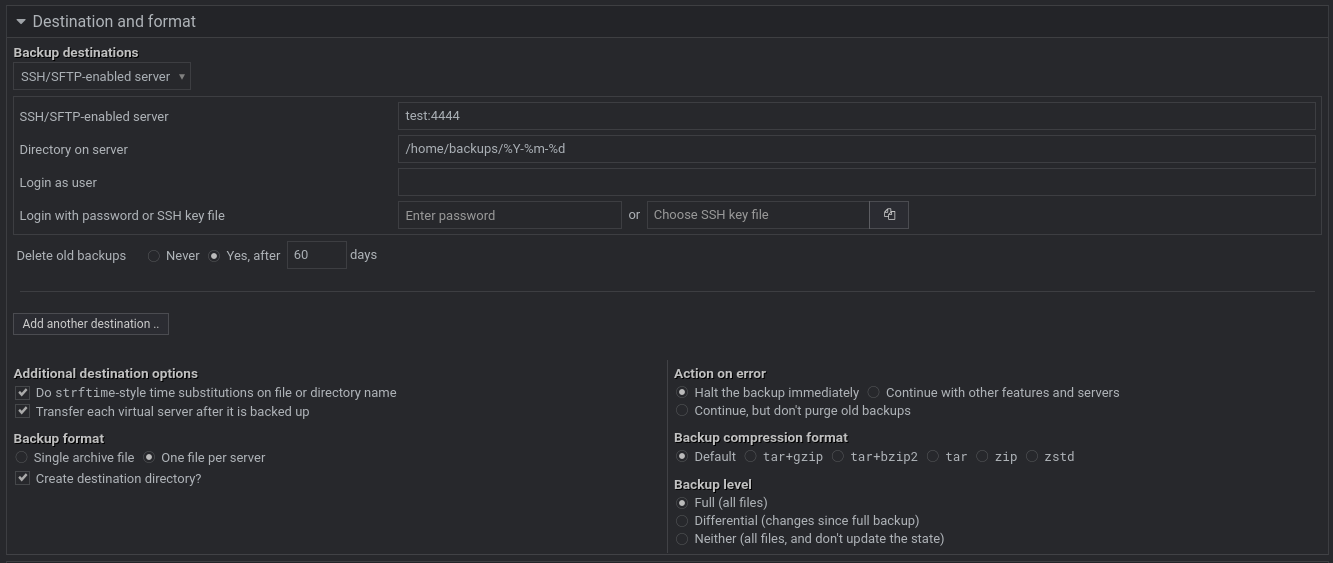
I can connect to ssh test via the console without any issues. The backup process itself also works fine.
However, when it comes to deleting old backups, I get the following error. I think this might be related to the port configuration, but despite trying several different approaches, I couldn’t figure it out.
7 Virtualmin system configurations backed up successfully
Deleting backups from /home/backups on SSH server test matching .-.-.* older than 60 days ..
.. failed to list directory via SSH : usage: ssh [-46AaCfGgKkMNnqsTtVvXxYy] [-B bind_interface]
[-b bind_address] [-c cipher_spec] [-D [bind_address:]port]
[-E log_file] [-e escape_char] [-F configfile] [-I pkcs11]
[-i identity_file] [-J [user@]host[:port]] [-L address]
[-l login_name] [-m mac_spec] [-O ctl_cmd] [-o option] [-p port]
[-Q query_option] [-R address] [-S ctl_path] [-W host:port]
[-w local_tun[:remote_tun]] destination [command]
@uyesercan Can you check “Webmin ⇾ Webmin Actions Log” for the latest backup operation and see which command fails exactly? You can use a toggle at the top right of the “Action Details” page to remove backslashes from executed commands for better readability.
Here is my output.
FYI, I have replaced real site names (e.g., site1, site2) and SSH usernames (e.g., test) for security reasons.
[root@konsole ~]# virtualmin list-scheduled-backups --multiline
175589024077601
    Domains: Except site1.com db.site2.com
    Include sub-servers: Yes
    Virtualmin configs: config templates email custom scripts scheds mailserver
    Destination: ssh://:@test:4444:/home/backups/%Y-%m-%d
    Delete old backups after: 60 days
    Features: All
    Format: One file per server
    Differential: No
    Enabled: Yes
    Send email: Always
    Notify domain owners: No
    Running: No
1755811344134046
    Domains: site1.com
    Include sub-servers: Yes
    Virtualmin configs: config templates email custom scripts scheds mailserver
    Destination: ssh://:@test:4444:/home/backups/%Y-%m-%d
    Delete old backups after: 60 days
    Features: All
    Format: One file per server
    Differential: No
    Enabled: Yes
    Send email: Always
    Notify domain owners: No
    Running: No
Thanks, that’s exactly what I needed. Turns out that if no username is entered for the SSH destination, the purging code constructs the wrong SSH command.
The fix will be in the next release, and can be seen here: