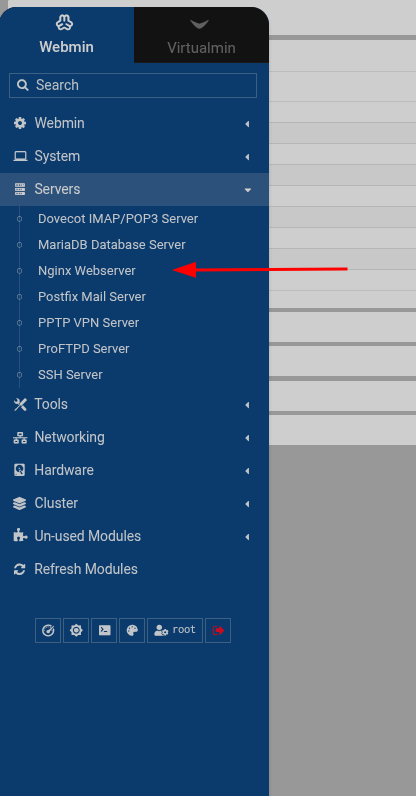
I’d really like to test it.
where did you got it ?
IMHO would be great a toggle button for each website like active/stopped that creates or deletes a symbolic link from the site-available to the site-enabled.
That’s a Virtualmin plugin (that happens to also include an nginx UI). It’s an accident of history, due to starting out without a GUI and only allowing basic nginx stuff in Virtualmin, and growing from there.
But, it isn’t a regular Webmin module and doesn’t answer OPs question.
I don’t see why one couldn’t make a version that doesn’t hook into Virtualmin, but it’s unlikely to be super simple.
sorry, than just to understand,
is there a way to have a simple nginx GUI module in webmin ?
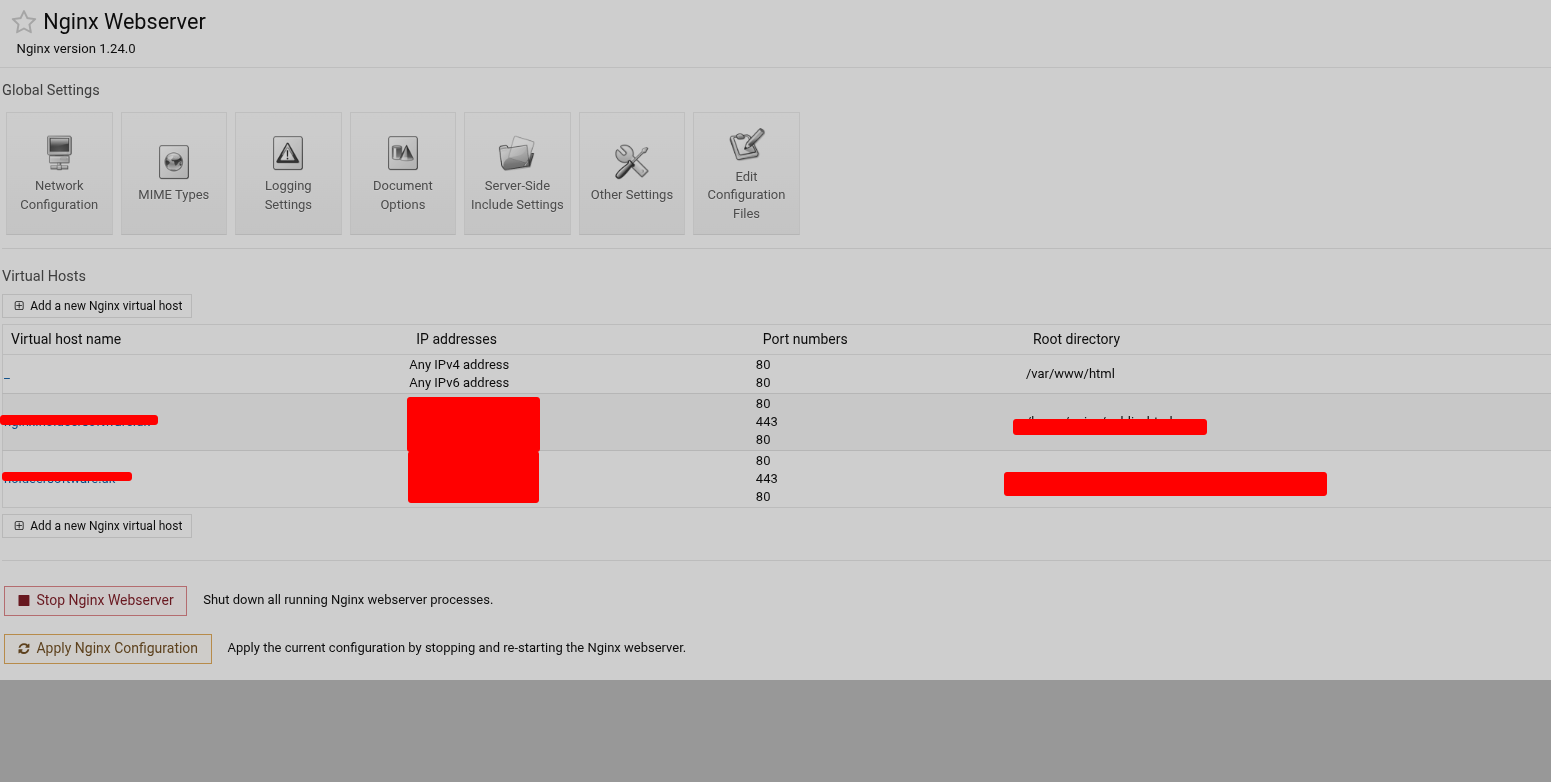
like I wrote just for basic config showed in the picture plus enable/stop websites ?
where can I find the code of the nginx virtualmin showed in the picture ?
can I in some way adapt it for webmin ?
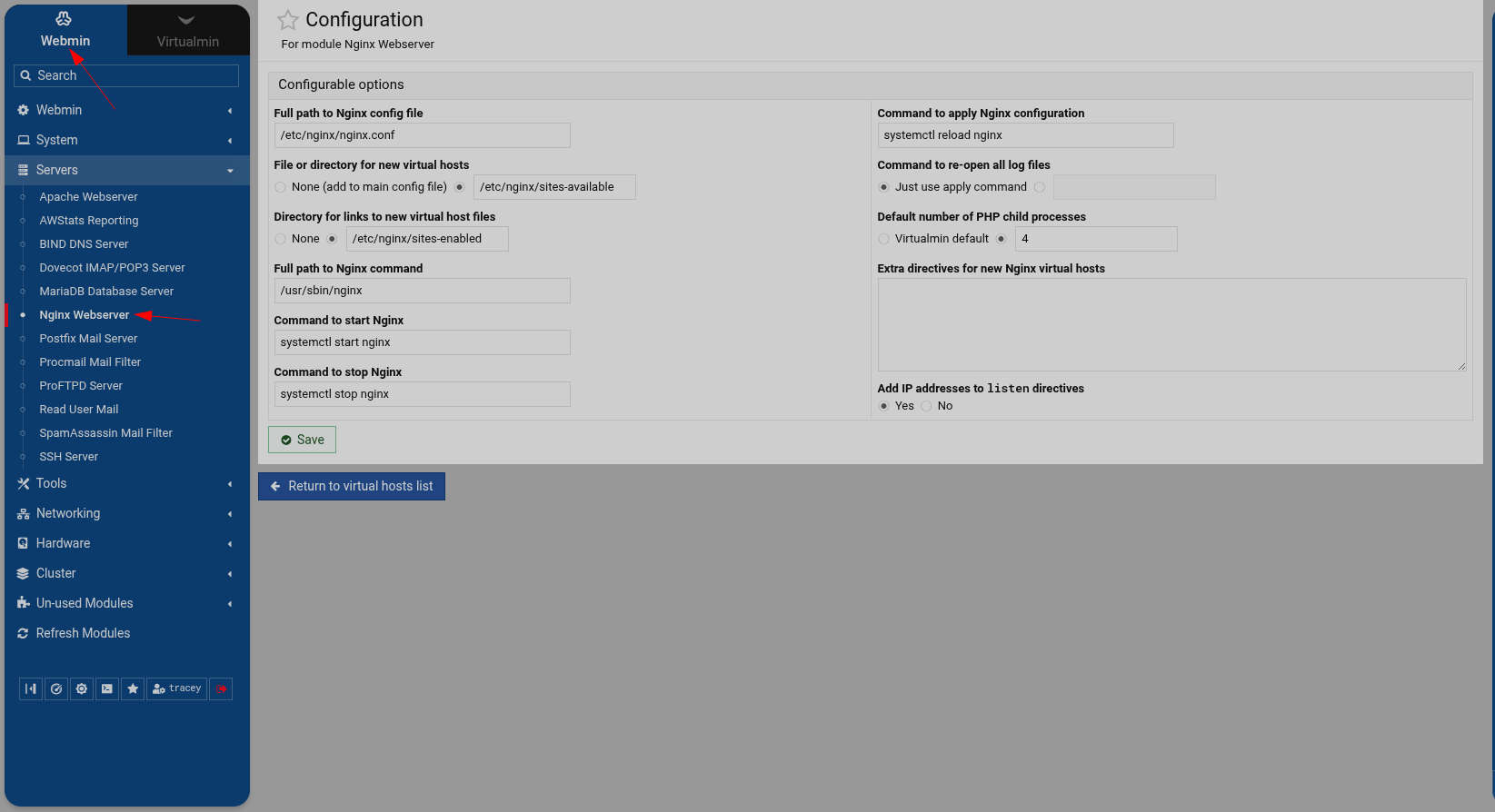
So what exactly is displaying at Webmin->Servers->Nginx Webserver ?
On my system it’s a UI that allows you to start/stop, and edit virtual server options along with deleting them. All that is missing is the ability to disable the virtual host
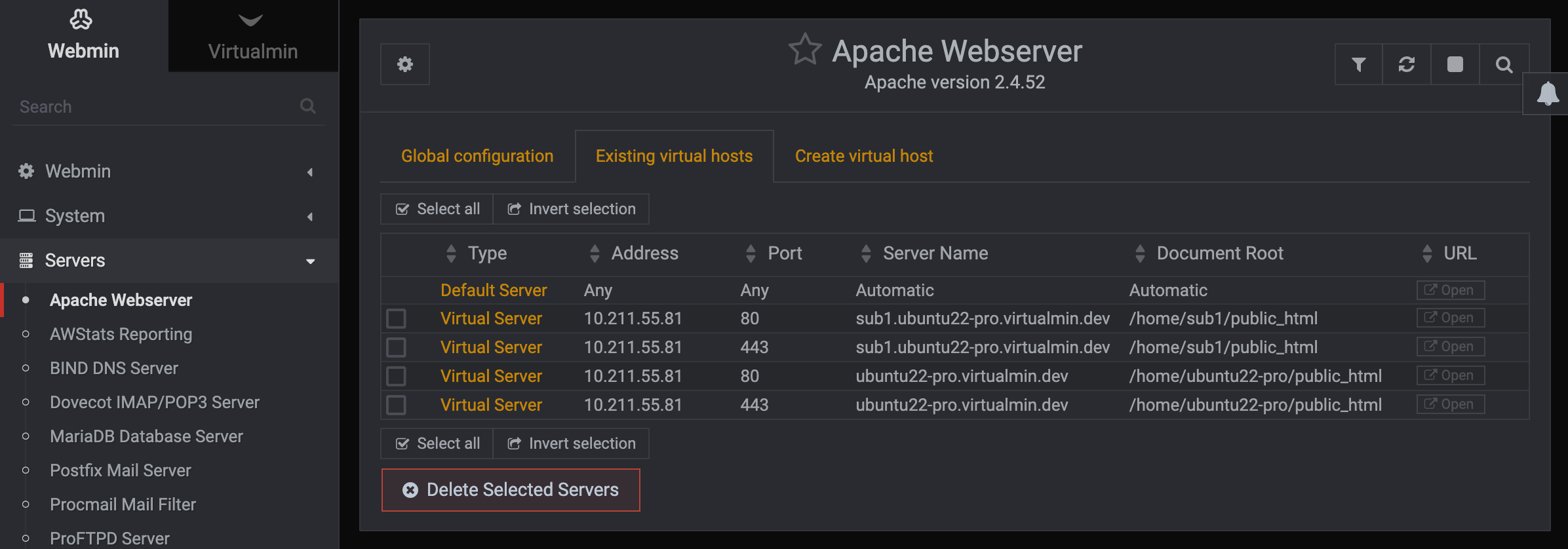
just for fun I installed the module on an apache based system and got the following
They are not using Virtualmin, thus they do not have the Virtualmin repos. There is no expectation that the virtualmin-nginx plugin would be in the Webmin repository, because it is not a Webmin module, it is a Virtualmin plugin (which is a Webmin module that depends on Virtualmin) and requires Virtualmin.
I can take a look at that. Removing code from an existing, working module is definitely easier than adding new parts, so it might work. If it does, we’ll add it to the full Webmin module list to support Nginx the same way we support Apache.
@Ilia my advice would be to limit the virtualmin-nginx plugin to just virtual_feature.pl in a future version, and have that call the APIs you moved to the new nginx module.