| SYSTEM INFORMATION | |
|---|---|
| OS type and version | EL10 |
| Webmin version | Nil |
| Usermin version | 2.540 |
Installing Usermin on clean EL10 install needs to deal with selinux which stops it from running. when enabled.
| SYSTEM INFORMATION | |
|---|---|
| OS type and version | EL10 |
| Webmin version | Nil |
| Usermin version | 2.540 |
Installing Usermin on clean EL10 install needs to deal with selinux which stops it from running. when enabled.
To fix it manually:
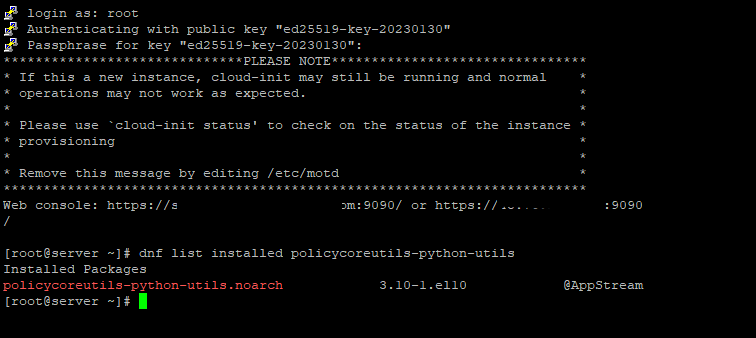
dnf install -y policycoreutils-python-utils
semanage fcontext -a -t var_run_t "/var/usermin(/.*)?"
restorecon -Rv /var/usermin
systemctl restart usermin
Hello,
Thanks for the heads-up!
It worked just fine for me on Alma 10 and Rocky 9.
Why install this package? Isn’t it installed by default on every modern EL system?
Not on my fresh Alma 10 with updates.
Not on my fresh Alma 10 with updates.
I am using a VPS EL 10 image.
Just tested on a fresh install on local machine, still “No” to both.
I am using clean OS though.
Most hosts makes their own images. You cannot assume that the OS you get on Vultr will match one you get on Scaleway or Hetzner or Linode or DigitalOcean or whoever.
So the user needs to work that out like what Randomz did.
Can dnf install usermin check for that dependency?
SELinux is not currently a dependency of Usermin, and if someone is using SELinux, I would expect them to have the tools for managing it installed (Usermin won’t be the only configuration you need to do).
That said, I’ve been planning to add SELinux support to Webmin for some time (and support for using it with Virtualmin…it’s not a pleasant experience, SELinux is a trashfire in terms of UX, but with the world being how it is, it’s worth having more layers of actual security, and SELinux actually does improve security in a notable way if you use it carefully).
My “assistant” suggests:
Usermin SELinux policy is correct, but the installer does not apply it on EL10, leaving /var/usermin incorrectly labeled and causing systemd PIDFile failures.
Add to RPM %post:
restorecon -Rv /var/usermin
(or ensure SELinux-aware file creation during install)
Alright, implemented: