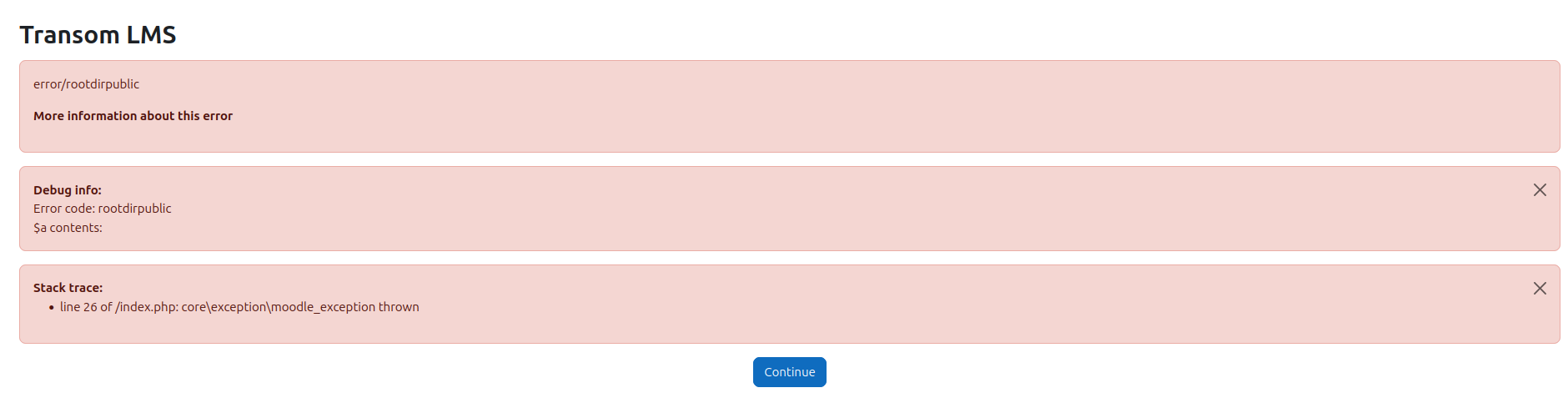
Today I got update that I could update to V5.1.3 on the Virtual Web App updates. But it failed again!!! How to get this fixed? Can we finally fix this script?
I presume these are fatal errors not just warnings?
I also notice that you need php8.3+ but you haven’t posted what php version you are running or anything about you system really as request on a new post.
Thank you for your quick response.
I was using Release 500.2.5, version 2025040810 on Moodle 5.0.2 (Build: 20250811).
Initially, I tried to install V5.1.1 but couldn’t get it to run. So, I manually renamed the backup folder to public_html, and everything worked fine again. The Webapp showed that V5.1.1 was installed, which wasn’t true. Later, when I saw V5.1.3 was available, I installed it and ran into the same issues.
Could you update the script so that it first detects the actual version and installation location, then adjusts the folders and paths accordingly to ensure the installation runs correctly?
When the next Moodle version is released, you will be able to upgrade easily using the latest Virtualmin installer.
If you mean how to fix a currently broken installation, then after the Virtualmin Moodle web app installer version 7 arrives on your system, go to the “Manage Moodle” page and use the “Upgrade To Un-supported Version” option by entering the same 5.1.3 version in the text box. The new installer should be able to fix it for you.