| SYSTEM INFORMATION | |
|---|---|
| OS type and version | Ubuntu Linux 24.04.3 |
| Webmin version | 2.621 |
| Virtualmin version | 8.1.0 Professional |
| Webserver version | Apache/2.4.58 |
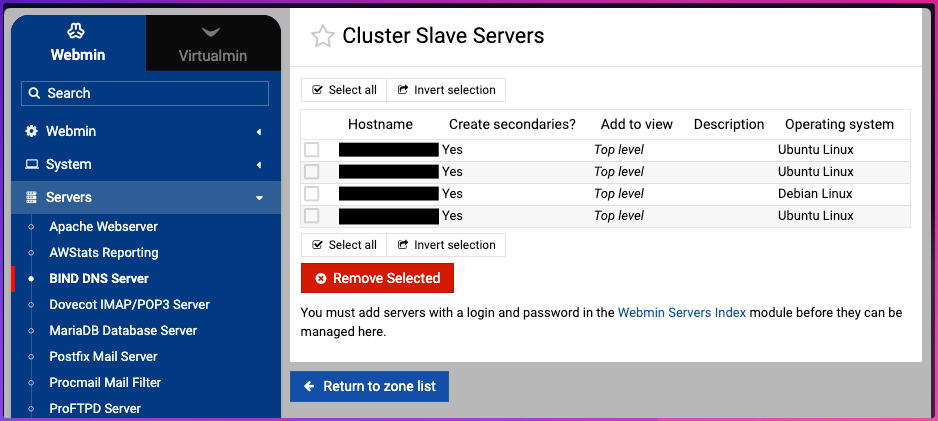
| Related packages | Webmin DNS / Master Slaves |
@Ilia , @jamie, @staff thanks so much for the code fix which flowed from post 136507 linked below. We are very grateful. However, I think yourselves misunderstood me.
To quickly orientate around our request, our environment has DNS master / slave that works reliably.
So when we create a domain, it quickly replicates across four name servers. That means, once we click “Create”, around 40 seconds later the domain is in the DNS.
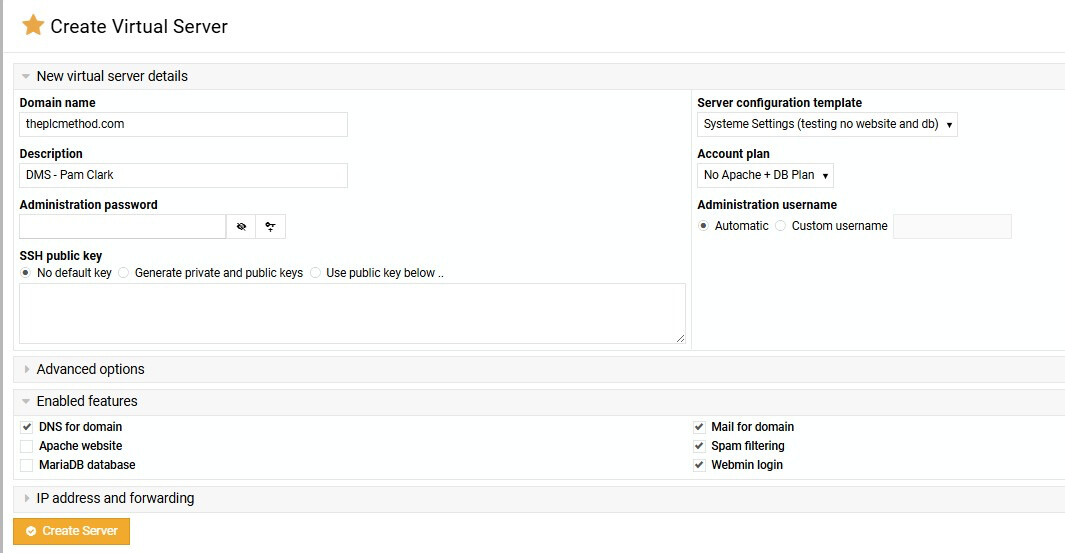
The second part to this server’s environment is we do not want to create websites or databasis, because we only want email.
The workflow for automatic procurement of Let’s Encrypt works 100% every time if we have Apache selected. But we don’t want Apache selected ever. We only want email.
The workflow for automatic procurement of Let’s Encrypt FAILS when we don’t have Apache selected. Instead, it just creates a default SSL certificate.. I have the pasted the full text below.
No Let’s Encrypt is ever touched when we create email only plans, meaning we have TWO steps every time.
So in principle I ask:
Is it possible to create email only plans and have Let’s Encrypt procure the certificate during the creation request?
If so, what settings are required?
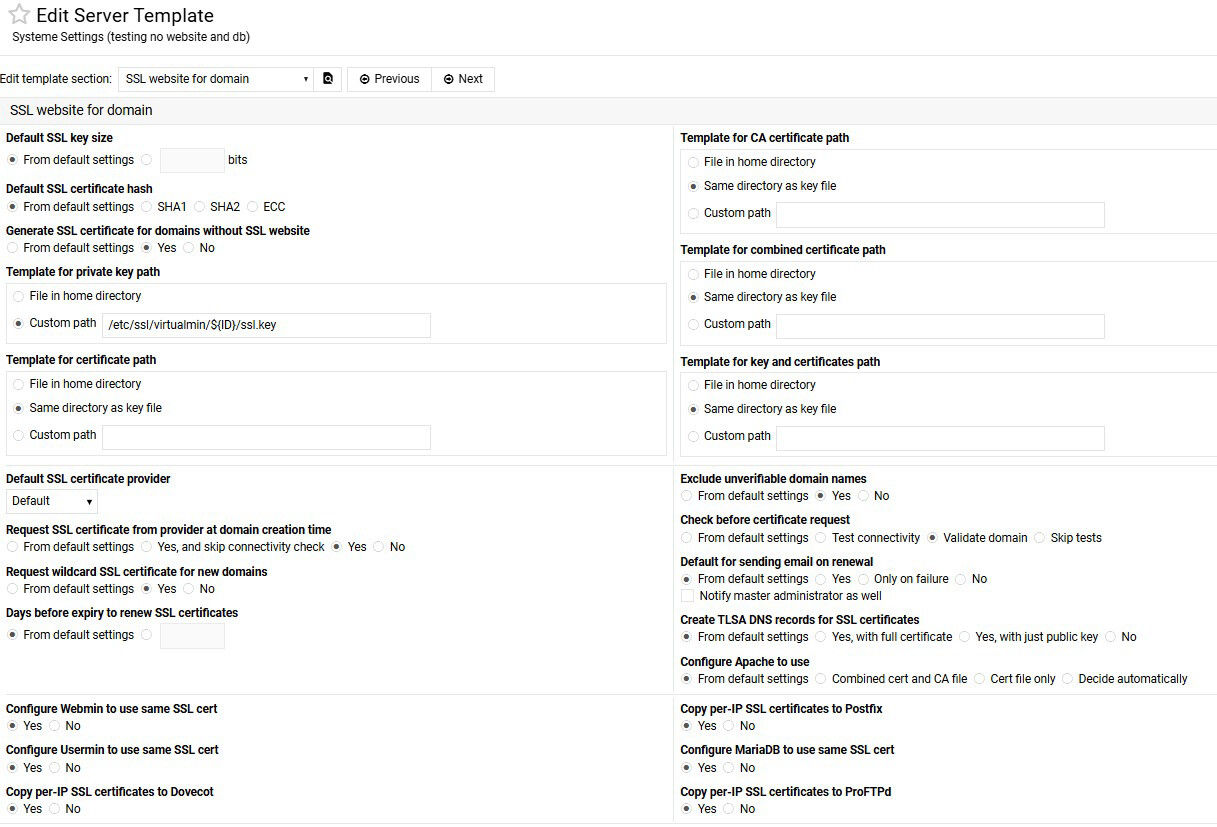
The first screenshot has a setting that seems to say it’s maybe possible:
“By default Virtualmin will not create a SSL certicate for new virtual servers unless they have the SSL feature enabled - however, a certificate can be added later. When this option is enabled, all new domains will get a cert that can be used by other services like Dovecot, Postfix or external SSL proxies.”
I guess “get a cert” is a loaded sentence? Maybe “get a default cert”, or maybe “get a proper Let’s Encrypt cert”?
@Ilia the fix you kindly made is title and description:
" Fix to skip web validation pre-check when DNS-based validation used
The validation pre-check was always verifying Apache config even for DNS-based validation, blocking cert requests that would succeed via DNS fallback. Add fallback logic to validate_letsencrypt_config to match request_domain_letsencrypt_cert behavior: if any method (web or DNS) validates OK, skip errors from other methods."
The fix we expected was something like:
" Invoke Let’s Encrypt even if a user hasn’t selected Apache. "
We have the fix installed, but no difference. When it comes to DNS based validation or Web based, web based is good for us, but if we can make it work in any way during the creation process that would be great.
The original post where I tried to describe what’s happening:
The exact sequence of events as they unfold, with two screenshots.
One screenshot indicating that we want to get a certificate “no matter what”.
One screenshot indicating that we have switch off Apache and database creation.
Setting Up Virtual Server
In domain example.com
Saving server details ..
.. done
Creating administration group example ..
.. done
Creating administration user example ..
.. done
Creating aliases for administration user ..
.. done
Adding administration user to groups ..
.. done
Creating home directory ..
.. done
Creating mailbox for administration user ..
.. done
Adding new DNS zone ..
.. done
Adding secondary zone on ns2.ourdns.host ns3.ourdns.host ns1.ourdns.host ns4.ourdns.host ..
.. done
Adding to email domains list ..
.. done
Adding default mail aliases ..
.. done
Setting up spam filtering ..
.. done
Creating Webmin user ..
.. done
Saving server details ..
.. done
Re-starting DNS server for example.com ..
.. done
Re-starting secondary DNS servers ..
.. done
Enabling DKIM signing for example.com ..
.. done
Adding DKIM records to DNS domain example.com ..
.. added successfully
Re-loading Webmin ..
.. done
Sending email notification to domain owner ..
.. email sent to user@example.com
Updating Webmin user ..
.. done
Creating SSL certificate and private key ..
.. done
Re-loading Webmin ..
.. done
The second last sentence is key. It says:
“Creating SSL certificate and private key ..”
No, we don’t want that. We want it to get Let’s Encrypt please.
Template without Apache and MariaDB.
Template where “lots of SSL” stuff can be set:
I can demo this in one minute.
I don’t think it’s possible to reproduce if you don’t have DNS integration.