Intel(R) Xeon(R) CPU E5-2680 v4 @ 2.40GHz, 28 cores
CPU temperatures
Core 1: 33 °C Core 2: 33 °C Core 3: 33 °C Core 4: 32 °C Core 5: 32 °C Core 6: 33 °C Core 7: 32 °C Core 9: 33 °C Core 10: 32 °C Core 11: 32 °C Core 12: 32 °C Core 13: 33 °C Core 14: 32 °C Core 15: 32 °C
System uptime
11 days, 2 hours, 04 minutes
Running processes
404
CPU load averages
0.25 (1 min) 0.35 (5 mins) 0.32 (15 mins)
Real memory
35.73 GiB used / 116.52 GiB cached / 188.58 GiB total
Virtual memory
0 bytes used / 191.87 GiB total
Local disk space
1.25 TiB used / 20.38 TiB free / 21.64 TiB total
Package updates
All installed packages are up to date
SOFTWARE VERSIONS
Webmin version
2.651
Usermin version
2.550
Virtualmin version
8.1.0 Professional
Authentic theme version
26.50.2
Perl version
5.040001
Path to Perl
/usr/bin/perl
Python version
3.13.5
Path to Python
/bin/python3.13
BIND version
9.20.23
Postfix version
3.10.12
Mail injection command
/usr/lib/sendmail -t
Apache version
2.4.68
PHP versions
8.4.23
Logrotate version
3.22.0
MariaDB version
11.8.6
SpamAssassin version
4.0.1
ClamAV version
1.4.3
VIRTUALMIN COUNTS
Virtual servers
9
DNS domains
9
Websites
9
Websites SSL
9
Website aliases
0
Mail domains
4
Databases
4
Mail/FTP users
24
Mail aliases
49
This is on one of my newest servers, where I decided to set it up with Debian instead of Ubuntu like my older servers. The feature was working, until it wasn’t. I don’t use it that often, so it’s not a big deal. Lately, I’ve been using the Tools → File Manager to open older mails I wanted to look at.
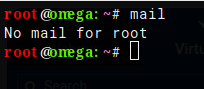
The first error message it threw was Failed to open /root/Maildir/cur : No such file or directory.
Today I finally tried a few things with the configuration but didn’t find anything that seemed related. For the hell of it I added {Maildir/cur, Maildir/new, Maildir/tmp} to Root’s root folder. The first error message was replaced by this one, Failed to open /usr/sbin/Maildir/cur : No such file or directory.
I tried the same thing as I did with Root, and now I have this one, Failed to open /bin/Maildir/cur : No such file or directory.
THIS IS OBVIOUSLY A BAD PATTERN I’M FOLLOWING
I’m a little sleepy, so there’s that, but I think I remembered the main activity of the before and after Read User Main going wonky.
For the first domain imported into the virginal Virtualmin system freshly installed onto a fresh Debian 13 was created mostly from scratch. I added the domain through the VM interface, and manually created the extra email addresses with that domain’s user management. Then I would zip the contents of the old servers cur, new, & tmp then with file manager unzip them in the new servers appropriate corresponding folders. I only used the import facility for databases.
The second domain import was limited, but I let it bring in email accounts automatically among other things. It could be possible that weird old into new had some stray bullets on the campfire frying pan.
Debian is using root as a system account outside of Virtualmin. At least that’s how it looks on my system. You need to alias root to another user with a postfix box.
Purely conjecture. As a default you need to have a mechanism for root messages being delivered. I’m guessing Debian is holding onto some pretty ancient, lightweight, customization code to ensure there is a defalut way of delivering mail to root. I think Debian uses Exim4 as the default and actually still uses the old mbox format. At least that’s how it is on my Debian 13. That puts the default root mailbox outside of the Virtualmin ‘read mail’ function.
I tried the /etc# cat aliases |head -14 a few different ways and didn’t get it to work, but realized I could just use the file manager to open aliases.
I did have one of the formats root:<username>, so I rolled to the console, logged in as root, and newalises fired without error. It did not change the entries in that file, but…
…since the imported virtual servers were from an Ubuntu system where root is a weird never logged into account, and Debian is not that way, could that entry just need deleting? Or even better delete that rogue alias in the Postfix Mail Server → Mail Aliases interface?
OK. Seems you are a tad lacking in Linux command line.
the |head -14 was what I needed to display that entry. Head normally only shows the first 10 entries. So, in your case, the the file manager is the way to go.
Did you check the mailbox that root: is aliased to? That is where the mail will be.
newalisies rebuilds the database file. No change to the file, nothing happens.
Bottom line is that it is no big deal that the root mailbox cannot be accessed from this tool. Just ignore that entry. As long as the user it is aliased to gets the mail, you are good. Check THAT mailbox for the root mail.
As I said above. Debian uses an old system for root. There has to be some way to notify root of events. Most users aren’t running a mail server so they don’t do a full install of an MTA. That would be wasteful and open to potential abuse. The default is the old mbox format. Basically it is an exception outside of that module but is still listed. It may work on other versions of Linux. I don’t know.
Again, as long as root mail is being delivered don’t worry about it.
It appears you are right, but I really did like that feature in Virtualmin.
Received: by <hostname> (Postfix, from userid 0)
	id 3E30B12588227; Mon, 06 Jul 2026 12:19:01 -0400 (EDT)
From: root@<hostname> (Cron Daemon)
To: root@<hostname>
I saw that in the new folder as the first message of Mailldir in the home folder of the username made during install.
I was hoping there would be just a way to configure Read User Mail so that it would avoid the problematic accounts. Or is that what you meant with this?:
When I first read that I thought, why would anybody alias the root user’s mailbox?