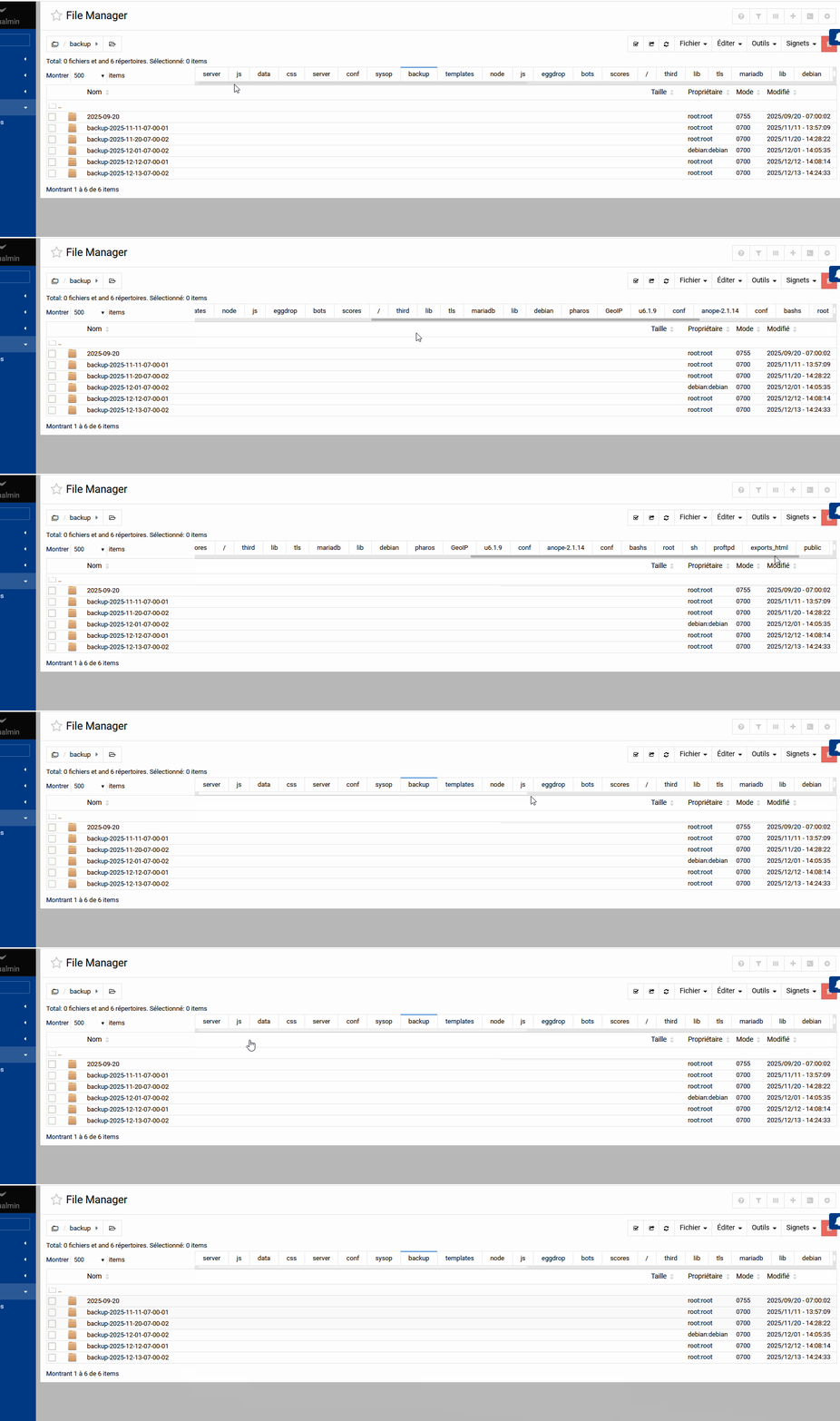
I’ve always been used to this since I started using the File Manager, even before that in Java, around 2009.
And thanks for taking a look, because the more tabs there are, the more they overlap and become very small.
It must not disappear - for a long-time user like me, it’s really needed. It’s much faster to click on tabs than to browse deep paths starting from ‘/’ (root).
Otherwise, I would have to make more than 100 clicks by navigating through paths every day. With tabs, I only need about 10 clicks.
Oh, I laughed when I read this question… I, too, don’t like a “lot of tabs” but my bosses have like 50-80 tabs open (no kidding) at a time and I’m like “WHY OH WHY”…
When you go on a Linux computer, there is a window where you can see the full list of directories:
/
/home
/etc
/root
etc.
I really like this kind of view, and the only tool I know that does this is Webmin > File Manager.
Sometimes I’m advised to do this via FTP, for example with WinSCP, but there are a lot of permission issues, so I didn’t go any further with it.
With Webmin File Manager, it’s a bit like my “main FTP”. I directly edit files using the editor, zip or unzip files from the File Manager, upload, download, I do this very often.
Also, the tab bar at the very top that keeps track of the folders you’ve visited is great—very useful. It avoids having to make hundreds of clicks per day. Sometimes I can spend up to 4 hours a day in the File Manager.
However, the top tab bar is sometimes buggy. Here are all the issues I’ve noticed:
The more tabs are open, the less readable the tab titles become, which makes it hard to find the right tab.
If a tab is already open on a directory containing around 500 items, the File Manager becomes very slow to load. Only when you have just started Webmin and go to “File Manager” while it is loading for the first time.
If you reload the “File Manager” a second time because it is slow to load, you can lose all your tabs—they get cleared. Only when you have just started Webmin and go to “File Manager” while it is loading for the first time.
When you load File Manager for the first time, during the initial session, the tabs load as if they were in a loading state and appear progressively one by one. Why don’t they all appear at once in 1 second?
If you have an idea on how to use WinSCP as a File Manager, with a single parameter/login without having to change it every time, I’m interested and willing to try to get used to it. Otherwise, I’ll stick with Webmin’s File Manager.
I’ve updated Webmin, and the new tab bar looks really stylish. I was thinking about something: when you scroll the mouse wheel while the cursor is over the tabs, would it be possible for it to scroll left/right depending on the wheel direction? Alternatively, maybe allow dragging left and right with the mouse (click and drag) to move through the tabs.
I’m going to create a new topic to report another issue that I’ve noticed for a long time in Webmin, also related to the tab bar.