I think I figured it out but it is a bit awkward.
If I select another option such as FTP and the fields for that get displayed, If I then go back and select Local File/Dir the field for the directory and file name is displayed.

You actually have to make a different selection first. Just selecting the Local file or directory option will not display the field.

I would have thought that the field should be displayed with the default setting of Local file or directory and not require the display to change in order to be come visible.
Edit:
Another item I can’t seem to be able to access is a checkbox to allow me to select Backup Format - ‘One file per server, in new format’
According to the help info there should be 3 choices, I only see 2

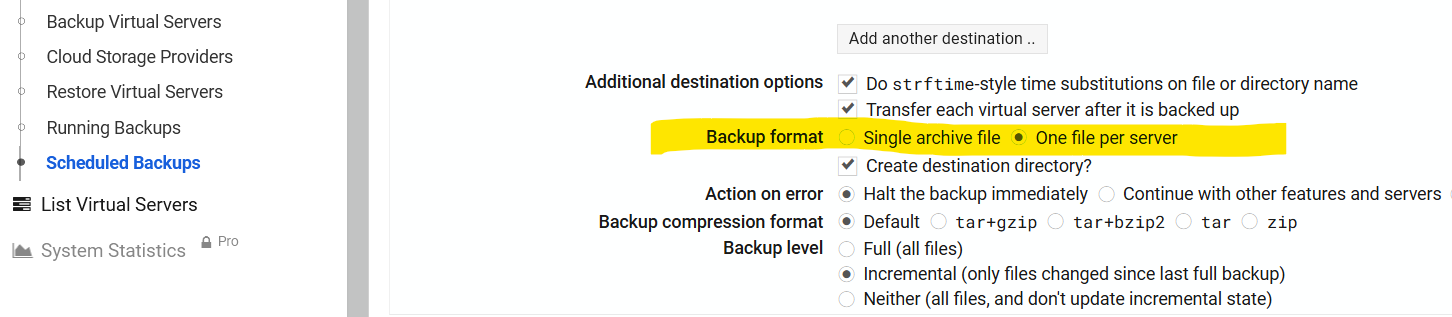
Am I misunderstanding this?
And while I am asking these questions, is there a simple way to create a scheduled backup (full and incremental) of a specific directory rather than a whole server? I am wanting to backup only a nextcloud data directory which stores all the actual data files.