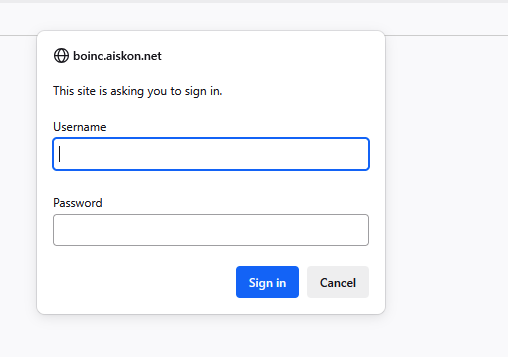
My Virtualmin site is currently in my DMZ and exposed to the internet, which is intentional on my part. Some of the sites on it are proxies to apps, etc. I have internally on my network that I want to be able to reach from the outside world.
I have a handful of apps I’d like to set up with DNS and SSL, but I don’t want to expose them to the Internet - things like local control panels for home automation, etc. Unfortunately, I can’t just set up a DNS entry, as they’re all hosted on my TrueNAS with the same IP and various ports, and in order to set up SSL, I’ll need to proxy through Virtualmin.
Is there a way to set a site in Virtualmin to block all traffic, unless it comes from a specific IP range? (10.0.0.x in my case, which is my home network).
In the post it’s mentioned that the sites are proxies, I assume this is intended as reverse proxied to the services. if so, those can be limited per domain and even for specific path’s used for the forward within location blocks.
The sites are indeed Reverse Proxies, so I am thinking if the site is restricted, any proxied ports will also be restricted. As it is, I only have 80, 443, and 53 open on my firewall for the server.
The idea is that internally, I would like simple, clean DNS & https, but from outside, all access to those services (via the proxy) would be blocked.
The Virtualmin server is a Virtual Debian 12 server, with an internal IP of 10.0.0.240 - that IP is in the DMZ on my router, so it’s exposed to the internet. The TrueNAS host it’s on, and the various Docker apps, are all on my internal network of 10.0.0.x, with the Virtualmin server proxying to them.
I can try setting up a non-Proxy site, playing with it and testing access, and then once I am satisfied it can’t be accessed from outside, enabling the Proxy and re-testing access again.
I have my Virtualmin running on a TrueNAS VM and I also have my pfSense router running on it with a quad NIC passed through to the VM so I can do proper routing.
<Directory /home/aiskon/domains/boinc.aiskon.net/public_html>
    Options -Indexes +IncludesNOEXEC +SymLinksIfOwnerMatch
    Require ip 10.0.0.0/24
    AllowOverride All Options=ExecCGI,Includes,IncludesNOEXEC,Indexes,MultiViews,SymLinksIfOwnerMatch
</Directory>
<Directory /home/aiskon/domains/boinc.aiskon.net/cgi-bin>
    Require ip 10.0.0.0/24
    AllowOverride All Options=ExecCGI,Includes,IncludesNOEXEC,Indexes,MultiViews,SymLinksIfOwnerMatch
</Directory>
When I browse to it from my home PC, or my phone on Wi-Fi, I can see the splash page. When I use my phone on Cellular (not on Wi-Fi), it bounces me to my default page / server for my Virtualmin server.
I think this is what I need - anyone who wants to take a poke at it, let me know if you see the default Virtualmin page instead of my splash page (with the Stargate GIF on it).
# RESTRICT ACCESS TO DIRECTORY BY IP ADDRESS
# Include in .htaccess of any directory
<RequireAny>
    Require all denied
    #Require ip 1.2.3.4
    #Require ip 5.6.7.8/12

    # If local server access to the directory is required
    # add the following; include the server ip addresses (ipv4 & ipv6)
    Require local
    Require ip 10.0.0.0/24
    #Require ip 2001:0db8:85a3:0000:0000:8a2e:0370:7334
</RequireAny>
I’m going to remove the site for now, until I can focus on setting it up correctly for both IPv4 and v6. I don’t want to leave it exposed where a brute force could get access to that app.
@shoulders - thank you, I think that’s what I am looking for. I’ll test it later this week, time permitting.