Virtualmin has a nice feature that show a banner alert when kernel has been upgraded and need a server restart. Two action button are showed on that alert: Reboot now and hide alert.
Would be nice maybe a third button that allow admin to schedule a night reboot if a kernel update need the server to be reboot.
I would ask to the Virtualmin panel to reboot the server at night time (customizable time) when an update require reboot.
AI overlord guess:
“Kneel” is actually a slang term used in the Linux Reddit community (like r/linuxmasterrace) to show extreme respect for a developer or distribution. If you are looking for an Ubuntu update, you likely mean a kernel (often auto-corrected or mistyped as “kneel”)
It would be risky to reboot a server automatically and if this is an option that will be offered in Virtualmin then there should be sufficient warnings about the consequences so that newbie Virtualmin users do not assign blame incorrectly when the server does not reboot normally.
The reboot should be an option configurable not something active by default and, as I said, will be useful the possibility to schedule. Is risky have a kernel updated that needs a server reboot and never do the reboot for a lot of reasons also maybe you don’t see every day the Virtualmin panel screen
Why not use webmin → System Monitors → reboot ?
This allows you to run a script when it’s status changes, and send an email. So given this just write a script that waits for your next allocated reboot time then reboots the server. This saves the devs coding something when the core is already written and just needs a little effort from the server owner to implement
This works well.
On EL 10 systems, it’s Webmin > Tools > System and Server Status.
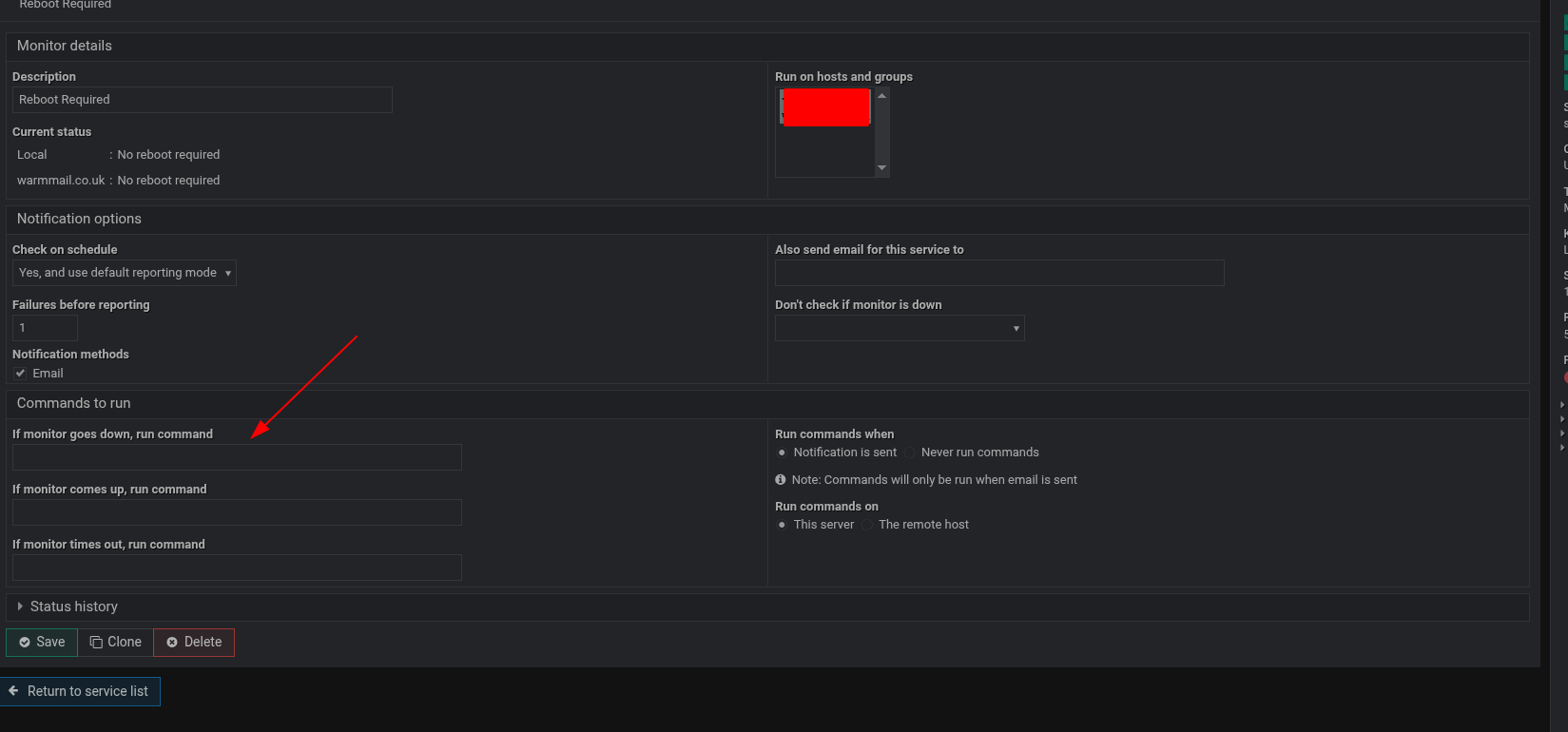
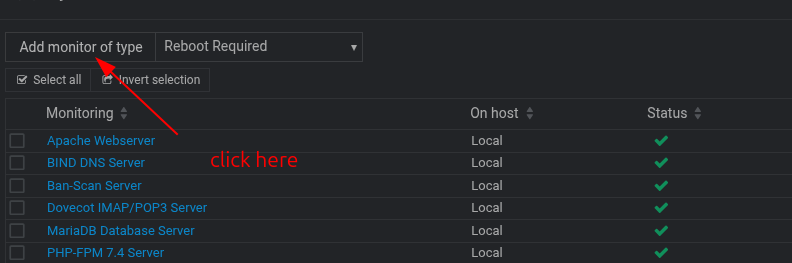
Add Monitor Type - Reboot Needed
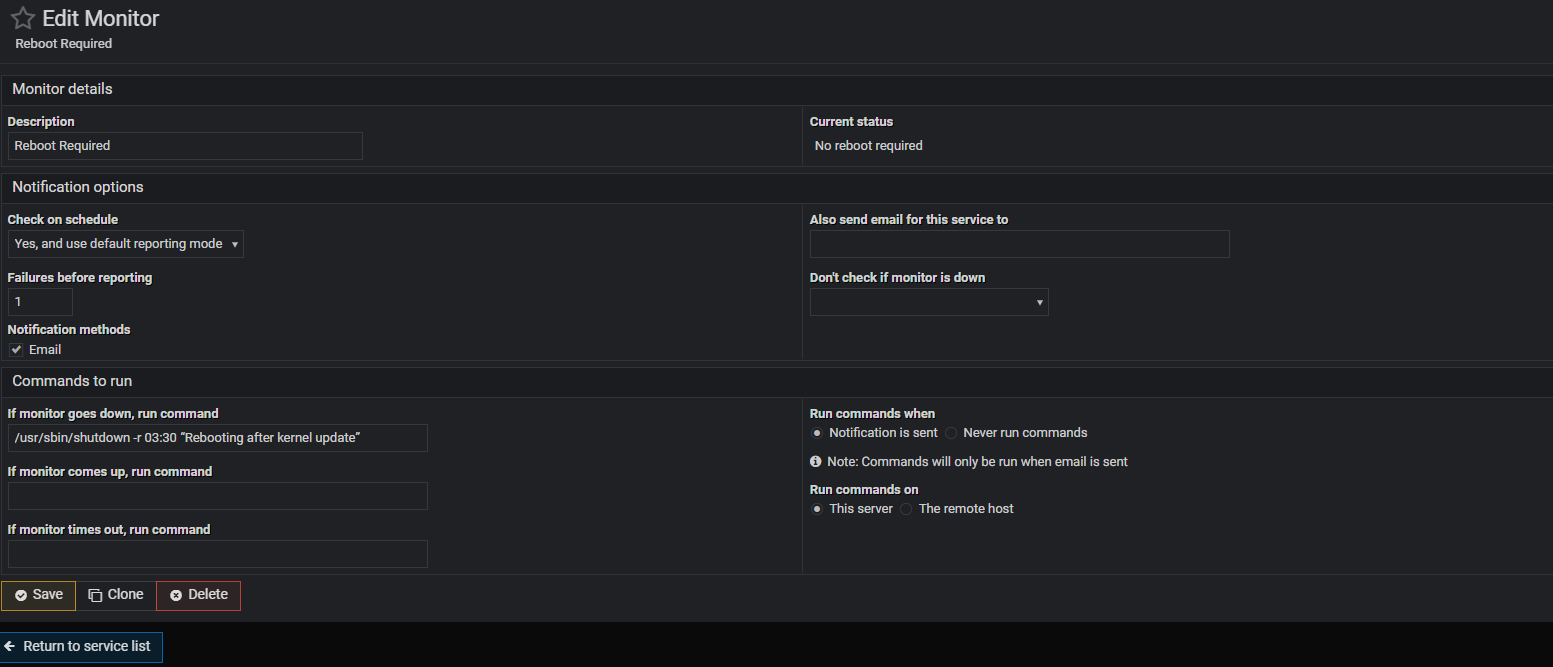
Check on Schedule = Yes, and report status change
Notification = Email
Command to run: If monitor goes down, run command:
/usr/sbin/shutdown -r 01:12 “Rebooting after kernel update”
Run command when = Notification is sent.
Also send email for this service to = my email address.
Create.
Only need a script if you want eg reboot on Sunday etc.
Thanks but i dont understand well how to use this.
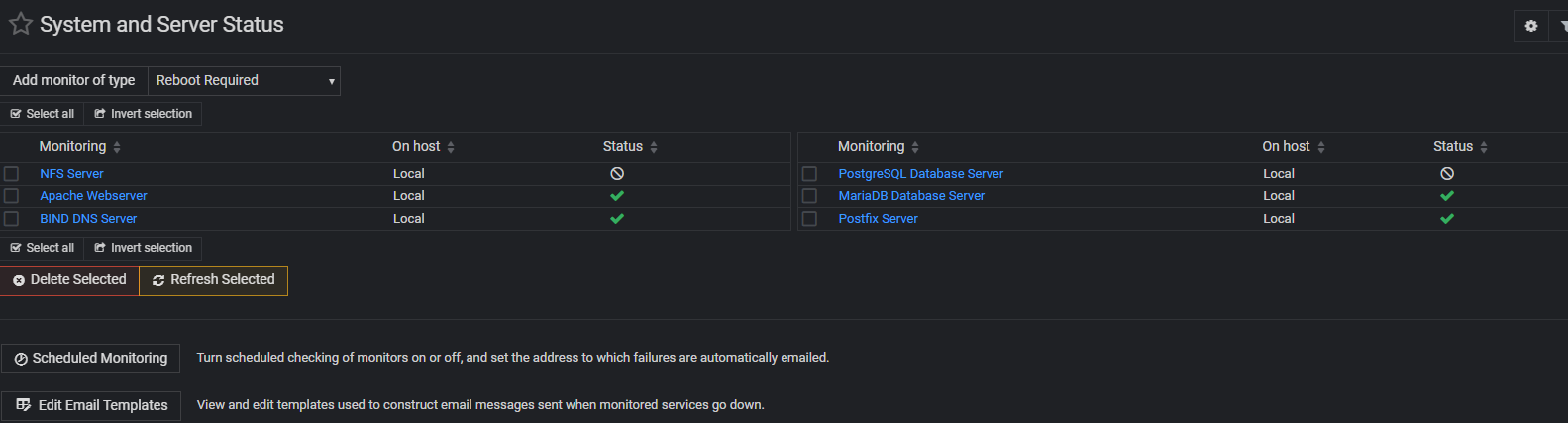
After select reboot required on add monitor type Need I select all services Apache server, SQL, Mysql, etc?
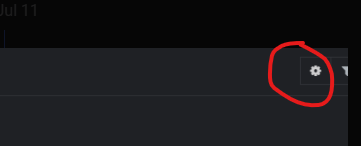
In Schedule Monitoring I dont find a Command to run field.
I dont understand why in Run monitor during hours there are many column with different time selected. If I want run at 3:30 am? It’s not very clear to me.
Also after clicking save where I can see this System Monitor created?
Thanks for the screenshot but I’m not familiar with Webmin, Tools - System and server Status.
After select the monitor on the drop down add monitor fo type, reboot required seems I need click on a specific service
I’m not sure if the Apache server is the right service because is the operative system that will require a reboot after a kennel update not I think the Apache server.
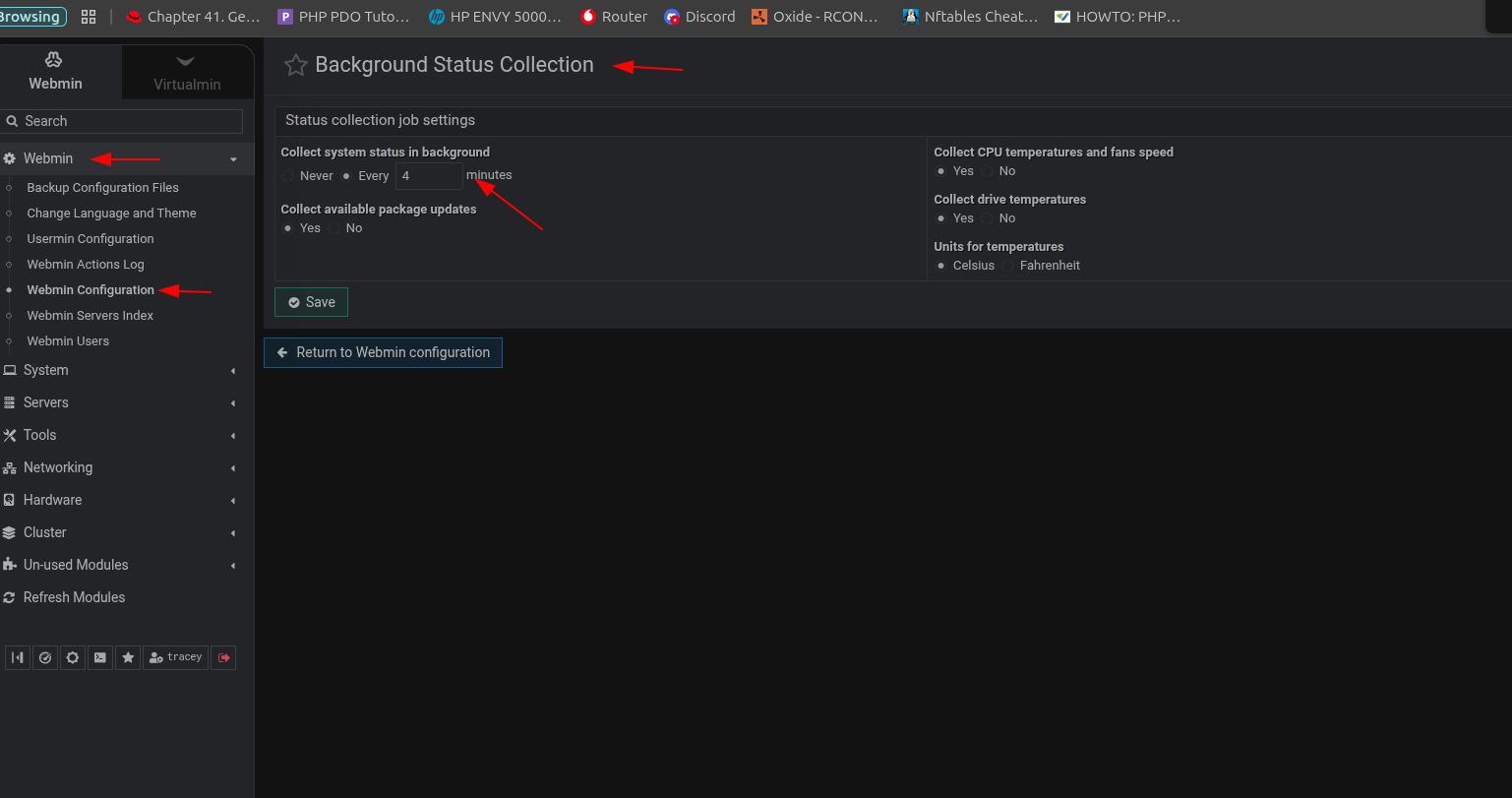
I dont understand this, where you took this screenshot.