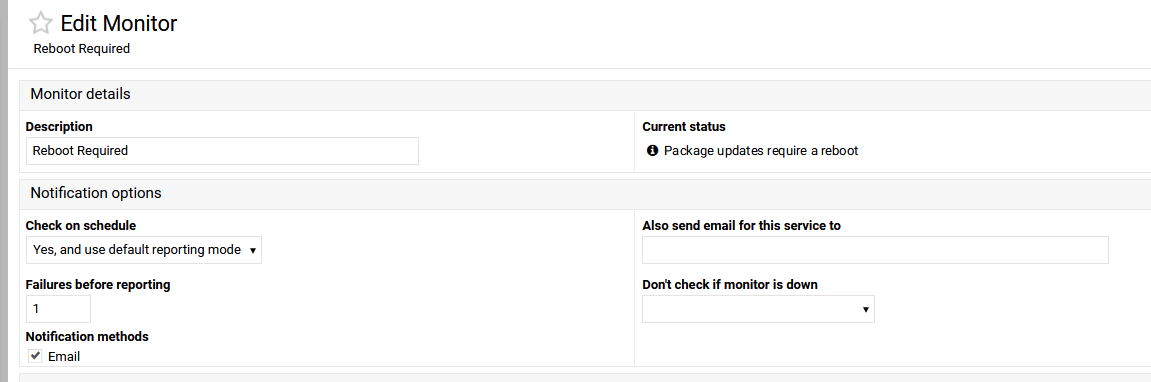
I have a Reboot Required monitor setup so I get an email when the server requires a reboot. However I am having an issue with not getting the email.
The monitor is configured to send an email only when it gores down, not to constantly send emails when it is down, however this later option does work.
Has anyone else got this setup and it is working? or even you have it on but until now have not noticed it is not working?
“Required” is a much stronger word than I would use. That flag gets set whenever there is a kernel update. If it’s not a security update and it doesn’t have a bug on your hardware you need to address, there is no reason to reboot with any urgency. I generally don’t rush to reboot, unless there is a relevant Linux security issue (which is a vanishingly rare thing).
Just run your own scripts within the up & down options within the monitor which could include
storing amount of failures over a given time
restart the service if required
clear the counter if the service stays up for a predetermined period of time
send an email (which negates the need for webmin to do it)
This Isn’t a great issue to do and tbf you don’t need to worry about reboot detection as webmin has done tis for you.
You could write you script(s) and run them as your own service which removes webmin totally from doing this, as long as you code the service well enough it shouldn’t go down, however as a fail safe you could use webmin to check if your service is running.
This is in fact what I did a couple of years ago when I ditched both fail2ban and firewalld in favour of my own solution, which after development, has been rock solid and I use webmin to check my service and restart it as required. Which across 4 servers has only happened once which turned out to be oom killed in that 2 year time period. Perhaps just use the tools that webmin has given you rather than putting more work on the webmin team, for perhaps little benefit for the use base as a whole
what are you on about? this whole thread is about using a monitor that webmin provides. no development is needed I just want to see if anyone else is having the same problem to rule out my setup.