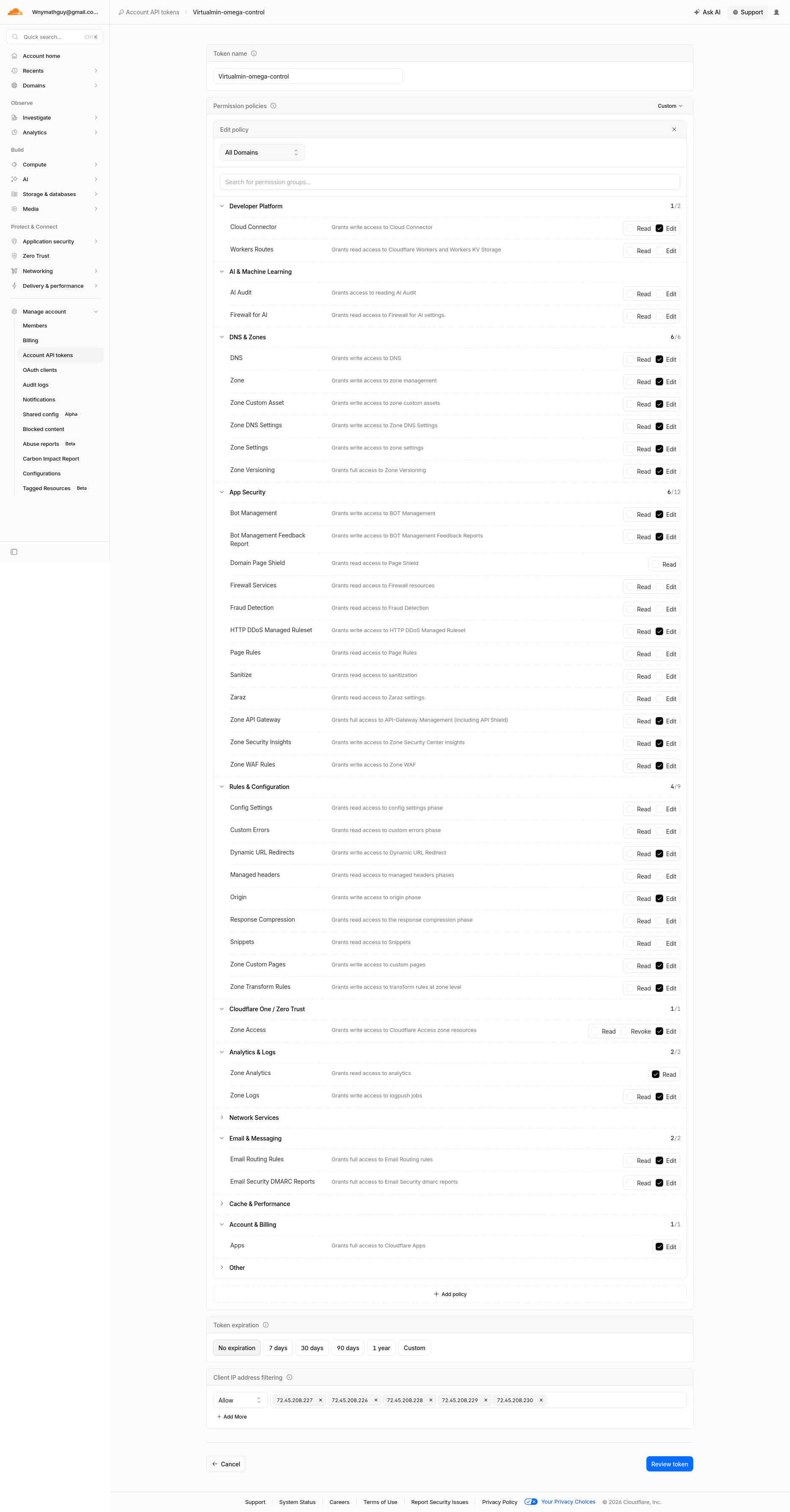
So yesterday evening I followed the instructions from Virtualmin and Cloudflare to set up the API Token. I was pretty impressed how it put all the records in that I remember doing a lot of manual copy & paste work to achieve the same result.
I remembered reading that I might have a pause in pages being served for 3 to 48 hours, so it didn’t phase me when I couldn’t hit my virtually served website. Went to bed.
This morning still nothing. After looking around I noticed the IPv4 for all my URL’s was the gateway’s number not the Static IP for this server. I (as usual panicked) began looking for a way to remedy this in Virtualmin but couldn’t.
I went on Cloudflare and edited the IPv4 records and deleted the IPv6 records. I know, I know, please don’t swear at me through the screen.
So back in Virtuallmin for the only virtual server on it right now, I opened its DNS Settings to see if things propagated in from my edits. Only the DNS Options module would let me do anything. I thought switching back to local from Cloudflare would be a good idea, but I was wrong again. Any attempt to alter those settings failed with an error message.
I thought if I deleted that token connector in Addresses and Networking → Cloud DNS Providers that it would switch back to local but it didn’t. Now the DNS Options module throws this error The cloud DNS provider with the Cloudflare identifier is not supported in Virtualmin GPL
I don’t remember downgrading my Virtualmin
OK, so that’s a bug. @Ilia@Jamie any idea why we would ever give that error on Virtualmin Pro? (Even if something is misconfigured, as it seems to be, that’s a terrible and misleading error.)
It’s not clear from your post what you actually want to do (there’s a lot going on, I have a hard time following when there’s a bunch of unrelated information), but if using Cloudflare for DNS is what you want to do, then we need to figure out how to get it turned back on. I think you just need to set it back up in Cloud DNS Providers.
But, if local hosting is what you’re trying to do, the way to get your Virtual Server back to local would probably be to disable the DNS feature for that domain (in Edit Virtual Server), and then re-enable DNS with Cloudflare disabled in Cloud DNS Providers.
I’d be happy with either API managed or good ol’ copy & paste DNS management. The API is impressive but it’s giving me a moment.
I did uncheck DNS for domain in Edit Virtual Server and Edit Features Association (then did Re-Check Configuration), then I reactivated the server and association DNS options, but I get the same error when selecting the DNS Options module.
Getting back to how the Gateway number got into Cloudflare, here’s what I can add. I may never really understand networking.
Via Spectrum Business I bought a block of 4 IP’s.
After a fresh Virtualmin install, I’d first go to Webmin → Networking → Network Configuration and put the Static IP for the server in Network Interfaces, along with the netmask. Then I open Routing and Gateways to put my Spectrum gateway in. Sometimes I go to Hostname and DNS Client to put in the three Nameserver IP addresses Spectrum gave me. REBOOT. I always think the nameservers is a mistake, but I do it when something else isn’t working. Currently I only have the Static IP for the server and the netmask. Do I really have to have the netmask?
I also get an error if I try to put the Cloudflare Token back in: Failed to save cloud DNS provider : Cloudflare credentials were not accepted : HTTP/1.1 403 Forbidden
Don’t know if this helps but this is the guts of my token
curl "https://api.cloudflare.com/client/v4/zones/<redacted>" --request GET
  --header "Authorization: Bearer $<redacted>"
responded with this
{"success":false,"errors":[{"code":6003,"message":"Invalid request headers","error_chain":[{"code":6111,"message":"Invalid format for Authorization header"}]}],"messages":[],"result":null}
Ok that error message “The cloud DNS provider with the Cloud flareidentifier” is rather misleading - in your case, it really means that Cloudflare integration is not enabled. But also, Virtualmin shoudn’t have allowed you to de-configured Cloudflare when there are DNS zones using it! That we can fix …
My plans for tonight,
I make a lot of misguided assumptions, so…
…I’m assuming I can successfully add a subserver with the Nextcloud Web App installer and have it all work right since virtual server creation has the ability to choose to DNS local or an available cloud provider. Furthermore, I’m assuming in the near future there will be a sudo command or some instructions you’ll give me to rectify the mess I’ve made of things.
I’ve been without my personal Nextcloud for about a month now (or it just feels like a month) so I can’t log into anything without changing passwords, which I don’t want to do. I have exports of the two profiles to import into a running Nextcloud instance.
I ran into some issues getting Nextcloud installed and running, then hit a wall because the problems that started this thread prevent the sub-server from getting a LE cert, so I can’t install apps in NC and thus can’t import the migration files that would get me to my password files.
I’m sensing the high-priority queue at Virtualmin.com is heavy right now.
My new plan is to back up the virtual servers as they are currently, which I just made over the past couple of days, then erase the RAID and start again. I’ll try to not break things in the meantime, and won’t API connect Cloudflare till its redone because they probably changed so much there that it doesn’t work here.
Solved one mystery. By default, the Webmin → Networking → Network Configuration found my gateway IP of the static set, maybe by DHCP?
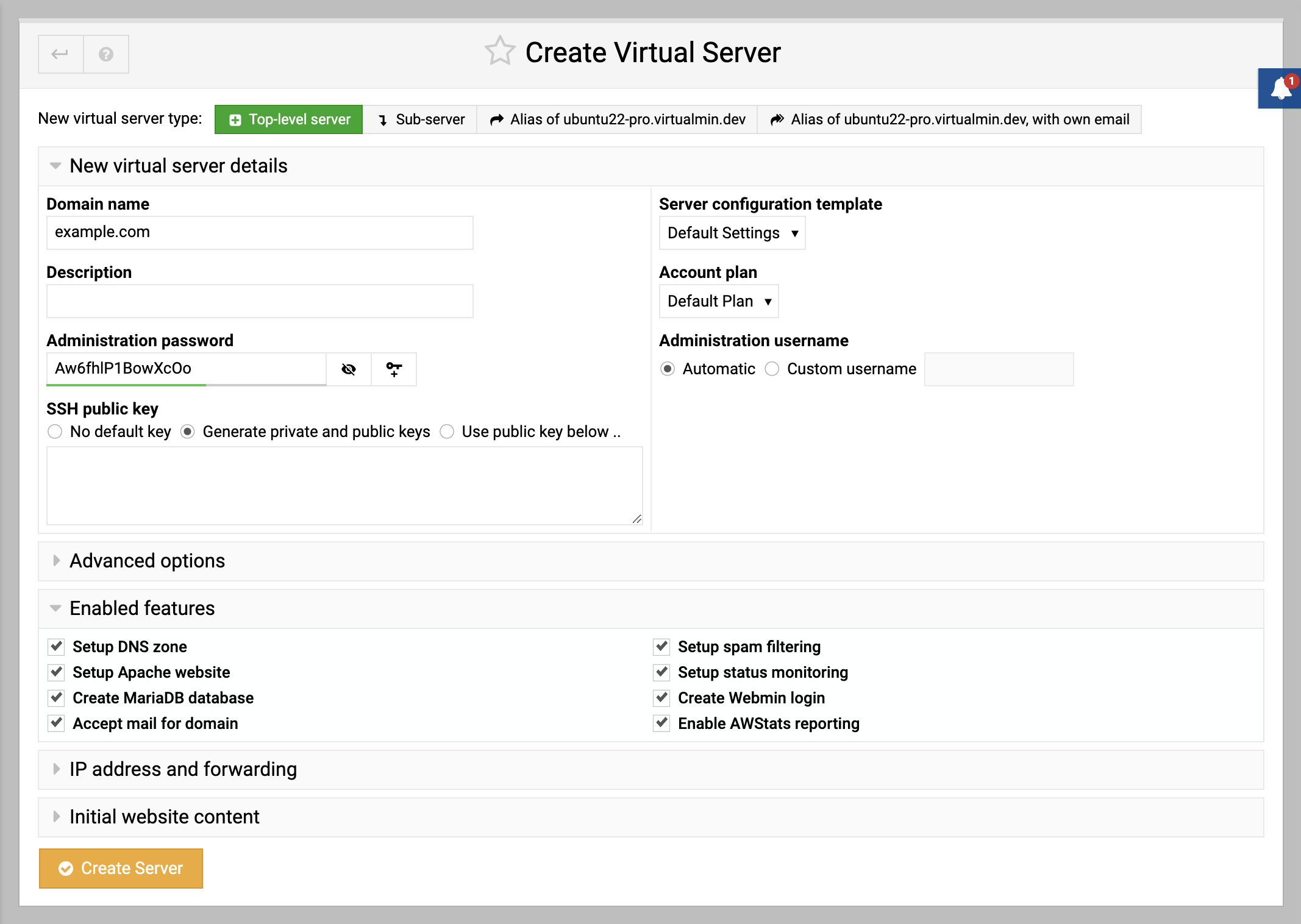
When I did the virtual server creation, I didn’t know to switch the radio button in the IP address and forwarding section. I should have clicked Same as real address for the IPv4 & IPv6 External addresses.