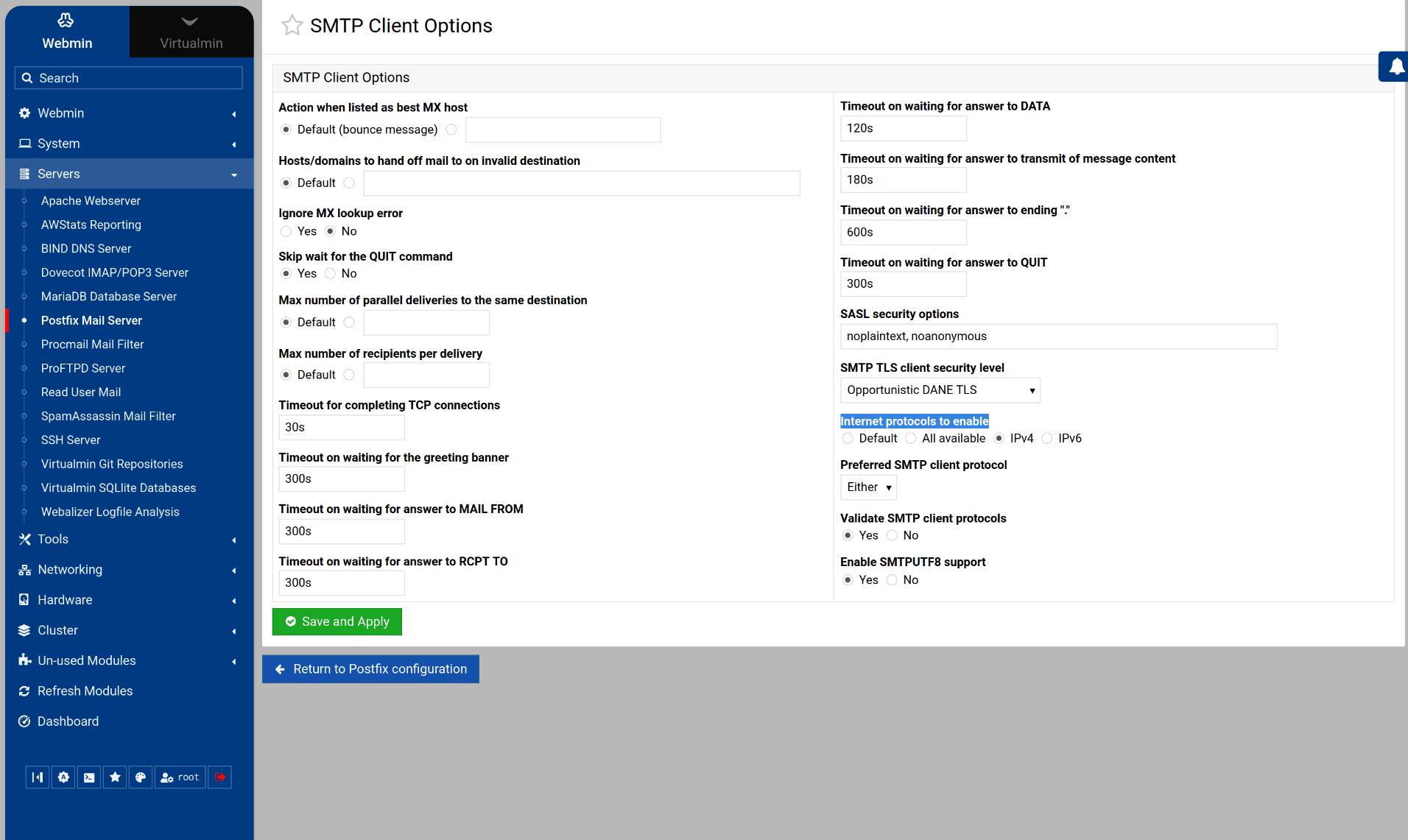
Postfix where to set inet_protocols=ipv4

SYSTEM INFORMATION
OS type and version Ubuntu 24.04.3
Webmin version 2.610

Does anyone know where I can set the inet_protocols on the Postfix Mail Server control panel?

I just noticed that the server is trying to send items via ipv6 but it’s only running ipv4.

Edit: Yes, I do know you can use the “edit config files”. I was just wondering if there was a “tile” for that.

Just out of curiosity. Does Webmin/Network Config/Host Addresses have an IPV6 address? If not then maybe the software should automatically disable that in Postfix?

Sending is the “SMTP Client”, and you find the network options for it in SMTP Client Options in the Postfix module:

Well, it may actually having a DNS error. I saw the type=AAAA:Host not found, try again. And the AAAA made me think it was an ipv6 thing. So, the error may be something else.

Thank you!
I thought I had looked there, but I must have skipped over it. (SMTP Server Options, skip, SMTP Authentication and Encryption…)

Just cleaning up loose ends. Webmin’s Network Config “Host Addresses” does have a ip6-loopback listed (::1). So…

And I just confirmed that this whole thing was a DNS error. The Postfix server also runs BIND. But the DNS server that I had been fowarding to had stopped working.
1 Like

This topic was automatically closed 8 days after the last reply. New replies are no longer allowed.