| SYSTEM INFORMATION |
|
| OS type and version |
Ubuntu Linux 24.04.3 |
| Usermin version |
2.302 |
| Virtualmin version |
7.30.8 Pro |
| Theme version |
24.02 |
| Apache version |
2.4.58 |
| Package updates |
All installed packages are up to date |
I’m investigating random site crashes on one of my virtual servers (producerbay.com) and see a lot of php error log entries like:
PHP Fatal error:  Allowed memory size of 134217728 bytes exhausted (tried to allocate 8388608 bytes) in /home/producerbay/public_html/wp-content/wflogs/rules.php on line 5926
[24-Aug-2025 03:59:40 UTC] PHP Fatal error:  Allowed memory size of 134217728 bytes exhausted (tried to allocate 32768 bytes)
The server has 8 vcores and 16GB of ram, in WP Workbench memory limit is set to 512mb and admin limit is 256mb. Last night I opened 20+ admin tabs(post edits), and one or more of the page loads would give a critical error. Now I’m assuming that 20+ concurrent visitors will overload the site.
Possibly Helpful Details:
- A few days ago I was trying testing some methods to improve site performance and did some edits to Apache mpm_event and PHP-FPM settings. That didn’t work out, so I restored the original settings and reboot the server, twice.
- I’m running object cache server (valkey) with 512mb allocated to it.
- Site is proxied through CloudFlare.
Has anyone experienced/mitigated this issue recently?
This location has something to do with wordfence.
Are you getting any large files in public_html/wp-content/wflogs
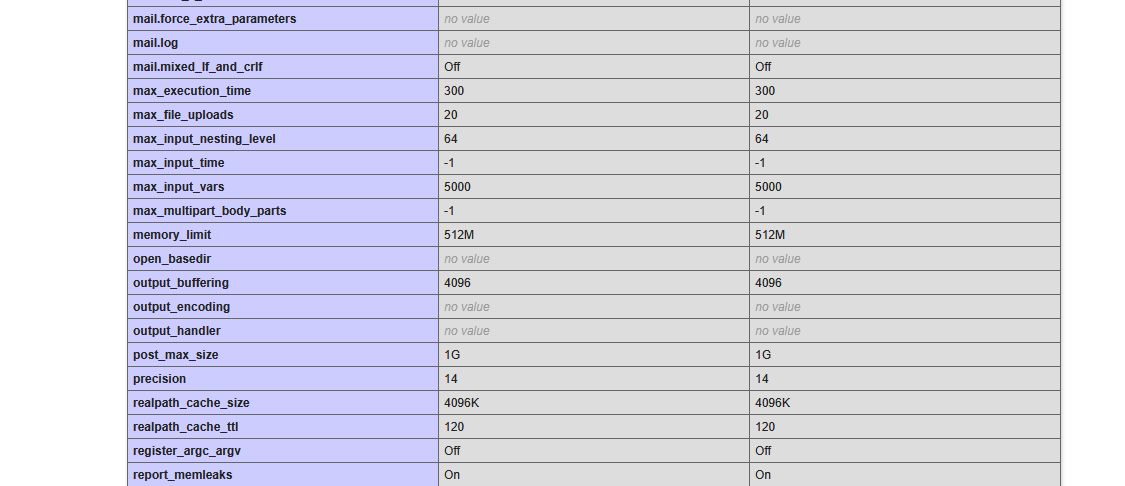
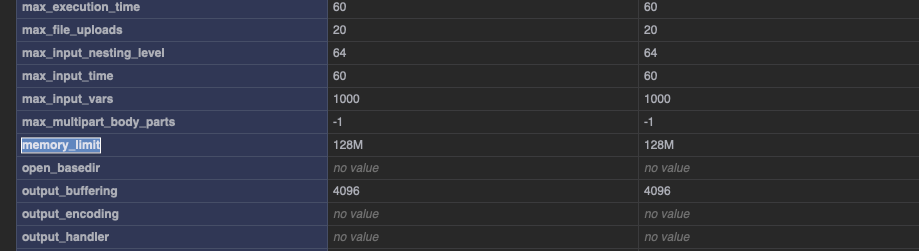
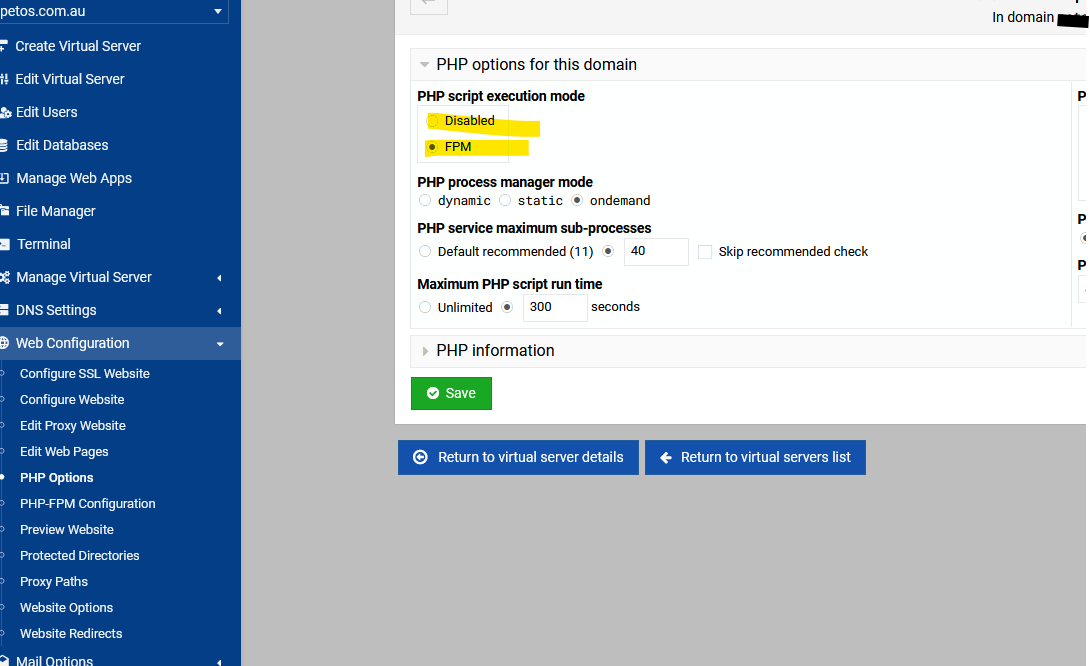
My wflogs folder is just 10mb. There are many such errors from different plugin and content directories. I may have found a key issue - Earlier I mentioned that I set memory limit to 512mb in WP Workbench, which is apparently for PHP-FPM, but when I check php settings via showphpinfo.cgi, it says 128mb. That could possibly explain the issue. So I need to find another allocation config?
what size here.
that should show in the phpinfo
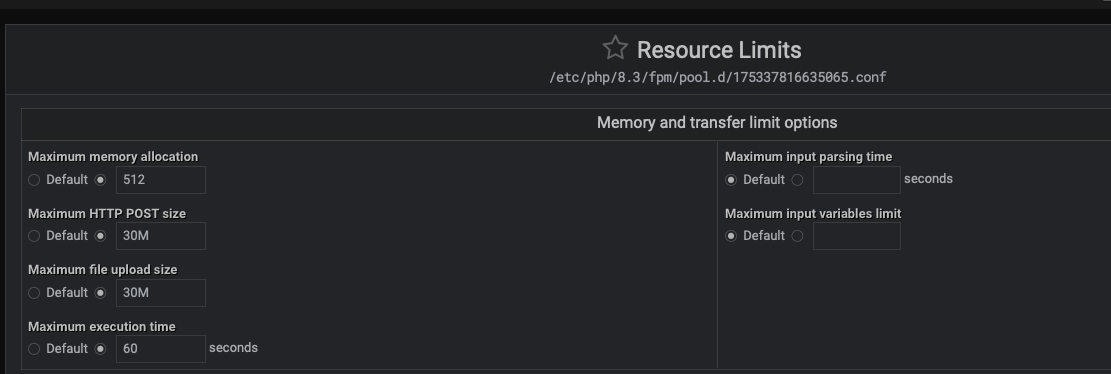
I have different values for each:
That is strange.
Maybe try disable php and then re-enable.
Else that seems like you have a bug.
I tried service restart and a server reboot. Same problem.
As long as you try on the per virtual server level, the per virtual server config with override the global. Else then there is a bug.
On further investing, I have a staging site setup as a sub-server which depicts identical values on resource limit and phpinfo pages. So this issue is unique to this top-level server. Will try to test some other ways of fixing this.
As a last resort, I’m wondering if I should delete the virtual server, then reinstall it. Is there a way to import and restore a WP workbench backup after fresh server install? I’d rather not use a Wordpress plugin.
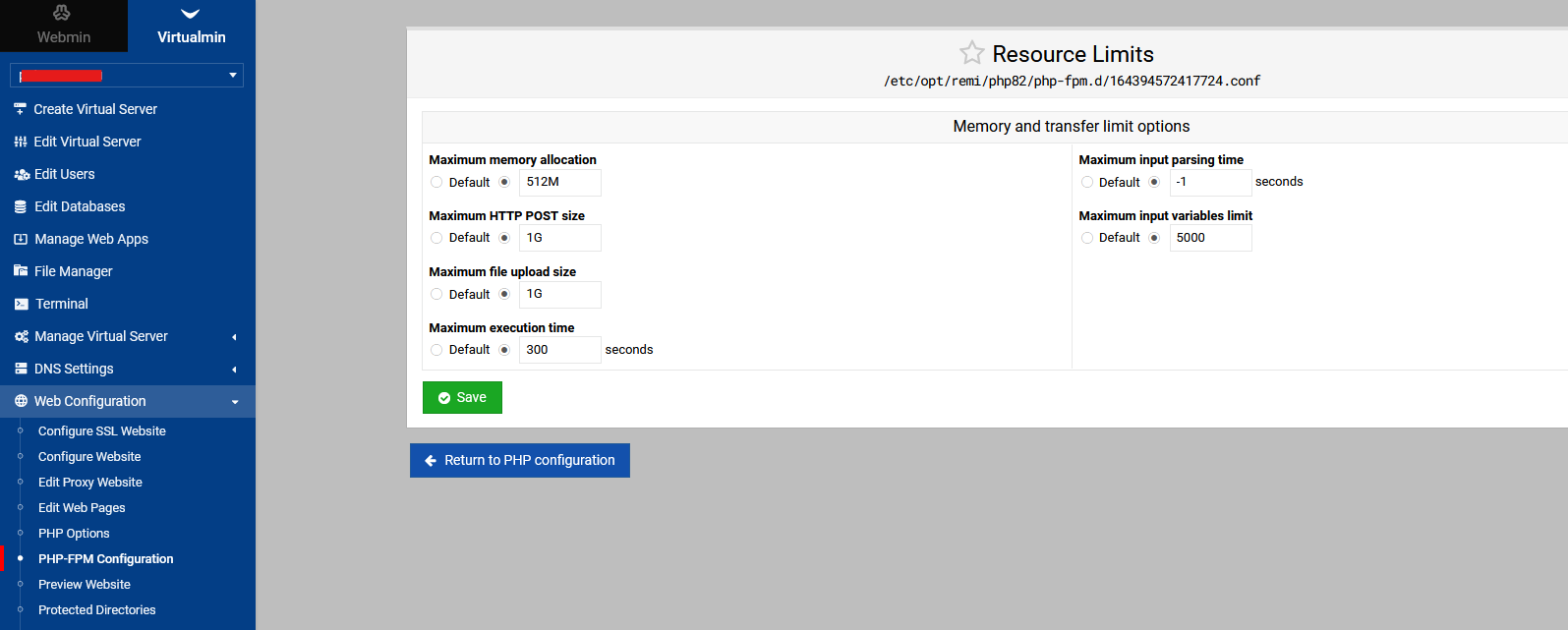
Okay, I’ll take a gil for this one. I didn’t specify the metric for the memory. After changing 512 to 512M, it worked…embarrassing. So all this time, it was probably interpreting as bytes and defaulted to 128M.
Here I am thinking I’ll be a Linux guru in just a few years, still tripping on shoelaces. @stefan1959 thanks for the screenshots..that’s what turned the lightbulb on in my head.