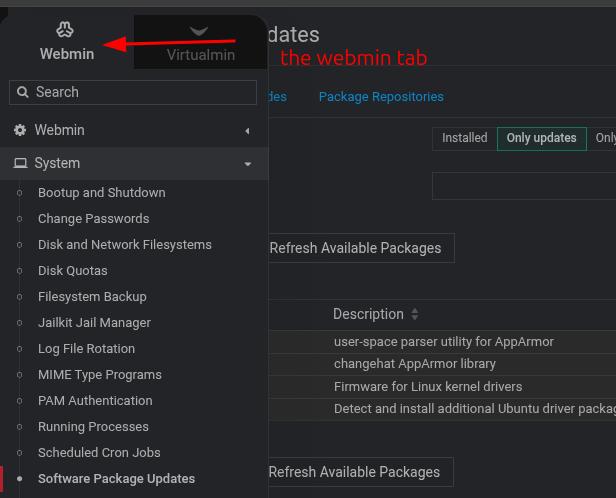
They not really, Virtualmin is built on Webmin.
Virtualmin originally was just a addon module for webmin to make setting up hosting alot easier on webmin.
As time went by the virtualmin install script was made to install webmin, virtuamin and all the servers make a hosting service and setup all the configuration.
Found the old website showing how to install the module, back in 2005.
I understand the history of webmin and virtualmin but the PR around their roles is confusing.
Things like
virtualmins module name is virtual-servers
but now virtualmin has a podman plugin, but actually it is a webmin module that requires virtualmin to be installed.
Most people who use virtualmin will refer to both webmin and virtualmin as the same thing.
Consider cPanel and WHM, they are separate packages, but I guarantee that every one refers to them both as cPanel.
If everyone one insists on classing virtualmin as a webmin module rather than a standalone software then class it as a module and put everyting under the webmin.com website.
Is it not weired that the webmin support forum is on the virtualmin website. It should be the other way around. I understand this is done for brand awareness, but this leads to Virtualmin being class a software package on it’s own rather than a Webmin module` and so on…
NB: these are my thoughts and not instructions before I get any hate. And yes, I have mentioned these before.
Webmin can manage a server, Virtualmin can manage all of the hosting stuff.
Say you like to travel, so you buy a Toyota Hilux or whatever. zoomzoom.
You now like travel so much that you then buy an RV.
The RV is a bit like a Hilux with a caravan on the back.
So you still need the Hilux part to get around, look in the Hilux manual for where to put fuel, do servicing oil changes etc, but you then also have the Caravan part and look in that manual for how to use the fridge, the sink, empty the toilet etc.
Two separate components in a way, but both work together.
It’s probably a lousy comparison, but if you don’t get it, the Hilux is Webmin and the Caravan is Virtualmin.
Webmin can be run without Virtualmin, but Virtualmin can’t be run without Webmin. It’s the motor.

 , so i am assuming you refer to the tabs inside virtualmin.