not alone, this is a common issue with outlook.com. you can look up on the net, plenty of similar issues, no straightforward answer… just contact outlook support (that doesn’t help anyway).
good luck trying to reason with microsoft monopoly.
(of course this has nothing to do with virtualmin.)
It’s Microsoft’s way of saying that your IP is on a block list because of reputation or policy reasons.
Ask your provider to hand you a different IP (ideally from a less abused range). If that won’t help or if a whole range is blocked, you want to switch to a different provider.
On a self-hosted VPS, there can be a long-term solution, but only if your own sending behaviour is very clean and your provider keeps their ranges clean enough that Microsoft’s systems stop seeing your IP resp. the whole block as risky. Otherwise, you’re fighting uphill.
Has your server continued to send spam to Microsoft servers? That’d be the most likely cause of being reblocked after getting unblocked…usually trust sort of builds up over time, and it becomes less and less likely you’ll be blocked, even if your server does occasionally get reported for spam.
If a lot of mail is being sent from your server, even if it’s all legitimate and requested by recipients, it probably is easiest to use a relay service. If you send a lot of mail, you’ll have a lot of recipients who want to stop receiving it and don’t bother to unsubscribe and just mark it as spam.
Someone else suggested a new IP, but the longer you keep an IP the better its reputation will become, assuming you don’t send spam (and no one on your server sends spam) and you follow all the guidelines for sending email to the major providers.
Relatedly, if you’re on a dynamic IP, it can never gain trust, and you’ll find you’re blocked by at least a few providers each time your IP changes. You can’t reasonably run a mail server on a dynamic IP for that reason.
‘Back in the day…’ the provider would forward you the trigger email/s, if asked. That would help if you had a problem. Now you don’t know if you just trigger their ‘look how much we knee jerk blocked…’ advertising campaign.
It is always the same, first you tell them about it.
Then their response is we dont see an issue.
Then you write back saying it is still broken.
Then they say they added mitigation for your IP and then it works anywhere between 1 day and 3 months before the cycle repeats.
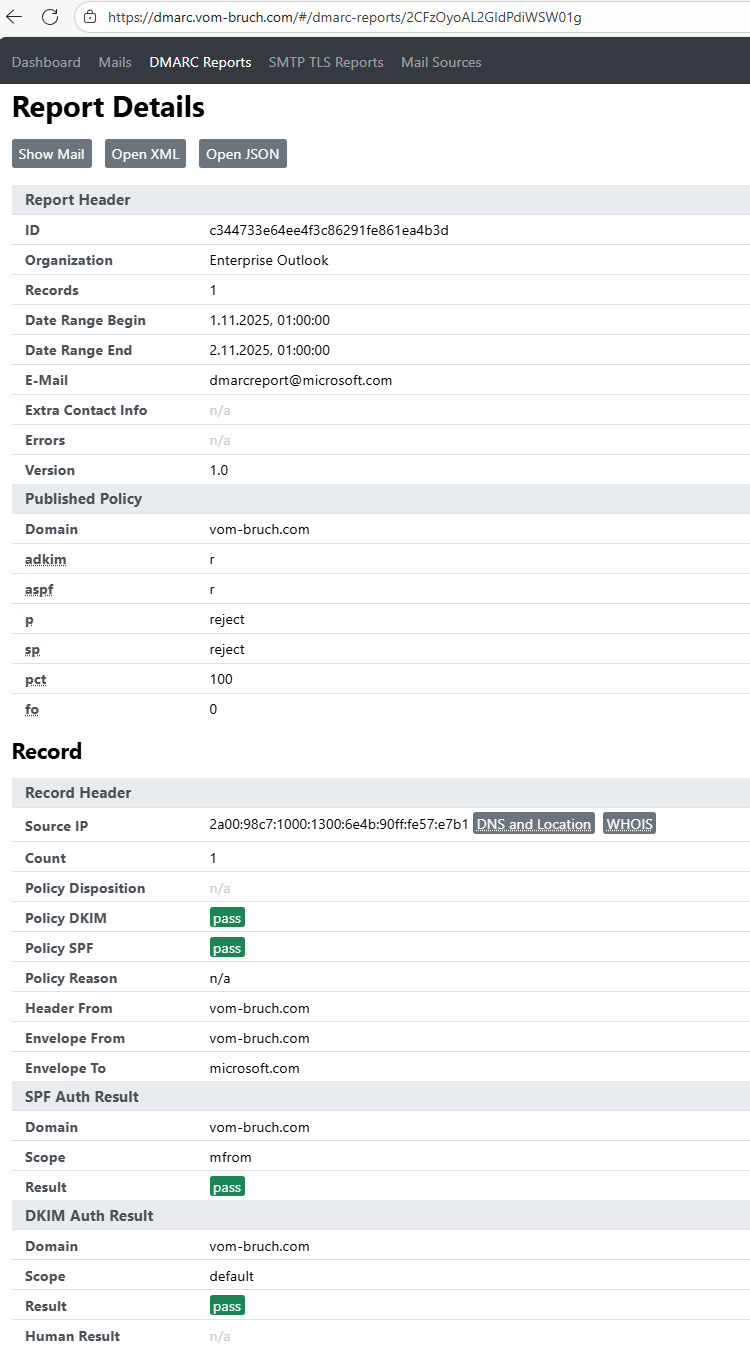
last time I added another follow up and asked them to tell me what the problem is, since I comply with all modern standards like spf, dkim, dmarc, even mta-sts OR dane. rdns is fine too.
not with microsoft . they have some of their own + really bad + false positive antispam/whatever, that blocks sending accounts for no reason. for years.
eg. senders from a single domain, to one of o365 emails. outlook MX receives ok, but the recipient never (not in spam, not notified, no non-delivery reports, nada…).
other senders/domains from same MX have no problem sending to outlook.com.
same with yahoo.com, from other senders. still same MX, some senders/domains have no issues sending to yahoo, others cant get their email delivered to recipient inbox (outlook.com MX receives with sent=ok)
this has been going on for years, and their support has just been useless so far. just “yes its’ fixed” or “no problem found”…
and not a single spam from these domains/MX in all these years.. (usually accounts that roughly send 100email/year).
so keeping away from microsoft services as much as i can. (cloudflare + google too )
2c.
In my experience, the culprit is usually DANE. DANE breaks every time your mail server’s SSL certs are re-issued, and needs to be manually re-compiled. You can check your DANE validity here: Check a DANE SMTP Service . This site is also pretty good with various mail server checks: https://en.internet.nl/ . Don’t bother with MX Toolbox or the Newsletter checks; they’re hopelessly out of date.
Additionally, as has been mentioned, if your mail server domain name is less than a year old, you’ll get a serious reputation hit.
It’s out of date, meaning what it’s testing for is just the barebones basics. If you do not check ALL the “boxes” for mail server security and best practices, your mail server will be flagged as “spammy” and you’ll never get anything delivered. And being designated “spammy” has long-term effects, i.e. it’s often a painful and long process to get removed from blacklists. Microsoft Outlook is particularly difficult to get removed from.
If your mail server is not DANE-compliant, your emails won’t be delivered to the majority of recipients.


 )
)
