No QR code displayed when selectinc TOTP

Ubuntu 22.04
Webmin 2.621

When I want to select TOTP as the authentication provider, it doesn’t show anything, no QR code. I have read other topics about this, but it didn’t help.

There’s no error in JS console or network tab, and I disabled my adblocker. Tested on chrome and firefox.

Any idea?

Check the browsers inspect and the network tab, and see if somethings not connecting.
Does it show secret code?

It makes a POST request to change_twofactor.cgi with the payload twofactor_provider=totp&authy_apikey=&save=Save, which results in a 302.

Nothing is returned or shown, and it simply goes back to /webmin.

Ok, you are going to the webmin user and then enabling it for the user?
I think your just enabled it to be used, each webmin user has to generate the qr code for themselves. You prob just need to edit the root user. (or whatever user you are logged in under)
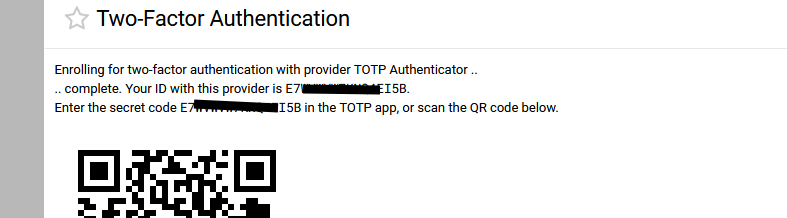
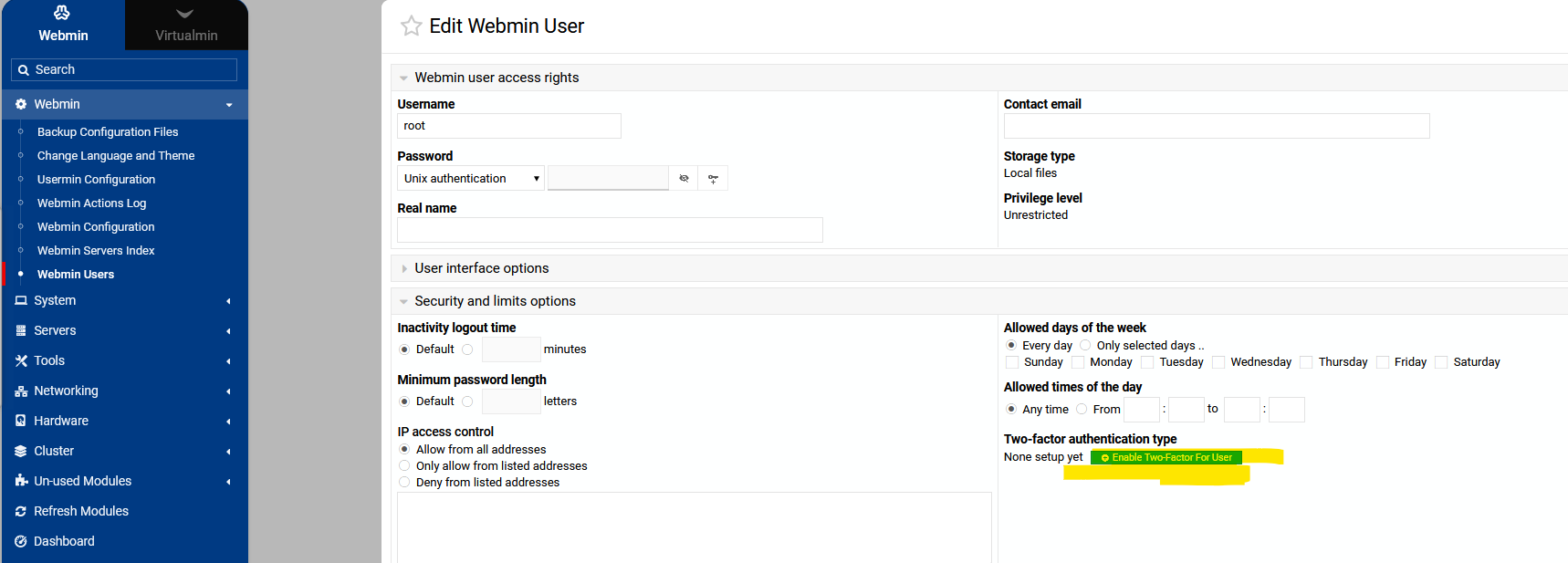
Oooooh so that’s what we need to do!

Thank you for the help. It would be very helpful be provided this information when we activate TOTP in webmin → webmin configuration.

I wouldn’t have found it by myself.

Thanks again :slight_smile:

1 Like

Thanks for the heads-up! We’ll fix it!

2 Likes

This topic was automatically closed 8 days after the last reply. New replies are no longer allowed.