You’re right. It isn’t normal. Virtualmin does not put php.ini in public_html. Ever.
You’ll only have a bunch of different php.ini files if you’re using a bunch of different execution modes. Otherwise you’ll have one per domain, and where it resides will depend on the execution mode you’re using.
I apologize if I seem hostile. That’s really not my intention. I’m just very frustrated. I came here after days of struggling hoping for some clarity and instead I’m just being gaslit and told that none of my problems are real.
I only have one version of PHP installed. I don’t see why it needs to be so overcomplicated. Maybe I should just stick with Webmin. I never had any issues with it in the many years I’ve used it.
Is there a minimal “mode” that Virtualmin can operate in with minimal influence and confusion?
That is a configurable option. You chose EL, so we assumed you wanted to do things the way it is normally done on EL. If you want it done the way it is done on Ubuntu/Debian, you can configure Virtualmin to create a separate file per VirtualHost.
Browse to Webmin->Servers->Apache Web Server->Module Configuration (click the gear in the upper left corner) and set File or directory to add virtual servers to to a directory (the directory should exist).
And, if you’re more comfortable with Debian or Ubuntu, Virtualmin supports those, too.
No that’s not what I mean. The new vhosts aren’t added to the main config file either. That’s the weird part. None of the virtual servers or their websites are in any of my config files, but they appear in Virtualmin as full-blown configurations that I can’t tap into.
Browse to Webmin->Servers->Apache Web Server. Are the domains there? If so, they’re being read from the web server configuration file in the place where Webmin believes you web server configuration file should be. (Because the Apache module has no metadata of its own. It reads VirtualHosts directly from the config file(s). Every time you load the page. It has no other way to get that information.)
You can check where it thinks the config file should be in Module Configuration (click the gear icon). It will be /etc/httpd/conf/httpd.conf on any EL system, I believe. And, that’s not our decision, that’s where the package your OS provides puts it.
And, if it’s not looking in the right place, e.g. it’s looking in something weird like /usr/local, it either didn’t detect your OS correctly at install time (that’s a bug or something weird about your system), or it’s been changed since installation.
Virtualmin uses the Webmin Apache module to manage Apache configuration. What you’re describing isn’t possible. I’m sorry if that seems like gaslighting (which I think is a misuse of the term), but I’m trying to help sort out what you’re seeing.
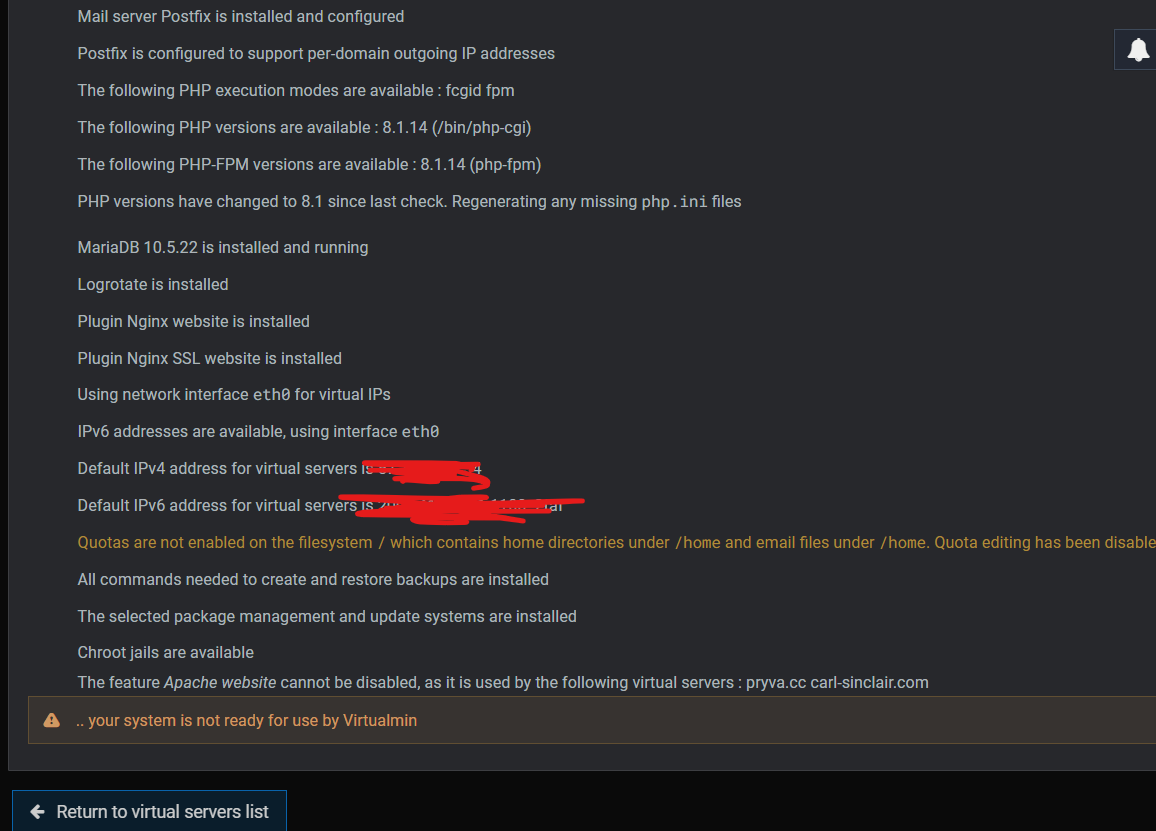
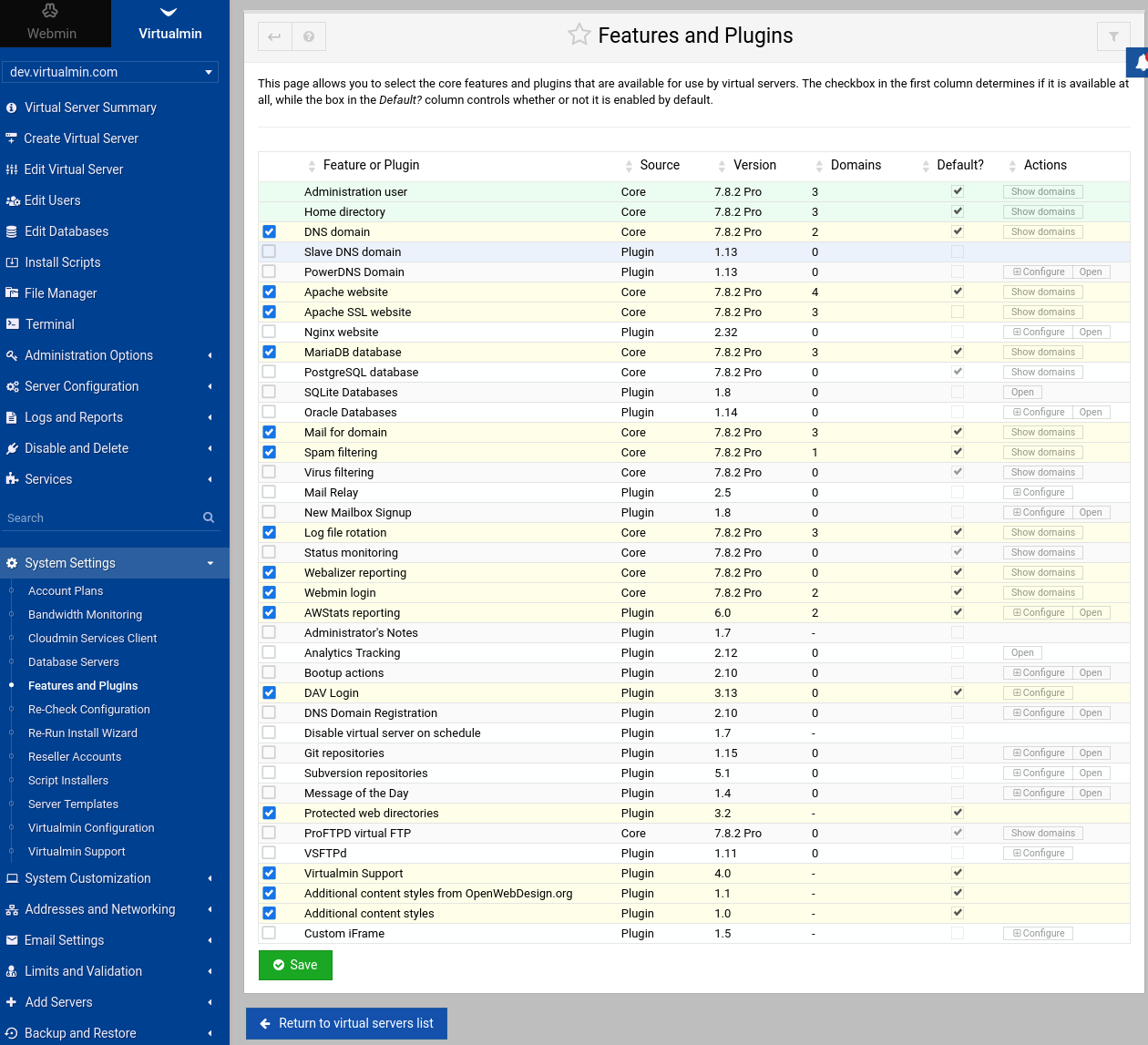
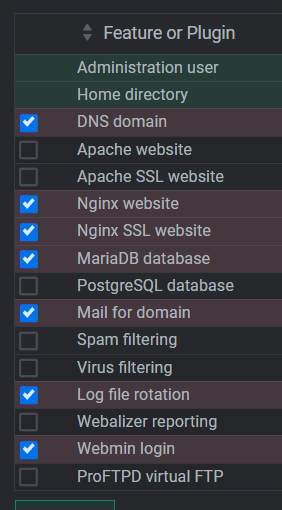
This. It seems like you tried to disable the Apache Website feature in Features and Plugins. You can’t do that, given the circumstances (and you don’t want to do that…if you want to use nginx exclusively, you should start over with an nginx --bundle LEMP install…you can, as I mentioned, do whatever custom thing with nginx you want, in addition to Apache, but if you’re trying to turn off Apache entirely, just don’t have it!).
Note, you cannot have both nginx website and Apache website enabled in Features and Plugins (and you’ve found some of my explanation for why). Virtualmin does not, and will not in the future, manage both on the same system. You can use both, but Virtualmin is only ever going to know about and manage one of them directly. (You could add custom post scripts or extra files in your skel or do stuff in Server Templates to automate it, if you wanted to, but we aren’t going to build that, as it is almost always a mistake that we want nothing to do with.)
I did attempt to disable Apache at one point, yes, but that was only temporary. I didn’t know I’d have to live with that decision for the rest of my life.
I’ll take your advice and reinstall to undo that mistake. But since Apache support is better (according to Stefan), shouldn’t that be the option I go with?
Webmin is independent of Virtualmin (but Virtualmin is not independent of Webmin). Disabling Apache in Virtualmin Features and Plugins does nothing to the Webmin Apache module.
 in the upper left corner) and set File or directory to add virtual servers to to a directory (the directory should exist).