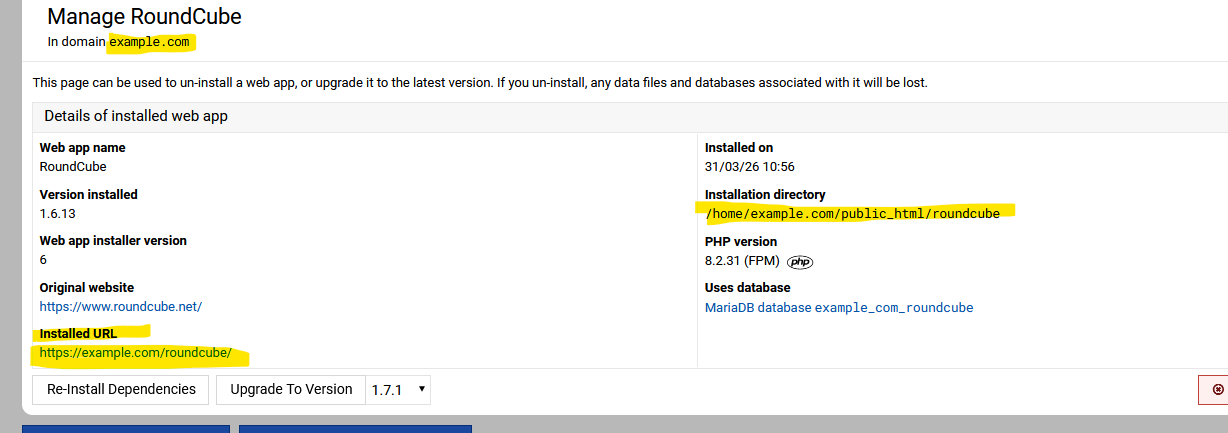
Getting started with Virtualmin GPL and am wanting to install Roundcube, which was active on the CPanel server I am migrating from. I looked at numerous online help files and they say to do it with the Install Script feature, but that is not visible anywhere I can find in my Virtualmin or Webmin panel, which was created with a clean install.
I have looked through System Settings ⇾ Server Templates ⇾ Default Settings and cannot see Install Scripts listed there. I have also tried to install RoundCube from the shell using the virtualmin install-script but it is looking for parameters that I am not sure how to specify.
Virtualmin GPL is supposed to include Roundcube, so how do I enable it? Or do I need to buy a Pro license?
Thanks. I was able to find that and installed Roundcube under a domain I set up for it, but am still trying to find how to access it, and get it active for all domains.
Yeah, webscripts should sort you, just do not install it at root home website directory / always in a folder it suggests or change it to rcmail or something else.
When you install it it will give you a hint where to find it … also other users on the domain will just need their access info.