When I create a new server, or migrate one in from cpanel (as I am doing)
I would like to
Be able to generate a default welcome email. I feel like this option should exist in Virtualmin > system settings > virtualmin config > Actions upon server and user creation
something like " [Notify on server creation Send to: [Webmin default] [enter email address ]
1.b - if it is a server migration, send the email with the report that is generated in the UI (success / failure messages)
Have an option to define when to run some kind of AutoSSL on a schedule (e.g. if no ssl happens, try again each 4 hours and keep sending emails about it to the nominated email(either admin or user)
If these exist already - I was not able to easily find it.
I don’t know what “AutoSSL” means, but I assume you mean renewing TLS certificates? Let’s Encrypt certificates are automatically renewed unless you choose not to do so.
Nope that’s not my experience. It fails and there should be a way to automate the retries. If the DNS for example is still propagating it will succeed once it’s resolved. But remembering to do this is not always easy, if there’s a lot going on, easy to miss stuff.
Lets Encrypt starts blocking after too many retries.
Personally would rather get on with it, than sit there for a few hours able to do nothing and hoping it’s only a propagation error. And then you read the error message and realise it’s a problem with the DNS configuration that needs to be fixed and then propagated again.
I check propagation before I begin.
I think I agree with Randomz on this one. If it fails, there’s a reason.
Long DNS propagation time isn’t really a thing anymore. Only updating glue records takes any time these days, everything else is pretty much just the TTL, which is usually five minutes or less (and then only for clients or resolvers that have recently queried your name, which is probably not true for Let’s Encrypt validation servers, unless you’ve been hammering it asking for validations for the name while there are misconfigurations).
If it’s a DNS problem preventing Let’s Encrypt from validating, it’s probably a problem you need to fix rather than something that’ll resolve on its own. Nearly always better not to get blocked by LE and manually request a retry when you’ve fixed the problems.
Renewals do automatically retry, though. But, even that is usually a configuration problem, but it tries anyway because nobody is looking at the screen to see the error, so it’s making every attempt to keep things working, so in addition to a notification about the failure, it’ll try again (and notify again when it fails again).
Hmm ok - actually realised my query is a bit more nuanced - so when I am setting up a new virtual server website I want the admin email to always default to mine.
Is there a separate template that works differently for migrated servers?
The reason I ask is that I have checked the server-template and have looked everywhere to see how I can set the default Contact email / ownersemail for the administrator - none show in there. in Virtualmin Configuration, there is a setting “Default email address for new domains”
Option 1: Domain owner’s mailbox Option 2: add my own < i filled in option2.
But when I migrated a cpanel site in, it still defaults to Administrator’s mailbox (username@ domain dot com)
I realise I can populate a field at the migration level to add my own email, but is there someplace I can set a a hard default for all virtual server creations to be my own email.
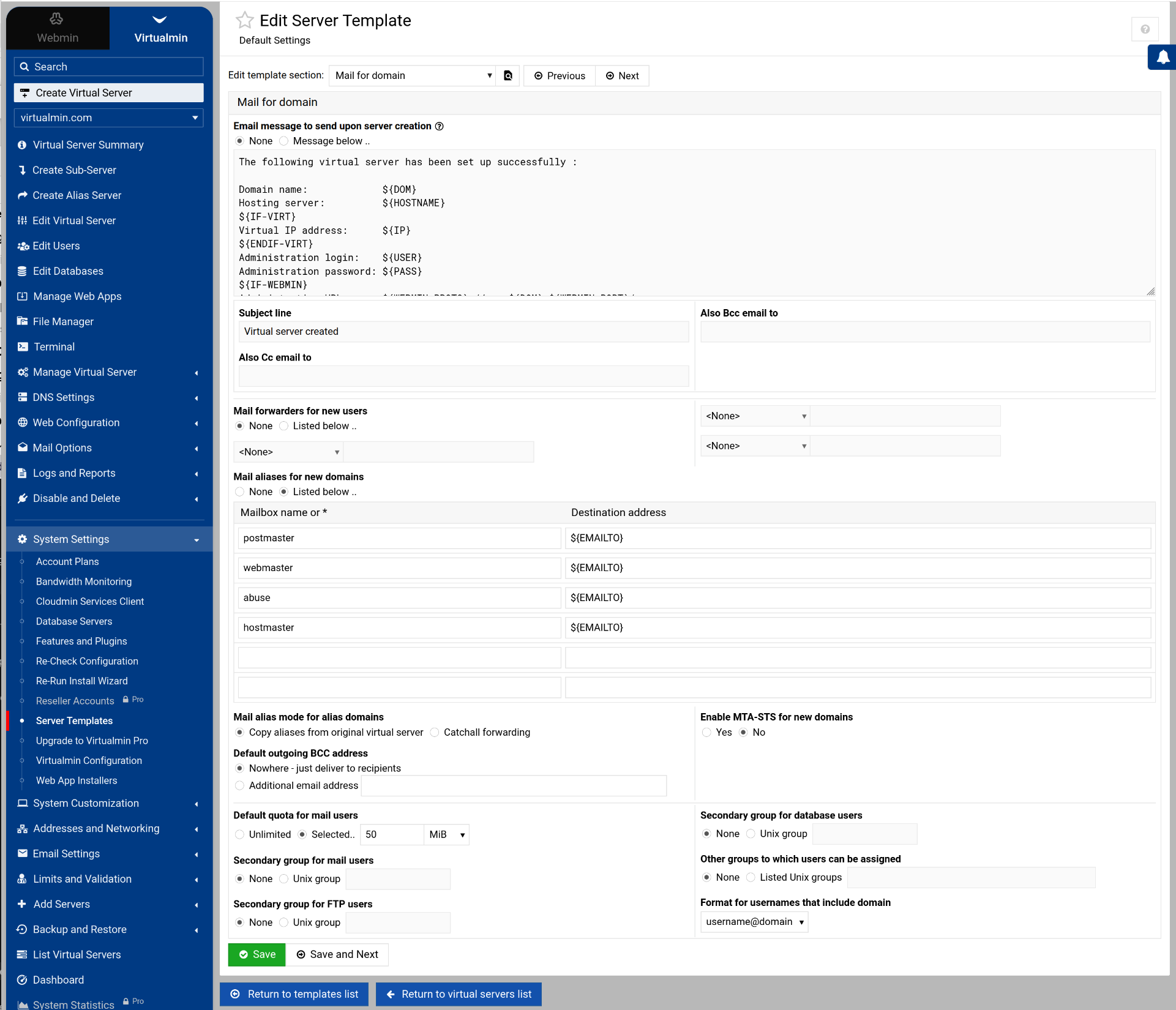
 Well, when you search n search and opening a forum post is the last resort… missed that one - so thank you.