LLia,
From the installation script information:
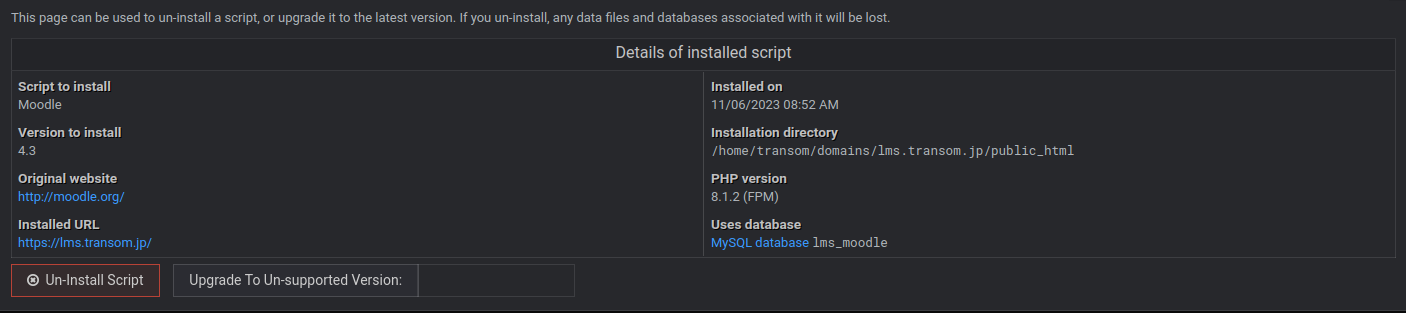
Seems to be the version installed today.
Regards
Rob Oudendijk
I’m sorry, the command should be:
grep -Rsi script_moodle_release -A 2 /etc/webmin
If you have release version 4 – you can give it another try and it should work this time.
LLia,
Yes, that seems to have worked.

root@transom:~# grep -Rsi script_moodle_release -A 2 /etc/webmin
/etc/webmin/virtual-server/latest-scripts/moodle.pl:sub script_moodle_release
/etc/webmin/virtual-server/latest-scripts/moodle.pl-{
/etc/webmin/virtual-server/latest-scripts/moodle.pl-return 4;   # Fix upgrade code
root@transom:~#
Remember the script mentioned V4.3 is still installed while the Moodle version is 4.2.3. Personally, I think the script will download two versions of V4.3 like before and will not make a backup folder as before.
You sure it will update correctly like that?
Regards,
rob Oudendijk
As sure as I can be. It worked for me!
… will not make a backup folder as before.
Backups are optional now, and should be set upon script initial installation.
llia,
I hope next time the update will be a few clicks only. Fingers crossed.
Regards,
rob Oudendijk
Sounds great, Rob! Thanks for the feedback and running tests! Appreciated!